

NPI in one answer: a 10-digit ID for health care providers
An NPI is a 10-digit number that identifies one health care provider in the United States. The full name is National Provider Identifier. It was adopted under HIPAA as the standard unique identifier for providers. Health plans, clearinghouses, and CMS read it on standard transactions. CMS lists no fee for it, and it does not expire.
NPI number meaning in plain English
An NPI number is a lasting ID tag for a provider. Two doctors can share a name. They never share an NPI. Payers use the number to see who delivered, ordered, or referred care. It does not say where the provider works or what they treat. Those details live in the record attached to the number.
National Provider Identifier: the full name and what it covers
The National Provider Identifier is the standard unique health identifier for health care providers. 45 CFR Part 162, Subpart D, sets the rule. The identifier has 10 positions and carries no embedded intelligence. The rule also lets anyone use it for any other lawful purpose. That is why NPIs show up on referral forms and credentialing files, not only on claims.
What does NPI stand for in healthcare?
NPI stands for National Provider Identifier. That answer holds for medical settings, nursing, and billing alike. Other industries may use the same three letters for something else, but in health care the term always means the CMS identifier. Searches for "nip number" and "nppi" are typos for the same thing. "NPIs" is just the plural.
NPI definition for quick reference
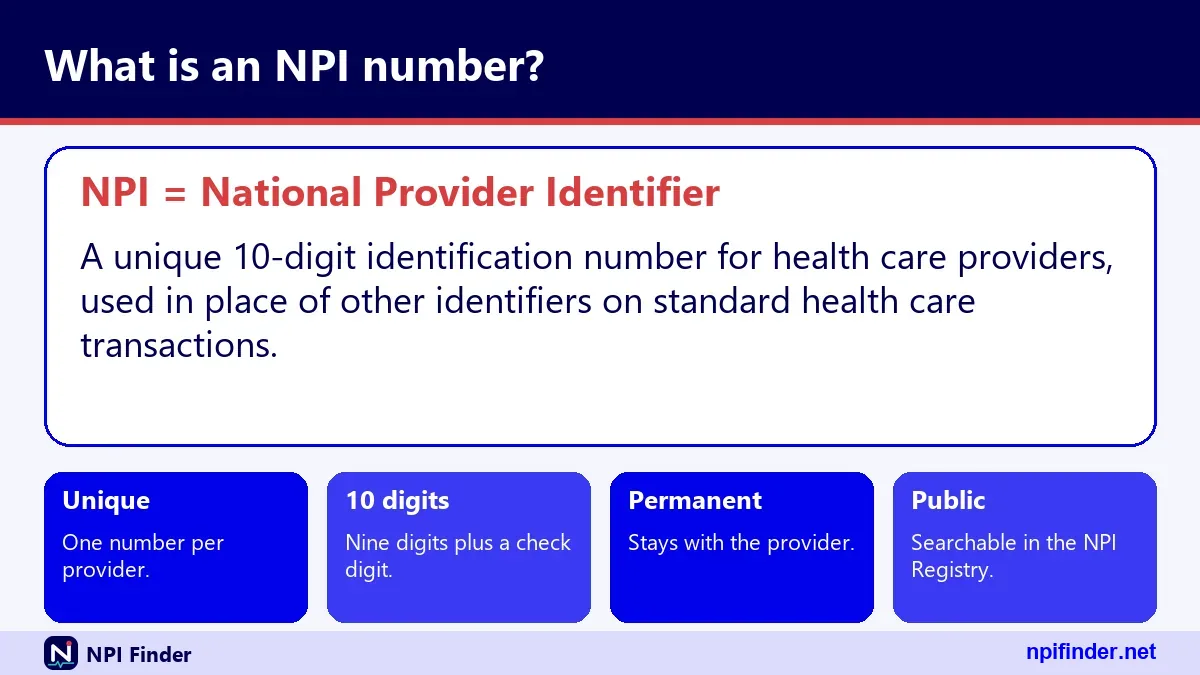
An NPI is a unique, 10-digit, numeric identifier assigned to a health care provider through NPPES. Here is a short version you can reuse in a glossary: "NPI: National Provider Identifier, a 10-digit number with a check digit, assigned to an individual or organization that provides health care." It is the same definition CMS uses, just shortened.
What NPPES is and what it stands for
NPPES is the National Plan and Provider Enumeration System, the CMS system that assigns NPIs and stores every NPI record. Providers use it to apply, update, and deactivate. Anyone can search the public data it produces. Our NPPES Explained page covers the full tour.
National Plan and Provider Enumeration System, word by word
"Enumeration" simply means assigning a number. NPPES hands out NPIs and keeps the data behind them. You may also see the name written with an ampersand, as in National Plan & Provider Enumeration System. Both spellings mean the same system. NPPES stands for that full name and nothing else.
Who runs NPPES
CMS maintains NPPES, and contractors operate it. The system sits behind the application site where providers log in. That login uses an I&A (Identity and Access) account, the same account system that covers PECOS. If your login fails, start with NPPES Login Help.
NPPES website versus the NPI Registry
They are two different front doors. The NPPES site is where providers manage their own records. The NPI Registry is the public search page for looking providers up. You do not need an account to search. You do need one to change a record.
What the NPI Registry is and how it relates to NPPES
The NPI Registry is the public, searchable view of NPPES data. CMS describes it as a query-only database that is updated daily. You can search by name, NPI, location, or taxonomy without signing in. Everything it shows comes from what providers submitted to NPPES.
What is the NPI registry, in one sentence
The NPI registry is the free public directory where you look up any NPI and see the provider's name, type, addresses, and taxonomy. It is the tool behind most "who is this provider" questions. Our hero tool at the top of the home page uses the same data.
What the registry will never show
CMS does not publish a provider's SSN, ITIN, or date of birth. The application form says so directly. Other submitted information may be public. That includes practice addresses, phone numbers, and license numbers. Treat the registry as a public record and enter only what you are comfortable sharing.
Registry search versus bulk data files
The registry suits one-off lookups. CMS says bulk registry queries must use the downloadable data file instead, and it limits how many queries run per hour. If you need millions of records, read NPI Database & Download before writing any scraper.
How a 10-digit NPI is built
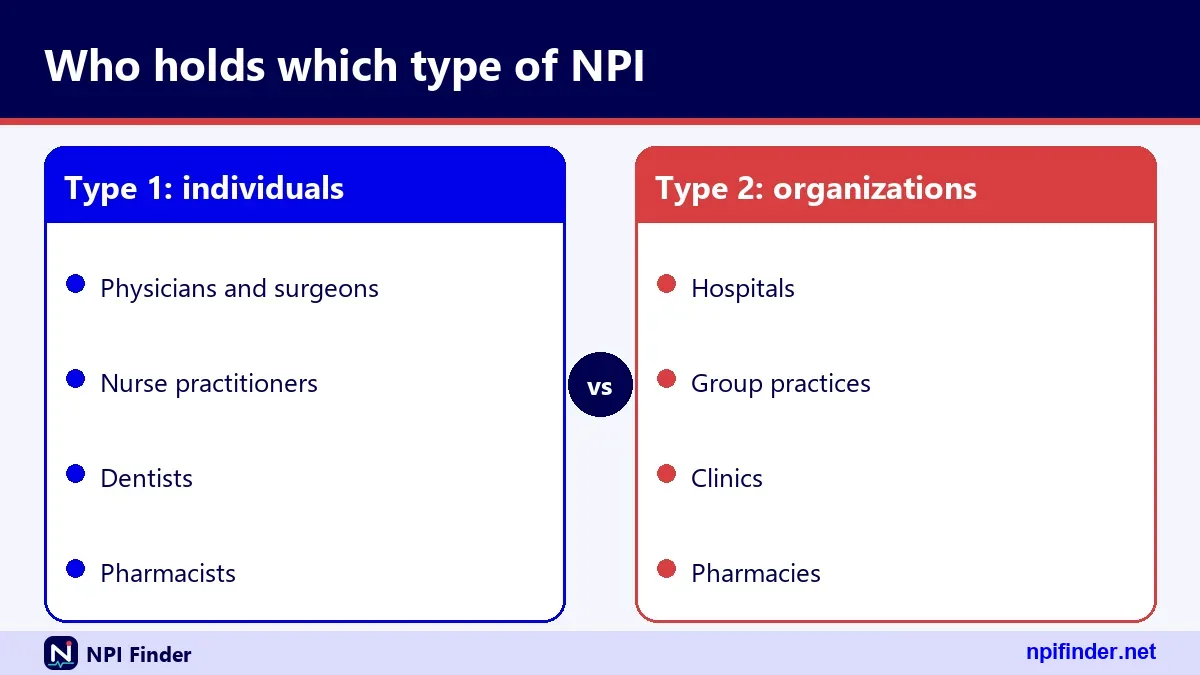
A 10-digit NPI is nine digits plus one check digit in the tenth position. The check digit lets software catch typing errors. The other nine digits carry no meaning. Nothing in the number reveals the provider's state, specialty, or age. CMS designed it that way on purpose.
Nine digits plus a check digit
Position 10 is the check digit. It comes from a formula applied to the first nine digits. CMS's design document also required that initially issued NPIs begin with a 1 or a 2. You can test any number yourself with the NPI Number Validator.
No hidden meaning in the digits
The rule says the NPI has no embedded intelligence. You cannot read a provider's location from the first digits. You cannot read a specialty from the last. Those facts live in the record. This is why a "type 2 NPI number" looks identical to a Type 1 number.
Why the check digit exists
The check digit uses the Luhn formula. A single mistyped digit almost always breaks it. That stops a typo from pointing at a different provider by accident. Passing the test only proves the number is well formed. It does not prove the NPI is assigned to anyone.
Type 1 vs Type 2 NPI at a glance
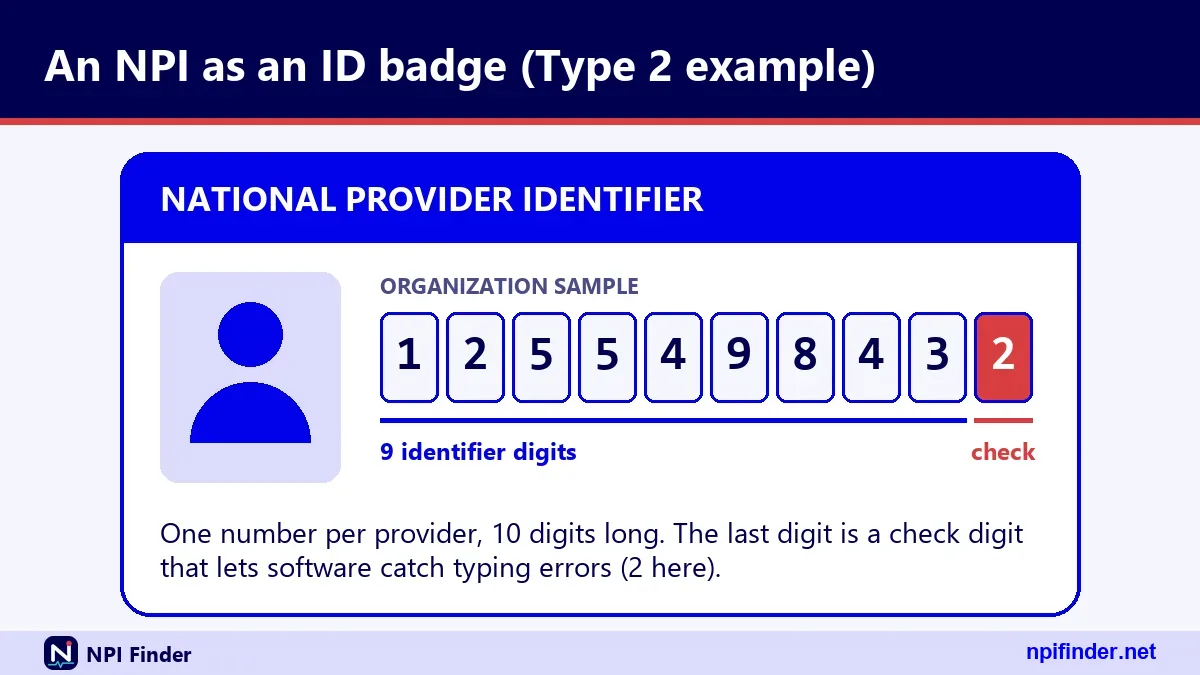
There are two NPI entity types. Type 1 (NPI-1) goes to individuals. Type 2 (NPI-2) goes to organizations. The table lays out the differences using CMS's NPI Fact Sheet and the application form.
| Feature | Type 1 NPI (NPI-1) | Type 2 NPI (NPI-2) |
|---|---|---|
| Who gets it | Individual health care providers | Organizations |
| Examples | Physicians, nurse practitioners, sole proprietors | Hospitals, nursing homes, physician groups |
| How many | One per individual | Can have multiple |
Registry field enumeration_type |
NPI-1 | NPI-2 |
| Main name fields | first_name, last_name, credential | organization_name, authorized official |
| Sole proprietorship | Counts as Type 1 | Not applicable |
So, Type 1 NPI is the best entity type for an individual provider, including a sole proprietor, because Type 2 goes only to organizations.
Type 1 NPI: individuals
A Type 1 NPI belongs to a person, such as a physician or a nurse practitioner. Individuals are eligible for only one NPI. A sole proprietorship is also Type 1. If someone asks "what is a type 1 npi," the answer is simply the individual provider's number.
Type 2 NPI: organizations
A Type 2 NPI, also written NPI type II, belongs to an organization such as a hospital, nursing home, or physician group. Organizations can hold more than one NPI. The record lists an authorized official instead of a personal name.
One person, two NPIs: the incorporated provider
An incorporated individual who is a health care provider can have both. They get a Type 1 NPI for themselves and a Type 2 NPI for the corporation or LLC. The two numbers do not replace each other. Use the one that matches who is billing.
Who has an NPI number
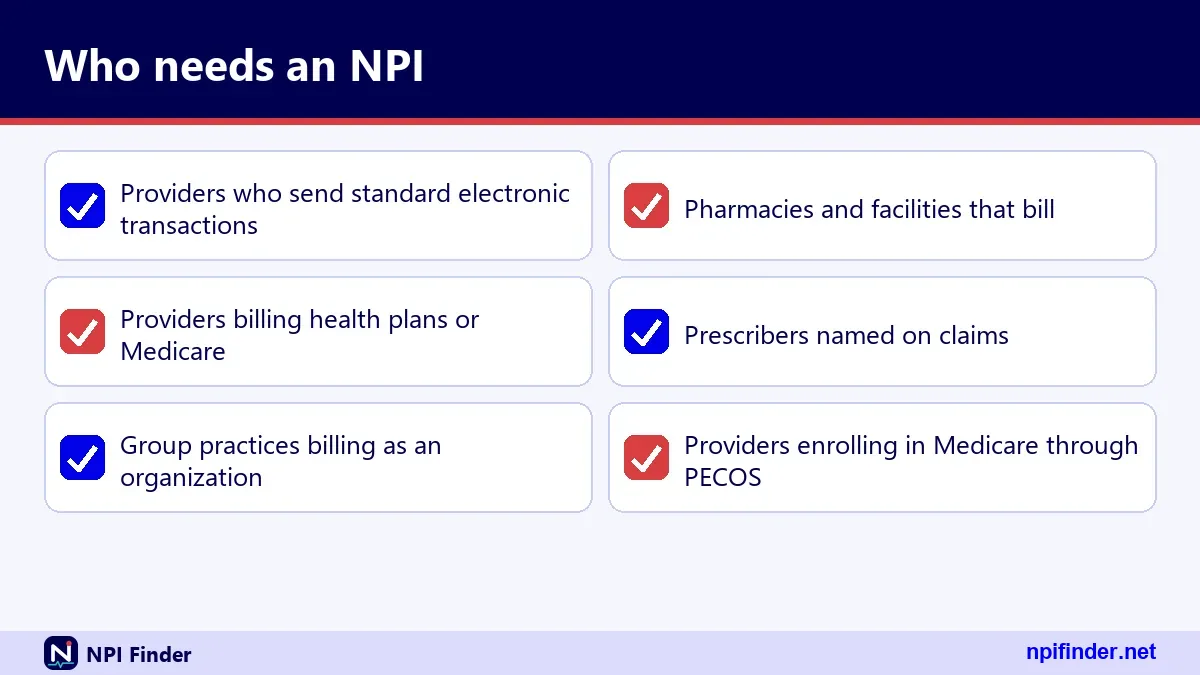
Covered health care providers must have an NPI, and any health care provider may have one. "Covered" means the provider sends health information electronically in connection with a HIPAA standard transaction. The rule sits in 45 CFR 162.410. Here is how the groups break down.
Who needs an NPI number
A covered provider must get an NPI, use it in standard transactions, and share it with anyone who needs it. Covered providers must also report changes to their NPPES data within 30 days. If you bill health plans electronically, assume this applies to you. Our Apply for an NPI page walks through getting one.
Who may have an NPI without being required to
Non-covered providers can still obtain an NPI. The rule says all health care providers, as defined in 45 CFR 160.103, are eligible. A business that does not provide health care is not. CMS's own example is a transportation service. Eligibility follows the work, not the job title.
Prescribers who do not bill
Non-covered prescribers will need an NPI even though the law does not require one for them directly. CMS's FAQ says so. The rule also requires organizational providers to make their non-covered prescribers get an NPI and disclose it when prescribing within their role. Ask your employer which rule applies to you.
What an NPI number is used for
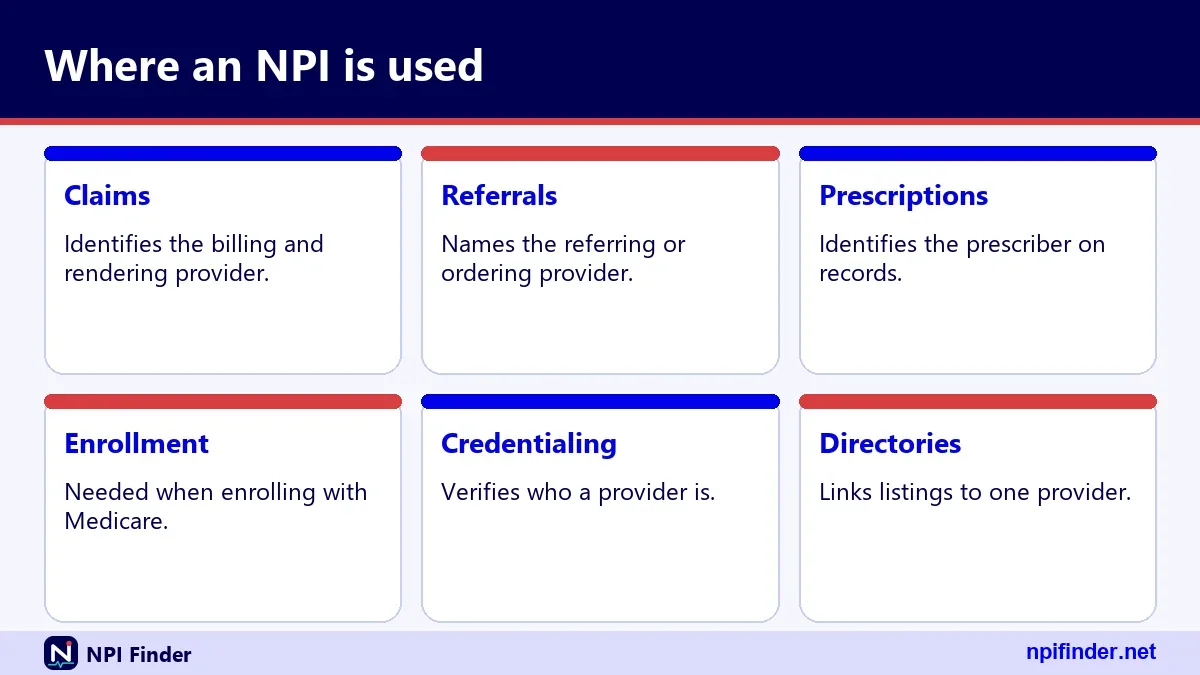
An NPI number is used to name a provider on standard health care transactions. Once the NPI is in use, legacy identifiers such as the old UPIN, state Medicaid numbers, and Blue Cross numbers are not permitted in those transactions. The tax ID can still be reported for tax purposes.
NPI in medical billing
In billing, the NPI tells the payer which provider or organization sent the claim. Covered providers must use it in standard transactions and require their business associates to use it correctly. A wrong NPI on a claim is a common reason a payer rejects it. Verify the number before you submit.
NPI for credentialing and referrals
Credentialing staff use NPIs to match one provider across systems. Referral forms and orders name the ordering provider by NPI. The rule lets anyone use the number for any lawful purpose. A quick registry check confirms the name and specialty match what the form says.
NPI and Medicare enrollment
An NPI is required for Medicare enrollment, but it does not replace enrollment. You still enroll through PECOS or on paper. Updating NPPES does not update your Medicare record either. Read PECOS Lookup & Revalidation to see how the two systems connect.
What the enumeration date means
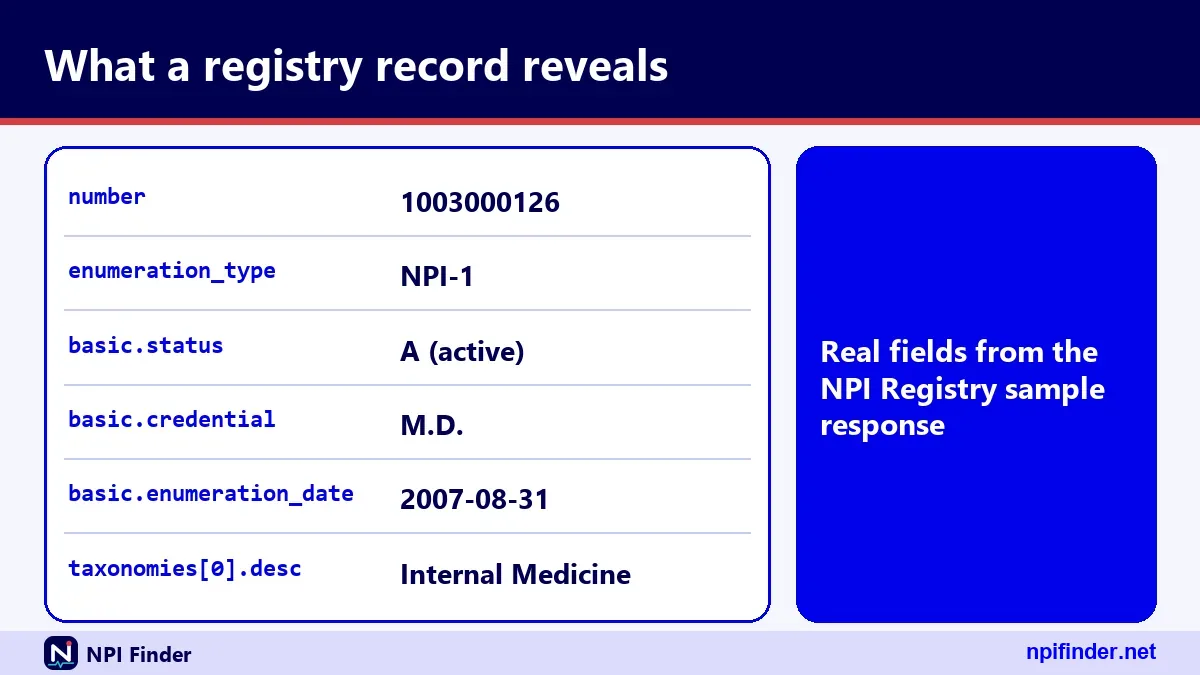
The enumeration date is the date an NPI was assigned to the provider. It appears in the record as enumeration_date. In NPPES terms, "enumeration" means assigning the number. This is the answer to "what is an enumeration date" and "enumeration date meaning."
Enumeration date versus the last updated date
Every record carries two separate dates. The enumeration date never moves. The last_updated date changes each time the provider edits the record. A record can be 15 years old and still show an update from last year. The sample record below was enumerated in 2007 and last updated in 2025.
What NPI enumeration looks like in the raw data
The API also returns created_epoch and last_updated_epoch. These are strings of epoch milliseconds derived from the two dates. In the sample record, created_epoch is 1188577587000, which corresponds to the 2007 enumeration date. Treat the epoch fields as machine-friendly copies of the human dates.
Why the enumeration date matters to you
It tells you roughly how long a provider has been in the system. It does not tell you whether the provider is in good standing. A new date can mean a new provider. It can also mean a recent change of entity type. Pair the date with the status field before drawing conclusions.
Sole proprietor NPI: what the question means
Sole proprietor is a yes-or-no field on an individual NPI record. CMS says a sole proprietorship is an Entity Type 1, meaning an individual. The field appears in the registry as basic.sole_proprietor. This section covers the three ways the question comes up.

Is the provider a sole proprietor?
The record answers this directly with YES or NO. The sample record says NO. If you read a record with YES, the provider has told NPPES they operate as a sole proprietorship. You can find the flag in the basic block of the registry result.
Am I a sole proprietor on my NPI application?
If you practice under your own name with no separate legal entity, you are a sole proprietor for this purpose. You apply for a Type 1 NPI. If you incorporated, you can hold a Type 1 for yourself and a Type 2 for the corporation or LLC. For tax or legal questions, ask an accountant.
What the sole proprietor flag does not change
It does not change your number or your entity type. It is one field in your record. Do not read it as a license, a tax status, or a billing rule. Confirm any tax identifier questions with the IRS or your accountant, not with NPPES.
What an NPI record contains
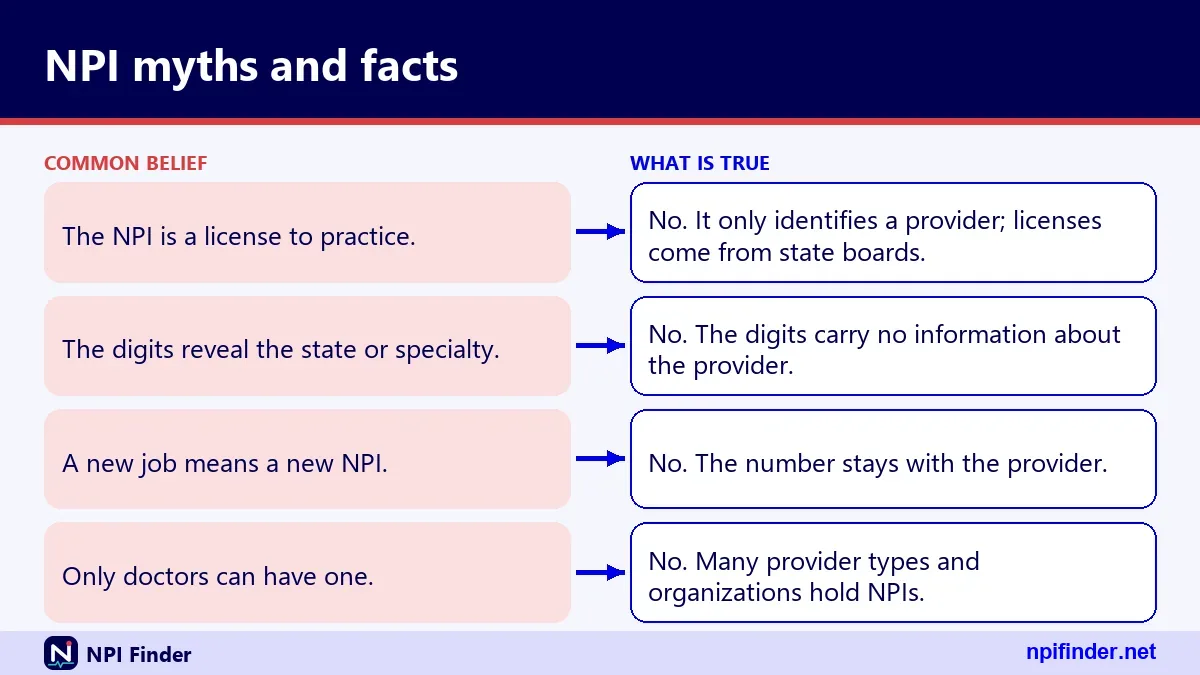
An NPI record is a bundle of fields grouped into blocks. The hero tool on this site shows the full API response, including basic, addresses, practiceLocations, taxonomies, identifiers, other_names, endpoints, and the raw JSON. This table summarizes the blocks.
| Block | What it holds | In the sample record |
|---|---|---|
| number, enumeration_type | The NPI and its entity type | 1003000126, NPI-1 |
| basic | Name, credential, sex, sole proprietor flag, dates, status | Status A, enumerated 2007-08-31 |
| addresses | LOCATION and MAILING addresses | Two entries |
| practiceLocations | Secondary practice locations | Three entries |
| taxonomies | Code, description, primary flag, state, license | Four entries |
| identifiers | Other IDs with issuer and state | Empty |
| other_names | Former names or "Doing Business As" names | Empty |
| endpoints | Electronic exchange endpoints | Empty |
The basic block
The basic block holds identity and dates. For an individual it lists name, credential, sex, sole_proprietor, enumeration_date, last_updated, certification_date, and status. A status of "A" means active. For organizations it lists organization_name and the authorized official instead.
Addresses and practice locations
The addresses array holds up to a LOCATION and a MAILING address, each with a type such as "DOM" for domestic. The practiceLocations array holds secondary sites. The sample provider lists three, in Virginia, Maryland, and Washington, DC. Do not infer where someone works from the mailing address alone.
Taxonomies and license numbers
Each taxonomy entry has a NUCC code, a short description, a primary flag, a state, and a license number. The sample record lists four entries. The primary one is 208M00000X, Hospitalist. Three others are 207R00000X, Internal Medicine, tied to Maryland and Virginia licenses. Look up codes in Taxonomy Code Lookup.
Identifiers, other names, and endpoints
The identifiers array can hold up to 50 other IDs, each with an issuer and state. The other_names array holds former names for individuals and "Doing Business As" names for organizations. The endpoints array holds electronic exchange details. All three are empty in the sample record, which is normal.
What an NPI does not prove
An NPI proves a provider was enumerated, nothing more. CMS's NPI Fact Sheet says an NPI does not ensure a provider is licensed or credentialed. It also does not guarantee payment or enroll anyone in a health plan. Keep these limits in mind each time you rely on a registry result.
It does not prove a license
A license number in the registry is something the provider typed in. NPPES does not verify it. If you need to confirm licensure, check the state licensing board directly. Use the registry to identify the provider and the board to confirm the license.
It does not guarantee payment
Having an NPI does not mean any plan will pay your claims. Payers apply their own rules after they identify you. The NPI answers "who is this." Contracts, coverage, and enrollment answer the rest.
It does not enroll you in Medicare
NPPES and PECOS are separate systems. An NPI is required for Medicare enrollment but does not stand in for it. When your practice address changes, update NPPES and then update your Medicare enrollment separately. Our PECOS Login page covers the second step.
How to look up an NPI number
You can look up an NPI in the public NPI Registry by number, by name, or by organization. No account is needed. The method you pick depends on what you already know. Start with the NPI if you have it, since that returns one exact record.
Look up a provider by NPI number
Enter all 10 digits. The registry returns the matching record or nothing. A number that is not exactly 10 digits is rejected outright. If you only want to test whether a number is well formed, use the NPI Number Validator first.
Look up a provider by name and state
Enter a last name and first name for a person, or an organization name for a Type 2 NPI. Add a state or city to narrow the list. Common names return many records. Our NPI Lookup by State and NPI Lookup by Specialty pages help you narrow further.
Step-by-step: run your first registry search
- Open the NPI Registry search page.
- Choose whether you are searching for an individual (Type 1) or an organization (Type 2).
- Type the NPI, or type a last name and first name.
- Add a state or city to cut down the results.
- Open the matching record and read the entity type, status, and taxonomy.
Tip: A name search is an exact match unless you use a wildcard. A trailing asterisk works only after at least two characters, such as "smi*".
How to read an NPI Registry result
Read a registry result from the top: entity type, status, name, then location. Those four checks tell you whether you have the right provider. The rest of the record adds context. A wrong match is usually obvious by the second check.
Confirm the entity type and status
Check whether the record is NPI-1 or NPI-2. Then check the status. "A" means active. A deactivated NPI shows far less data, since CMS discloses only the NPI and the deactivation date for those. If the status surprises you, ask the provider.
Compare taxonomy and license state
The primary taxonomy shows the specialty the provider chose. The license state shows where that license was issued. A provider can list several taxonomies, as the sample record does. Look for the one flagged primary. Browse codes in Taxonomy Code Lookup.
Check dates and addresses
Compare the enumeration date with the last updated date. A very old update date can hint at stale data. Then compare the practice location with the mailing address. They often differ, and the mailing address is sometimes an office box. Use the location address, not the mailing one.
How to check an NPI check digit by hand
You can check an NPI's last digit with a short calculation. It uses the Luhn formula, which CMS calls "double-add-double" modulus 10. The check digit is always calculated as if the card issuer prefix 80840 were present. A shortcut lets you skip the prefix.
The 80840 prefix and the shortcut
The prefix 80840 means health applications (80) in the United States (840). It is required only when an NPI appears as a card issuer identifier on a health ID card. When you calculate without the prefix, CMS says to add the constant 24 at the sum step. The result is the same.
Worked example with 123456789
CMS publishes 123456789 as its example nine-digit identifier. Doubling the digits 9, 7, 5, 3, and 1 gives 18, 14, 10, 6, and 2. Their digits sum to 23. The untouched digits 8, 6, 4, and 2 sum to 20. Add 24 and the total is 67. The next number ending in zero is 70, so the check digit is 3.
Step-by-step: calculate the check digit
- Write the first nine digits of the NPI.
- Double every other digit, starting with the rightmost of the nine.
- Add the digits of each doubled value (so 18 becomes 1 plus 8).
- Add those sums to the untouched digits, then add 24.
- Subtract the total from the next higher multiple of 10. That result is the check digit, or 0 if the total already ends in zero.
Warning: Passing the test proves only that the number is well formed. The number 1234567893 passes, yet the live registry has no record for it. Always follow a check-digit test with a registry search.
How to get your own NPI
You get an NPI by applying through NPPES, by mail, or through bulk enumeration. CMS says the web application is the most efficient and the fastest. The method changes how you apply, not what the NPI is. The table compares the three routes. Our Apply for an NPI page goes deeper.
| Method | How it works | Best for |
|---|---|---|
| Web application | Apply in NPPES with an I&A login | Most individuals and organizations |
| Paper form | Mail CMS-10114 to the NPI Enumerator | People who cannot apply online |
| Bulk enumeration (EFI) | An authorized organization submits files for many providers | Large organizations enumerating many providers |
So, the web application is the best route for most individuals and organizations because CMS says it is the most efficient and the fastest.
Apply online through NPPES
The web application is the route CMS recommends. You sign in with an I&A account, then complete the NPPES application. Expect to supply your entity type, name, addresses, and taxonomy. CMS does not publish a processing time, so I will not guess one.
Apply on paper with CMS-10114
The paper form is CMS-10114, the "National Provider Identifier (NPI) Application/Update Form." Mail it to the NPI Enumerator at Mail Stop DO-01-51, 7500 Security Blvd., Baltimore, MD 21244. You can also call 1-800-465-3203 to request a paper application. Fill in one reason and one NPI per form.
Online application, step by step
- Gather your information: entity type, name, Social Security number or ITIN, date of birth, addresses, taxonomy, and license details if they apply.
- Sign in to NPPES with your I&A account, or create one.
- Choose individual or organization when asked for the entity type.
- Enter your details, check them, and submit.
- Save the NPI you receive and keep a copy of the record.
Tip: Organizations need the legal business name, the EIN, and an authorized official on hand before they start.
How to find your own NPI if you forgot it
You can find your own NPI by searching the registry for your name or by logging in to NPPES. The NPI is not secret. Anyone can look it up. The Find My NPI Number page covers each route in detail.
Search the registry by your name and state
Enter your last name, first name, and state in the registry. If your name is common, add a city. Confirm the match by checking the taxonomy and practice address. A former name may appear under other_names, so try it if the current one finds nothing.
Log in to NPPES
Providers with an NPPES account can sign in and open their own record. The I&A system uses one login across NPPES and PECOS. If you cannot sign in, NPPES Login Help covers password and lockout problems.
Ask your billing office or the enumerator
Your billing office or credentialing staff usually keep your NPI on file. The NPI Enumerator also notifies applicants of their NPI when it assigns one. As a last step, call the NPI Enumerator at 1-800-465-3203.
How to update an NPPES record
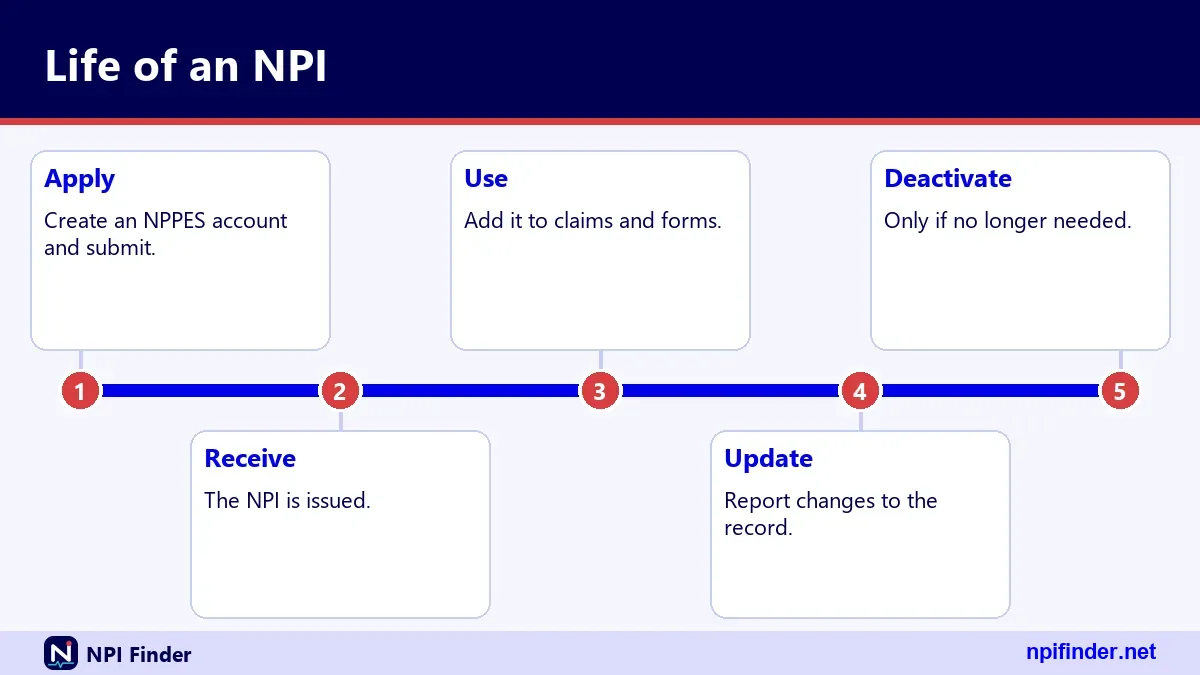
Update your record in NPPES, either online or with a paper Change of Information form. Covered providers must report changes within 30 days. That includes a new address, a new name, or a new practice location. Our Update or Deactivate an NPI page has the full process.
Update online with your I&A account
Sign in to NPPES with the same I&A account you used to apply. Edit the fields that changed and submit. CMS does not publish an update timeline, so search the registry afterward to confirm the change.
Update on paper with a Change of Information
Use CMS-10114 and check the box for Change of Information. All changes must reach the NPI Enumerator within 30 days. Submit one NPI per form. The form also covers deactivation and reactivation, each with its own box.
Update Medicare separately
Changing NPPES does not change your Medicare enrollment. If you are enrolled, update PECOS as well. A mismatch between the two can cause problems later. Details are on PECOS Lookup & Revalidation.
How to search the NPI Registry API
The NPPES NPI Registry API returns JSON for the same data the website shows. The base address is the registry's /api/ path and the version parameter is mandatory. Use version 2.1. Any other value returns error 17, Unsupported Version.
Parameters and wildcards
You can search by number, first_name, last_name, organization_name, taxonomy_description, city, state, postal_code, country_code, and more. Wildcards are trailing asterisks only, and they need at least two leading characters. A state alone is not enough. Pair it with another field.
Limits and paging
The documented default is 10 results, with limit up to 200 and skip up to 1000. The site also says the web search is limited to the first 2,100 results. CMS has capped hourly queries since 6/25/2024 and tells bulk users to use the data file instead.
Common error codes
The API returns HTTP 200 even when a call fails. The error appears in the JSON body instead. Here are the codes seen in live testing.
| Code | Message | Typical cause |
|---|---|---|
| 03 | Wildcards require at least two leading characters | Wildcard used too early, such as "s*" |
| 04 | No valid search criteria provided | Only version was sent |
| 05 | Field contains special character(s) or wrong number of characters | Bad character or length |
| 06 | NPI must be 10 digits | Number shorter or longer than 10 |
| 07 | Field state requires additional search criteria | State sent alone |
| 17 | Unsupported Version | Missing version or not 2.1 |
What is an NPI number for doctors
A doctor's NPI is a Type 1 NPI, one 10-digit number that belongs to that physician alone. It works for a doctor's whole career. Searches for "doctor NPI number," "dr npi number," and "physician NPI number" all point to this same Type 1 identifier.
A doctor's NPI follows them between jobs
The number belongs to the person, not the employer. A doctor who changes practices keeps the NPI and updates the address and taxonomy in the record. Individuals are eligible for only one NPI, so a physician should never end up with two.
How a doctor's specialty shows up
Specialty lives in the taxonomy, not the number. Family Medicine is 207Q00000X, Internal Medicine is 207R00000X, and Pediatrics is 208000000X. A physician can list more than one. The primary flag marks the main one. See NPI Lookup by Specialty to browse by field.
What is an NPI number for nurses and therapists
Nurses and therapists get a Type 1 NPI the same way doctors do, provided they meet the HIPAA definition of a health care provider. The taxonomy code, not the NPI, records the profession. Whether you need one depends on your role and your employer's billing setup.
NPI for nurses
Nurse practitioners appear in the taxonomy list as 363L00000X, with Family Nurse Practitioner as 363LF0000X. Certified Registered Nurse Anesthetists use 367500000X. If you ask "what is an NPI number for nurses," the answer is the same Type 1 ID. Ask your employer whether your role requires one.
NPI for therapists
Physical Therapists use 225100000X. Occupational Therapists use 225X00000X, and Speech-Language Pathologists use 235Z00000X. These codes sit under the therapist's own NPI record.
NPI for organizations: hospitals, groups, and pharmacies
An organization that provides health care can hold a Type 2 NPI, and it can hold more than one. Hospitals, nursing homes, and physician groups are CMS's examples. The record names an authorized official rather than a single practitioner. This is the "organization type 2 NPI" most billing teams mean.
Taxonomy codes for facilities
Facility codes look like individual codes. A General Acute Care Hospital is 282N00000X. A Pharmacy is 333600000X. A Primary Care Clinic/Center is 261QP2300X. The NUCC marks these as "Non-Individual" in its code set. You can verify any code in Taxonomy Code Lookup.
Subparts of an organization
A component of an organization, such as a hospital unit, can get its own NPI if its identifying data are unique. The covered provider decides which subparts need one. The registry shows an organizational_subpart field for Type 2 records. The subpart idea does not apply to individuals.
Residents, students, and other edge cases
Edge cases come from the gap between "required" and "allowed." CMS says medical students, interns, and residents are not covered health care providers under HIPAA. That does not stop a program from asking them to hold an NPI. Check your program's policy first.
Trainees and non-covered providers
A non-covered provider can still apply. The rule says all health care providers are eligible. Organizations must also require their non-covered prescribers to get one. When in doubt, apply. CMS lists no fee.
Providers who change roles
An individual keeps one Type 1 NPI. If that provider incorporates, they can add a Type 2 NPI for the corporation or LLC. Keep both records current. Report any change to NPPES within 30 days.
Deactivated, replaced, and reactivated NPIs
A deactivated NPI is closed for good. The NPS may not assign it to another provider. Anyone can still see that the number once existed. The registry shows only the NPI and the deactivation date for deactivated records.
Deactivation reasons
The paper form lists three reasons: Death, Business Dissolved, and Other. One reason and one NPI per form. A provider who retires should deactivate rather than leave a record unchanged. See Update or Deactivate an NPI for the process.
Reactivation
The paper form has a Reactivation box with a required reason. Online reactivation details are not documented in the sources we use, so ask the NPI Enumerator before you start. The reactivation_date field appears in the API when it applies.
Replacement NPI
The record format includes a replacement_npi field. CMS's field map lists it, but the sources we use do not explain every case where it appears. If you see one, check the listed number in the registry. Health plans cannot demand a second NPI from a provider who already has one.
Former names and doing-business-as names on an NPI
The other_names array stores names a provider has used before or uses in business. For an individual, an entry might be typed "Former Name." For an organization, it might be typed "Doing Business As." Both help you match records when a name has changed.
Former names for individuals
A provider who changed their name keeps the same NPI. The old name goes in other_names with the type "Former Name." Search both names when you are chasing a record. A match on the old name plus the same NPI confirms the person.
Doing business as names for organizations
Organizations list trade names under other_names with the type "Doing Business As." A clinic may operate under a brand while its legal name differs. When a registry search for the brand fails, try the legal business name or the authorized official's name.
NPI compared with other provider identifiers
An NPI is not the only number in a provider's life. It is the only one standard across all payers. The others serve specific agencies or purposes. The table below compares them, using CMS manuals and agency sources. Our NPI vs Other Provider IDs page goes into more depth.
| Identifier | Issuer | What it does |
|---|---|---|
| NPI | CMS through NPPES | Standard provider ID in HIPAA transactions |
| PTAN | Medicare Administrative Contractor | Identifies a provider when billing Medicare |
| CCN | CMS | Identifies Part A facilities such as hospitals |
| Medicaid provider ID | Each state Medicaid agency | State program identifier; format varies |
| DEA number | DEA | Controlled substance registration |
| State license | State licensing board | Authority to practice in that state |
| EIN | IRS | Federal tax ID for businesses |
| UPIN | CMS (retired) | Legacy Medicare ID |
NPI vs PTAN and CCN
The NPI says who you are in every transaction, while the PTAN and CCN are Medicare-side IDs. The PTAN is the Medicare Provider Transaction Access Number a Medicare Administrative Contractor issues at enrollment. The CCN is the CMS Certification Number given to Part A facilities like hospitals.
Keep all three on file. A claim form may ask for the NPI plus the PTAN. Mixing them is a common cause of rejections. When in doubt, check the enrollment record your contractor sent you.
NPI vs DEA number and state license
An NPI identifies you for billing, a DEA number registers you for controlled substances, and a state license authorizes you to practice. They answer three different questions. A DEA number has two letters and seven digits.

Your state license appears in the NPPES license field, but the NPI does not verify it. CMS's NPI Fact Sheet is clear on this. Check the state board for current status and the DEA for registration. Never treat one ID as proof of another.
NPI vs EIN and UPIN
An EIN is an IRS tax ID, and a UPIN is a retired Medicare number. Neither replaces the NPI. Organizations list an EIN in their NPPES application. Individuals may use a Social Security number or other tax ID for tax reporting.
The IRS issues EINs directly and for free. CMS stopped assigning UPINs in June 2007. Medicare used the NPI as its primary identifier from May 23, 2008. If an old form asks for a UPIN, it is out of date. Use your NPI instead.
Why an NPI search returns no results
A search returns nothing when the number is mistyped, the name does not match exactly, or the search criteria are too thin. The registry does not explain which one happened. It returns a result count of zero. Work through these three causes in order.
The number fails the check digit
A 10-digit number that fails the Luhn check simply returns zero results. We tested this by changing the last digit of a known valid NPI from 9 to 8, and the registry returned nothing. Re-enter the number slowly, then run it through the NPI Number Validator.
The name is an exact match
Name searches match exactly unless you add a wildcard. Searching "sm" finds nobody called "Smith." Use "smi*" instead. A wildcard needs at least two leading characters, and the asterisk goes at the end only. Also try spelling variants and a former name.
The search needs another field
A state alone is rejected. So is an address purpose alone. Add a name, city, or postal code. A call with no usable criteria returns error 04, "No valid search criteria provided." If you are chasing a common name, add a city to keep the list short.
When NPI registry data looks wrong or outdated
Registry data is only as current as the provider's last update. Covered providers must report changes within 30 days, but nobody checks each one. The NPI also does not validate licensure or credentials. Treat the registry as a starting point and confirm key facts elsewhere.
The record is stale
An old last_updated date plus a mismatched address suggests the provider never updated. Call the practice or check the state board. If you rely on a record for credentialing, note the date you verified it. Our Find a Medicare Provider page shows another source to compare.
The mailing address is misleading
The mailing address may be an office box, a billing office, or a home. The practice location is the better clue for where care is delivered. In the sample record, both addresses match, but that is not guaranteed. Never assume a mailing address is a practice site.
Only the provider can fix the record
You cannot edit someone else's NPPES record. The provider or an authorized user must sign in and update it. If you notice a mistake in your own record, follow the steps in Update or Deactivate an NPI. If it is someone else's, tell them.
When NPPES login fails
Most NPPES login problems come from the I&A account, not the NPI. Your NPI, Medicare enrollment, and payments are not affected when you cannot sign in. The account just needs attention. Here are the usual causes.
An expired password
I&A passwords expire every 60 days. An expired password blocks login until you reset it. It does not change your NPI or your enrollment. Use the "Forgot Password" link on the I&A Sign In page. You answer three security questions or provide the information tied to the account.
A locked account or forgotten User ID
Three failed logins lock the account. Unlock it through Forgot Password. If you forgot the User ID, use the "Retrieve Forgotten User ID" link. After three failed attempts at the user information, contact the External User Services (EUS) Help Desk at 1-866-484-8049. See PECOS Login if the same account fails there.
Multi-factor authentication and dormant accounts
I&A login has required multi-factor authentication since 04/21/2022. One method is required, and CMS recommends setting up two. An account unused for 180 days needs a password reset. After 365 days, you must re-verify your information and create a new User ID.
Scams and sites that charge for an NPI
CMS lists no fee to get an NPI, to search the registry, or to download the data files. Any site that charges for those services is not CMS. We found no CMS alert about NPI-for-fee sites, so we do not claim one exists. The practical rule is simple: do not pay for an NPI.
Check who runs the site
The official NPPES site lives on a CMS address ending in .gov. Look at the address bar before you type in personal details. A third-party site may offer to "file for you" for a price. You can file yourself. See Apply for an NPI.
Protect your personal data
The NPPES application collects sensitive items such as your Social Security number or ITIN and date of birth. CMS says those are not made available on the internet. A site that is not NPPES has no such promise. Send them only through the official application.
Read invoices carefully
Scam solicitations that look official are a known problem in the CLIA program, where CMS warns about invoices that do not come from CMS. We have no matching CMS warning for NPIs. Apply the same caution to any bill that mentions an NPI.
What to do if someone used your NPI without permission
Call the NPI Enumerator at 1-800-465-3203 and explain what happened. CMS says an NPI may change when the current number "was used for fraudulent purposes." That is the only fraud step we found in the CMS NPI FAQ. CMS gives no fuller procedure there, so do not expect a set timeline. Save your records and ask what the Enumerator needs. For account problems, see NPPES Login Help.
How to use an NPI to check the OIG exclusion list
The OIG keeps the List of Excluded Individuals/Entities (LEIE). Federal health care programs pay nothing for items or services furnished, ordered, or prescribed by an excluded person or entity. OIG tells health care entities to check the list for new hires and current staff. Use the NPI Registry to confirm who you are screening. OIG says a matching first and last name is not enough. Verify each hit with the person's Social Security number or the entity's EIN in the online search. See the NPI Registry lookup guide for finding the right record first.
The law behind the NPI: HIPAA and 45 CFR Part 162
The NPI exists because HIPAA of 1996 required a standard unique health identifier for providers. CMS published the NPI Final Rule on January 23, 2004 (69 FR 3434). The rule took effect on May 23, 2005, and providers could apply from that date. The regulation sits at 45 CFR Part 162, Subpart D.
Compliance dates and provider duties
Covered providers and most health plans had to use NPIs by May 23, 2007, and small health plans by May 23, 2008. Under 45 CFR 162.404, those are the compliance dates. Today the duties are ongoing.
- Obtain an NPI for yourself and for covered subparts.
- Use the NPI in standard transactions.
- Disclose it on request to those who need it.
- Report changes to required NPPES data within 30 days.
- Require business associates to use NPIs correctly.
What an NPI costs and how long it lasts
CMS lists no fee for an NPI. It lists no charge for registry searches or for downloading the data files either. The number does not expire. CMS calls it a lasting identifier. CMS does not publish a processing time for applications, so plan ahead rather than counting on a specific turnaround.
Privacy: what NPPES makes public
NPPES data is public. CMS says the data are required to be disclosed under the Freedom of Information Act. In practice that means names, addresses, phone numbers, taxonomies, license numbers, and dates are visible. For organizations, the authorized official's name, title, and phone number show too. SSN, ITIN, and date of birth are not made available on the internet.
Official sources and who to call
For NPI questions, contact the NPI Enumerator. For login and account problems, contact the EUS Help Desk. The numbers below come from CMS's How to Apply page and the I&A FAQ. Neither lists hours, so we do not state any.
- NPI Enumerator: 1-800-465-3203, TTY 1-800-692-2326, email [email protected].
- EUS Help Desk: 1-866-484-8049, TTY/TDD 1-866-523-4759, email [email protected].
- Mail: CMS NPI Enumerator Services, Mail Stop DO-01-51, 7500 Security Blvd., Baltimore, MD 21244.
- Data files: CMS offers no help desk for using the downloadable file.
Glossary of NPI terms
This glossary defines the terms you will meet while working with NPIs. Each entry is one line. Use it as a quick check before you fill out a form.
- CMS: the Centers for Medicare & Medicaid Services, which maintains NPPES.
- Enumeration: the act of assigning an NPI to a provider.
- Enumerator: the CMS contractor that handles NPI applications and questions.
- EFI: Electronic File Interchange, the bulk route for enumerating many providers.
- I&A: the Identity and Access system that controls logins to NPPES and PECOS.
- NUCC: the group that publishes the Health Care Provider Taxonomy code set.
- PECOS: the Provider Enrollment, Chain and Ownership System for Medicare enrollment.
- Subpart: a unit of an organization that may receive its own NPI.
- Taxonomy code: a 10-character code naming a provider's type and specialty.
NPI myths versus facts
Several common beliefs about NPIs are wrong. The table pairs each one with what the sources actually say.
| Myth | Fact |
|---|---|
| An NPI proves a provider is licensed. | CMS says an NPI does not ensure licensure or credentialing. |
| Updating NPPES updates Medicare. | NPPES and PECOS are separate and need separate updates. |
| An NPI hides where a provider works. | The record lists practice addresses openly. |
| A valid-looking number is a real NPI. | A number can pass the check digit and still be unassigned. |
| The NPI changes when you switch jobs. | CMS describes it as a lasting identifier. |
| MPI is another name for the NPI. | MPI does not appear as a provider ID in the CMS sources we used. |
Advanced: bulk data files and the NLM API
For bulk work, use the NPPES data files rather than the registry. CMS offers a monthly full replacement file, a monthly deactivation update, and a weekly incremental file. The full file exceeds 4 GB when unzipped, so older tools may fail. Version 1 files have been unsupported since 03/03/2026.
The National Library of Medicine also runs a free Clinical Tables search API for NPIs. In our tests it returned CORS headers, while the registry API did not. That matters if you want browser-based lookups. See NPI Database & Download for details.
NPI tips from the field
These nine habits save the most time and the most rejected claims.
- Save your NPI in one place. Keep it with your enrollment records so the billing office always has it.
- Verify before you submit. Run any NPI through the validator, then the registry, before it goes on a claim.
- Match the entity type. Use the Type 1 number for the person and the Type 2 number for the organization.
- Update within 30 days. Report any change to your address, name, or taxonomy on time.
- Keep PECOS in sync. Update Medicare enrollment separately whenever NPPES changes.
- Use the location address. Rely on the practice location, not the mailing address, to find where care happens.
- Search with wildcards carefully. Use two or more characters and a trailing asterisk only.
- Never pay for an NPI. CMS lists no fee, so a charge means a third party.
- Write down your I&A User ID. You need it, plus your password, to sign in and update a record.
Recommendation
Apply for your NPI directly through NPPES, keep one copy of your record, and verify every number before it reaches a claim. In my view the validator plus a registry search is the best two-minute habit a billing team can build. Skip paid middlemen, and put a calendar reminder on your 60-day password and your 30-day update window.
Where to go next with your NPI
Pick the page that matches your task. Need a number now? Try Find My NPI Number. Need to apply? Read Apply for an NPI. Want the system behind it? See NPPES Explained. Back to the lookup tool on the home page whenever you need a fast search.