

PECOS lookup: the short answer
A PECOS lookup means checking whether a provider has a Medicare enrollment record, usually by starting from the provider's NPI. You work from public CMS data, not from a single magic search box.
This page shows the routes that exist, what each one proves, and where each one stops. If you only need the fast version: find the NPI, check the enrollment data set, then confirm anything that matters with the provider or the Medicare contractor.
What a PECOS lookup can and cannot tell you
A lookup can show that an NPI appears in a CMS enrollment-based list, such as the Order and Referring data set on data.cms.gov. It cannot show the provider's billing history, payment status or private enrollment details. Treat a hit as evidence, not a guarantee. Treat a miss as a reason to ask questions, not as proof of a problem.
Most searches boil down to three questions. Is this provider enrolled in Medicare? Is this provider eligible to order or refer? When is this provider's revalidation due? Each question has a different data source, so match the question to the source before you start. Billing teams, credentialing staff, providers, patients and researchers all use the same routes.
Most searches boil down to three questions. Is this provider enrolled in Medicare? Is this provider eligible to order or refer? When is this provider's revalidation due? Each question has a different data source, so match the question to the source before you start searching.
Billing teams check referring physicians before submitting claims. Credentialing staff confirm enrollment before onboarding a clinician. Providers check their own status. Patients and researchers look for confirmation that a doctor takes part in Medicare. The method is the same for everyone, and so are the limits.
What is PECOS?
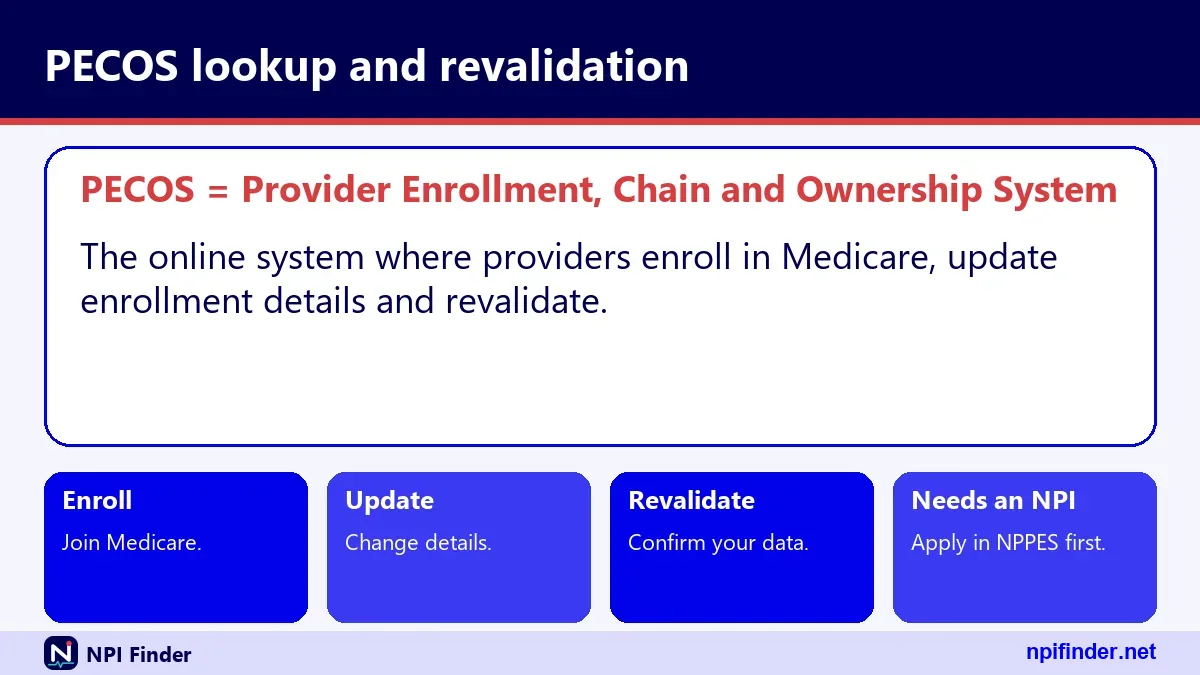
PECOS is the Provider Enrollment, Chain and Ownership System, the national database and online system CMS uses for Medicare provider enrollment. CMS's own PECOS page calls it the Medicare Enrollment System. It holds enrollment details such as ownership, managing employees, billing arrangements, reassignments and practice locations.
PECOS in plain language
Think of PECOS as the file cabinet where Medicare keeps each provider's enrollment paperwork. Providers use it to apply, update and revalidate. Contractors use the same data to approve enrollments. Public lookups are built from extracts of that data, not from live access to the cabinet.
What PECOS is not
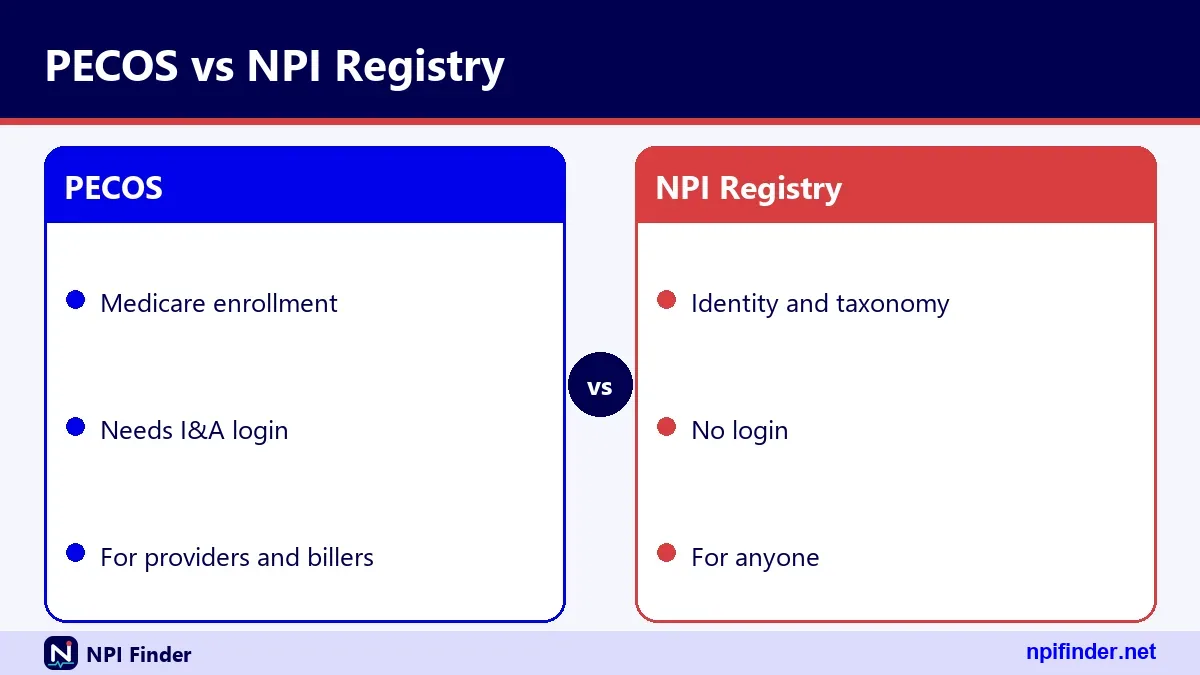
PECOS is not the NPI Registry, and it is not a license or credential check. It also does not replace your NPPES record. You need an NPI first, and then a separate Medicare enrollment. Keep the two systems straight in your head and most confusion disappears.
What does PECOS stand for?
PECOS stands for Provider Enrollment, Chain and Ownership System. The "chain" and "ownership" parts point to the ownership and managing-control information that Medicare collects on provider and supplier enrollment applications. People also type "what does pecos stand for" when they see the acronym on a denial or an enrollment letter.
Spell it P-E-C-O-S, all capitals, and say it as a word. Searches often show variations such as "pecossearch" or "pecos cortex." Our verified sources describe only the CMS system under the name PECOS. If you land on a product with a different name, check who runs it before you enter any login details.
What is PECOS enrollment?
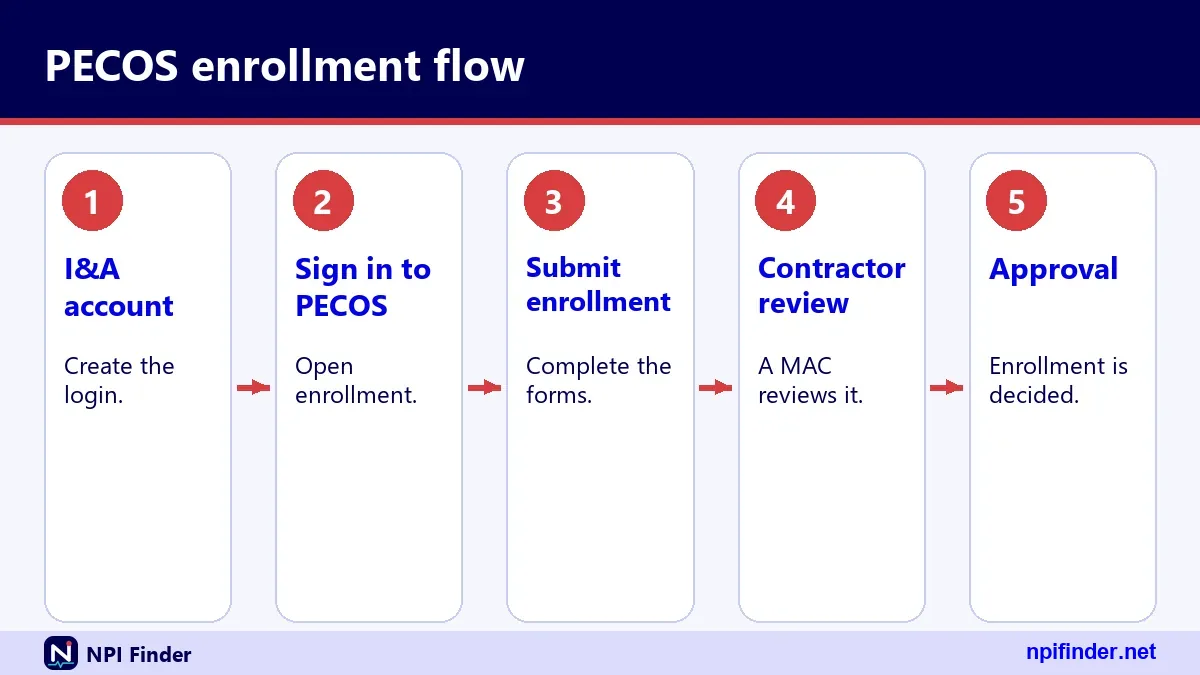
PECOS enrollment is the process of applying to Medicare, or keeping your Medicare enrollment current, through the PECOS system. CMS says online enrollment is faster than paper, and PECOS is paperless, so there is nothing to mail. Providers can also use paper applications sent to their Medicare Administrative Contractor (MAC).
Who has to enroll
A provider who bills Medicare must enroll. So must a physician or practitioner who wants to order or refer for Medicare patients, even without billing. That second group uses the CMS-855O form. Other cases, such as hospice certification, have their own enrollment or opt-out rules.
Online enrollment runs through PECOS with your I&A account, the same account system NPPES uses. Paper applications go to the MAC with supporting documents and the EFT form. DMEPOS suppliers send paper applications to the National Provider Enrollment DMEPOS contractors. Online is the route CMS describes as faster.
Whichever route you pick, keep your NPPES record and your enrollment record consistent. Names, practice addresses and specialties should match unless you have a reason. Mismatches slow reviews and confuse the people who look you up later. Treat both records as one identity maintained in two places.
What does PECOS certified mean?
"PECOS certified" is a common phrase, but CMS materials describe enrollment, not a separate certification. In practice, people mean that a provider has an approved Medicare enrollment record in PECOS. If a vendor, payer or referral partner asks whether you are "PECOS certified," ask what proof they accept.
What is PECOS certification
There is no certificate that you earn by passing a test. What you hold is an approved enrollment. The proof is usually your appearance in an enrollment-based data set, a letter from your MAC, or a screenshot of your own PECOS record. Ask your counterpart which one they want.
PECOS certified doctor and PECOS certified doctors
A "pecos certified doctor" is simply a physician whose Medicare enrollment is on file. To find lists of them, use the Order and Referring data set or Care Compare, both covered below. Do not trust a directory that charges for "PECOS certification." Enrollment itself is done with CMS and your MAC.
PECOS registered, verified and enrolled
"PECOS registered," "PECOS verified" and "what is PECOS enrolled" all point to the same idea: an enrollment record exists. The wording differs, the meaning does not. When you document a check, write down the exact data set, the date you looked and the NPI you searched.
PECOS look up: the routes that exist
There are four practical routes for a PECOS look up: the Order and Referring data set, the Revalidation Due Date List, Care Compare, and asking the provider or the MAC directly. Each answers a slightly different question. The sections below show which route to pick.
Route one: the Order and Referring data set
This data set on data.cms.gov lists physicians and non-physician practitioners, by NPI, who are legally eligible to order and refer in Medicare. CMS draws it from PECOS. It carries dated snapshots and a data dictionary. Use it for "is this referring provider enrolled?" questions.
Route two: the Revalidation Due Date List
CMS publishes revalidation due dates on data.cms.gov, seven months in advance. Use it to see when a provider must revalidate. It answers a timing question, not an eligibility question. You still need the provider's NPI to find the right row.
Route three: Care Compare
Medicare Care Compare shows doctors and clinicians, and CMS says its general information comes mainly from PECOS. It is a patient-friendly cross-check. It is not a billing-grade enrollment test, because it lists only clinicians who currently accept Medicare. See our guide to finding a Medicare provider.
PECOS search: where to start
Start every PECOS search with a confirmed NPI, because the public data sets key on that number. If you only have a name, resolve it to an NPI first using the NPI Registry. Our NPI lookup by state and NPI lookup by specialty pages help when the name is common.
Search PECOS with a name
A name alone is risky because many providers share one. Use the NPI Registry to narrow by state and city, then note the 10-digit NPI. Never copy an NPI from an old document without checking it, since typos are common. Our NPI number validator catches format errors in seconds.
PECOS search for provider, doctor and physician
Searches such as "pecos doctor search," "pecos dr search" and "physician pecos lookup" all follow the same path. Find the NPI, then look in the enrollment-based data. Doctors get the same treatment as other individual practitioners. Specialty does not change the steps. The data set lists practitioners by NPI, so a cardiologist and a family physician are checked the same way. Only the provider type matters, because suppliers and facilities are covered by different records. Always confirm that your target is an individual practitioner before you rely on this route.
Pecossearch, pecos checker and search PECOS
Odd forms like "pecossearch," "pecos checker" and "search pecos" are typing habits, not separate tools. No official CMS product with those names appears in our verified sources. Be careful with sites that promise one-click answers, since they may be reselling public data and cannot add anything CMS does not publish.
PECOS enrollment lookup
A PECOS enrollment lookup checks whether a provider's Medicare enrollment shows up in public CMS data. The cleanest public evidence is the Order and Referring data set, because it comes from PECOS and lists NPIs. Pair it with a registry check so you know the NPI itself is real and active.
"Enrollment check" and "enrollment lookup" describe the same job. A check is the act, a lookup is the tool you use. Document both: the tool, the date and the result. Auditors like to see the date, because enrollment status can change.
Check PECOS enrollment for a new hire
For a new clinician, ask for the NPI and the PECOS enrollment details up front. Then verify in the public data. If the person is mid-application, you will not find a record yet. Ask for a copy of the application confirmation and set a re-check date.
Check PECOS enrollment before you refer or order
If you work in a practice that receives orders, look up each ordering NPI before you act on the order. If the NPI is missing from the Order and Referring data set, pause and ask the ordering provider to confirm. Do not guess about payment rules, because those vary by service and contractor.
PECOS enrolled lookup
A PECOS enrolled lookup asks one thing: does this NPI appear as enrolled in Medicare enrollment data? Public data can answer that for providers who order and refer. It may not cover every enrollment type, so a missing result is a prompt to dig, not a verdict.
Enrolled versus eligible to order and refer
The Order and Referring data set lists practitioners who are legally eligible to order and refer. That is narrower than "everyone enrolled in Medicare." A supplier or facility will not appear there. Match the data set to the provider type before you read anything into a miss.
Record the NPI, the data set name, the snapshot date and who ran the check. One line in a log protects you later. Screenshots help, but a dated note naming the exact data set is clearer. If an auditor asks what you knew and when, that line is your answer.
Record the NPI, the data set name, the snapshot date and who ran the check. One line in a log protects you later. Screenshots help, but a dated note with the exact data set name is clearer.
PECOS NPI lookup
A PECOS NPI lookup starts with the NPI and ends with an enrollment-based list. The NPI is the shared key, which is why this page ties so closely to the NPPES side of things. The number itself proves nothing about Medicare, so always take the second step.
Step one: confirm the NPI is real
Run the 10 digits through a format check, then search the NPI Registry. A well-formed number can still be unassigned. CMS publishes the check-digit method, and our validator applies it. Read the registry status: "A" means active.
Step two: read the registry record
The registry record shows the name, credential, entity type, addresses, taxonomies with license numbers and dates. One real record we tested lists four taxonomy rows across three license states and three secondary practice locations. Busy clinicians often look like that, and it is normal.
Step three: look in the enrollment data
With a confirmed NPI, search the data set for that exact number. Match the name too. If the NPI and name agree, record the hit. If they disagree, stop and sort out the mismatch before you proceed.
PECOS lookup by NPI
The best PECOS lookup by NPI is a two-source check: the NPI Registry for identity, and an enrollment-based data set for Medicare status. The NPI is a unique, 10-position number with no embedded meaning, so it works as a clean search key. Names do not.
PECOS lookup by NPI free
The NPI side is free. CMS lists no fee to use the NPI Registry or to download NPPES files, and we found no fee listed for any official lookup route. Be wary of anyone selling "PECOS reports." They add convenience at best, and they cannot create enrollment data that CMS does not publish.
This quick map shows which source answers which question, with its key.
| Question | Best public source | Search key |
|---|---|---|
| Is this NPI real and active? | NPI Registry | NPI or name |
| Can this provider order or refer? | Order and Referring data set | NPI |
| When is revalidation due? | Revalidation Due Date List | NPI or name |
| Does this doctor appear in the Medicare directory? | Care Compare | Name and location |
So, Order and Referring data set is the best source for billing staff checking referrals because it shows whether a provider can order or refer, using an NPI.
PECOS lookup NPI
Searching "pecos lookup npi" gets you the same answer as the section above, just worded the other way around. Start with the NPI, then confirm enrollment. The reverse path, from enrollment to NPI, works only if you have a name and location to feed the registry.
Going from a name to an NPI
Use the registry's name and state fields. The API wants an exact name or a trailing wildcard after at least two characters, so "sm" works and "s" does not. Add a city to cut the list down. Check the taxonomy code against the specialty you expect.
Type the NPI into the registry and read the basic section. The first and last name, credential and status appear there. Compare with the name on the order or document in front of you. If the credential differs, ask why.
Going the other way, from an NPI to a name, takes seconds. It is also the fastest way to catch a mistyped number, because the wrong NPI usually returns a stranger, or nothing at all. Make this reverse check a habit whenever an NPI arrives by phone, fax or handwritten note.
PECOS certification lookup
A PECOS certification lookup is a lookup for enrollment status under a different name. CMS does not issue a separate "PECOS certificate," so the practical check is the same one: find the NPI and look in the enrollment-based data. Say "enrollment" in your own documents to avoid confusion.
Check PECOS certification step by step
Confirm the NPI, search the Order and Referring data set, and note the snapshot date. If the person works in a facility, also ask for the enrollment confirmation. That letter or screen is the strongest proof for a specific billing arrangement.
When "certification" really means something else
Sometimes "certification" means hospice or home health certifying. CMS says that, effective June 3, 2024, physicians who certify the need for hospice services must be enrolled in or opted out of Medicare. That is a rule about who may certify, not a PECOS credential.
PECOS certified lookup
A PECOS certified lookup, like the certification version, is an enrollment check. If your contract says you need a "PECOS certified" provider, define it in writing. Write "enrolled in Medicare through PECOS as shown on [date]" and attach your evidence.

Writing the requirement clearly
Vague wording causes disputes. State the NPI, the proof required and the re-check frequency. That gives both sides something concrete to verify. It also protects you when someone's enrollment lapses mid-contract.
Pick one owner for these checks, such as the credentialing lead or the billing manager. Shared responsibility often means nobody checks. A named owner with a calendar reminder does. Give that person a backup, so vacations and resignations do not leave a gap.
Pick one owner for these checks, such as the credentialing lead or the billing manager. Shared responsibility means nobody checks. A named owner with a calendar reminder does.
PECOS provider lookup
A PECOS provider lookup finds one provider's enrollment evidence, usually from the NPI. Providers can be individuals or organizations. Individuals (Type 1) can have one NPI, and organizations (Type 2) can have several, so check which entity you actually need.
Individual providers
For an individual, search the NPI of the person, not the practice. Individuals are eligible for only one NPI, which makes the match simple. Our page on the NPI number explains the numbering.
Groups and facilities hold Type 2 NPIs, and a group may have more than one. If you are checking a clinic, make sure you use the NPI that matches the enrollment you care about. Ask the group which NPI it uses for Medicare billing.
Subparts add one more wrinkle. A hospital unit may hold its own NPI if its identifying data are unique, and the subpart idea does not apply to individuals. When an organization has several NPIs, do not assume the one you found is the one tied to the enrollment you need.
PECOS verification
PECOS verification means confirming, with evidence, that a provider's Medicare enrollment is on file. The strongest evidence is a record from the enrollment-based data sets, backed by a confirmation from the provider. Verification is a documented step, not a one-time glance at a screen.
Verify PECOS: a simple standard
Use two independent sources when stakes are high. For example, the Order and Referring data set plus a written confirmation from the provider's enrollment contact. Add the date. If either source disagrees, treat the status as unverified until resolved.
PECOS verification lookup, search and lookup by NPI
Variants like "pecos verification lookup," "pecos verification search" and "pecos verification lookup npi" all mean the same routine: NPI in, enrollment evidence out. No separate verification tool appears in our verified sources. Be skeptical of any site that claims otherwise.
PECOS registry
"PECOS registry" is a loose phrase, and no CMS page by that name appears in our verified sources. People usually mean the PECOS database, or the NPI Registry. The two are different systems with different jobs, so clarify which one you need before you start.
Registry versus PECOS database
The NPI Registry is public and searchable. It confirms who a provider is. PECOS is the enrollment system, and the public sees only extracts from it. The registry cannot tell you whether someone is enrolled in Medicare.
NPPES and PECOS share the same I&A login for providers, and both use the NPI. Care Compare also draws from PECOS. With so many shared touchpoints, people merge the names in conversation. Be precise in emails and contracts.
NPPES PECOS: how the two systems connect
NPPES and PECOS connect through the NPI and the shared I&A account, but they do not update each other. CMS says updating NPPES does not automatically update your Medicare enrollment. You must update PECOS separately. Learn the full NPPES story on our NPPES page.
Pecos nppes and pecos/nppes searches
People type "pecos nppes" or "pecos/nppes" when they want both records in one step. They are two systems, so expect two lookups. The NPI Registry covers the NPPES side, and enrollment extracts cover the PECOS side.
NPPES changes must be reported within 30 days under federal rules. PECOS changes follow Medicare enrollment reporting rules. Put both on one calendar. Our page on how to update an NPI record covers the NPPES side.
How to run a PECOS check from an NPI, step by step
A PECOS check takes about five steps, and you can do all of them with free public tools. The goal is evidence you can show later. Follow the order below so that each step builds on the last.
- Get the provider's 10-digit NPI from the provider, a claim or an order.
- Run the number through our NPI number validator to catch typos.
- Search the NPI Registry and confirm the name, credential, state and active status.
- Open the Order and Referring data set on data.cms.gov and search for the NPI.
- Record the result, the snapshot date and your name in a log.
Tip: if step 4 finds nothing, do not stop at "not enrolled." Ask the provider for an enrollment confirmation from the Medicare contractor and set a re-check date.
The NPI check comes first because a bad number wastes every later step. Identity comes second because you need the right person before you judge enrollment. The enrollment data comes last because it is the hardest to search and the easiest to misread.
Pecos check versus check PECOS
"Pecos check" and "check pecos" are the same job. Some people add "pecos enrollment check" or "check pecos certification." All describe the five steps above. Pick one phrase for your policy documents and use it consistently.
How to find a provider's revalidation due date
You find a revalidation due date by searching the Revalidation Due Date List that CMS publishes on data.cms.gov. CMS posts due dates seven months in advance. The steps below work for providers, billing staff and anyone checking a colleague.
- Collect the provider's NPI and legal name.
- Open the Revalidation Due Date List on data.cms.gov.
- Search by NPI first, then by name if the NPI search returns nothing.
- Read the due date and note the date you looked.
- Add a reminder at least four months before the due date.
Warning: CMS allows no extensions and no exemptions. A date that looks far away today can arrive quickly if you ignore it.
If the list shows no date
A provider may not appear yet because CMS posts dates seven months ahead. Check again later. Meanwhile, watch your email and mail for a notice. CMS sends notices three to four months before the due date, by email or by mail.
Add your own deadline ahead of the CMS date. You can revalidate when you are within three months of the due date, even without a notice. Starting then, instead of on the last day, leaves room for corrections.
Treat the CMS date as the latest possible moment, not the target. Many teams pick an internal deadline a month or more ahead. That gives you time to chase a missing signature, fix a mismatched address or answer a contractor's question without a penalty looming over you.
How to revalidate in PECOS
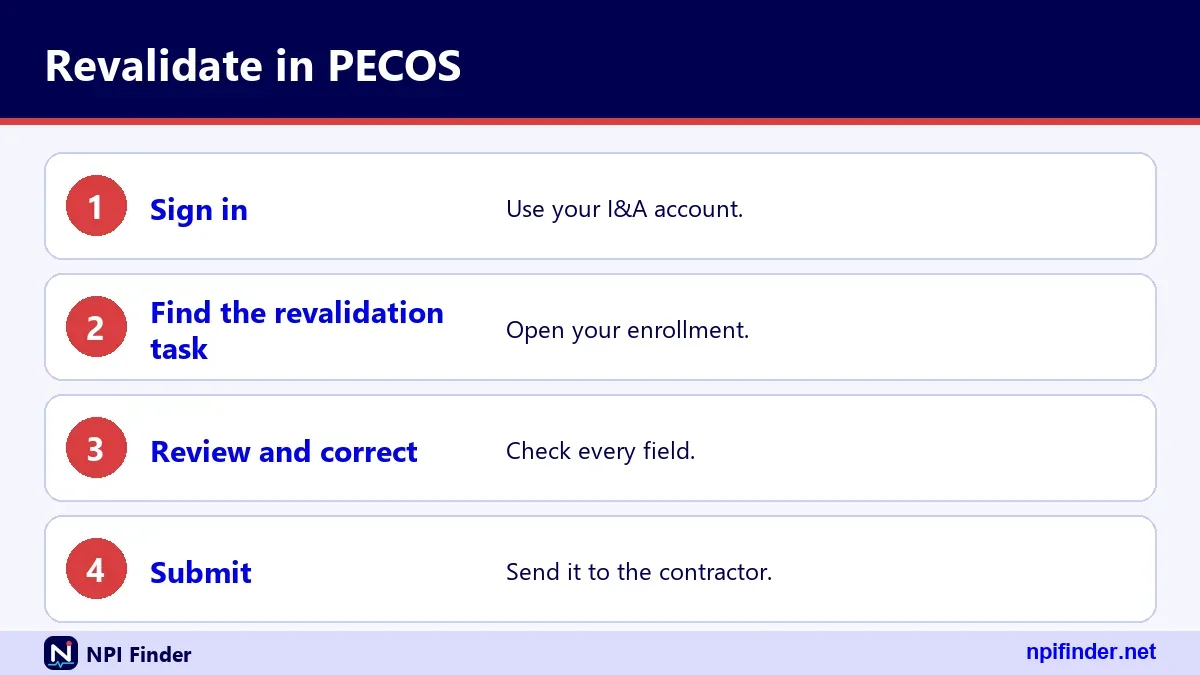
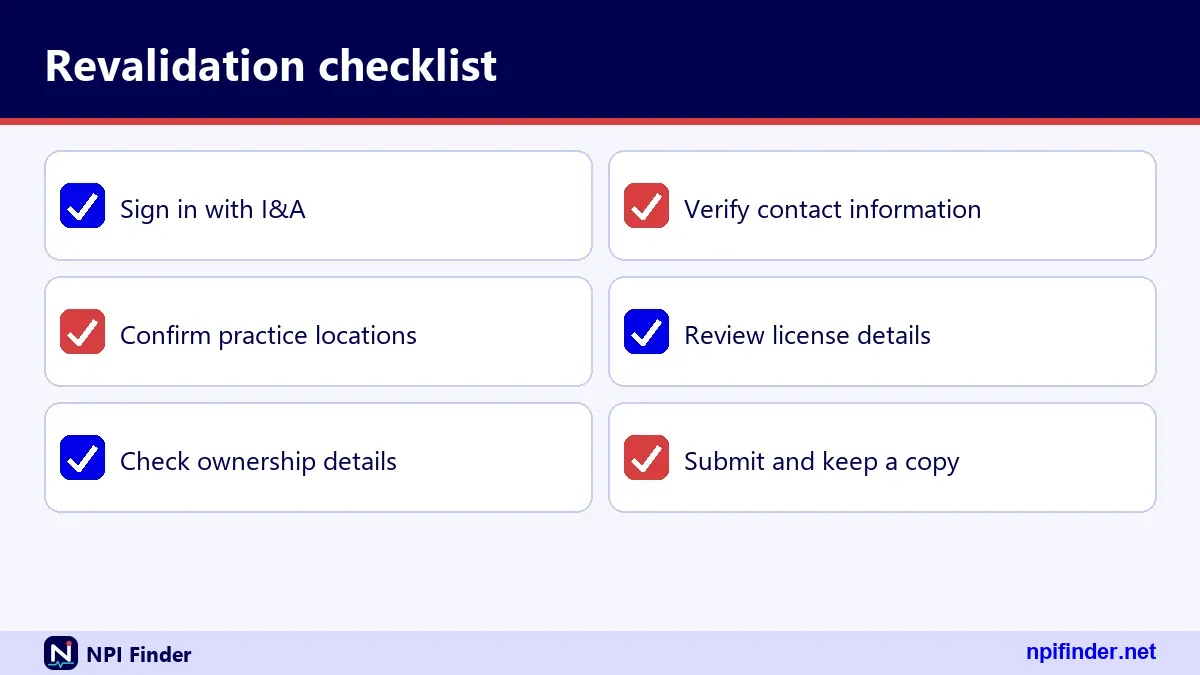
You revalidate in PECOS by logging in with your I&A account and following the revalidation prompts for your enrollment. CMS says providers and suppliers revalidate every five years, and DMEPOS suppliers every three. Our PECOS login guide covers account access in detail.
- Sign in to PECOS with your I&A user ID and password, then complete multi-factor authentication.
- Open your enrollment record and start the revalidation.
- Review each section, including practice locations, ownership and managing employees where they apply.
- Fix anything out of date, then submit and keep the confirmation.
- Watch for any request from your MAC for more information and answer it promptly.
Tip: do this on a day when your password and MFA method are working. A locked account near a deadline is avoidable stress.
Who should log in
The provider or an authorized person can handle the work, depending on how the enrollment is set up. Make sure the person using PECOS actually has the access the task needs. Do not share a user ID. Each person should have an individual account.
Save the submission confirmation and any MAC correspondence. They are your proof if a payment hold ever appears. File them with your enrollment records, not in a personal inbox. Add the date you submitted and the name of the person who did it. If staff turn over, the next person can see exactly what was filed and when.
Can my biller or staff work in PECOS for me?
Yes, if you set up access through I&A first. CMS says an organization names an Authorized Official to approve PECOS user requests. Individual providers and suppliers do not need one, but they can authorize Surrogates and Staff End Users to work in PECOS.
What surrogates and staff cannot do
CMS says surrogates and staff end users can view and change information. They cannot represent the practice, manage staff or sign enrollment applications. An organization's Authorized Official can pass duties to an Access Manager. That person can sign changes, updates and revalidations, but only an Authorized Official signs an initial organization application. Our PECOS login guide covers account problems.
Using data.cms.gov for a PECOS lookup
data.cms.gov is CMS's public data portal, and it hosts the enrollment-based data sets most PECOS lookups rely on. Searches such as "data.cms.gov pecos" and "data cms gov pecos" point there. Expect data tables, filters, data dictionaries and downloads rather than a polished search form.
The Order and Referring data set
Look for the Order and Referring page under Medicare Provider and Supplier Enrollment. It lists practitioners by NPI who are legally eligible to order and refer in Medicare. CMS publishes dated snapshots and a data dictionary. Read the dictionary before you interpret any column.
The Revalidation Due Date List
This list sits in the same Medicare Provider and Supplier Enrollment area, and CMS links to it from its revalidation page. It exists to help providers plan. It does not replace the notice your contractor sends.
If the site will not load for you
During our research, data.cms.gov returned an access error to automated requests. Real browsers generally work, but if a page misbehaves, try another browser, then check the CMS enrollment pages for the current link. Do not paste your results into third-party sites.
CMS PECOS lookup and Medicare PECOS search
A CMS PECOS lookup, a Medicare PECOS lookup and a Medicare PECOS search are the same activity under three phrasings. All point back to CMS data portals. The word "Medicare" simply signals that you care about Medicare enrollment, not Medicaid or private payers.
CMS PECOS search, PECOS CMS lookup and PECOS search CMS
These variants show how people word the same intent. No separate CMS tool matches each phrase. Use the data.cms.gov data sets, Care Compare and direct confirmation instead. That covers every wording.
PECOS Medicare lookup and PECOS Medicare search
The same applies here. If you want evidence for a Medicare claim, use Medicare-specific sources. A private payer will have its own credentialing, and a PECOS result says nothing about it.
Using Medicare Care Compare as a cross-check
Care Compare is a good cross-check because CMS says its doctor and clinician information comes mainly from PECOS. It is patient-friendly and searchable by name and location. See our find a Medicare provider page for a walkthrough.
What Care Compare shows
It shows details such as practice addresses and specialty, along with quality and performance information for many clinicians. Telehealth indicators and facility affiliations also appear. Use it to sanity-check a name and location, not to prove billing eligibility.
CMS describes Care Compare as listing clinicians who currently accept Medicare. A clinician may be enrolled but absent from the listing, or listed under a slightly different address. Clinicians can also suppress their address through PECOS or the QPP Service Center.
Using the NPI Registry in a PECOS check
The NPI Registry is the identity half of every PECOS check. It returns the NPI, entity type, name, credential, status, addresses, taxonomies and more. Our NPPES page explains the system behind it.
What the registry fields mean
The table below walks through the response sections in plain English.
| Section | What it holds | Why it matters for a PECOS check |
|---|---|---|
| basic | Name, credential, sex, status, dates | Confirms identity and active status |
| addresses | LOCATION and MAILING addresses | Compare to the enrollment practice location |
| practiceLocations | Secondary practice sites | Shows extra sites a provider may use |
| taxonomies | Specialty codes, license numbers and states | Confirms specialty and licensure claims |
| identifiers | Other IDs, when present | May carry legacy or payer IDs |
| other_names | Former names or DBAs | Explains name mismatches |
| endpoints | Electronic exchange endpoints | Rarely needed for enrollment checks |
Status "A" means active. The record also carries an enumeration date, a last-updated date and, for individuals, a certification date. A stale last-updated date is a hint, not a fault. It just means nobody changed the record recently. Still, an old date on a busy clinician is worth a question. Providers must report NPPES changes within 30 days, so a very stale record sometimes signals that a move or a name change went unreported.
Do not read too much into mailing addresses
CMS records show a mailing address and a practice location, and they often differ. Mailing addresses can be office boxes or home addresses. Compare the practice location, not the mailing address, with where you expect the provider to work.
PECOS lookup by name
You can look up a PECOS record by name only by going through the NPI Registry first. Public enrollment data sets are organized around the NPI. Names are ambiguous, so treat a name match as a lead and confirm with the NPI.
Pecos doctor lookup, pecos doctor and pecos dr lookup
Searches such as "pecos doctor lookup," "pecos dr lookup" and "pecos doctor" all ask for a physician check. Use the registry with a first name, last name and state. Then take the NPI to the enrollment data.
A worked example with a common name
Say you are searching a physician with a common surname in Chattanooga, Tennessee. Search the registry with the first name, a two-character-plus wildcard on the last name if needed, state TN and city Chattanooga. Check the taxonomy for the specialty. Then use the NPI downstream. If two physicians share the name, the taxonomy code, practice location and enumeration date usually separate them. Never pick one just because the name looks right. Confirm with the provider's office when the details still do not settle it.
The five-year revalidation cycle
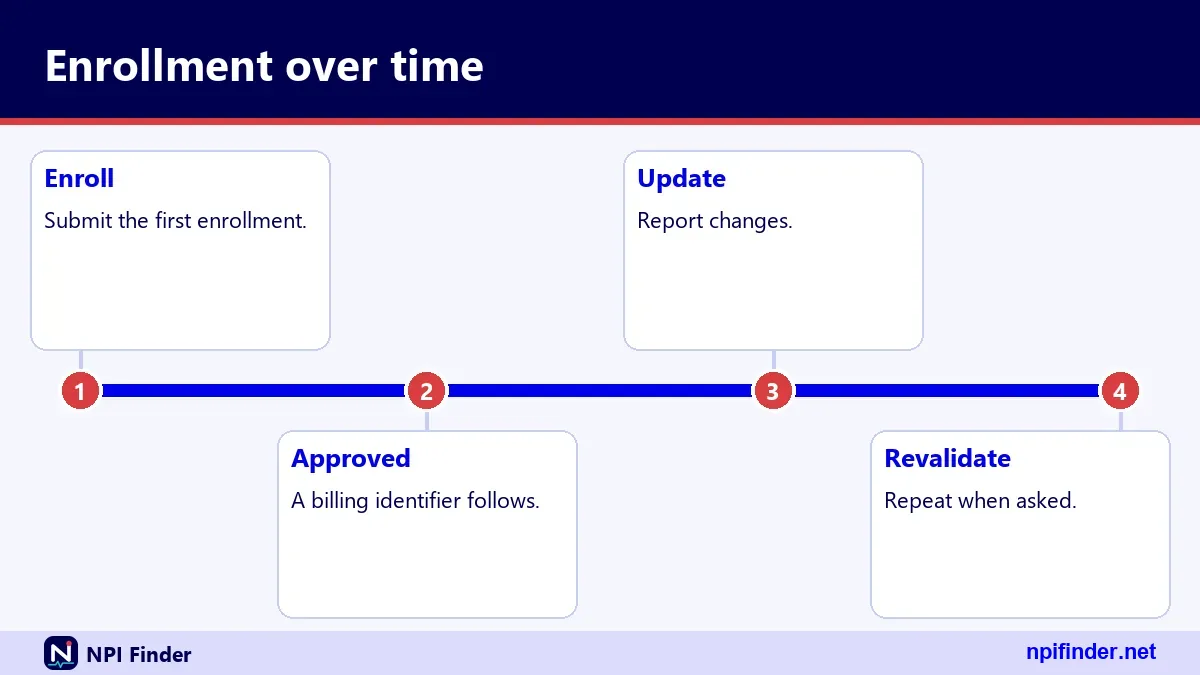
Most providers and suppliers must revalidate their Medicare enrollment every five years. CMS may also request an off-cycle revalidation at other times. Revalidation keeps the enrollment record current, and missing it can stop payment. Plan for it like a license renewal.
Normal cycle versus off-cycle requests
The five-year cycle is predictable, and CMS publishes due dates seven months ahead. An off-cycle request is not on a published schedule. Answer it promptly when you get it, and keep your contact details in PECOS current so notices reach a real person.
CMS says notices go out three to four months before the due date, by email or by mail. Check the contact email on your enrollment. A notice sent to a former office manager is the classic way to miss a deadline.
What happens if you ignore it
Late revalidation can lead to a payment hold and deactivation of billing privileges. Reactivating then requires a new, complete application. Services you deliver while deactivated are not reimbursed. CMS lists no extensions and no exemptions.
DMEPOS suppliers and the three-year cycle
DMEPOS suppliers revalidate every three years, not five. If you supply durable medical equipment, prosthetics, orthotics or supplies, confirm your own cycle on the CMS revalidation page. Do not assume the physician rule applies to your business.
The enrollment route for suppliers
DMEPOS suppliers use the CMS-855S application. On paper, they go to the National Provider Enrollment DMEPOS contractors, not to the regular MAC. Keep the correct contractor in your records, because sending an application to the wrong place costs time.
The Order and Referring data set covers physicians and non-physician practitioners, so suppliers will not show up there. Ask a supplier for its enrollment confirmation or use the due date list for its timing. Our verified sources do not describe a public supplier directory. Suppliers should keep their own enrollment confirmation on hand and be ready to share it. A prospective customer or referral partner can reasonably ask for it, and a ready answer builds trust.
Ordering and referring providers who do not bill
A physician or eligible professional who orders or refers but does not bill Medicare can enroll with the CMS-855O form. CMS lists practitioners eligible to order and refer in its Order and Referring data set. If your referrals are being rejected, check this form first.
When a non-billing doctor needs PECOS
If a doctor writes orders for Medicare patients, the downstream provider may need that doctor to be enrolled. The enrollment lets the ordering NPI show up in public data. Without it, a supplier or lab may refuse to act on the order.
Providers who opt out of Medicare are a separate category. CMS's hospice rule refers to physicians being "enrolled in or opted out," so both statuses matter for certifying. Do not mix them up in your records. A provider who has opted out is not in the same position as one who is enrolled, and a claim that treats them alike can be wrong. Label each physician's status explicitly, with the date you confirmed it.
Hospice certifying physicians
Since June 3, 2024, physicians who certify the need for hospice services must be enrolled in or opted out of Medicare. CMS states this on its PECOS page. If your hospice relies on outside certifying physicians, check each one's status before you accept a certification.
Building the check into intake
Add a field to your intake form for the certifying physician's NPI and enrollment evidence. Run the check before billing, not after a denial. A short checklist beats an expensive rework.
Store the data set name, the snapshot date and the result next to the patient file or the physician file. Choose one filing place and stick to it, so an auditor does not have to hunt.
Which CMS-855 form applies to you
Choosing the right form is half the battle in a PECOS enrollment. The table below lists the forms that CMS names on its enrollment applications page, with the plain-English audience for each.
| Form | Who uses it |
|---|---|
| CMS-855A | Institutional providers |
| CMS-855B | Clinics, group practices and certain other suppliers |
| CMS-855I | Individual physicians and non-physician practitioners |
| CMS-855O | Physicians and eligible professionals who only order or certify |
| CMS-855S | DMEPOS suppliers |
| CMS-20134 | Medicare Enrollment Application |
CMS also lists CMS-588 for electronic funds transfer and CMS-460 for the participation agreement. They accompany some applications. Read the CMS instructions for your type, because requirements differ.
Reassignment and group practices
PECOS records billing arrangements and reassignments, so a group's enrollment and its clinicians' enrollments are linked. We could not verify which form currently carries reassignment details. Check the current CMS instructions for your situation before you file. Group enrollments belong on the group's own application.
O&P suppliers and OPEdge searches
If you searched "oandp pecos," "o and p pecos," "pecos o and p," "opedge pecos" or "pecos opedge," you are most likely an orthotics and prosthetics (O&P) professional. PECOS itself is a CMS system. We found no verified source describing how any O&P software connects to it.

What we can say
Orthotics and prosthetics suppliers deal with Medicare enrollment like other suppliers, and DMEPOS suppliers use the CMS-855S. Check with your MAC or the DMEPOS enrollment contractor for rules specific to your supplier type.
We have no verified details on any vendor's O&P billing product or how it interacts with PECOS. Read your vendor's documentation or ask their support team. Do not enter PECOS credentials into any third-party tool unless you know exactly who runs it.
PECOS Edge, PECOS cortex and lookalike names
"PECOS edge" and "pecos cortex" appear in searches, but our verified CMS sources show only one official system, called PECOS. Treat any similarly named product with caution until you know who operates it. That caution costs nothing and prevents expensive mistakes.
How to verify a login page
The official PECOS login is reached from the CMS PECOS page, and it uses your I&A account. If an email asks you to sign in somewhere else, go to the CMS PECOS page yourself instead of clicking the link. See our PECOS login help.
If a site charges for NPI or PECOS services or asks for your password, leave. Contact the CMS EUS help desk if you shared credentials by mistake. Change your password right away.
PECOS versus NPPES
PECOS holds your Medicare enrollment, and NPPES holds your NPI record. Both use the same I&A login, and both carry your NPI, but they do different jobs and neither updates the other automatically. CMS says an NPI is required for Medicare enrollment but does not replace it.
| Feature | NPPES | PECOS |
|---|---|---|
| Purpose | Assigns and stores NPIs | Medicare provider enrollment |
| Public search | NPI Registry | Extracts on data.cms.gov, Care Compare |
| Update deadline | 30 days from a change, for covered providers | Per Medicare enrollment rules |
| Login | I&A account | I&A account |
| Fee | None listed | None listed in our sources |
What each one proves
NPPES proves the NPI is assigned. PECOS-based data proves an enrollment record exists. Neither proves licensure or credentials, and CMS states that having an NPI does not verify those. Use the right system for the right question.
PECOS versus the NPI Registry and Care Compare
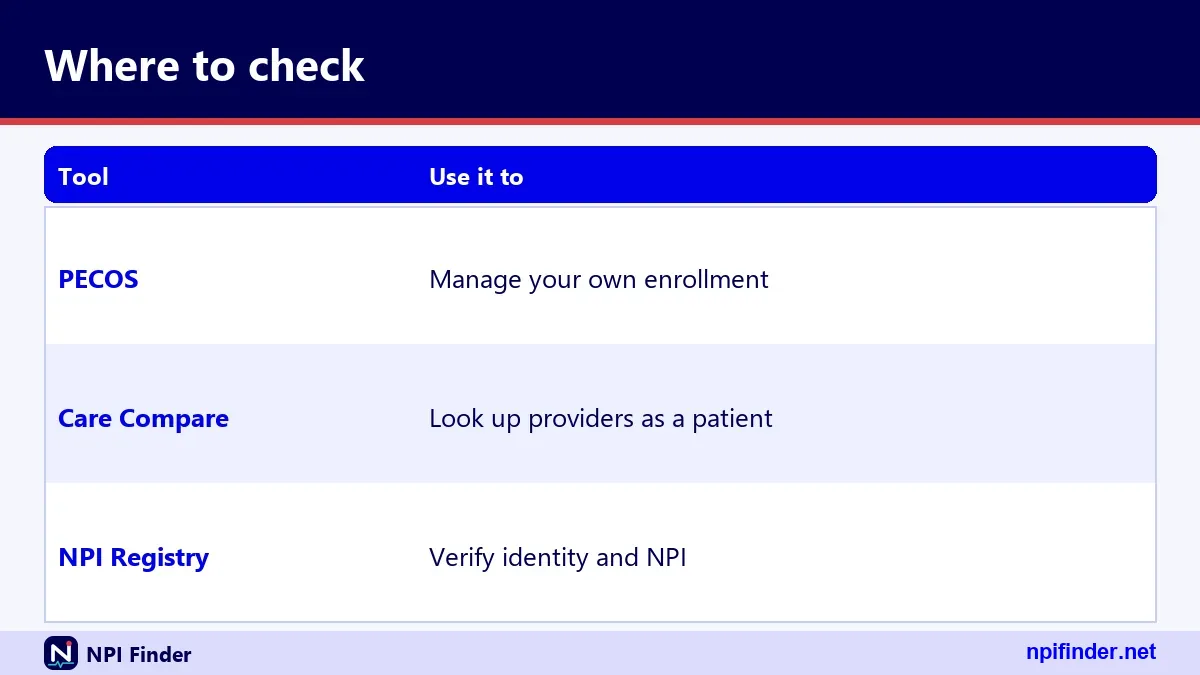
The NPI Registry confirms identity, the enrollment data sets show Medicare status, and Care Compare gives patient-facing details. Each has a different audience and a different limit. Combine them instead of relying on one alone. See our NPI versus other provider IDs page for a broader map.
When two sources disagree
If the registry says active and the enrollment data shows nothing, suspect a timing gap or a different enrollment type. Ask the provider. If Care Compare lists a clinician the enrollment data lacks, treat the listing as a clue and ask for confirmation.
Public data sets are snapshots, so they can trail real changes. CMS describes the registry as updated daily and the downloadable NPPES files as weekly and monthly. Enrollment extracts carry their own dates. Always note the date you looked.
PECOS number: what it is and what it is not
There is no identifier called a "PECOS number" in our verified CMS sources. People using the phrase usually mean the NPI, the Medicare PTAN, or the I&A user ID they use to sign in. Ask which one they mean before you hand over anything.
NPI versus PTAN
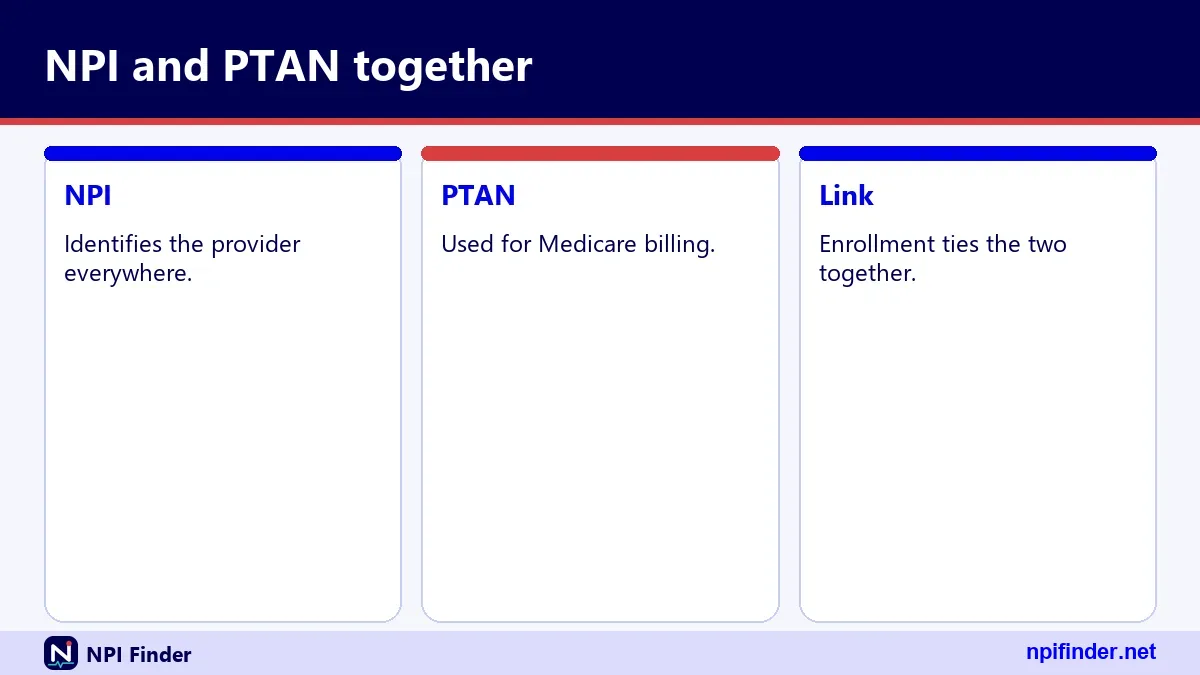
The NPI is public and permanent. The PTAN is the Medicare Provider Transaction Access Number, which a provider uses to bill Medicare and which the MAC issues at enrollment. We found no public PTAN lookup, so ask the provider directly.
CMS Certification Numbers identify Part A facilities. State Medicaid IDs vary by state. State license numbers appear in NPPES taxonomy rows. DEA numbers follow their own format. Our NPI versus other provider IDs page covers them side by side.
Which PECOS check should you use?
Use the Order and Referring data set for ordering and referring questions, the Revalidation Due Date List for timing, and Care Compare for patient-facing confirmation. When money or compliance is at stake, add a written confirmation from the provider. Pick the lightest check that meets your risk.
For billing staff
Check ordering and referring NPIs before you bill. Log each check. If a result looks wrong, hold the claim and ask, because rebilling is slower than waiting a day.
For credentialing staff
Check enrollment at onboarding and again at a set interval. Pair it with licensure and credential checks from the proper sources. The NPI does not verify those.
For patients and researchers
Care Compare is your friend. For researchers, the downloadable data files are better suited to bulk work, and our NPI database and download page explains them.
Provider not found in PECOS data
If a provider is missing from the enrollment-based data, check the simplest causes first: a wrong NPI, a wrong data set or a timing gap. A provider who recently enrolled may not appear yet. A supplier will not appear in a physician-focused data set.
Wrong NPI or typo
Re-run the NPI through the validator and the registry. Transposed digits are the most common cause. Our find my NPI number guide helps providers who are unsure of their own number.
Wrong data set or provider type
The Order and Referring data set lists physicians and non-physician practitioners. If your target is an organization, a supplier or an ordering-only entity, the right source differs. Match source to type.
If the provider truly is not enrolled, the fix is theirs to make. They can enroll through PECOS or on paper with the right CMS-855 form. You can ask for evidence once they finish.
Name or NPI mismatch between sources
A mismatch between the registry and the enrollment data usually means a changed name, a changed practice or a typo. Do not guess which is right. Ask the provider, then fix the stale record.
Name changes
Registry records can list former names in the other_names section. A provider who married or changed names may appear under both. Compare both names before you decide there is a mismatch.
Practice locations may differ between sources because providers work at several sites. One real record we tested lists secondary sites in Virginia, Maryland and Washington, D.C. Differences are normal until you see a pattern.
PECOS login and password problems
Most PECOS access problems trace back to the I&A account, not PECOS itself. CMS says I&A passwords expire every 60 days, and an expired password blocks login without touching your NPI, Medicare enrollment or payments. Reset it and move on.
Forgotten password or locked account
Use the Forgot Password link on the I&A sign-in page. You answer three security questions or provide the user information tied to the account. Three failed logins lock the account, and Forgot Password unlocks it. After three failed attempts at user information, contact the help desk.
Use the Retrieve Forgotten User ID link. An account unused for over 180 days needs a password reset, and one unused for 365 days or more needs re-verification and a new user ID. Log in occasionally, even when nothing is due. That keeps the account active and lets you spot problems early. A password reset takes minutes, while re-verifying a dormant account and creating a new user ID takes far longer than anyone wants during a deadline.
Multi-factor authentication
MFA has been required for I&A login since April 21, 2022. You need only one method, but CMS recommends setting up two. Set up a backup before you need it. Our NPPES login help page covers the same I&A steps.
Deactivated billing privileges after a missed revalidation
Missing a revalidation deadline can deactivate your billing privileges, and the fix is a new, complete application. CMS says late revalidation can lead to a payment hold first. Services delivered during deactivation are not reimbursed, so act the moment you notice.
First moves
Log in to PECOS and check your enrollment status. Contact your MAC and ask what it needs. Gather the documents for a full application. Do not wait for a perfect package, since each day of delay can be a day without payment.
Put the due date, the notice window and a buffer on a shared calendar. Name a backup person. Keep the enrollment email address monitored. These small habits prevent most deactivations.
PECOS phone number for providers
CMS does not publish a single PECOS hotline in our verified sources, so use the right desk for your problem. For I&A account, password or access trouble, call the External User Services help desk at 1-866-484-8049, or TTY/TDD 1-866-523-4759. Hours are not stated in our sources.
Enrollment questions go to your MAC
For questions about an application or revalidation, contact your Medicare Administrative Contractor. CMS links a "Find your enrollment contractor" PDF from its PECOS page. We did not verify specific MAC phone numbers, so use the CMS document.
For NPPES or NPI record help, the NPI Enumerator's number is 1-800-465-3203, with TTY at 1-800-692-2326. The email address listed by CMS is [email protected]. Hours are not stated in our sources.
Federal rules behind NPIs and enrollment
The NPI comes from HIPAA Administrative Simplification, and the rule lives in 45 CFR Part 162, Subpart D. Medicare enrollment follows separate CMS rules. Covered providers must report changes to NPPES data within 30 days, and health plans cannot require a second NPI for a provider who has one.
What the NPI rule says
45 CFR 162.406 defines the NPI as a 10-position numeric identifier with no embedded intelligence. The NPI Final Rule was published January 23, 2004. Covered providers had to comply by May 23, 2007. Small health plans had until May 23, 2008.
The NPI rule does not make the NPI a credential, a license or an enrollment. CMS states that having an NPI does not ensure licensure, guarantee payment or enroll a provider in a health plan. Medicare enrollment is a separate step.
Costs and scams around PECOS lookups
CMS lists no fee for using the NPI Registry or downloading NPPES files, and we found no official charge for a PECOS-related lookup. If a site charges for either, it is not CMS. Do not enter PECOS credentials anywhere except the official CMS login reached from the CMS PECOS page.
Paid "PECOS certification" offers
Since there is no separate certification to buy, treat any paid offer with suspicion. Real enrollment is done with CMS and your MAC. A consultant can help you prepare an application, but they cannot sell you an official status.
Keep your receipt, change any password you shared and contact the CMS EUS help desk if you gave out your I&A credentials. We found no CMS fraud alert about NPI-for-fee sites, so do not assume CMS has already flagged yours.
Privacy and what is public
Registry data is public because CMS must disclose it under FOIA. It includes names, credentials, addresses, phone numbers, taxonomies and license numbers. CMS does not make an individual's Social Security number, ITIN or date of birth available on the internet. Deactivated NPIs disclose only the NPI and deactivation date.
Organizations
For organizations, the registry shows the authorized official's name, title and phone. If you are an authorized official, know that this information is public. Review your own record at least once a year.
Search your own NPI and read exactly what the public sees. Fix errors through NPPES, and keep your enrollment details in step. Our guide to updating or deactivating an NPI explains the steps. A clean public record also makes every future lookup of you faster for the people who rely on it. Referral partners, billing offices and patients all benefit when your name, address and specialty read the same everywhere they look.
Search your own NPI and read what the public sees. Fix errors through NPPES. Our guide to updating or deactivating an NPI explains the steps.
Official sources and where to go
Stick to a short list of official sources: the CMS PECOS page for enrollment, the data.cms.gov enrollment data sets, Medicare Care Compare, the NPI Registry and the NPPES site. CMS also lists revalidation rules on its revalidations page. Our own home page has a quick lookup tool.
The External User Services help desk handles I&A, NPPES and PECOS account problems. It offers a website, email and phone. Use it for access issues, not for enrollment decisions.
The NPI Enumerator handles NPPES and NPI questions, applications and paper forms. For a first-time NPI, see our guide to applying for an NPI. Paper forms go to the Baltimore address on the CMS How to Apply page.
PECOS glossary
This short glossary covers the terms you will meet while checking enrollment. Each definition comes from CMS usage, and each is brief on purpose.
Core terms
- PECOS: the Provider Enrollment, Chain and Ownership System, CMS's Medicare enrollment system.
- NPPES: the National Plan and Provider Enumeration System, which assigns NPIs.
- I&A: Identity and Access, the CMS account system for NPPES and PECOS.
- MAC: Medicare Administrative Contractor, which handles most enrollment applications.
-
DMEPOS: durable medical equipment, prosthetics, orthotics and supplies.
-
Revalidation: the periodic update of your Medicare enrollment.
- Reassignment: a billing arrangement recorded in PECOS.
- Order and Referring: the data set of practitioners eligible to order and refer.
- PTAN: the Medicare billing number the MAC issues.
- Taxonomy code: a 10-character NUCC code naming a provider's specialty. See our taxonomy code lookup.
PECOS myths versus facts
Most PECOS myths come from loose wording. The table below corrects the common ones.
| Myth | Fact |
|---|---|
| An NPI means you are enrolled in Medicare | An NPI is required for enrollment but does not replace it |
| Updating NPPES updates PECOS | CMS says it does not; update both |
| There is one official PECOS certificate | CMS describes enrollment, not a certificate |
| Revalidation can be postponed | CMS lists no extensions and no exemptions |
| A registry listing proves a license | CMS says an NPI does not verify licensure |
| Paid lookups are more accurate | Public CMS data is free and the paid sites reuse it |
One myth worth a second look
Many people believe a missing public record means a provider is barred from Medicare. It does not. It may mean a timing gap, a wrong NPI or the wrong data set. Verify before you accuse.
Advanced PECOS lookups: bulk checks and snapshots
For bulk checks, use downloadable files instead of looking up one NPI at a time. The NPI Registry is limited by hourly query caps, and CMS says bulk registry queries must use the downloadable file. Our NPI database and download page explains the files.
NPI and PECOS search, NPI lookup PECOS and NPI PECOS lookup
These phrases describe a join: take a list of NPIs, then match each one against an enrollment data set. Do the join in a spreadsheet or a script. Match on the NPI only, never on names, and keep the snapshot date.
Enrollment data sets are dated snapshots. Store each file you use, with its date, so you can show what you saw. Re-run important checks on a schedule, and note differences between snapshots.
PECOS lookup tips
These tips come from the mistakes that cost teams the most time. Use the ones that fit your role.
- Start with the NPI. Names fail, numbers do not. Validate the number before you search anything else.
- Log every check. Write the NPI, data set, snapshot date and your initials.
- Match source to provider type. The Order and Referring list covers physicians and non-physician practitioners, not suppliers.
- Do not treat a miss as proof. A missing record is a question, so ask the provider.
- Calendar the due date. Add reminders four months and one month ahead.
- Keep the enrollment email alive. Notices go to the contact on file.
- Update both systems. NPPES and PECOS do not sync, so change each one.
- Back up your MFA. Set up two methods in I&A before you need them.
- Never pay for public data. CMS lists no fee for the registry, and sellers add no extra data.
- Re-check on a schedule. Statuses change, so set a recurring interval for key referral sources.
Recommendation
My recommendation: check the NPI first, confirm enrollment in the Order and Referring data set, and keep a dated log. Use the Revalidation Due Date List to protect your own enrollment, because a missed deadline is the costliest mistake on this page. Add a calendar reminder today.