

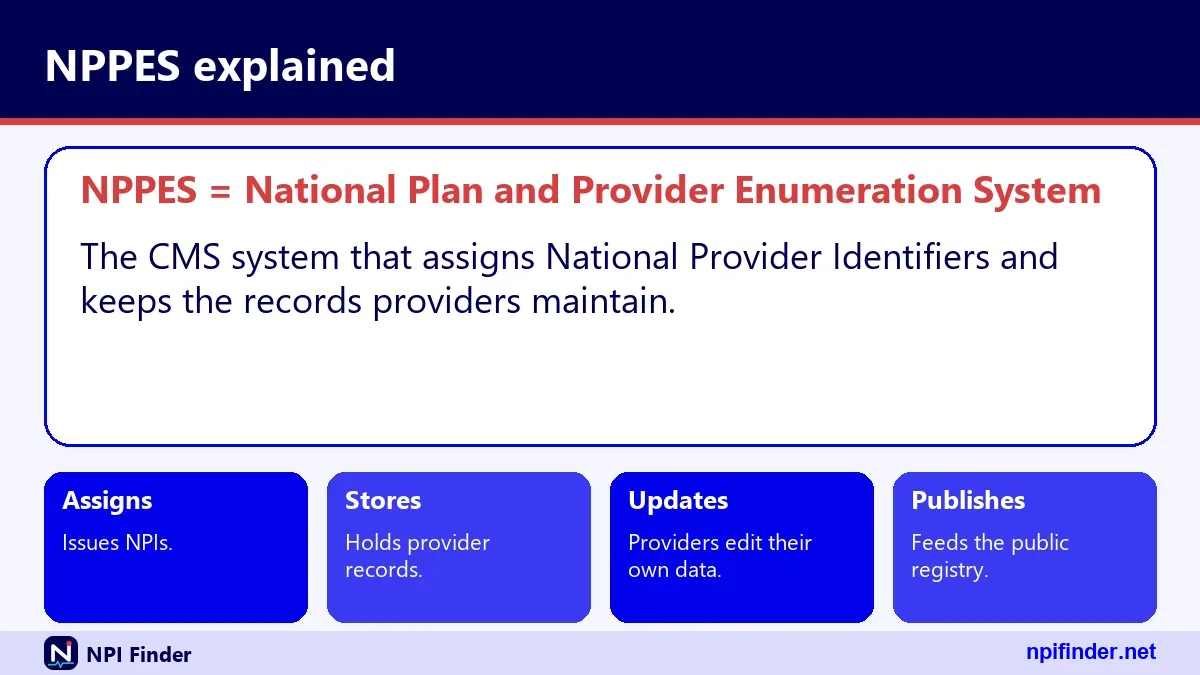
NPPES means National Plan and Provider Enumeration System
NPPES is the National Plan and Provider Enumeration System, the CMS system that assigns National Provider Identifiers and stores every NPI record. You use it to get an NPI, change your details and find other providers. If you need the basics of the number itself, start with What Is an NPI Number?.
The name looks long, so people shorten and misspell it. This page covers the system, its public search, its login and the common mix-ups.
NPPES NPI Registry: how the two names fit together
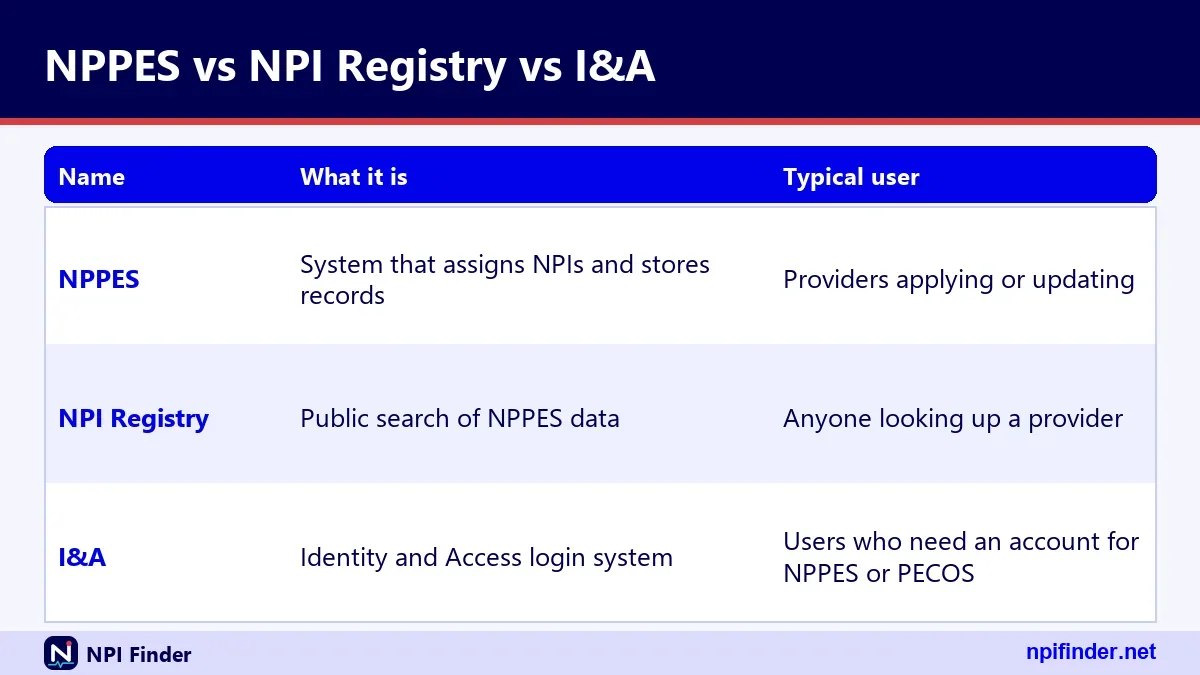
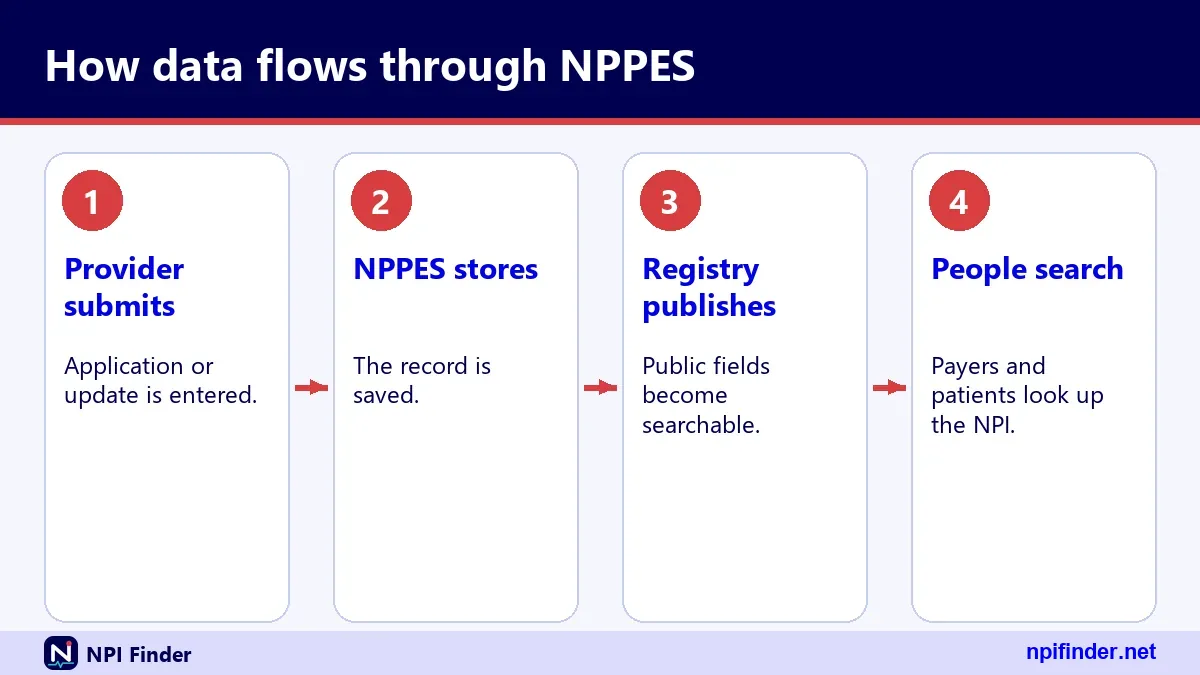
The NPPES NPI Registry is the public search tool built on NPPES data. NPPES holds the records. The NPI Registry lets anyone look them up without an account.
Think of NPPES as the filing room and the registry as the front desk window. Providers work in the filing room. The public uses the window.
NPPES versus the NPI Registry search page
NPPES is where you apply for, update and deactivate an NPI. The NPI Registry is read-only. You cannot change a record from the search page, so a wrong address needs a fix inside NPPES.
NPPES versus Identity and Access (I&A)
I&A is the Identity & Access account system. It controls who may log in to NPPES. The same I&A account also opens PECOS, PEPPER and CBR, according to the I&A FAQ dated 1/20/2026.
NPPES registry: what the public search shows
The NPPES registry shows public details for each enumerated provider: NPI, entity type, name, credential, status, dates, addresses, phone numbers, taxonomies and license data. CMS does not publish Social Security numbers, ITINs or dates of birth online, per the CMS-10114 form.
Records are public because the data must be disclosed under FOIA. For deactivated NPIs, CMS discloses only the NPI and the deactivation date.
Why a registry listing proves little on its own
A listing does not prove a license is current. CMS says an NPI does not ensure a provider is licensed or credentialed. Check the state board for that.
Why a record can be out of date
Providers must report changes within 30 days, but the registry only shows what was submitted. If a record looks stale, the provider needs to update it. See Update or Deactivate an NPI.
NPPES registry NPI: searching by number
To search by NPI, enter exactly 10 digits in the registry. The registry returns that one provider, or zero results if the number is not assigned. Our Find My NPI Number page covers the case where you do not know the number.
A number that is well formed can still be unassigned. The check digit only proves the format. Run a quick format test with the NPI Number Validator.
What an empty result means
Zero results can mean a typo, an unassigned number or a deactivated record. Retype the digits first. Then try a name and state search instead.
NPPES, NPI Registry and I&A at a glance
This table separates the three names people confuse most.
| Name | What it is | Who uses it | Login needed |
|---|---|---|---|
| NPPES | CMS system that assigns and stores NPIs | Providers, staff | Yes, for changes |
| NPI Registry | Public search and API on NPPES data | Anyone | No |
| I&A | Account system for NPPES, PECOS, PEPPER and CBR | Account holders | Yes |
| Data files | Downloadable NPPES dissemination files | Researchers, vendors | No |
NPPES website: what you can do there
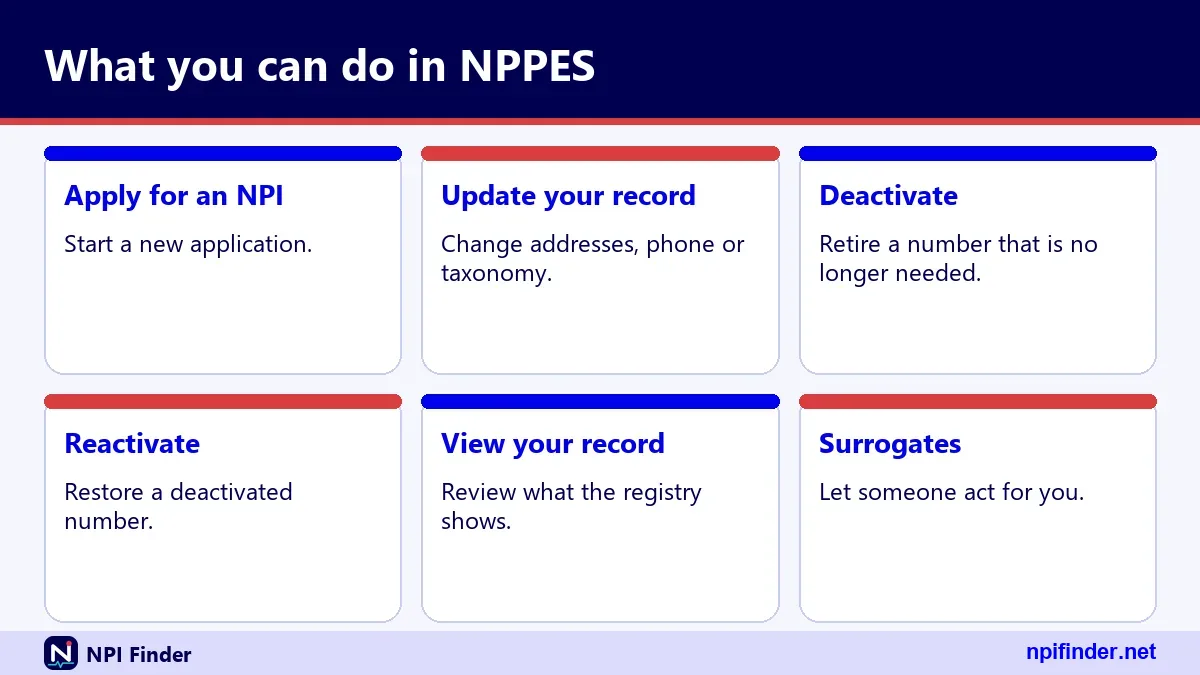
The NPPES website is where providers apply for an NPI, update a record and manage their I&A account. It is a JavaScript application, so it loads like an app, not a plain page.
Use it only through the official address. CMS lists no fee to get an NPI, so be wary of any site that charges for one.
Applying for a new NPI
The web application is the route CMS recommends for the fastest processing. Walk through it in Apply for an NPI.
Changing or closing a record
Updates go through the same site after login, or on paper with form CMS-10114. Details are in Update or Deactivate an NPI.
Managing the account itself
Password resets, forgotten user IDs and multi-factor settings live in I&A. NPPES Login Help walks through each one.
nppes.cms.hhs gov: reading the web address
The address nppes.cms.hhs.gov breaks into pieces: the NPPES host, then cms (the agency), then hhs (the parent department), then gov. The host name tells you the site belongs to a federal agency.
Typing the address by hand is safer than clicking a search ad. Bookmark it once you reach the real page.
nppes.cms and nppes.cms.hhs
These are shortened forms people type or search. The full host is nppes.cms.hhs.gov. Partial strings like nppes.cms or nppes.cms.hhs will not reach the site on their own.
nppes cms hhs gov iaweb
The iaweb part points to the I&A web content area, where CMS posts the I&A FAQ and Quick Reference Guide as PDFs. It is a document path, not a login page.
nppes hhs cms gov and cms hhs gov
People often swap the order to nppes hhs cms gov. The correct order puts cms before hhs. A bare cms hhs gov search leads to the agency, not to NPPES.
NPPES CMS: who runs the system
CMS, the Centers for Medicare & Medicaid Services, maintains NPPES. A contractor called the NPI Enumerator handles day-to-day work such as paper forms and customer service.
CMS also runs the NPI standard page, the data dissemination page and the registry. Those three pages are the official starting points for facts about the program.
CMS NPPES and cms nppes searches
Searches such as cms nppes and nppes cms usually mean the same thing: the official CMS system. They are word-order variants, not different systems.
NPPES customer service
NPPES customer service is the NPI Enumerator. Call 1-800-465-3203 (TTY 1-800-692-2326) or email [email protected]. Hours are not published in the sources we verified, so check the CMS how-to-apply page before you call.
NPI NPPES registry: what each record contains
Every NPI Registry record is a structured set of blocks: basic details, addresses, practice locations, taxonomies, identifiers, other names and endpoints. The same shape appears in the lookup tool on this site, which also shows the raw JSON.
Knowing the blocks helps you read a record fast and spot what is missing.
The basic block
The basic block holds the name, credential, sex, sole proprietor flag, enumeration date, last updated date, certification date and status. Status "A" means active. Organizations show an organization name and authorized official details instead.
Addresses and practice locations
Each record has a mailing address and a primary practice location in the addresses list. Extra practice sites sit in a separate practiceLocations list. One sample hospitalist record shows two address entries and three extra practice locations in three different states.
Taxonomies and license numbers
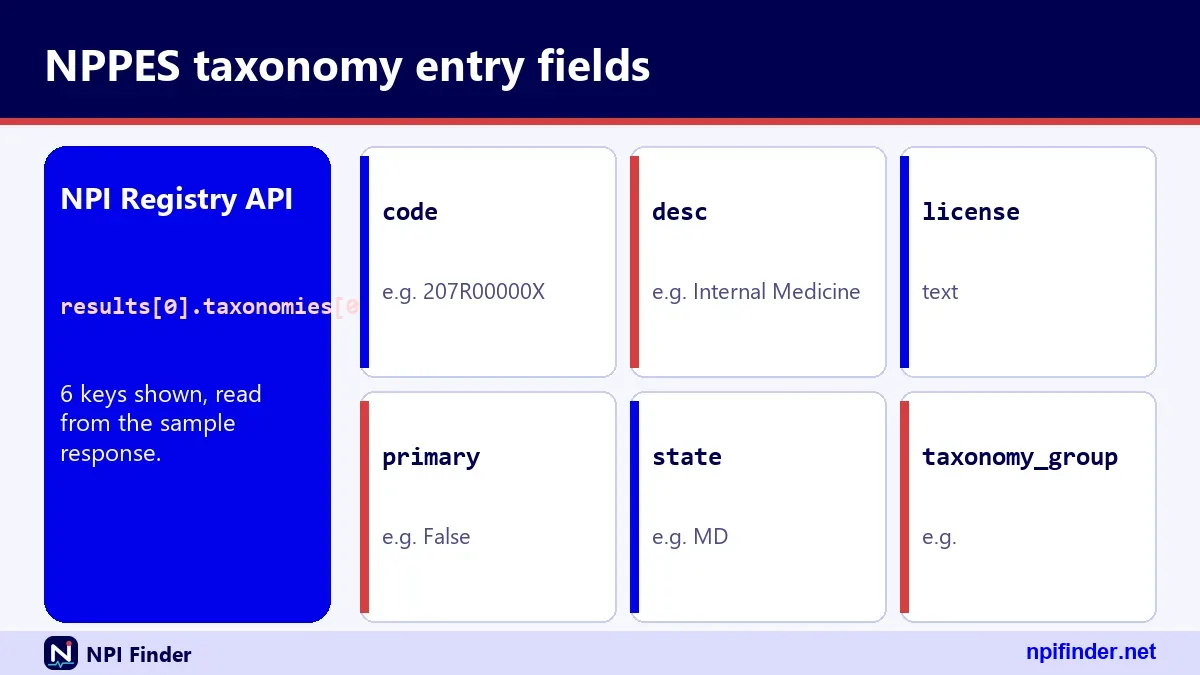
The taxonomies list holds a code, a short description, a primary flag, a license number and a license state. A record can carry several taxonomies, and only one is marked primary. Look codes up in the Taxonomy Code Lookup.
Identifiers, other names and endpoints
Identifiers hold other IDs a provider chose to list. Other names hold former names or "doing business as" names. Endpoints hold electronic exchange details. All three are often empty, and that is normal.
nppes/npi registry: what the slash means
When you see nppes/npi registry, the slash just joins the two names. It points to the NPI Registry that sits on NPPES data. There is no separate "slash" system.
Variants such as "nppes / npi registry" and "nppes npi registry." with a trailing period mean the same thing. Search engines ignore the punctuation, and so should you.
NPPES npi registry official CMS
The official CMS version is the one under the cms.hhs.gov domain. If a result asks for payment, it is not the official registry. Compare the address before you enter any data.
NPPES npi registry website
The registry website is a search form plus an API help page. You do not log in to use it. A plain name, state and city search is enough for most lookups.
nepps npi: a frequent misspelling of NPPES NPI
Nepps npi is almost always a typo for NPPES NPI. The letters sit close together and the acronym is easy to scramble. Typing the right spelling into the registry search tool gets you to the same place.
nepps and nepps registry
Plain nepps and nepps registry are shorter versions of the same slip. Neither is a separate site. Both point to the NPPES NPI Registry.
neppes
Neppes is another letter swap. If you land on a page that spells it this way, check that the address still ends in cms.hhs.gov.
npees: another way people spell NPPES
Npees is a vowel-heavy typo of NPPES. It leads to the same CMS system once you correct the spelling.
npees registry
Npees registry is the same typo plus the word registry. The target is the NPI Registry search page.
npee, npes npi and npes registry
Shorter strings such as npee, npes npi and npes registry drop letters. They still mean NPPES. Use the full name when you search so you reach the official site.
nppess: the double-s typo
Nppess adds an extra letter at the end of NPPES. The meaning is unchanged: the CMS enumeration system.
nppes. with a period
A trailing period, as in "nppes." happens when people copy a sentence end. It has no effect on where you land.
nppse and nppws
Nppse and nppws swap or replace letters. They are keyboard slips, not other products.
nappes: when the first vowel is wrong
Nappes is a typo for NPPES. It has the same sounds when spoken quickly, which is why it shows up in search.
nippes, nopes and noppes
Nippes, nopes and noppes swap the first vowel. None of them is a CMS term. If you meant the NPI system, use NPPES.
npess and nppees
Npess and nppees reorder or double letters. Same fix: type NPPES.
nppes i: what the "i" most often means
The "i" in nppes i usually points to I&A, the account system, or to the individual (Type 1) NPI. The phrase is vague, so read the page you land on carefully.

nppes account
An NPPES account is really an I&A account. If you have registered once with your Social Security number, you already hold one. You will see a message if you try to create a duplicate. Fix login trouble in NPPES Login Help.
nppes system
Nppes system is a general phrase for the whole CMS platform, including the application, the registry and the data files.
nppis: a typo that swaps vowels
Nppis replaces the E with an I. It is a typo of NPPES and, in some searches, of NPI. Both lead to CMS.
npiees and npppes
Npiees and npppes add or repeat letters. They are one-keystroke errors, and the correct spelling is NPPES.
nnpes and nnppes
Nnpes and nnppes double the leading N. Again, the right target is NPPES.
nipps: an easy slip with the wrong vowel
Nipps is a mix of NPI and NPPES. If you mean the provider number system, you want NPPES. For a plain definition, see What Is an NPI Number?.
nppe, nppe npi and npped
Nppe drops the final S. Nppe npi and npped follow the same pattern. They all mean NPPES.
nppies, mnppes and nppps
Nppies, mnppes and nppps are further keyboard slips. None points to a different program.
nepps without the registry word
Nepps on its own is a clipped typo of NPPES. If you want a provider, add a name and state in the NPI Registry. If you want to apply, use the official NPPES application.
nppesw, npps registry and nppesnpi
Strings like nppesw, npps registry and nppesnpi are run-together or clipped forms. Add a space between the words, and spell NPPES with two Ps and an E.
npeps, nppls, npeast and nppes reg
Npeps, nppls, npeast and nppes reg are rare slips and abbreviations. They resolve to the same system, so type the full name next time.
How to search the NPPES registry by provider name
You can find a provider by name with a few exact fields and one filter. The registry is strict, so small spelling choices matter.
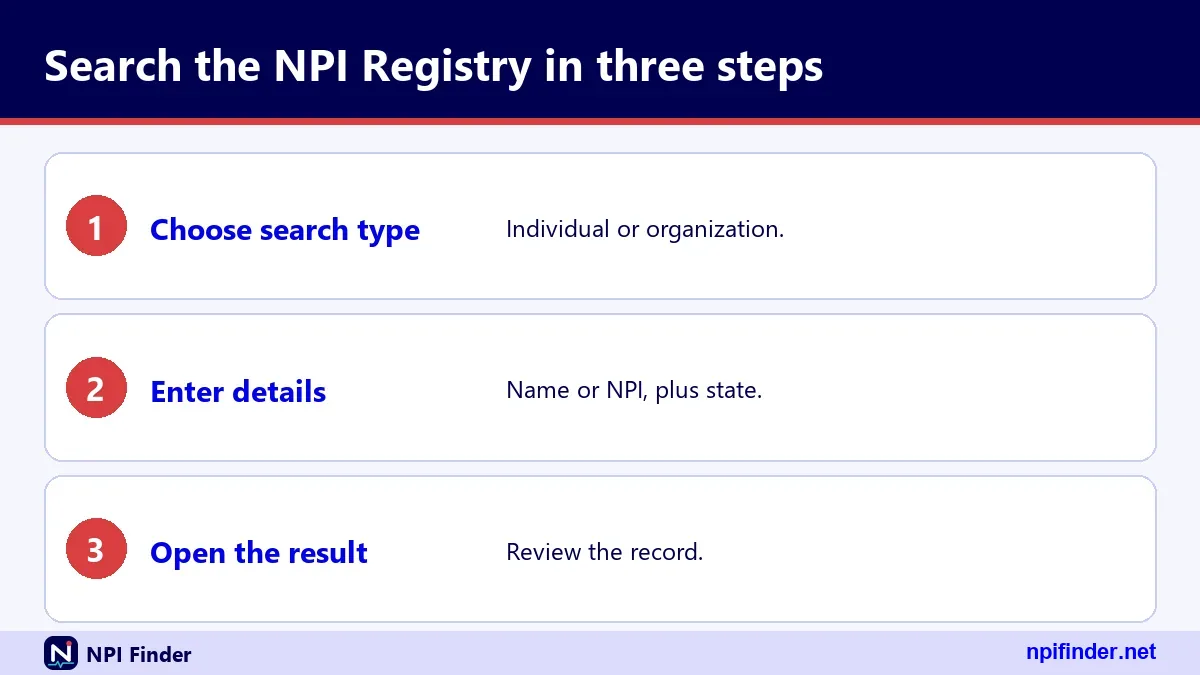
- Open the official NPI Registry search page.
- Choose Individual (NPI-1) for a person, or Organization (NPI-2) for a clinic or hospital.
- Enter the first and last name, or the organization name.
- Add a state, and a city if the name is common.
- Select search and open the record that matches your city and specialty.
Tip: if a common name returns too many hits, add a city or a taxonomy description. Then compare the practice address with what you already know.
Using wildcards in names
A wildcard is a trailing asterisk, and it needs at least two leading characters. So "smi" works, but "s" does not. A name without a wildcard is an exact match.
Searching by organization
For hospitals, groups and pharmacies, use the organization name field. Records for organizations list an authorized official, not a date of birth or a personal sex field.
Narrowing by specialty
The registry accepts a taxonomy description, either exact or with a wildcard. For a state-by-state and specialty view, see NPI Lookup by State and NPI Lookup by Specialty.
How to search the NPPES registry by NPI number
An NPI search needs exactly 10 digits and nothing else. This is the fastest and most precise search you can run, because an NPI belongs to one provider.
- Copy the 10-digit number without spaces or dashes.
- Paste it into the number field of the registry.
- Submit the search and read the basic block first.
- Check the status, the last updated date and the practice location.
Warning: a number that fails the check digit returns no results and no specific error. Test the number first with the NPI Number Validator.
Reading the status field
Status "A" means active. A deactivated NPI shows only the number and deactivation date in the public data files. If a provider says their NPI is active and you see nothing, confirm the digits.
Confirming it is the right provider
Match the name, credential and practice address. The mailing address can be a home or office box, so rely on the practice location for where care happens.
How to use the NPPES NPI Registry API
The NPI Registry API returns JSON at the registry's /api/ path, and the version parameter is mandatory. Use version 2.1. Version 2.0, version 3.0 or no version returns an "Unsupported Version" error.
The API is useful when you need results inside a form or spreadsheet. The same API feeds the lookup tool on this site.
Parameters you will use most
The main parameters are number, enumeration_type, first_name, last_name, organization_name, taxonomy_description, city, state, postal_code, limit and skip. State and address_purpose need another search criterion.
Limits, skipping and paging
The documented defaults are limit 10 and a maximum of 200, with skip up to 1000. Testing showed values above the limit were capped, not rejected. Do not rely on that behavior. For large jobs, use the data files instead.
Rate limits
Since 6/25/2024 NPPES limits how many registry queries can run per hour. The hourly figure is not published. CMS says bulk queries must use the downloadable file.
Browser access and CORS
The registry API did not return a CORS header in testing, so a page on another site cannot call it directly from the browser. A server-side proxy solves that.
NPPES registry API errors and what they mean
API errors come back as a JSON "Errors" list with a number, a field and a description, and the HTTP status is still 200. Check the body, not the status code.
| Error number | Message | Usual fix |
|---|---|---|
| 03 | Wildcards require at least two leading characters | Add two real letters before the asterisk |
| 04 | No valid search criteria provided | Add at least one search field |
| 05 | Field contains special characters or wrong number of characters | Remove odd characters and check lengths |
| 06 | NPI must be 10 digits | Fix the number field |
| 07 | State requires additional search criteria | Add a name, city or other field |
| 10 | Address purpose requires additional search criteria | Add another field |
| 12 | Skip field must be numeric | Use a whole number for skip |
| 17 | Unsupported Version | Set version to 2.1 |
CMS does not publish a full error table, so this list covers only the codes we saw in testing.
Zero results without an error
A valid but unmatched search returns a result count of zero and an empty results list. That is not an error. Loosen the search or check spelling.
Unknown parameters
The API ignores parameters it does not know. A misspelled parameter name will not raise an error. It will simply not filter anything.
How to log in to NPPES
You log in to NPPES with an I&A user ID and password, plus multi-factor authentication. Use the official NPPES sign-in page, not a link from an ad or an email.
- Go to the official NPPES site and choose sign in.
- Enter your I&A user ID and password.
- Complete your multi-factor method when prompted.
- Open your NPI record from the NPPES home page.
Tip: set up two MFA methods, such as email and text. CMS requires only one, but a backup saves a call to the help desk. Longer help is in NPPES Login Help.
Password and user ID recovery
Use "Forgot Password" or "Retrieve Forgotten User ID" on the I&A sign-in page. Three failed logins lock the account, and Forgot Password unlocks it.
Password expiry
Passwords expire every 60 days. An expired password does not affect your NPI, your Medicare enrollment or your payments. It only blocks login until you reset it.
Dormant accounts
An account used within 365 days but not within 180 needs a password reset. An account unused for 365 days or more needs re-verification and a new user ID.
NPPES surrogates: letting another person manage your record
A surrogate is a user a provider permits to work on the provider's behalf in NPPES, PECOS or other CMS systems. The provider picks which systems the surrogate can use. CMS sets this up in I&A, not inside NPPES.
An Authorized Official or Access Manager can request surrogate access for an organization. Once CMS approves it, others in that organization may act for the provider.
The provider stays in control. You can log in to I&A and disable the connection at any time. Surrogates cannot sign an application for you. See NPPES Login Help for account steps.
How to apply for an NPI in NPPES
Apply online in NPPES for the fastest result, or mail form CMS-10114. CMS also allows bulk enumeration through Electronic File Interchange for authorized organizations. Full steps are in Apply for an NPI.
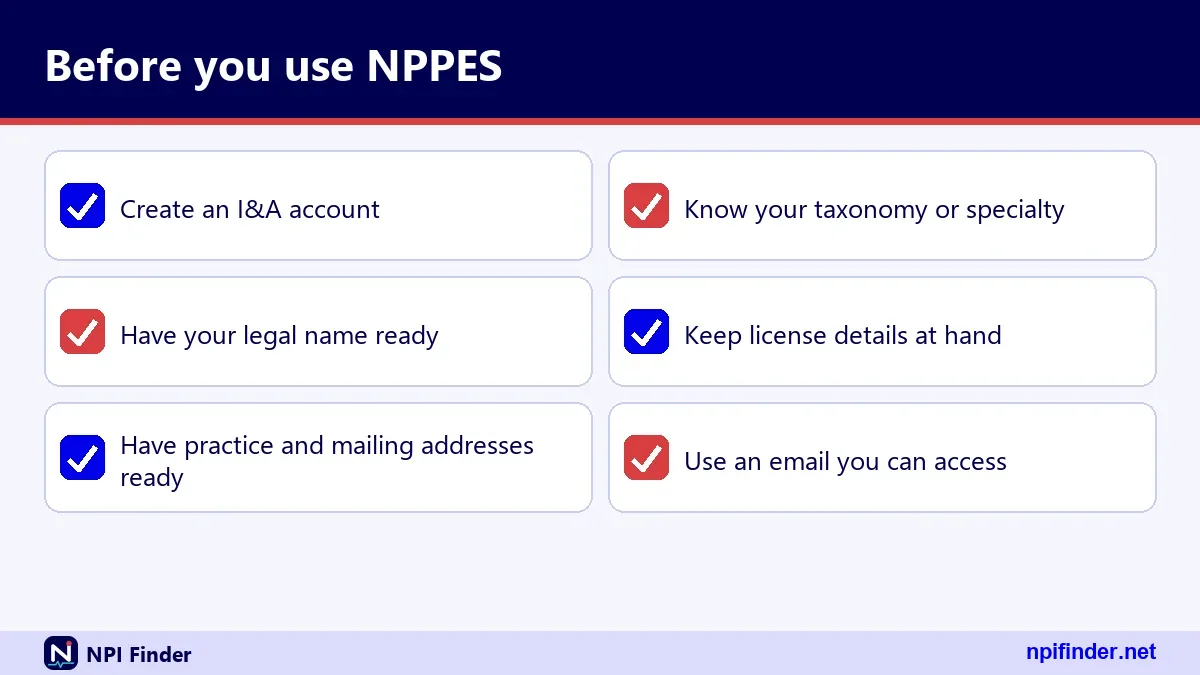
- Create or sign in to your I&A account.
- Start a new NPI application and select your entity type.
- Enter identity, address, taxonomy and license details.
- Review the data, submit and keep your confirmation.
Warning: your Social Security number or ITIN is needed for an individual application. CMS says SSN, ITIN and date of birth are not made available on the internet.
Individual or organization
Individuals are Type 1 and can hold one NPI. Organizations are Type 2 and can hold several. An incorporated provider may hold both a Type 1 and a Type 2.
Paper applications
Paper form CMS-10114, Rev. 02/25, goes to the NPI Enumerator in Baltimore. Order a copy by calling the Enumerator. Processing time is not published, so do not assume a number of days.
How to update your record in NPPES
Updates go through NPPES after login, or through the paper form's "Change of Information" box. Covered providers must report changes within 30 days of the change.
- Sign in to NPPES with your I&A account.
- Open your NPI record and choose the section to change.
- Edit the address, taxonomy, license or contact data.
- Submit and recheck the registry after the change posts.
Tip: updating NPPES does not update Medicare enrollment. Update PECOS separately, as described in PECOS Lookup & Revalidation.
What triggers the 30-day clock
Any change to required NPS data starts it, such as a new practice address. The rule comes from 45 CFR 162.410(a)(4).
Deactivation and reactivation
The paper form has boxes for deactivation (death, business dissolved, other) and reactivation with a reason. A deactivated NPI is never reassigned to another provider.
How to download the NPPES data files
CMS publishes the NPPES data dissemination files on a download page, and there is no charge. The set has a monthly full file, a monthly deactivation file and a weekly incremental file. See NPI Database & Download.
Which file to pick
Pick the monthly full file for a complete copy. Pick the weekly file for recent changes. Pick the deactivation file to flag closed NPIs.
File size and tools
The monthly zip was about 1,079 MB on the listing we checked, and CMS notes the uncompressed data exceeds 4 GB. Older extraction tools may fail.
Support
CMS states there is no help desk for using the data files. Plan to handle format questions yourself.
NPPES data file Version 1 versus Version 2
Use Version 2 of the NPPES data files. CMS says NPPES no longer supports Version 1 of the monthly and weekly files as of 03/03/2026.
CMS recommends Version 2 because of expanded record lengths. It lists longer limits for the first name and legal business name fields. A script written for Version 1 may truncate or reject those values.
Check your download links and import code. The deactivation file also has a Version 2. Find each file on NPI Database & Download.
NPPES records for individual providers
An individual provider gets a Type 1 NPI, and a person is eligible for only one. Physicians, nurse practitioners and sole proprietors all fall here. The record carries a personal name, credential and sex field.
One person, one NPI
If you already have an NPI, do not apply again. Health plans may not require a provider that already has an NPI to get another. Search the registry first, or use Find My NPI Number.
License data on a personal record
Individuals in certain licensed professions must give license details or explain why they have none. The license number and state then show up beside each taxonomy.
Working across states
A record can list practice locations and licenses in several states. A sample hospitalist record lists licenses in Maryland, Virginia and the District of Columbia. Treat each state license as its own entry.
NPPES records for organizations and subparts
An organization gets a Type 2 NPI, and it may hold several. Hospitals, nursing homes and physician groups are the usual examples. The record shows an organization name and an authorized official.
Authorized official details
Organization records list the authorized official's name, title and phone number. That is public data, so choose the official with care.
Organizational subparts
A subpart is a component of an organization, such as a hospital unit, that may get its own NPI if its identifying data are unique. The basic block has an organizational_subpart flag set to YES or NO. The subpart idea does not apply to individuals.
Doing business as names
Organizations often show a "doing business as" name under other names. Search both the legal name and the trade name when you cannot find an organization.
NPPES for sole proprietors and incorporated providers
A sole proprietor is a Type 1 individual, not a Type 2 organization. That surprises many billing teams. The registry shows a sole_proprietor flag of YES or NO.
An incorporated provider can hold two NPIs. The person holds a Type 1 NPI. The corporation or LLC holds a Type 2 NPI. Use the right one on each claim.
Which NPI goes on a claim
Use the NPI that matches the billing entity named on the enrollment. If you are unsure, ask your payer or compare your Medicare enrollment. This page covers the number lookup, not billing advice.
EIN versus NPI
The Employer Identification Number is a tax ID issued by the IRS. It is not an NPI. Organizations list an EIN in NPPES, but we could not confirm that the public API returns it.
NPPES for non-covered prescribers
Prescribers who are not HIPAA covered providers need an NPI in many settings but are not required by law to get one. CMS says they "will need (but are not required) to obtain NPIs."
Organizational providers must require their non-covered prescribers to obtain an NPI from NPPES and to disclose it when prescribing within the organization's role, under 45 CFR 162.410(b).
Medical students and residents
CMS states that medical students, interns and residents are not covered health care providers under HIPAA. For what that means for your training program, ask the program office.
NPPES for foreign and military addresses
NPPES stores an address type for each address: DOM for domestic, FGN for foreign and MIL for military. A country code of two characters is part of every address.
Searching by country
The registry accepts a two-character country code. A search with country code CA alone worked in testing. A search with "US" needs another criterion.
ZIP and ZIP+4
A five-digit ZIP search also returns records with a nine-digit ZIP. In records, the nine digits are stored with no hyphen.
NPPES records that are deactivated or replaced
A deactivated NPI stays deactivated, and NPPES may not reassign it to another provider. In the public data files, CMS discloses only the NPI and the deactivation date.
Some records include a replacement NPI field and deactivation or reactivation dates. These appear only when they apply.
Reactivation
Reactivation uses the paper form's reactivation box with a reason. The online path is not described in the sources we verified.
Death and business closure
The paper form lists death, business dissolved and other as deactivation reasons. The details belong in Update or Deactivate an NPI.
NPPES records with several taxonomies and locations
A record can list up to 15 taxonomies and many practice locations, so the primary taxonomy matters for display and matching. In a sample record, the same code appeared three times with three different state licenses, and a hospitalist code was primary.
Why one code repeats
A provider licensed in three states may list the same taxonomy once per license. The repeats are not a data error.
Which taxonomy is primary
The primary flag marks one taxonomy as the main one. Pick the code that best describes your usual work. The current NUCC code set is version 26.1, effective 7/1/26.
NPPES versus PECOS: enrollment is not enumeration
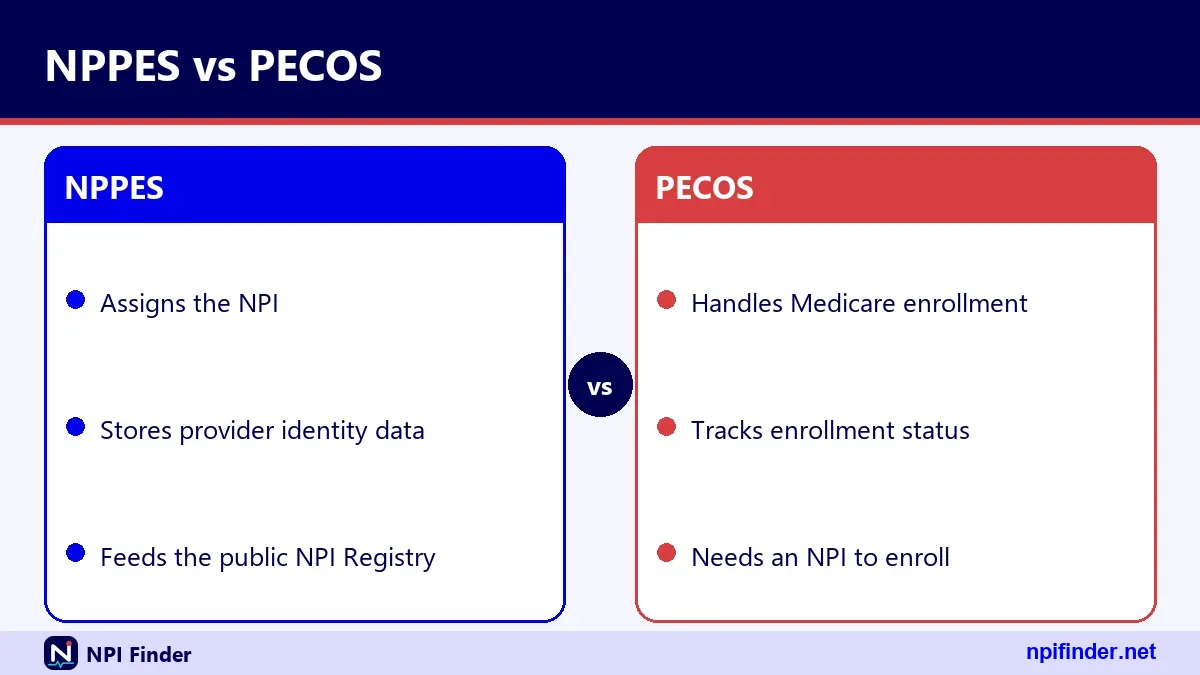
NPPES gives you an NPI, and PECOS enrolls you in Medicare. You need both for Medicare billing, and updating one does not update the other, per the CMS NPI fact sheet.

| Topic | NPPES | PECOS |
|---|---|---|
| Purpose | Assigns and stores NPIs | Medicare provider enrollment |
| Operator | CMS | CMS |
| Account | I&A | I&A |
| Update rule | Report changes within 30 days | Revalidate every five years (three for DMEPOS) |
| Public search | NPI Registry | Order and Referring dataset |
Same login, different systems
I&A covers both, so one user ID can reach NPPES and PECOS. Each system holds its own records. See PECOS Login and PECOS Lookup & Revalidation.
Care Compare and PECOS
Care Compare's doctors and clinicians information comes mainly from PECOS. To use that search, see Find a Medicare Provider.
NPPES registry versus the NLM Clinical Tables API
The NLM Clinical Tables API is a second, free search of NPI data that sends CORS headers, so browsers can call it directly. The CMS registry API did not.
| Feature | CMS NPI Registry API | NLM Clinical Tables API |
|---|---|---|
| Version setting | version=2.1 required | Not needed |
| Browser calls | Blocked in testing | Allowed in testing |
| Result limit | limit up to 200 | count up to 500 |
| Output | JSON object with results | JSON array of arrays |
| Source | CMS NPPES | CMS NPI records, NUCC, CMS crosswalk |
So, NLM Clinical Tables API is the best API for browser-only website forms because it allows direct browser calls without a proxy.
Which one for a website form
For a browser-only lookup, NLM works without a proxy. For official status and every field, use the CMS API through a server. Verify field paths before relying on them.
NPPES registry versus the downloadable files
The registry answers single lookups, and the data files answer bulk questions. The registry is updated daily, and the files come monthly and weekly.
When bulk work needs files
If you pull hundreds of records, use the files. CMS says bulk registry queries must use the dissemination file.
Freshness trade-off
The registry shows the newest data. A monthly file may be weeks old. Use the weekly file when you need recent changes.
Choosing the right NPPES route for your goal
Match your goal to the tool, and you save time. Use the registry to look up, NPPES to change, I&A to log in and the files to analyze.
Looking up one provider
Use the NPI Registry by number or name. Add a state.
Changing your own record
Use NPPES after I&A login, or the paper form.
Studying many providers
Use the data files and filter by taxonomy or state.
NPPES login problems and quick fixes
Most NPPES login trouble comes from an expired password, a locked account or a missed multi-factor step. Each has a fix inside I&A. Work through the causes in order before you call the help desk.
The password expired
Passwords expire every 60 days. Use Forgot Password on the sign-in page and answer your security questions. Your NPI and Medicare payments are not affected.
The account is locked
Three failed logins lock the account. Forgot Password unlocks it. After three failed tries at user information, contact the External User Services help desk.
You forgot your user ID
Use Retrieve Forgotten User ID. It needs the unique email on the account or other required user information. If you retrieve it without email, you must also change the password.
Multi-factor authentication fails
MFA has been required for I&A since 04/21/2022. Reset your methods by logging in to I&A. If you cannot log in at all, contact the help desk.
The NPPES registry shows the wrong address or name
Fix a wrong public record by updating it in NPPES, not by contacting the registry site. The search page is read-only.
Mailing address versus practice location
Mailing and practice addresses often differ. Mailing addresses can be a home or an office box, so do not infer where a provider works from it.
Old names and former names
Former names sit under other names. If a provider changed names, search both names. To correct the record, use Update or Deactivate an NPI.
A change you made is not showing
Wait a little, then search again. If the record still looks old, log in and confirm the submission saved. We have no verified figure for how long changes take.
You cannot find a provider in the NPPES registry
A missing provider usually means a spelling problem, an over-narrow search or a number typo. Loosen the search before you assume the person has no NPI.
Try fewer fields
Search by last name and state only. Then add a city. Exact matches need exact spelling.
Try a wildcard
Use at least two leading letters before the asterisk. Searching "john*" can catch spelling variants.
Check for a deactivated record
Deactivated NPIs show up only as number and date in the files. A provider you cannot find may have been closed, or may never have applied.
Search by specialty or state
Browse NPI Lookup by Specialty when you have a specialty but not a name.
The NPPES API returns nothing or an error
An empty API reply is usually a valid search with no match, and an error reply has an "Errors" list. Read the number and description first.
Missing version
Always send version=2.1. Without it you get error 17.
Too many results asked for
A limit above 200 was capped in testing, not rejected. Page with skip, and move to the data files for big pulls.
Rate limiting
CMS limits registry queries per hour. If your script runs out, slow it down or switch to the dissemination file.
Scams and paid NPI sites
You do not need to pay a third party to get an NPI, to use the registry or to download the files. CMS lists no fee for any of them. CMS has not, to our knowledge, issued an alert about NPI-for-fee sites, so use caution on your own.
How to spot a look-alike site
Check that the address ends in cms.hhs.gov. Be careful with sites that ask for payment or a Social Security number outside the official sign-in.
Where to get free help
The NPI Enumerator and the EUS help desk are the official support lines. Their details are on this page and in NPPES Login Help.
HIPAA and 45 CFR Part 162 behind NPPES
NPPES exists because HIPAA required a standard unique health identifier for providers. The NPI Final Rule was published on 23 Jan 2004 and became effective on May 23, 2005. The regulation is 45 CFR Part 162, Subpart D.
Compliance dates
Covered providers and most health plans and clearinghouses had to comply by May 23, 2007. Small health plans had until May 23, 2008.
What the rule requires of providers
Covered providers must get an NPI, use it in standard transactions, disclose it on request and report changes within 30 days. Section 162.410 sets out these duties.
What NPPES costs
NPPES charges nothing that CMS lists: applying, searching the registry and downloading the files all carry no listed fee. A 2006 CMS message states online application is free.
The current wording caveat
We found no current CMS page that says "the NPI is free" in those exact words. The no-fee position rests on that message and on CMS listing no fee anywhere.
Paid help is optional
A consultant may help with enrollment. That is separate from NPPES, which does not require one.
Privacy and public data in NPPES
NPPES data is public because FOIA requires disclosure, with a few fields protected. Social Security numbers, ITINs and dates of birth are not made available on the internet.
What anyone can see
Anyone can see names, credentials, addresses, phone numbers, taxonomies, license numbers and enumeration dates. Organization records also show authorized official details.
Reducing exposure
Use a business address for your practice location when you can. This is our own suggestion, not a CMS rule. Keep your mailing address up to date.
Official NPPES sources and contacts
The official sources are the CMS NPI page, the NPPES site, the NPI Registry, the I&A FAQ and the CMS data dissemination page. We cite them in the Sources block at the end of this page.
| Need | Contact | Detail |
|---|---|---|
| NPI application help | NPI Enumerator | 1-800-465-3203, TTY 1-800-692-2326 |
| NPI help by email | NPI Enumerator | [email protected] |
| Account and login problems | EUS Help Desk | 1-866-484-8049, TTY/TDD 1-866-523-4759 |
| EUS email | EUS Help Desk | [email protected] |
| Paper applications | NPI Enumerator | Mail Stop DO-01-51, 7500 Security Blvd., Baltimore, MD 21244 |
Hours of operation were not stated in the sources we checked.
The NPI check digit inside NPPES numbers
Every NPI ends in a check digit calculated with the Luhn formula, using the constant prefix 80840. The check catches typos, not fake numbers.
CMS worked example
CMS publishes the example 123456789. With the prefix, the check digit is 3, so 1234567893 is well formed. It is not a registered NPI, and the live registry returns no result for it.
A real record that passes
NPI 1245319599 belongs to a published sample-style Family Medicine record. It passes the check and is returned by the registry. We cannot say CMS designates it as an official test record.
Failing the check
Changing the last digit to 8 breaks the check and returns zero results. Use the NPI Number Validator.
NPPES glossary for providers and billers
These terms appear on NPPES screens and in CMS documents.
- NPPES: the CMS system that assigns and stores NPIs.
- NPI: the 10-digit National Provider Identifier.
- I&A: Identity & Access, the account system.
- NPS: the National Provider System named in 45 CFR 162.408.
- Enumerator: the CMS contractor handling applications.
- Taxonomy: a NUCC code describing a provider type or specialty.
- PECOS: the Medicare enrollment system.
- Type 1 and Type 2: individual and organization NPIs.
Taxonomy codes in short
A taxonomy code is a ten-character NUCC code, such as 207Q00000X for Family Medicine. See Taxonomy Code Lookup for the full list.
EUS and MFA
EUS is the External User Services help desk. MFA is multi-factor authentication.
NPPES myths versus facts
Several myths about NPPES cause avoidable billing and credentialing errors. Here are the main ones, side by side.
| Myth | Fact |
|---|---|
| An NPI proves a provider is licensed | CMS says it does not ensure licensure or credentialing |
| An NPI enrolls you in Medicare | PECOS enrollment is separate |
| Updating NPPES updates Medicare | You must update PECOS separately |
| NPIs expire | CMS says the assigned NPI does not expire |
| An NPI tells you the state or specialty | The NPI carries no embedded information |
Myth: you must pay to apply
CMS lists no fee for applying. Be wary of a site that asks for money.
Myth: the registry lets you edit
It does not. All edits happen in NPPES.
Reading NPPES dates and epoch timestamps
NPPES records carry readable dates and matching epoch values. The basic block shows enumeration_date, last_updated and certification_date. The top level adds created_epoch and last_updated_epoch, which are strings of milliseconds since 1970.
These timestamps help you judge freshness. A record last updated years ago may deserve a second look, especially for addresses.
Enumeration date
The enumeration date is when the NPI was assigned. Because NPIs do not expire, an old date is normal and says nothing about quality.
Certification date
The basic block also carries a certification date. CMS does not explain it in the sources we verified, so we do not interpret it. In the sample record we checked, it matched the last updated date.
Converting an epoch value
Divide the epoch string by 1000 to get seconds, then convert it with any date tool. Use this only for display, not for legal evidence.
Using NPPES data in the lookup tool on this site
The lookup tool on this site runs a registry search and shows the full response: basic details, addresses, practice locations, taxonomies, identifiers, other names, endpoints and the raw JSON. You can compare what you see with the official registry at any time.
Start with the home page search at NPI Finder, then follow the link to the official NPPES site if you need to change anything.
Reading the raw JSON
The raw JSON is the same structure the API returns. Look at result_count first, then at the results list. Empty lists for identifiers, endpoints and other names are common.
Checking a result against the official site
Run the same search in the official registry. If the two differ, trust the official site and tell us. Neither site can edit the record for you.
How NPPES fits into credentialing work
NPPES data speeds up credentialing, but it is only one input. Credentialing staff use it to confirm a name, an NPI, a taxonomy and a practice address before they check licenses and enrollment.
What to verify elsewhere
Verify the license with the state board. Verify Medicare enrollment in PECOS. NPPES alone proves neither.
Taxonomy mismatches
If a claim taxonomy and an NPPES taxonomy differ, update NPPES or fix the claim. Both should agree on what the provider does.
Other identifiers to match
Other IDs include a PTAN for Medicare billing and a state Medicaid ID. Compare them in NPI vs Other Provider IDs.
NPPES tips for providers and billing staff
These tips come from the rules above and from testing the registry. Use the ones that fit your job.
- Bookmark the official address. Save the NPPES site and the NPI Registry after you reach them once. That avoids look-alike pages.
- Spell it with two Ps. NPPES has an E before the final S. Most typo searches fail on that.
- Search by number when you can. An NPI belongs to one provider, so it ends doubt about common names.
- Add a state to every name search. The registry will not let a state stand alone, but it narrows a name very well.
- Use at least two letters before a wildcard. One letter triggers error 03.
- Set up two MFA methods. CMS needs only one. A second saves you from a lockout.
- Calendar the 60-day password cycle. Expiry blocks login but does not hurt your NPI or payments.
- Log changes within 30 days. Covered providers must report them. Set a reminder when you move or add a site.
- Update PECOS after NPPES. One does not update the other, so do both.
- Use the data files for bulk work. CMS says bulk queries belong in the downloadable file, not in the registry.
Recommendation
Use the NPI Registry for lookups and the NPPES site for every change, and keep your I&A login healthy. That one habit prevents most of the trouble covered above.
If you are new, begin with the definition at What Is an NPI Number?. If you need a number, go to Apply for an NPI. If you cannot sign in, read NPPES Login Help. For more on the related IDs, see NPI vs Other Provider IDs.
My view: set up two MFA methods today, even if you do not log in often. The worst time to learn about MFA is the day a payer needs a corrected record.