

How an NPI doctor lookup works
An NPI doctor lookup means searching the public NPI Registry for a physician's record by name, ten-digit number or specialty. CMS runs the registry, and NPPES (the National Plan and Provider Enumeration System) feeds it.
It is a query-only database that CMS says is updated daily. You enter a few criteria and get back a record with the doctor's name, practice address, credential and taxonomy code. This page focuses on the specialty side of that search. For the system behind it, read NPPES Explained.
Doctor NPI number: what the ten digits do and do not tell you
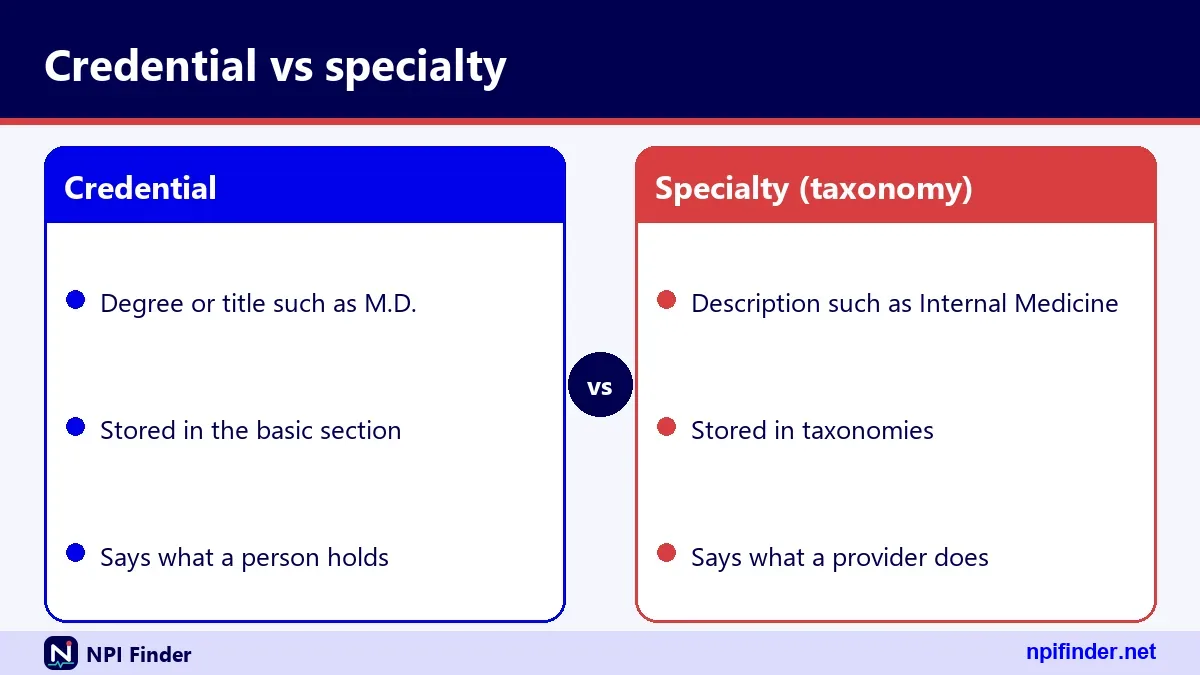
A doctor's NPI is a ten-digit number made of nine digits plus a check digit in the tenth position. The number carries no information about the doctor. It does not reveal a state, a specialty or a hire date. Two colleagues in the same practice receive unrelated numbers. An individual is eligible for only one NPI, and the assigned NPI does not expire. The full definition is on What Is an NPI Number?. Specialty lives in a separate field, the taxonomy code, so a specialty search must use taxonomy data instead of the number.
National practitioner identifier: the right name and common mix-ups
The official name is National Provider Identifier, not "national practitioner identifier", although people search both. The standard comes from HIPAA Administrative Simplification, and the rule sits in 45 CFR Part 162, Subpart D. "National practitioner identification number" and "doctor national provider identifier" describe the same ten-digit number. "Provider" is the wider word. It covers individual clinicians and organizations such as hospitals and pharmacies. A search under the wrong name still lands you on the right registry, but the correct term helps when you talk to payers.
Doctor registry searches versus the NPI Registry
The NPI Registry lists providers who hold an NPI. It is not a licensing roster. When people type "doctor registry" or "medical doctor lookup", they sometimes want a license check, and that comes from a state licensing board. Searches such as "PMDC doctor search" point to a registry run by another country's regulator, which the NPI Registry cannot replace. Having an NPI does not ensure a provider is licensed or credentialed. Use the NPI Registry to identify a US provider, then confirm standing with the licensing board.
Physician NPI lookup: what the registry shows and hides
A physician NPI lookup returns the identifying data the physician or an authorized person submitted to NPPES. That includes name, credential, sex, enumeration date, last update date, practice address and phone, and each taxonomy with its license number and state. The registry does not publish Social Security numbers or dates of birth. Mailing and practice addresses often differ, so never infer where a doctor works from the mailing address alone. Treat every field as self-reported data that may lag reality.
Doctor NPI number lookup by name
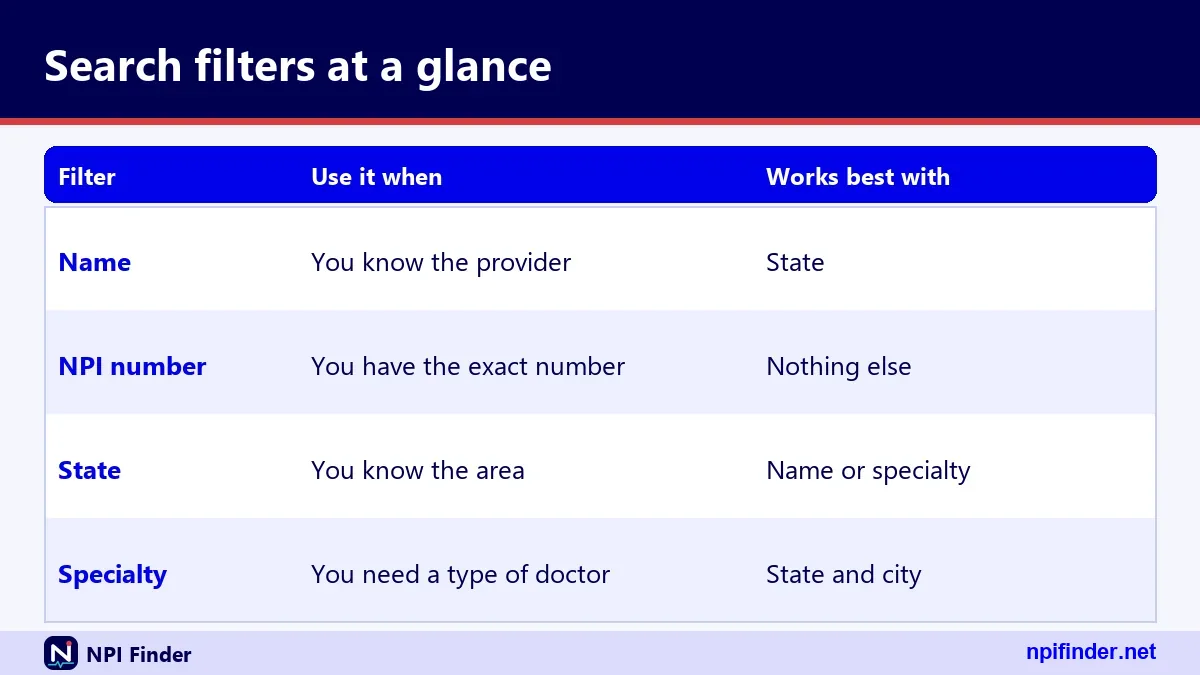
You search by name when you know the doctor but not the number. Enter the last name and first name, then add a state or city to shrink the list. Three rules decide whether the search returns what you expect.
Last name and first name rules
The API takes first_name and last_name as exact matches, or as a prefix with a trailing wildcard. Use these fields for individual providers (Type 1). A fragment typed without a wildcard is an exact match, so "sm" finds nothing while "smith" finds Smiths. The use_first_name_alias option controls alias matching on first names and defaults to True. Leave it on unless you need strict spelling.
Wildcards need two leading characters
A trailing asterisk works only after at least two characters. "smi" is accepted. "s" returns error 03, "Wildcards require at least two leading characters". The wildcard goes at the end only, never at the start. The same rule applies to organization_name, taxonomy_description, city and postal_code. When a wildcard search returns too much, add characters before the asterisk instead of removing it.
Narrowing a common name with state and city
State cannot be your only criterion. A state-only call returns error 07, but state plus a last name works. Add city to cut a common surname down to a handful of doctors. The postal_code field accepts five digits and also matches nine-digit ZIP+4 values. If you already know the state, the NPI Lookup by State page walks through state-first searching.
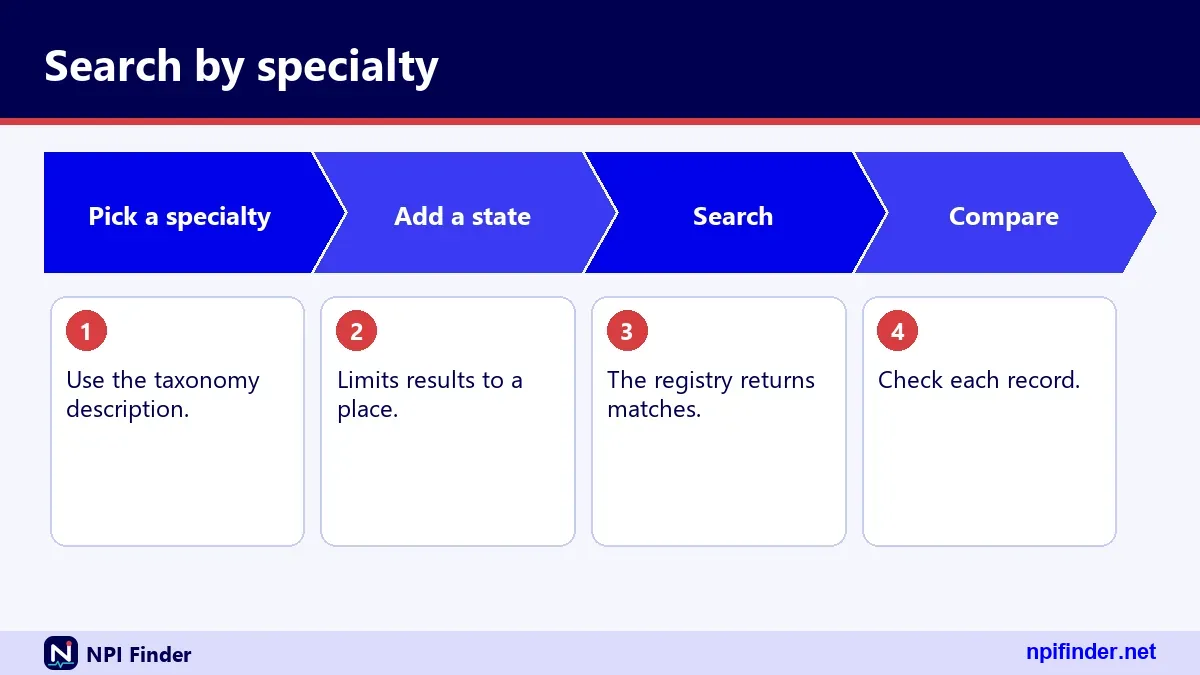
Physician NPI search by specialty with taxonomy_description
You find physicians by specialty through the taxonomy_description field, which accepts an exact description or a wildcard after two characters. NPPES stores specialty as a taxonomy code and shows a short description beside it. That description is what you type into the search.
Exact description versus wildcard
Type the description exactly as NPPES prints it, such as Family Medicine. It may differ from the NUCC display name, which reads "Family Medicine Physician" for the same code. When you are unsure of the spelling, use a wildcard after at least two letters, such as "fam*". Then read the descriptions that come back and pick the one you want.
Pairing a specialty with a state or city
A specialty alone describes a huge population. Combine taxonomy_description with state, city or postal_code to get a usable list. A query such as taxonomy_description set to Family Medicine, state set to VA and city set to Virginia Beach reads naturally and returns local doctors. Keep the page size modest, then step through results with limit and skip.
Reading the primary taxonomy flag
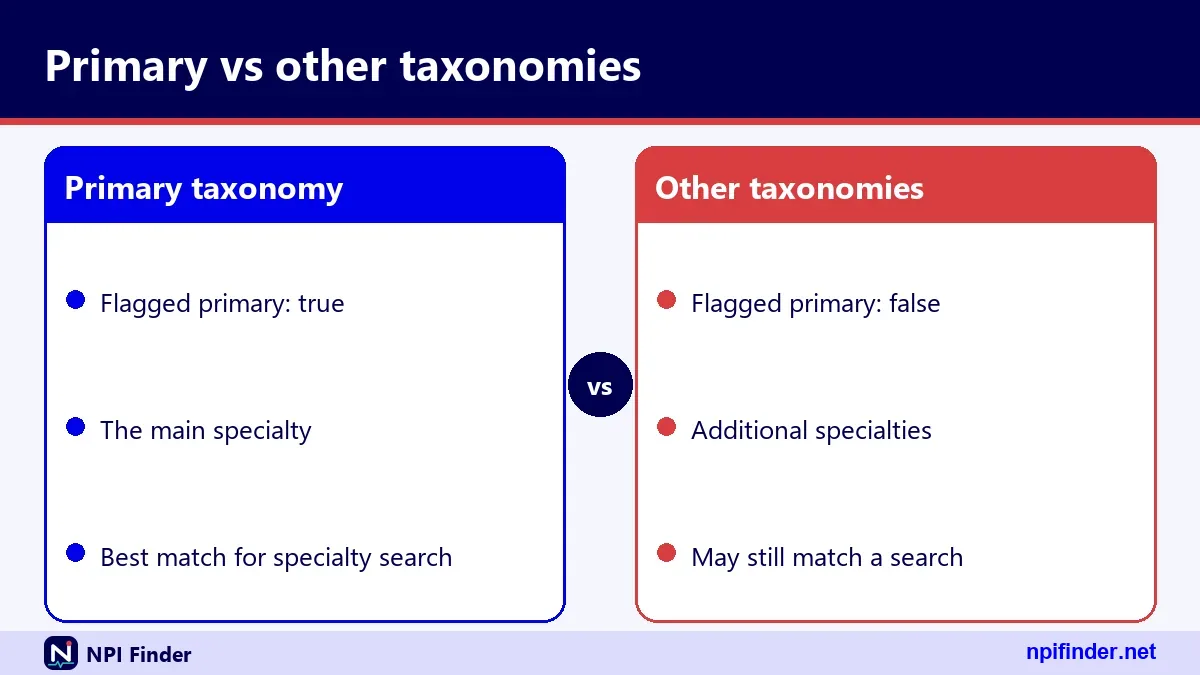
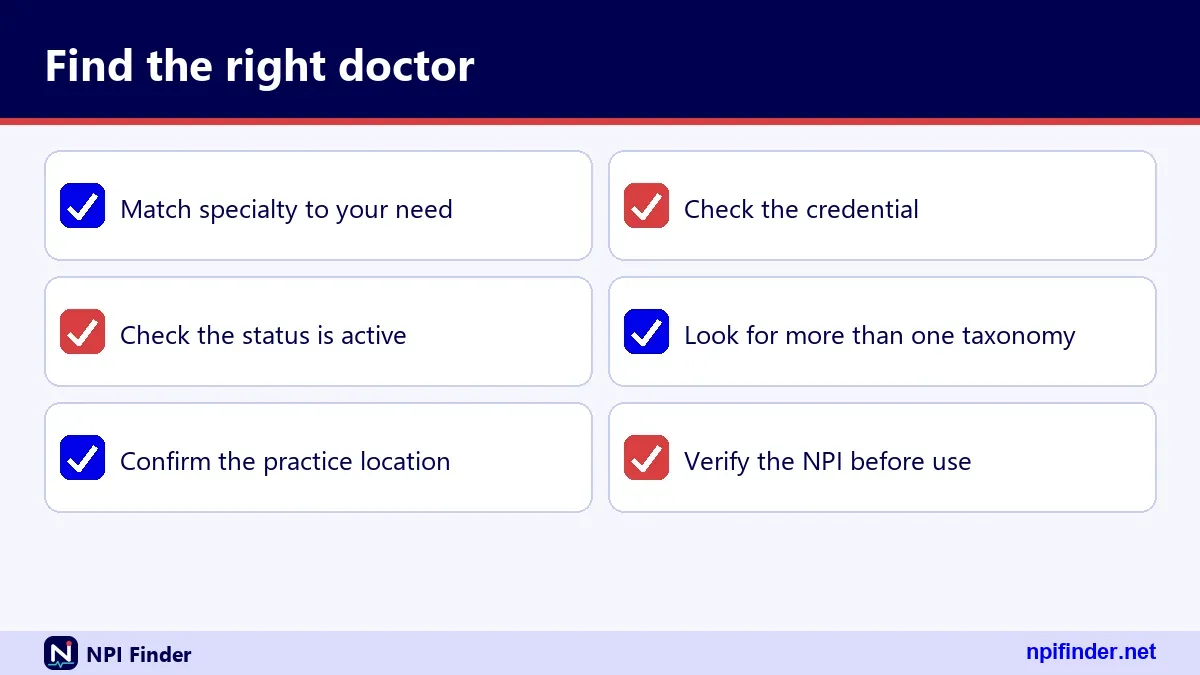
Each record can carry up to 15 taxonomies, and each has a primary flag set to true or false. One entry is normally the doctor's main specialty. A hospitalist may list Internal Medicine as a secondary taxonomy and Hospitalist as primary. When you filter by specialty, check whether the match is the primary entry. A secondary match shows the doctor is licensed in that area, not that it is the daily practice.
Lookup NPI for doctor when you already hold a number
If you hold a doctor's NPI, the number parameter is the fastest route. It takes exactly ten digits and nothing else. The call returns one record or none, so there is no list to sift through.
Ten digits and nothing else
Remove spaces, hyphens and letters before you search. An entry that is not ten digits returns error 06, "NPI must be 10 digits". You can combine nothing useful with number, because the number alone identifies the record. If you copied the digits from a claim form, check that no leading digit dropped off.
What a zero-result response means
A response of result_count 0 means no record carries that number. It does not tell you why. A mistyped digit that fails the check digit calculation returns the same empty result as a well-formed number nobody holds. Run the digits through a check digit validator first. If the format passes, the number is simply not assigned.
Doctor NPI list for physicians: how far a search can page
A search returns ten records by default, up to 200 per call, and you step through further results with skip. Those limits decide whether a registry search can produce a full roster.
How limit and skip work
The documentation sets limit at a default of 10 and a maximum of 200. It sets skip at a maximum of 1000. In live testing, a limit above 200 was silently capped at 200 rather than rejected. For planning, treat 1,200 records, skip 1000 plus limit 200, as the documented reach of one query.
The web search cap
The registry website states that it limits searches to the first 2100 results. That figure applies to the web search, not to the documented API values. Either way, a broad specialty query across a whole state will not return every doctor. Narrow the query with city or postal code, and run several searches instead of one huge one.
When the bulk file is the better tool
CMS says bulk registry queries must use the downloadable dissemination file, and it has limited the number of registry queries per hour since 6/25/2024. The numeric hourly limit is not published. If you need every physician in a taxonomy, download the file instead of paging the API. The NPI Database & Download page covers the file formats.
Find NPI physician records: the fields in each result
Each physician result is one JSON record with a fixed set of sections. Knowing them tells you which part answers your question. The sample record used by this site's tool shows every section in action.
The basic block
The basic object holds the doctor's name, credential, sex, sole_proprietor flag, status, enumeration_date, last_updated and certification_date. In the sample record the status is "A" for active, the credential reads "M.D." and the enumeration_date is 2007-08-31. Beside it sit number, enumeration_type (NPI-1 for individuals) and two epoch timestamps in milliseconds.
Addresses and practice locations
The addresses array holds the LOCATION and MAILING addresses. The practiceLocations array holds additional practice sites. The sample doctor lists a Bethesda, Maryland office in addresses and three more locations in Maryland, Virginia and the District of Columbia. ZIP codes come back as nine digits without a hyphen, and text is in upper case.
Taxonomies with license numbers
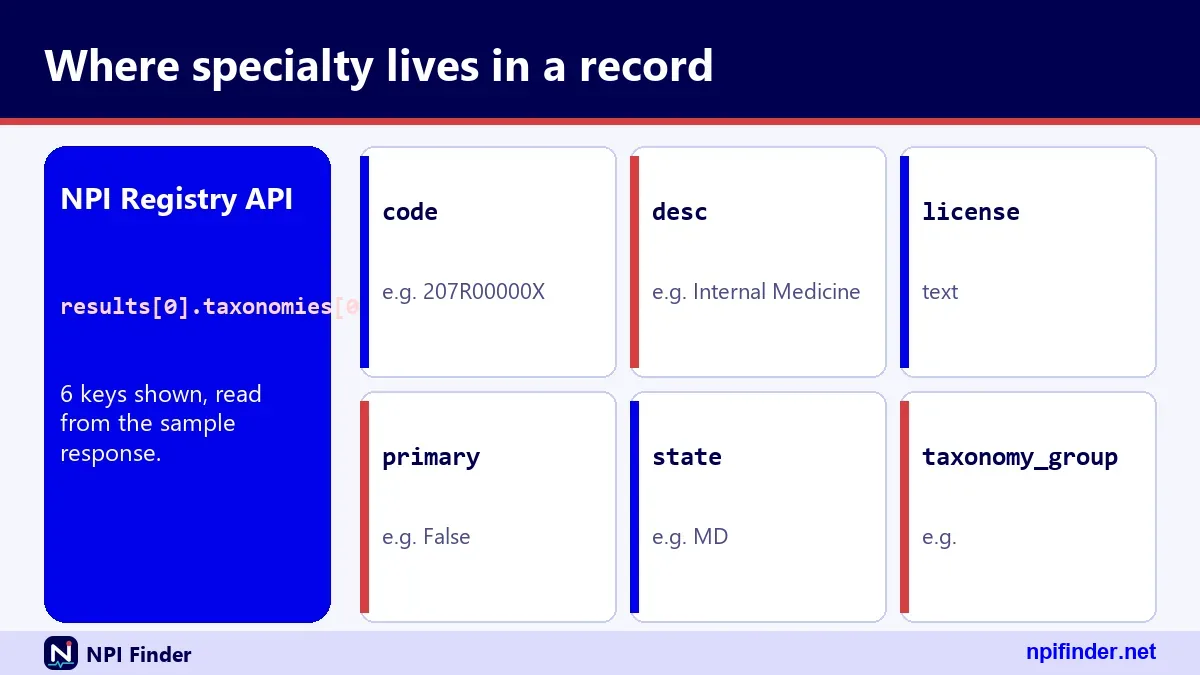
The taxonomies array lists code, desc, primary, state, license and taxonomy_group. The sample record has four entries: Internal Medicine under three licenses in Maryland and Virginia, and Hospitalist marked primary under a District of Columbia license. Each license sits beside its state. That pairing makes taxonomies the most useful block for specialty work.
Identifiers, other names and endpoints
Three arrays often come back empty. In the sample they are identifiers, other_names and endpoints. Identifiers can carry other issuer numbers with a state and issuer. Other names hold a former name or a doing-business-as name. Endpoints list electronic exchange addresses. Empty arrays are normal and do not signal a problem.
Look up doctor NPI numbers outside the registry
You have three other places to look up a doctor's NPI besides the registry's own form. They suit different jobs, and none requires an account or a fee.
NLM Clinical Tables search
The National Library of Medicine runs a free NPI search for individuals and one for organizations. Terms are ANDed together, and partial words match. The default row shows name, NPI, provider type and practice address. Its responses carry an open cross-origin header, so a web page can call it directly. The CMS registry API does not send that header.
Care Compare for Medicare clinicians
Medicare Care Compare includes a Doctors and Clinicians section that replaced the old Physician Compare name. It draws general information mainly from PECOS and publishes quality and procedure-volume data. It is a Medicare directory, not a full NPI list. The Find a Medicare Provider page explains when it is the right choice.
Third-party finder sites and fees
Many websites repackage registry data as a "doctor NPI finder". CMS lists no fee to use the registry or download its files, so a site that charges for a lookup is not CMS. Compare any result against the registry itself. Data on a copycat site may differ from the registry's daily updates.
NPI doctor search by specialty code: physician reference tables
These tables map common physician specialties to NUCC Health Care Provider Taxonomy codes from version 26.1. They are a curated list, not a ranking of the most used codes. Type the description from the second column into a specialty search.
Primary care and internal medicine codes
| Code | Display name (NUCC v26.1) | Classification | Specialization |
|---|---|---|---|
| 207Q00000X | Family Medicine Physician | Family Medicine | none |
| 208D00000X | General Practice Physician | General Practice | none |
| 207R00000X | Internal Medicine Physician | Internal Medicine | none |
| 208000000X | Pediatrics Physician | Pediatrics | none |
| 207RC0000X | Cardiovascular Disease Physician | Internal Medicine | Cardiovascular Disease |
| 207RG0100X | Gastroenterology Physician | Internal Medicine | Gastroenterology |
| 207RE0101X | Endocrinology, Diabetes & Metabolism Physician | Internal Medicine | Endocrinology, Diabetes & Metabolism |
Notice that cardiology and gastroenterology sit under the Internal Medicine classification. A search for Internal Medicine will not automatically include them, because each specialty has its own code.
Surgical and hospital-based codes
| Code | Display name (NUCC v26.1) | Classification |
|---|---|---|
| 207P00000X | Emergency Medicine Physician | Emergency Medicine |
| 207V00000X | Obstetrics & Gynecology Physician | Obstetrics & Gynecology |
| 2084P0800X | Psychiatry Physician | Psychiatry & Neurology |
| 207X00000X | Orthopaedic Surgery Physician | Orthopaedic Surgery |
| 207T00000X | Neurological Surgery Physician | Neurological Surgery |
| 207N00000X | Dermatology Physician | Dermatology |
| 207L00000X | Anesthesiology Physician | Anesthesiology |
| 207W00000X | Ophthalmology Physician | Ophthalmology |
| 207Y00000X | Otolaryngology Physician | Otolaryngology |
| 2085R0202X | Diagnostic Radiology Physician | Radiology |
All of these fall under the Allopathic & Osteopathic Physicians grouping. The Taxonomy Code Lookup page covers the complete list.
Taxonomy codes explained for specialty searches
A taxonomy code is a ten-character alphanumeric NUCC code that names a provider's type and specialty. NPPES stores them, and every specialty lookup on this page rests on them.
Grouping, classification and specialization
NUCC organizes codes in three levels: Provider Grouping, Classification and Area of Specialization. Family Medicine is a classification inside the Allopathic & Osteopathic Physicians grouping. Cardiovascular Disease is a specialization inside the Internal Medicine classification. Version 26.1 has 29 groupings, 245 classifications and 883 codes.
Release schedule and version 26.1
NUCC releases updates twice a year, with versions on 1 January and 1 July. Version 26.1 took effect on 7/1/26. The NUCC page lists 25.1 as covering both 7/1/25 and 1/1/26, so there was no 26.0 release. Check the current version when a code you remember does not match.
NPPES description versus NUCC display name
The desc field in a registry record is NPPES's own short wording. The NUCC display name can be longer. Family Medicine in a record corresponds to Family Medicine Physician in the NUCC file. Use the NPPES wording in searches and the NUCC wording when you read the code set. A mismatch in wording rarely means a mismatch in code.
Doctor NPI versus doctor ID number
A doctor's NPI is one of several numbers tied to the same person, and people often call all of them the "doctor ID number". Only the NPI is public in the registry and valid in standard transactions.

NPI versus state license number
A state licensing board issues the license. NPPES stores the license number and state in each taxonomies entry. The NPI does not verify licensure. If you need to know whether a doctor may practice, ask the licensing board, and treat the registry's license field as a pointer.
NPI versus DEA number and PTAN
A DEA number is two letters plus seven digits, issued by the Drug Enforcement Administration. A PTAN is the identifier a Medicare Administrative Contractor issues to a provider at enrollment. Neither replaces the NPI. NPI vs Other Provider IDs compares them side by side.
NPI lookup by physician name, step by step
You can find a physician's NPI from a name alone in about six steps. Follow them in order and the common-name problem mostly solves itself.
- Open the NPI Registry search and choose Individual (NPI-1) as the enumeration type.
- Type the last name, then the first name if you know it.
- Add a state. Add a city as well if the name is common.
- Run the search and scan the results for name, credential, practice location and primary taxonomy.
- Open the likeliest record and compare its taxonomy and address with the doctor you want.
- Copy the ten-digit NPI and note the date you checked it.
Tip: If the first search returns nothing, retry with a wildcard such as "smi*" in last name before you assume the doctor is not listed.
Doctor NPI search for one specialty in one city
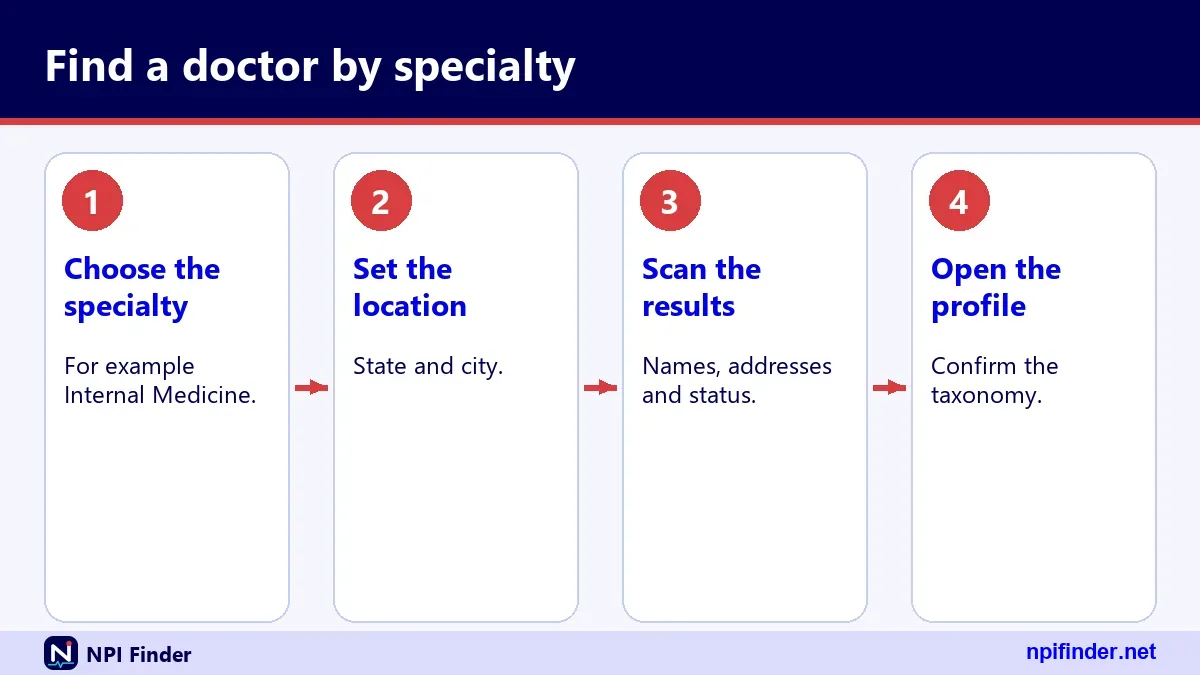
You can list the doctors of one specialty in one city with four fields: enumeration type, taxonomy description, state and city. The goal is a short list you can check by eye.
- Choose Individual (NPI-1) so that hospitals do not mix in.
- Enter the taxonomy description, using a wildcard after two letters if you are unsure.
- Add the state, then the city or ZIP code.
- Review each result's primary taxonomy and skip doctors for whom your specialty is a secondary entry.
- If the list is long, narrow by ZIP code or step through it with skip in the API.
Warning: A doctor's mailing address may be an office, a home or a post office box. Judge location by the practice address and the practice locations list.
NPI lookup doctor check: verify a number you were handed
You verify a doctor's NPI by checking its format, then matching the registry record to the paperwork. Do this whenever a number arrives on a form, a referral or a claim.
- Remove spaces and hyphens until only ten digits remain.
- Run the digits through the NPI Number Validator to test the check digit.
- Search the number in the NPI Registry.
- Compare the name, credential and taxonomy with the document that carried the number.
- Confirm the status reads "A" and look at the last_updated date.
Tip: A number that passes the check digit but returns no record is well-formed and unassigned, so ask the sender to re-confirm it.
Run a specialty query through the NPI Registry API
The NPI Registry API answers a specialty query with JSON, and it needs a version parameter set to 2.1. Any other version value, or a missing one, returns error 17. The table lists the parameters you will use most.
| Parameter | What it does | Rule to remember |
|---|---|---|
| version | API version | Must be 2.1 |
| enumeration_type | NPI-1 individuals or NPI-2 organizations | Needs other criteria |
| taxonomy_description | Specialty text | Exact, or wildcard after 2 characters |
| first_name, last_name | Individual name search | Exact, or wildcard after 2 characters |
| organization_name | Organization name search | Use for Type 2 |
| state | Two-letter state | Cannot be the only criterion |
| city, postal_code | Place filters | Five digits also match ZIP+4 |
| limit | Results per call | Default 10, maximum 200 |
| skip | Records to skip | Maximum 1000 |
Build the query string
Start with version and enumeration_type, then add taxonomy_description and state. Join them with ampersands. Add limit when you want more than ten rows. Unknown parameters are ignored, so a typo in a name will not raise an error. It will quietly widen your search, which is why you should check the parameter spelling first.
Read result_count and results
A successful call returns result_count and a results array. A call with no matches returns result_count 0 and an empty array. HTTP status stays 200 even when the call fails, so test for the word Errors in the body instead of relying on the status code.
Handle error messages
A failure returns an Errors array with a description, a field and a number. Error 04 means no valid criteria were provided. Error 07 means state needs another criterion. Read the field value first, because it names the parameter at fault.
Cross-check a doctor against Medicare enrollment
You confirm a doctor's Medicare status in PECOS-based data, not in NPPES. An NPI is required for Medicare enrollment but does not replace it, and updating NPPES does not update Medicare enrollment.
The Order and Referring dataset
CMS publishes an Order and Referring dataset on data.cms.gov. It lists physicians and non-physician practitioners, by NPI, who are eligible to order and refer in Medicare, and it comes from PECOS. Search it by NPI. Use the PECOS Lookup & Revalidation page for the walk-through.
Care Compare listings
If the doctor appears in Care Compare, the listing reflects PECOS information and Medicare activity. A missing listing does not prove a doctor is unenrolled. CMS describes Care Compare as a Medicare directory with its own inclusion rules. Use it as a signal, then confirm with the doctor's office.
Revalidation and why status changes
Providers and suppliers revalidate every five years, and DMEPOS suppliers every three. Late revalidation can lead to a payment hold and deactivation of billing privileges. A status change can follow a missed deadline. The NPI itself is unaffected.
Check a doctor against the OIG exclusion list
An NPI record shows no sanctions, so you check the OIG List of Excluded Individuals/Entities (LEIE) separately. The Office of Inspector General at HHS publishes it. It names people and entities excluded from federally funded health care programs. Federal programs cannot pay for items or services an excluded provider furnishes, orders or prescribes.
OIG offers an online search for specific individuals, a full CSV download and monthly supplements that show additions and removals. Run the search after you confirm the NPI, especially before you hire or credential a doctor. The Find a Medicare Provider page covers the enrollment side.
Doctors who opted out of Medicare
A doctor who opted out of Medicare does not bill the program, even with a valid NPI. CMS says opted-out practitioners and their patients cannot bill Medicare, so patients pay out of pocket under a private contract. The doctor files a signed affidavit with each Medicare Administrative Contractor, and the status renews automatically every two years.
Only certain provider types can opt out. Physicians and nurse practitioners can. Chiropractors and physical therapists cannot. If a Medicare check turns up nothing, ask the office whether the doctor opted out. The PECOS Lookup & Revalidation page explains the enrolled side.
Quick physician lookups with NLM Clinical Tables
The NLM Clinical Tables NPI service is the easiest way to add a doctor search to a web page. It needs only one parameter, terms, and returns a compact array.
Terms, partial words and extra fields
Every term must match, and partial words match too. A query of a surname plus a city narrows quickly. You can add extra fields with the ef parameter, but verify each field path, because one requested field came back null for the sample NPI. Fetch a test record before you rely on a field.
Paging limits
The count parameter sets the page size, up to 500, and offset moves through results. Offset plus count may not exceed 7,500, a limit the service says is subject to change. The reported total is capped at 10,000. That is generous for a specialty-and-city search and too small for a nationwide roster.
Individuals and organizations
One endpoint serves individuals and another serves organizations. Pick the one that matches the provider type. A doctor search against the organization endpoint returns clinics and hospitals, not people. Pick the endpoint before you blame the data.
Bulk physician lists from the NPPES data files
You get every physician in a specialty by downloading the NPPES data file and filtering it yourself. CMS says registry queries in bulk must use that file.
What the monthly file contains
The monthly full replacement file holds the complete record set. Since June 18, 2018 it also includes three reference files for other names, practice locations and endpoints. The current listing is the V2 file dated November 09, 2026. Version 1 files are no longer supported as of 03/03/2026.
Size and tools
The zip is about 1,079 MB, and the data inside exceeds 4 GB. CMS warns that older extraction tools can fail on it. Use a current unzip tool and a database or a scripting language, not a spreadsheet. CMS offers no help desk for the file.
Weekly and deactivation updates
CMS also posts a weekly incremental update and a monthly deactivation report. For a deactivated NPI, CMS discloses only the NPI and the deactivation date. Apply the weekly files to keep a local copy fresh. The file layout is described in the download guide linked earlier.
Nurse practitioner NPI lookup
Nurse practitioners can hold NPIs, and any NP who is a covered provider must have one. An NP is an individual health care provider, so the registry gives them a Type 1 record. The three headings below answer the most common NP questions.
Do nurse practitioners have NPI numbers
Yes. HIPAA lets every health care provider obtain an NPI, and covered providers must. A covered provider is one that transmits health information electronically in connection with a standard transaction. Individuals are eligible for only one NPI, so an NP who changes employers keeps the same number.
Finding an NP by taxonomy code
The NUCC code for Nurse Practitioner is 363L00000X. In an NP search, use taxonomy_description set to Nurse Practitioner and add a state. That one search covers "NP lookup", "NPI lookup for nurse practitioner" and "NP number" alike. Check the primary taxonomy flag, since some NPs list several.
Family nurse practitioner and other specialties
Family Nurse Practitioner has its own code, 363LF0000X, under the Nurse Practitioner classification with a Family specialization. A search for the general NP description does not guarantee a family NP appears first. Try both descriptions when you need a primary care NP.
Do RNs have NPI numbers
Registered nurses can have NPIs, and the rule turns on whether you are a health care provider under HIPAA. If you are a covered provider, you must obtain one. If you are not, you may still choose to apply. The headings below cover the common cases.
When an RN should get an NPI
Apply when you or your employer needs an identifier that follows you from job to job. Organizations that employ non-covered prescribers must require them to obtain an NPI and disclose it when prescribing. An RN who bills under an employer's organization number may not need one personally. Ask your credentialing office first. The Apply for an NPI page covers the application.
Finding a nurse NPI by name
Search NPI-1 records by last name and first name, then add a state. Check the credential field and the taxonomy on each result, and compare the practice address with the nurse's workplace. If there is no record, that nurse may simply not hold an NPI.
Lost your own number
If you are the nurse and cannot find your number, search your own name and state first. The Find My NPI Number page lists the steps, including what to do when no record appears under your name.
Physician assistant and CRNA NPI lookup
Physician assistants and nurse anesthetists use the same registry and the same Type 1 structure as physicians. NUCC files them in a shared grouping, Physician Assistants & Advanced Practice Nursing Providers.
Physician assistant NPI lookup
The NUCC code for Physician Assistant is 363A00000X. Search enumeration type NPI-1, taxonomy_description Physician Assistant and a state. A PA often practices at several sites, so look at the practiceLocations array as well as the main address.
CRNA and other advanced practice nurses
Certified Registered Nurse Anesthetist is 367500000X, and its classification text reads Nurse Anesthetist, Certified Registered. Use that wording when you type a description. NUCC lists other advanced practice roles as separate classifications, so browse the code set instead of guessing the name.
Pharmacy NPI lookup and pharmacist NPI search
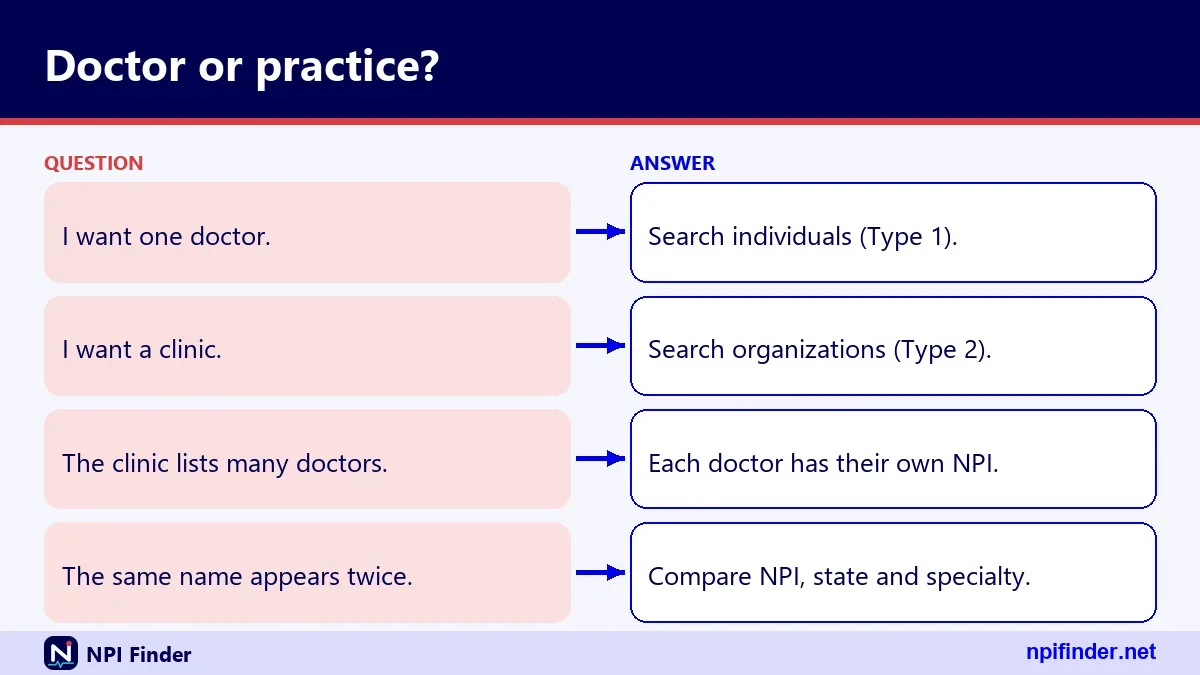
Pharmacists hold Type 1 NPIs, while pharmacies hold Type 2 NPIs, and you search them differently. Mixing the two is the main reason pharmacy lookups fail.
Pharmacist NPI lookup
A pharmacist is an individual, so search enumeration type NPI-1 with last name, first name and state. The NUCC code is 183500000X, Pharmacist, in the Pharmacy Service Providers grouping. If you only know a pharmacist's workplace, search by name first and read the practice address.
Pharmacy NPI lookup by name
A pharmacy is an organization. Search NPI-2 with organization_name and a state or city. The NUCC code is 333600000X, Pharmacy, in the Suppliers grouping, and 3336C0003X is Community/Retail Pharmacy. A wildcard such as "wal*" needs at least two leading letters, and the results show the legal name.
Chain and online pharmacy names
For a chain or an online pharmacy such as Amazon Pharmacy, search organization_name with a wildcard and read each location and address. This page cannot give you a verified chain NPI. Registry records use the legal business name, and a chain may hold several Type 2 NPIs, so pick the one that matches the location.
Pharmacy ID numbers beyond the NPI
An NPI is not the only number a pharmacy carries. The identifiers array in a record can hold other issuer numbers with a code, state and issuer, when the organization reported them. A search for "pharmacy ID number lookup" may mean one of those. Read the issuer before you assume which system a number belongs to.
Dentist NPI lookup and dental NPI search
Dentists hold Type 1 NPIs, and dental practices that incorporate may also hold a Type 2 NPI. Search the one that matches what you have. NUCC groups dentists under Dental Providers.
Dentist NPI search by name
Choose NPI-1, enter last name and first name, then add a state. The NUCC code for a general Dentist is 122300000X. If the dentist's office is an incorporated practice, the individual and the practice have separate numbers. Make sure the one on your paperwork matches the entity you are checking.
General and pediatric dentistry codes
General Practice Dentistry is 1223G0001X, and Pediatric Dentistry is 1223P0221X. Both sit in the Dentist classification, with a specialization. A search for "Dentist" may skip a pediatric specialist who lists only the specialty code, so run both descriptions when you need every dentist in a town.
Dental clinics and group practices
A dental clinic or group is an organization. Search NPI-2 with organization_name and a state, then read the practice address. The phrase "npi dental lookup" covers both people and clinics, so confirm the entity type on each result before you copy a number.
Physical therapist and other therapist NPI lookup
Physical therapists, other therapists and vision and chiropractic providers all hold Type 1 NPIs under their own NUCC codes. The table lists the codes verified in version 26.1.
| Profession | Code | NUCC display name |
|---|---|---|
| Physical therapist | 225100000X | Physical Therapist |
| Occupational therapist | 225X00000X | Occupational Therapist |
| Speech-language pathologist | 235Z00000X | Speech-Language Pathologist |
| Optometrist | 152W00000X | Optometrist |
| Chiropractor | 111N00000X | Chiropractor |
| Registered dietitian | 133V00000X | Registered Dietitian |
Physical therapist NPI number search
Search NPI-1 with the description Physical Therapist and add a state or city. The code is 225100000X. A therapist who works for a clinic still holds a personal NPI, and the clinic holds its own organization NPI. If you need the clinic, switch the entity type.
Occupational therapy, speech and vision providers
The same pattern works for the other rows in the table. Use the display name as the description and add a state. Where a profession shows several specializations in NUCC, a short wildcard such as "occ*" lists the variants for you to choose from.
Hospital NPI, group NPI and facility NPI lookup
Hospitals, groups, clinics and suppliers hold Type 2 NPIs, and you search them by organization_name instead of a person's name. Organizations can have more than one NPI, so expect several results.
Hospital NPI lookup
A general acute care hospital carries the code 282N00000X, in the Hospitals grouping. Search NPI-2 with organization_name and a state. A hospital system may list separate numbers for its campuses or units. Read the address on each hit to pick the campus you mean.
Group NPI lookup and group NPI number
A group practice is an organization, so its NPI is a Type 2 number. NUCC lists Multi-Specialty Group as 193200000X in a grouping named Group. The group's NPI is separate from the NPIs of the doctors in it. Check which number a form asks for, the group's or the individual doctor's.
Clinic and facility NPI search
Primary Care Clinic/Center is 261QP2300X, in the Ambulatory Health Care Facilities grouping. Clinical Medical Laboratory is 291U00000X, and Home Health Agency is 251E00000X. Use organization_name with a state, then read the taxonomy on each hit to separate a clinic from a laboratory with a similar name.
HME and DME supplier lookup
Durable Medical Equipment & Medical Supplies is 332B00000X. Home medical equipment (HME) searches usually aim at suppliers of this kind, so try this description first. Medicare enrollment for these suppliers runs through separate DMEPOS channels, and the NPI is only one part of it.
Organizational subparts and parent organizations
The basic block for an organization has an organizational_subpart flag set to YES or NO. A subpart is a component of a larger organization, such as a hospital unit, and it may receive its own NPI when its identifying data are unique. The field map also lists parent organization fields. Look at them when two similar names appear.
Doctors with several specialties and locations
A doctor can have one NPI and several taxonomies, licenses and practice sites. Registry records show all of it, which can confuse a specialty search. The sample record on this site is a good illustration.
One NPI, many taxonomies
The sample record lists four taxonomies. Internal Medicine appears three times, each under a different license, and Hospitalist is the primary entry. NPPES allows up to 15 taxonomies per individual. A specialty search matches any of them, so confirm which one is primary.
Licenses in more than one state
Each taxonomy entry carries a license and a state. The sample doctor holds Maryland and Virginia licenses for Internal Medicine and a District of Columbia license for Hospitalist. A license state is therefore not proof of where the doctor practices. Read the addresses too.
Sole proprietors and incorporated doctors
The sole_proprietor field reads YES or NO. A sole proprietorship is an individual entity type. An incorporated physician can hold a Type 1 NPI personally and a Type 2 NPI for the corporation or LLC. Two numbers for one doctor are therefore legitimate, not an error.
41-4473475 official organization name: how to trace a tax ID
A string like 41-4473475 looks like a tax ID, and the registry cannot search by it. The NPI Registry API has no EIN parameter. An EIN is the federal tax number the IRS issues, and organizations list theirs in NPPES in the basic.ein field of the downloadable data. Whether the public API returns that field is not confirmed. To find the organization behind a number, search NPI-2 by organization_name, or ask the organization directly. Do not guess a name from a tax ID alone.

NPI Registry, NLM tool, Care Compare or data file: which fits
Use the NPI Registry for exact lookups, the NLM tool for typeahead, Care Compare for Medicare clinicians and the data file for bulk work. The table compares them on the points that matter.
| Source | Best for | Key limit | Format |
|---|---|---|---|
| NPI Registry API | Exact NPI and specialty queries | 200 per call, skip up to 1000, hourly query limits | JSON |
| NLM Clinical Tables | Typeahead and web page search | Count up to 500, offset plus count up to 7,500 | JSON array |
| Care Compare | Medicare clinicians and quality data | Medicare-focused directory | Website and datasets |
| NPPES data file | Full rosters and analysis | Over 4 GB uncompressed, no CMS support | Zip of data files |
So, NPI Registry API is the best source for finding a specific doctor or specialty list because it handles exact NPI and specialty queries.
Type 1 versus Type 2 results for common provider types
Individuals appear as NPI-1 and organizations as NPI-2, so the provider type decides how you search. The table shows the usual match.
| Provider | Entity type | Search fields | Example code |
|---|---|---|---|
| Doctor | NPI-1 | first_name, last_name | 207Q00000X |
| Pharmacist | NPI-1 | first_name, last_name | 183500000X |
| Pharmacy | NPI-2 | organization_name | 333600000X |
| Hospital | NPI-2 | organization_name | 282N00000X |
| Group practice | NPI-2 | organization_name | 193200000X |
If a lookup returns nothing, the first fix is to switch the entity type. The NPI vs Other Provider IDs page shows how the types relate to other numbers.
Doctor NPI lookup for billing, credentialing, patients and researchers
The best method depends on who you are and what you must prove. The four short sections below match each role to a route.
Billing staff
You need the right NPI on the claim and a quick check that it exists. Search by number, confirm the name and taxonomy, and use the group's Type 2 NPI where the claim calls for the organization. Health plans may not require a provider who already has an NPI to obtain a second one.
Credentialing staff
You need identity, license and enrollment evidence. The registry gives identity and the license number, but an NPI does not verify licensure. Confirm the license with the board and Medicare status through PECOS-based data. Save a dated copy of the record each time you check.
Patients
You want to find a doctor or confirm the one you were referred to. Search by name and state and read the practice location. Registry data is self-reported, so call the office before you rely on an address. Care Compare adds Medicare quality information for many clinicians.
Researchers
You need many records, not one. Use the NPPES data file, filter by taxonomy code and group by state. Remember that records reflect what providers submitted, and that taxonomy is not the same as board certification. The registry is a fine source for counts of who lists a specialty, but not for who actively practices it.
No results for a doctor you know exists
A doctor missing from your results usually means the search settings are off, not that the doctor lacks an NPI. Work through four causes in order.
Spelling and name aliases
Check the surname and first name for typos, hyphens and apostrophes. The registry accepts a limited set of special characters in names. Leave use_first_name_alias on its default of True, and try a wildcard after two letters.
Exact match versus wildcard
Without an asterisk, a field is an exact match. "Smi" returns nothing, while "smi*" returns many. If a wildcard search finds the doctor, you know the spelling was the problem. Then tighten the search again with state and city.
Wrong entity type or a state-only search
An individual searched under NPI-2 will never appear, and neither will an organization under NPI-1. Also remember that state cannot stand alone and returns error 07. Add a name, city or taxonomy. Switching the entity type is the fastest check of all.
Deactivated or never enumerated
A doctor who has no NPI, or whose NPI was deactivated, will not show a normal record. CMS discloses only the NPI and deactivation date for deactivated numbers in its data files. NPPES never reassigns a deactivated NPI to another provider. Ask the doctor's office to confirm the number.
Too many results for a common name
A common name returns many records, so you must add filters until the list shrinks to something you can read. Three filters do most of the work.
Add place filters
Start with state, then add city or a five-digit ZIP code. A ZIP code matches nine-digit ZIP+4 values as well. If the doctor moved, try the old city and the new one. Records also hold secondary practice locations, so a doctor can surface under a city you did not expect.
Add a specialty
Add taxonomy_description to cut out unrelated clinicians. If you do not know the exact description, use a wildcard after two letters and read what returns. Then repeat with the exact text. This step alone often reduces a long list of namesakes to one.
Compare credential and dates
Look at the credential, the enumeration_date and the last_updated date on each hit. A doctor who has practiced for decades will usually have an older enumeration date than a recent graduate. Use that as a hint, not proof, and confirm with the office.
Wrong or outdated data in a doctor's record
A registry record shows what the provider or an authorized person submitted, so it can be wrong or old. The NPI also does not validate licensure, so errors can sit there unnoticed.
Why records lag
Covered providers must report changes to NPPES data within 30 days of the change. The NPI itself does not validate the data. Treat the last_updated date as a freshness clue. An old date on a doctor who has moved is a reason to call.
Who can correct a record
Only the provider, or someone with authority, can change it. The route is the online NPPES account or the paper CMS-10114 form. The Update or Deactivate an NPI page explains both, and NPPES Login Help covers sign-in trouble.
Medicare enrollment is separate
Correcting NPPES does not correct PECOS. A doctor who changes address must update Medicare enrollment separately. If a Medicare listing and the registry disagree, check both before concluding which is wrong.
API error messages for specialty searches
The API reports failures as an Errors array inside a normal 200 response. The table decodes the errors observed in live testing. CMS has not published a complete list.
| Error | Message | Usual fix |
|---|---|---|
| 03 | Wildcards require at least two leading characters | Add letters before the asterisk |
| 04 | No valid search criteria provided | Add a name, number or taxonomy |
| 05 | Field contains special character(s) or wrong number of characters | Fix the field value or entity type |
| 06 | NPI must be 10 digits | Remove spaces and letters |
| 07 | Field state requires additional search criteria | Add a name, city or taxonomy |
| 10 | Address_purpose requires additional search criteria | Add another criterion |
| 12 | Skip field must be numeric | Use a whole number |
| 17 | Unsupported Version | Set version to 2.1 |
Criteria errors
Errors 04, 07 and 10 all mean your query is too thin. The API wants at least one real search field beyond state or address purpose. Adding a last name, taxonomy or city fixes them.
Format errors
Errors 03, 05 and 06 mean the value itself is malformed. Check wildcards, special characters and the ten-digit rule. Error 05 also appears when you enter an entity type the API does not know, such as NPI-3, or a one-character postal code.
Version and paging errors
Error 17 means the version parameter is missing or wrong. Error 12 means skip was not a number. A skip above the documented maximum of 1000 was not rejected in testing, but you should not depend on that.
Rate limits and blocked lookups
CMS limits how many registry queries you can run per hour, and a browser on another site cannot call the CMS API directly. Both problems have simple workarounds.
The hourly limit
Since 6/25/2024, NPPES has limited registry queries per hour. CMS has not published the figure. If your tool slows down or fails after many calls, stop and move the job to the data file. Do not hammer the API with retries.
Browser calls and CORS
The registry API returned no cross-origin header in testing, so JavaScript on another site cannot read its response. A page that needs live results from a browser can use a server-side proxy or the NLM service. A server-side call avoids the browser restriction entirely.
Choosing the NLM service as a fallback
The NLM Clinical Tables API sends an open cross-origin header, so a web page can call it directly. It returns fewer fields than the full registry record. Use it for typeahead and use the registry when you need every address and license.
HIPAA and 45 CFR Part 162: who must use an NPI
Covered health care providers must obtain an NPI and use it in standard transactions. The rule sits in 45 CFR Part 162, Subpart D, under HIPAA Administrative Simplification. CMS published the NPI Final Rule on 23 Jan 2004, and it took effect May 23, 2005. Covered providers, non-small health plans and clearinghouses had to comply by May 23, 2007, and small health plans by May 23, 2008. Covered providers must also disclose their NPI on request and report changes within 30 days. Non-covered providers may obtain an NPI, and organizations must require their non-covered prescribers to obtain one.
Cost of a doctor NPI lookup and fee scams
Looking up a doctor's NPI is free. CMS states there is no charge to view NPI Registry data or to download the NPI data files, and it lists no fee for getting an NPI. A website that charges for a lookup or for an NPI is not CMS. The official application runs through NPPES. Ignore sites that promise to "register" you for a fee, and compare any paid service against the free registry before you pay.
What a public registry record reveals
The registry is public, and CMS says the data must be disclosed under the Freedom of Information Act. A record shows names, credentials, addresses, phone numbers, taxonomies, license numbers and states, other names and endpoints. For organizations it also shows the authorized official's name, title and phone. Social Security numbers, ITINs and dates of birth are not made available on the internet. Use this to decide what to share when you apply, and consider that an address you enter can become public.
Official sources and update schedules for specialty data
Three official sources sit behind a specialty lookup, and each updates on its own schedule. CMS says the NPI Registry is updated daily. The NPPES data files come monthly, with weekly incremental and monthly deactivation files. NUCC publishes taxonomy versions twice a year, on 1 January and 1 July. Because the schedules differ, a code in a new version may not yet appear in NPPES records. For legal text, read 45 CFR Part 162 and the CMS NPI page. For apply and update help, use the NPPES help resources.
Glossary for specialty lookups
These terms appear in results and documentation. Each row gives the plain meaning in a specialty search.
| Term | Plain meaning |
|---|---|
| NPI-1 | Enumeration type for individual providers |
| NPI-2 | Enumeration type for organizations |
| Taxonomy code | Ten-character NUCC code naming provider type and specialty |
| Primary taxonomy | The taxonomy flagged true in a record |
| enumeration_date | The date the NPI was assigned |
| I&A | Identity and Access system used to sign in to NPPES and PECOS |
| PECOS | CMS's Medicare enrollment system |
| NUCC | The body that maintains the taxonomy code set |
| Subpart | A component of an organization that may hold its own NPI |
Myths versus facts about doctor NPI lookups
Several beliefs about NPI lookups are wrong, and acting on them causes errors. These are the most common.
- Myth: An NPI proves a doctor is licensed. Fact: The NPI does not ensure a provider is licensed or credentialed.
- Myth: The NPI reveals the specialty. Fact: It has no embedded intelligence, so the specialty lives in taxonomy fields.
- Myth: One doctor can never appear under two NPIs. Fact: An individual has one Type 1 NPI, but an incorporated doctor may also own a Type 2 NPI for the corporation.
- Myth: Updating NPPES updates Medicare. Fact: Medicare enrollment must be updated separately in PECOS.
- Myth: A valid-looking number is assigned. Fact: Passing the check digit proves only that the number is well formed.
Check digit math for a doctor NPI
An NPI check digit uses the Luhn formula with the prefix 80840, and you can test one by hand. CMS publishes the method.
The CMS worked example
Double alternate digits from the right, add all the digits and subtract the total from the next higher number ending in zero. For 123456789 the total is 67 and the check digit is 3, so the NPI is 1234567893. Without the prefix, add the constant 24 in step two. The NPI Number Validator does this for you.
A well-formed number is not an assigned number
1234567893 passes the check but returns zero results in the registry. A real, registry-published example is 1245319599, a Family Medicine record for a sample provider. Use the first as a format test and the second as a live test.
Reading epoch timestamps in a record
The created_epoch and last_updated_epoch fields hold milliseconds since 1970 as strings. They match the readable dates in the basic block. In the sample record, last_updated_epoch 1748459039000 lines up with last_updated 2025-05-28. Divide by 1,000 before you convert, or your date will land thousands of years in the future.
Tips for faster, safer specialty lookups
These ten habits save time and prevent bad data from reaching a claim or a directory.
- Start narrow: Combine specialty with state and city before you widen.
- Use the right entity type: Pick NPI-1 for people and NPI-2 for organizations.
- Wildcard after two letters: Add an asterisk only after at least two characters.
- Read the primary flag: A secondary taxonomy is not the daily specialty.
- Check the practice address: Do not rely on the mailing address.
- Check last_updated: An old date is a reason to call the office.
- Test the digits first: Run the check digit before you search a number.
- Save a dated copy: Credentialing files need proof of when you checked.
- Use the file for bulk work: Do not page the API for rosters.
- Never pay for a lookup: The registry is free.
Recommendation
Start with the NPI Registry search, choose the entity type, and combine a specialty description with a state and city. That route is free, official and fast. Use the NLM service for typeahead on a web page, and the data file for any list longer than a few hundred rows. Always confirm the license with the state board and Medicare status in PECOS data, because an NPI proves neither. If a record looks wrong, ask the provider to correct it in NPPES.