

NPI Lookup Texas: The Short Answer
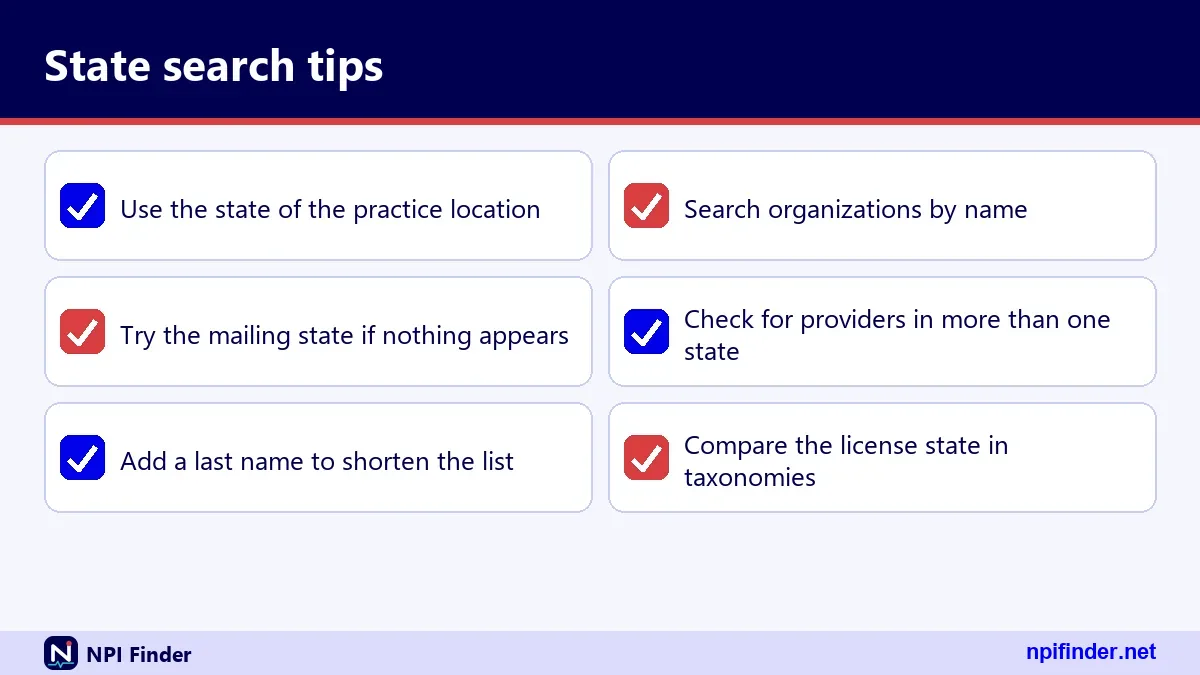
To run an NPI lookup Texas search, pick TX in the state selector above, add a name, city, ZIP code or taxonomy, and submit. The state alone is never enough. The registry wants at least one more criterion beside it.
That rule applies to every state. Texas is just the most searched one, so it makes a good first example. Everything below works the same way for Florida, Ohio, New York or any of the other states and territories.
Why the state cannot be your only filter
The NPI Registry is run by CMS through NPPES. In live testing on 2026-11-17, a call with only state=TX returned error 07, "Field state requires additional search criteria." Add a last name, a city or a taxonomy description and the search runs.
What you get back for a Texas query
You get a list of matching records. Each record carries the NPI, the entity type, the name, the status, the addresses, secondary practice locations and taxonomies. You can read every one of those fields in the tool output on this page.
Where this page fits in the site
This page covers searching by place. If you already hold a number and only need to check it, use the NPI Number Validator. If you want to search by specialty first, go to NPI Lookup by Specialty.
How a State NPI Search Works in the Registry
A state NPI search asks the registry for records whose address matches a two-letter state code, narrowed by whatever other criteria you supply. The registry does not keep a list of providers per state. It filters its address data.
That small difference explains most surprises. A provider can show up under a state where they never see patients, because an address field says so.
The state parameter takes two characters
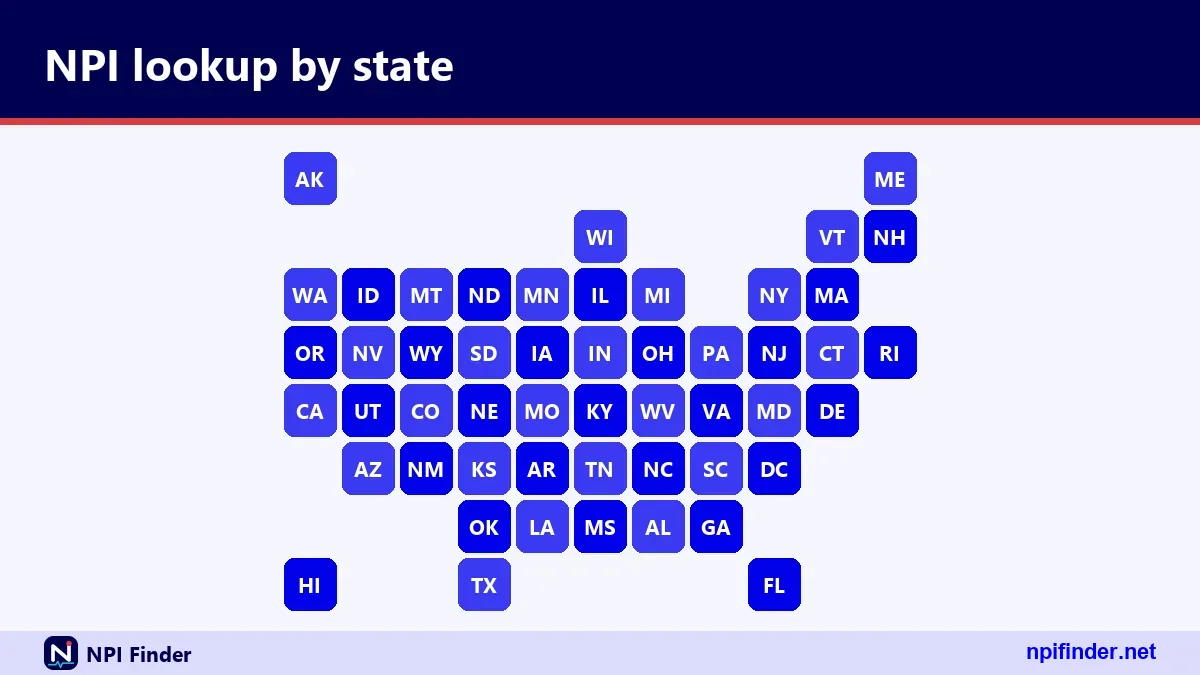
The API field is state, and it takes two characters, such as TX, FL, OH or NY. Full state names do not belong in that field. The table later on this page maps every state to its code.
Other criteria that pair with a state
You can pair the state with city, postal_code, first_name, last_name, organization_name, taxonomy_description or enumeration_type. Each narrows the list. Wildcards work as a trailing asterisk after at least two characters.
The tool on this page runs the same query
The state selector on this page sends your choice to the same NPPES API. The 50-state table shows counts pulled from live queries, so the numbers move as the registry changes. Treat any count as a snapshot, not a fixed total.
Where the State Comes From in an NPI Record
The state in a search result comes from an address or a license field inside the record, not from the number itself. An NPI is a 10-position number with no embedded intelligence, so it reveals nothing about where a provider works.
That is the foundation of every state lookup. Read this section once and the odd results later in the page will make sense.
Practice location and mailing address
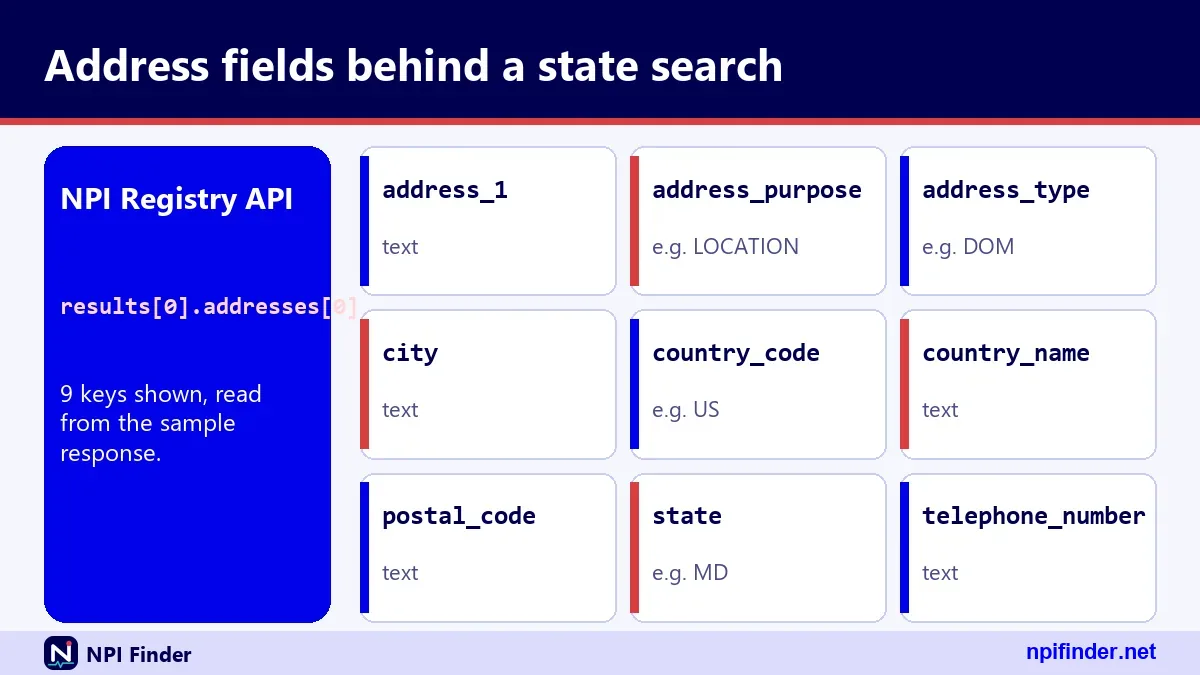
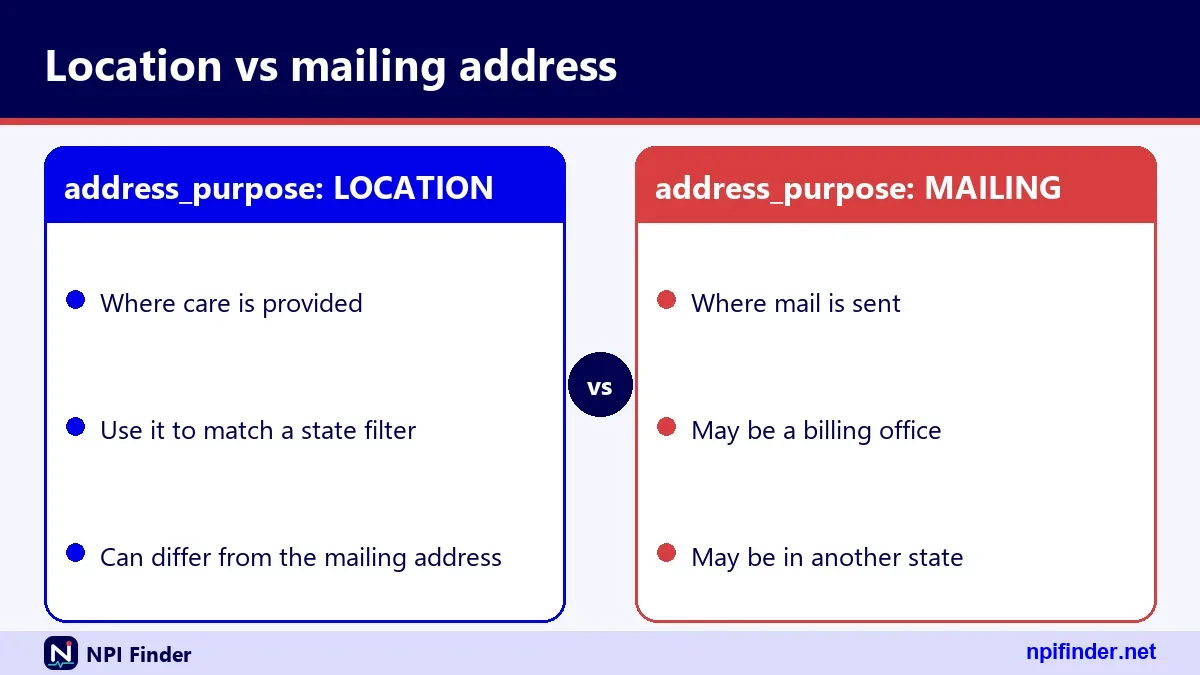
Each record carries addresses with an address_purpose of LOCATION or MAILING. A mailing address is often an office, a billing service or a P.O. box. Do not read it as the place where care happens.
Secondary practice locations
The record also holds practiceLocations, which list extra sites. In one sample record we tested, NPI 1003000126, the primary location was in Bethesda, Maryland. Secondary locations sat in Virginia, Maryland and the District of Columbia.
License state inside the taxonomy
Each taxonomy row has its own state and license fields. The same sample record lists Maryland, Virginia and DC licenses. This is the field to check when you want to know where someone is licensed, with the caveat that the NPI does not validate licensure.
Who Searches NPI Records by State
People search by state for three main reasons: to find a provider near them, to confirm a provider's details for billing or credentialing, and to build a list for research. Each group needs a slightly different search.
Billing and credentialing staff
You already have a name and a rough location. Add the state to cut the noise, then compare the address, taxonomy and status against your own file. The NPPES page explains where those fields come from.
Patients and families
You want a nearby clinician or a way to confirm a name. A state plus city search works well. For a list ranked by quality data, use Find a Medicare Provider instead.
Researchers and analysts
You want volume. The web search and the API return small pages, so large state-wide pulls belong in the downloadable data file. The NPI Database & Download page shows how.
What a State Search Cannot Prove
A state search proves that a record exists with a matching address. It does not prove the provider is licensed, credentialed, accepting patients or enrolled in Medicare.
CMS says this plainly in its NPI fact sheet. Having an NPI does not ensure a provider is licensed or credentialed. It does not guarantee payment or enroll a provider in a health plan.
Licensure still lives with the state board
Each state licensing board issues licenses. The license number in a record is data the provider typed in. Check it against the board before you rely on it.
Medicare enrollment is a separate system
Medicare enrollment lives in PECOS, not NPPES. Updating one does not update the other. See PECOS Lookup & Revalidation for the enrollment side.
Stale records are possible
Covered providers must report changes within 30 days. Some records still lag. Always check the last-updated date in the result before you trust an address.
Texas NPI Lookup for Doctors and Clinics
A Texas NPI lookup for doctors works best with a last name, the state code TX and a city. Add a taxonomy description if the name is common. You can search for clinics by organization name instead.
People type this search in many forms: texas npi lookup, npi lookup texas, doctor npi lookup texas, npi number lookup texas and texas npi number lookup. The registry treats them all as the same query.
Searching for an individual doctor
Choose Individual as the type, enter the last name and the state code TX. Add a first name if you have one. The use_first_name_alias option is on by default, so nicknames may match.
Searching for a clinic or group
Choose Organization and enter the legal or business name. Wildcards help here. A name like houston* needs at least two characters before the asterisk. Remember that organizations can hold several NPIs.
Texas health NPI searches for facilities
Searches such as texas health npi often mean a hospital system. Try the system name as an organization search. Then compare each Type 2 record's address, because large systems can hold many NPIs for different units.
NPI Search Texas by Name, City or ZIP
An NPI search Texas query narrows fastest when you combine a name with a city or a ZIP prefix. The registry accepts a five-digit ZIP and also returns matches stored as nine digits.
A ZIP prefix with a wildcard, such as 75*, is allowed. Two leading characters are the minimum.
Name plus city
Enter the last name, state TX and the city. Cities with common surnames still return many hits. Add the first name to shrink the list.
ZIP code and prefix searches
A five-digit ZIP also returns records stored with ZIP+4. A single character plus a wildcard returns error 05, so use at least two characters.
Searching by taxonomy in Texas
Set taxonomy_description to an exact specialty or a wildcard, plus the state. The Taxonomy Code Lookup page helps you find the exact wording to use.
NPI Lookup Florida for Tampa and Beyond
For an NPI lookup Florida search, use state code FL plus a city such as Tampa. The searches npi tampa and npi tampa florida are the same query: city Tampa, state FL.
The mechanics match Texas, so the same filters apply.
Tampa and the Gulf Coast
Set the city to Tampa, then add a last name or a specialty. The city field matches the city value in the record, so nearby towns need their own searches.
Miami, Orlando and Jacksonville
Run each city as its own query. There is no metro-area filter. A ZIP prefix wildcard can stand in for a metro area when the codes group together.
Florida NPI number and NPI Florida lookup variants
Searches like npi number florida, florida npi number, npi florida lookup and npi lookup fl all ask for one thing: a Florida record. If you already hold the number, validate it first.
Florida NPI Lookup for Licensed Therapists
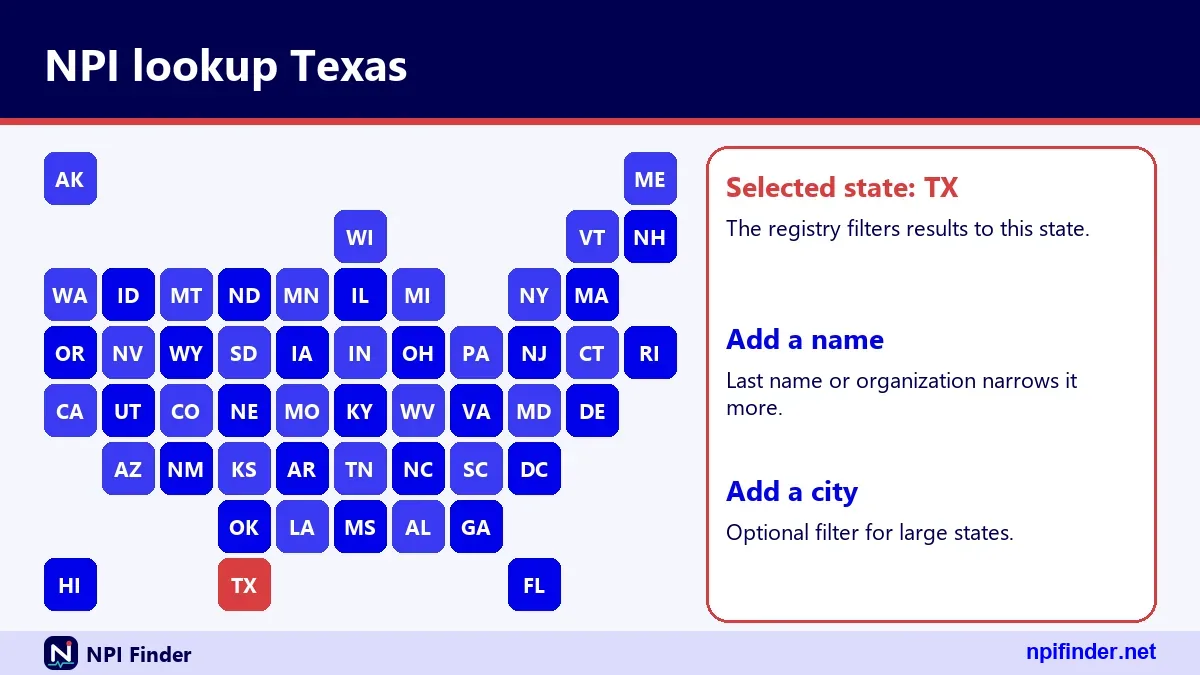
A Florida NPI lookup for a licensed clinical social worker uses the person's name, the state FL and a taxonomy description for that profession. The NPI confirms the number exists. The state board confirms the license.
The search lcsw lookup florida mixes both questions. Treat them as two steps.
Step one: find the NPI
Search by last name and FL. Check the taxonomy description in the result. If it names a social work specialty, you likely have the right record.
Step two: confirm the license
Copy the license number and state from the taxonomy row. Then check that number with the Florida licensing authority. The registry cannot do this for you.
Why the two sources can disagree
The NPPES license field is self-reported. A lapsed license may still appear in an old record. That is why the update rules on the Update or Deactivate an NPI page matter.
NPI Search Florida With Name Filters
An NPI search Florida query becomes useful once you add name filters. First name, last name and a wildcard after two characters cover most cases. People also type florida npi search or fl npi lookup.
Order matters little. The registry reads all parameters together.
Exact names versus wildcards
An exact last name needs no asterisk. A wildcard needs two leading characters. The search last_name=sm returned no results in testing because it was treated as exact.
Nicknames and first-name aliases
The use_first_name_alias flag lets a search match alternate forms of a first name. It defaults to True per the site help. Turn it off when you need strict matches.
Florida by name only
A search such as npi lookup florida by name still needs the state and a name together. If you have only a name, run it without a state and then filter the results by address.
NPI Lookup Ohio Step by Step
For an NPI lookup Ohio search, enter OH as the state, add a last name or organization name, and add a city if the name is common. The search takes a few seconds and needs no account.
Ohio searches come in many shapes: ohio npi lookup, npi lookup ohio, npi search ohio, ohio npi search and npi number lookup ohio. All of them hit the same registry.
Individual provider in Ohio
Choose Individual, type the last name, set OH and submit. Check the credential, the primary taxonomy and the practice address in the result. A second Ohio city in the record may be a secondary location.
Hospital or practice in Ohio
Choose Organization and type the business name. Large hospital groups often hold many Type 2 NPIs. Compare addresses and authorized official names to find the one you need.
Ohio NPI lookup by name
The search npi lookup ohio by name only needs the first and last name plus OH. Skip the middle name. The registry stores middle names, but a mismatch there can hide the right record.
Ohio NPI Lookup Questions People Ask
Most Ohio questions come down to one confusion: an NPI search is not a background check. The registry lists identity and practice data. It does not list convictions, complaints or disciplinary actions.
Some people land on this search while looking for something else, such as an ohio violent offender registry check. That is a different public record kept elsewhere.
Does the registry show disciplinary history?
No. NPPES stores enumeration data, addresses, taxonomies, license numbers and similar fields. Disciplinary records belong to state boards and other agencies. Look there for complaints or sanctions.
Can I search the Ohio violent offender registry here?
No. This site covers NPI data only. A violent offender or sex offender registry is a separate government record. Use the official state source for that, not an NPI tool.
Why do Ohio results show other states?
A provider can list a mailing address or a secondary location in another state. A state filter matches the field you pick, so confirm which address purpose you searched.
NPI Lookup California for Large Provider Pools
An NPI lookup California query returns many records, so add a city, a ZIP prefix or a specialty at once. Broad searches in a big state are slow to read.
You will see searches such as california npi lookup, ca npi lookup, npi lookup ca, npi number california, npi california and california physician npi lookup. They are the same task.
California physician NPI lookup
Set taxonomy_description to the specialty and state to CA. Add a city. The result list shows each physician's primary taxonomy and license state.
Large cities and the 200-record cap
One call returns up to 200 records, with a default of 10. A big city with a common surname may exceed that. Page through with skip, or narrow the query.
California NPI number lookup from a known number
If you hold the number, skip the state search. Use the number field with exactly 10 digits. It returns one record or zero.
NPI Lookup New York and NY Abbreviations
An NPI lookup New York search uses the state code NY, and the abbreviation is the part people mix up. The registry needs NY, not New York, in the state field.

Variants include npi lookup ny, ny npi lookup, new york npi lookup, npi search ny and ny npi lookup. All map to the same call.
New York City versus New York State
The city field is plain text. Queries for New York return records with that city value. If results look thin, try other city names a provider might have entered.
NPI search NY for groups
Organization searches by group name work well in New York, where many practices are incorporated. Remember that an incorporated individual can hold a Type 1 NPI and the corporation a Type 2 NPI.
Why NY and the full name differ
The field takes two characters. Typing the full name returns error 05, because the field contains the wrong number of characters.
NPI Lookup Georgia and Atlanta
For an NPI lookup Georgia search, use GA as the state. The searches npi lookup ga, ga npi lookup and georgia npi lookup all point to it. Add Atlanta as the city for npi atlanta.
Georgia queries behave like every other state. The state field filters address data and needs a partner criterion.
Atlanta provider searches
Set city to Atlanta and state to GA, then add a last name or a specialty. Suburbs have their own city values, so run them separately or use a ZIP prefix.
Individual or organization in Georgia
Type 1 records are people. Type 2 records are organizations such as hospitals and groups. Pick the type before you search, because the name fields differ.
Georgia records with out-of-state addresses
A Georgia license in a taxonomy row does not guarantee a Georgia practice address. Always read both before you trust a match.
How to Run an NPI Lookup by State on This Page
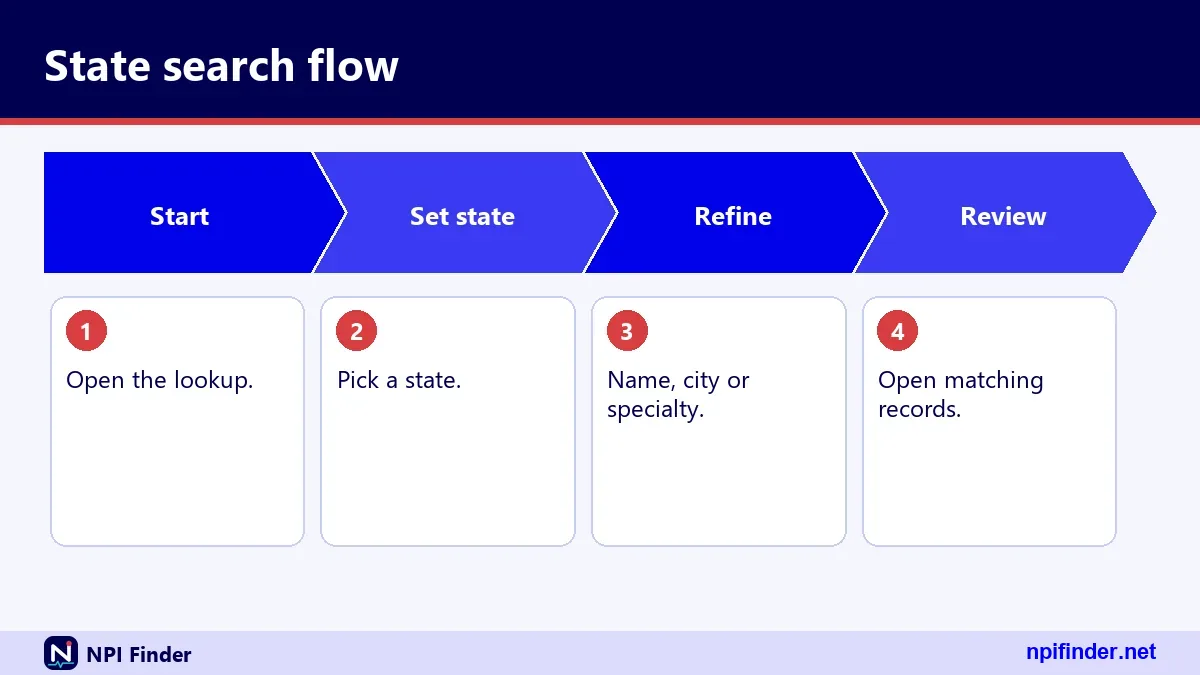
You can run a state NPI lookup in under a minute with the tool above. Choose the state, add one more criterion, and read the results table. The steps below take you through it.
- Pick the state in the state selector. The 50-state table below the tool also shows the code for each state.
- Choose Individual or Organization so the right name fields appear.
- Enter a last name, an organization name, a city or a ZIP code.
- Optionally add a taxonomy description to narrow by specialty.
- Submit the search and open the result that matches your provider.
- Read the status, the addresses and the taxonomies before you copy anything.
Tip: Start broad and narrow in small steps. Adding one filter at a time shows you which one removed your match.
The 50-state table
The table on this page lists every state with its code and a live count from the registry. Counts change as records change.
Results table columns
The results list identifies each match by NPI and name. Open a match to see the full record with every field the API returns.
Raw JSON view
The tool also shows the raw API response. Use it when you need a field the table hides, such as other_names or endpoints.
How to Call the NPPES API With the State Parameter
You call the NPPES API by sending a GET request to the registry's API address with version=2.1, a state code and at least one more criterion. Version 2.1 is mandatory. Other versions return error 17.
- Start the request with
version=2.1. - Add
state=and your two-letter code. - Add a second criterion such as
last_name,cityortaxonomy_description. - Add
limitif you want more than 10 results, up to 200. - Add
skipto page through results, up to the documented 1000. - Read the JSON that comes back.
Warning: The API returns HTTP 200 even for errors. Check for an Errors array in the body, not only the status code.
Parameters that matter most
The core set is version, state, city, postal_code, last_name, first_name, organization_name, enumeration_type, taxonomy_description, limit and skip. Unknown parameters are ignored, so typos fail silently.
Reading the response shape
A success returns result_count and a results list. Zero hits return an empty list. Errors return an Errors list with a description, a field and a number.
Browser calls and CORS
In testing, the registry API sent no CORS header. Browser code on another site cannot call it directly. A server-side step, or the NLM API, is the usual workaround.
How to Narrow a State Search That Returns Too Many Records
Narrow a big state search by adding criteria that cut the result count: a city, a ZIP prefix, a taxonomy or an exact name. Each added filter shrinks the list.
Work in this order to keep control.
Add a city or ZIP prefix first
Location filters cut a state down fastest. A ZIP prefix of two or three digits with a wildcard covers a region without naming every city.
Add a taxonomy description
Specialty cuts the list by role. Use the exact description or a wildcard of two or more characters. The Taxonomy Code Lookup page helps you choose.
Choose individuals or organizations
Setting enumeration_type to NPI-1 or NPI-2 removes half the noise at once. Remember that it needs another criterion beside it.
How to Read the Results of a State Search
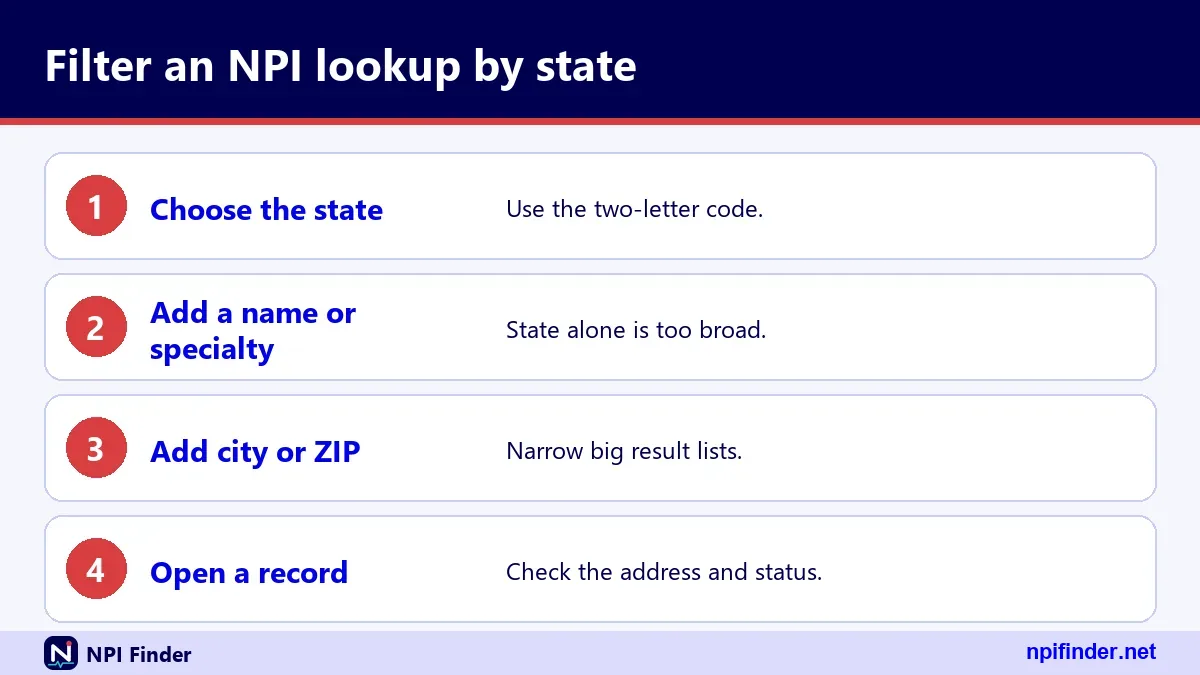
Read a result top to bottom: status first, then name, then addresses, then taxonomies. This order catches inactive records and mismatched locations before you copy a number.
Status and dates
A status of A means active. Check enumeration_date, last_updated and certification_date. An old update date is a cue to confirm the address by phone.
Addresses and practice locations
Compare the LOCATION and MAILING addresses. Then read each practice location. The sample record we tested lists three secondary locations in three jurisdictions.
Taxonomies and licenses
Look for the row marked primary. Each row may carry its own license and state. A provider can hold several taxonomy rows with the same code in different states.
How to Verify a Provider's State Using Taxonomy and License Fields
You verify a provider's state by reading the taxonomy rows, because each row has its own state and license fields. The address may point to one state while the licenses point to several.
- Open the record and find the
taxonomieslist. - Note each row's code, description, license and state.
- Find the row marked primary.
- Compare that state with the location address.
- Copy the license number and check it with the state board.
Tip: In our sample record, the primary taxonomy row listed a District of Columbia license, while the primary address was in Maryland. Read every row, not just the first.
Multiple rows with the same code
A provider can hold the same code in several states, each with a different license number. That is normal for multi-state practice.
Blank license fields
Some rows have no license. Some professions do not need one. The registry does not explain a blank, so check the profession's rules.
Using the NUCC code to confirm the role
The NUCC taxonomy code tells you the role, such as Family Medicine or Internal Medicine. Compare it with what you expect.
How to Check an NPI Before You Search by State
Check the number first if you already hold one, because a malformed number wastes a search. An NPI is 10 digits, and the last one is a check digit calculated with the Luhn formula.
The NPI Number Validator runs this test for you. Passing proves the number is well formed. It does not prove the number is assigned.
The check digit in plain terms
CMS calculates the check digit as if the prefix 80840 were present. A shortcut adds the constant 24 when you work without the prefix. The example 1234567893 passes the test but is not a registered NPI.
Why a valid number can still return nothing
The API returns zero results for both a failed check and an unassigned number. It gives no specific check-digit error. A real number, 1245319599, returns a record. Change its last digit and you get nothing.
Searching by number skips the state
When you have the number, use the number field alone. No state is needed. State filters only help when you do not know the number.
How to Pull Every Provider in a State
You cannot pull every provider in a state through the web search or the API in one go. Both return small pages, and CMS tells bulk users to use the downloadable data file instead.
For state-wide lists, download the full file and filter by state yourself.
What the downloadable file contains
The monthly full replacement file, a weekly incremental update and a deactivation report are offered. In the current listing, the zip is about 1,079 MB. It holds more than 4 GB once unpacked, so older tools may fail.
Filtering the file by state
You filter the extracted records on the address state columns with your own tool. CMS offers no help desk for the file. Plan time to learn the layout.
Why the API is the wrong tool here
Since 6/25/2024, NPPES limits registry queries per hour and says bulk queries must use the file. Looping through states with the API may hit that limit. See NPI Database & Download.
NPI Lookup Illinois and Chicago
An NPI lookup Illinois search uses the state code IL. The variants illinois npi lookup, npi lookup il, il npi lookup and npi lookup illinois by name all lead to the same filter.
Add Chicago as the city for npi lookup chicago. Suburbs need their own city values.
Chicago versus the rest of Illinois
Set city to Chicago and state to IL. A ZIP prefix wildcard captures Chicago-area codes in one pass when the codes group together.
Illinois organizations
Hospitals and group practices appear as Type 2 records. Search by organization name, then check each record's authorized official and address.
Illinois lookups by name
Use a first and last name with IL. If the list is long, add the city.
NPI Lookup Michigan
For an NPI lookup Michigan search, set the state to MI and add a name or city. Common forms include michigan npi lookup, npi lookup mi, npi look up michigan and michigan npi number lookup.
All of them run the same registry query.
Michigan individuals
Choose Individual, enter the last name and MI. Use the first name to narrow. Check the credential field to confirm the profession.
Michigan facilities
Choose Organization and enter the facility's name. A wildcard works after two characters. Check each hit's location address.
Border-region providers
Providers near a state line may list an address in a neighboring state. Run a second search in that state if your first returns nothing.
Business Entity Search Virginia Versus an NPI Lookup in Virginia
A business entity search in Virginia is not an NPI lookup. It looks up companies in a state business registry, while the NPI registry looks up health care providers. They hold different data and answer different questions.
People often land here with the first search when they need the second, so the difference is worth a moment.
What each record tells you
A state business entity record shows a company's formation details. An NPI record shows a health care provider's identifier, addresses and taxonomies. Neither replaces the other.
Virginia NPI lookup
For NPI data, set the state to VA. The forms npi lookup va, va npi lookup, npi lookup virginia and virginia npi lookup all mean this. A real VA example is 1245319599, a family medicine record in Virginia Beach.
When you need both
A group practice may need an NPI-2 record and a state business registration. The legal name in both should match. Mismatches cause trouble in enrollment.
NPI Lookup Maryland, New Jersey and Neighbors
The mid-Atlantic and northeast states all follow the same two-letter rule: MD, NJ, MA, PA, CT, NC and neighbors. Add a name or city, and the search runs.
The shortened forms are very common here. Mind the abbreviations.
Maryland and the md searches
Searches such as md npi number, npi lookup md, npi md, md npi lookup, md npi search and npi lookup maryland all ask for MD. Beware: MD also means Doctor of Medicine, which is why md npi can confuse a search engine.
New Jersey, Massachusetts, Pennsylvania and Connecticut
Use NJ, MA, PA and CT. Variants include npi lookup nj, nj npi lookup, npi search nj, ma npi lookup, massachusetts npi lookup, npi lookup pa, ct npi lookup and npi lookup connecticut.
North Carolina and neighbors
Use NC for North Carolina. The forms npi lookup nc, nc npi lookup and npi lookup north carolina are equivalent. South Carolina uses SC.
NPI Lookup for Arizona, Oklahoma and Other Southern States
Southern and southwestern states follow the same pattern: AZ, OK, AR, TN, LA, SC, AL, MS and NM. Add a name or city, and submit.
Short codes and full names appear in searches. The field only takes codes.
Arizona and Colorado
Use AZ for Arizona. The searches npi lookup arizona, arizona npi lookup and npi lookup az all map to it. Colorado uses CO, so npi co is usually a Colorado search, though it can also be a stray string.
Oklahoma, Arkansas and Tennessee
Use OK, AR and TN. Searches include npi lookup oklahoma, oklahoma npi lookup, npi lookup ok, npi lookup arkansas and npi lookup tn.
Louisiana, Alabama and Mississippi
Use LA, AL and MS. The forms npi lookup louisiana, npi lookup alabama, alabama npi lookup, npi lookup al and npi lookup mississippi are equivalent. Add a city to narrow.
NPI Lookup for Midwest and Mountain West States
The Midwest and Mountain West states use codes such as IN, MN, WI, MO, KS, NE, IA, UT, ID, NV, MT and ND. The search needs a partner criterion, like everywhere else.
Indiana, Minnesota and Wisconsin
Use IN, MN and WI. Searches such as indiana npi lookup, npi lookup indiana, npi lookup mn, mn npi lookup, npi lookup wisconsin, wisconsin npi lookup, and npi lookup wi all map to these codes.
Missouri, Kansas, Nebraska and Iowa
Use MO, KS, NE and IA. The npi lookup ks, npi lookup missouri, npi lookup nebraska and npi lookup iowa variants are equivalent.
Utah, Idaho, Nevada, Montana and North Dakota
Use UT, ID, NV, MT and ND. Add a city or a name to meet the partner-criterion rule.
NPI Lookup for Pacific, Small and Territory Searches
Small states and the Pacific region follow the same rule: use the two-letter code, add one more criterion. This includes OR, WA, AK, HI, ME, NH, RI, DE, DC, WV and KY.
Oregon, Washington, Alaska and Hawaii
Use OR, WA, AK and HI. Searches include npi lookup oregon, npi lookup washington, npi lookup wa, npi alaska, npi lookup alaska and npi lookup hawaii.
New England small states
Use ME, NH and RI. The forms npi lookup maine, npi lookup new hampshire, new hampshire npi lookup, npi lookup nh and npi lookup ri are equivalent.
Delaware, DC, West Virginia and Kentucky
Use DE, DC, WV and KY. The forms npi lookup delaware, npi lookup dc, npi lookup wv, npi lookup kentucky, kentucky npi lookup, ky npi lookup and npi lookup ky are equivalent. A search for npr delaware is likely a typo for NPI.
Providers With Several States in One Record
A single NPI record can point to several states, because addresses, practice locations and license rows each hold their own state. Our sample record shows one provider tied to three jurisdictions.
One NPI, many states
An individual gets only one NPI. It stays the same when the provider moves or adds a state. The number carries no location.
Reading multi-state records
Check the primary taxonomy state, the location address state, and each practice location. Our sample record spans Maryland, Virginia and the District of Columbia.
Searching for a provider who moved
If a provider moved, search the new state first. If nothing shows, search the old state. The record may not have been updated yet.
Searches That Look Like NPI Lookups but Are Not
Some state searches share words with NPI lookups but ask for something else entirely. The wisconsin sex offenders registry list, the ohio violent offender registry and gore com mexico are examples. None belong to the NPI Registry.
Offender registries
These are separate public records kept by state agencies. The NPI Registry holds provider identity and practice data, not criminal history. Use the official state source for these searches.
Unrelated strings
A query like gore com mexico has no link to the registry. If you see odd strings in your search history, ignore them and start clean.
Business and tax records
State business entity searches and tax ID searches are different systems again. The EIN is issued by the IRS, not by NPPES.
Organizations Versus Individuals in a State Search
An organization search uses a different set of name fields from an individual search, and the results include different data. Type 1 means individual. Type 2 means organization.
Type 1 individual records
Fields include first name, last name, credential, sex and the sole proprietor flag. A sole proprietorship is a Type 1 entity.
Type 2 organization records
Fields include the organization name, the organizational subpart flag and an authorized official with a name, title and phone. Organizations may hold multiple NPIs.
Subparts
A subpart is a unit of an organization, such as a hospital department, that has its own NPI. The subpart concept does not apply to individuals.
State Lookup in the NPI Registry Versus the NLM Clinical Tables API
Both tools search the same CMS NPI records, but they differ in limits, fields and browser access. The registry is the official source. The NLM Clinical Tables API is a free search service that sends CORS headers.

| Feature | NPI Registry API | NLM Clinical Tables API |
|---|---|---|
| Operator | CMS | National Library of Medicine |
| Version setting | version=2.1 required |
v3 in the path |
| Page size | Default 10, max 200 | Default 7, max 500 |
| Paging | skip, documented max 1000 |
offset, with offset plus count max 7,500 |
| Browser calls | No CORS header observed | CORS open (*) observed |
| State filter | state parameter, needs a second criterion |
q extra constraint or search terms |
So, NPI Registry API is the best tool for full official state records because it returns practiceLocations, other_names and endpoints.
When the registry API is better
Use it when you need the full official record, including practiceLocations, other_names and endpoints. It is the same data that the NPPES search page shows.
When the NLM API is better
Use it for fast type-ahead search in a web page. Its default fields are name, NPI, provider type and practice address. Verify field paths before you rely on them, because one tested path returned null.
Which one this page uses
The hero tool queries the NPPES API. If you build your own tool, test both against the same name and compare.
Web Form, API or Download File for State Work
Pick the web form for one-off checks, the API for small automated tasks and the download file for state-wide analysis. The right choice depends on volume.
| Method | Best for | Main limit |
|---|---|---|
| NPI Registry web search | One provider, a quick check | First 2100 results in the web UI |
| NPI Registry API | Small scripted lookups | Hourly query limit, 200 per call |
| NLM Clinical Tables API | Type-ahead, browser tools | 7,500 offset plus count |
| NPPES data file | Every provider in a state | Over 4 GB unpacked, no help desk |
So, NPI Registry web search is the best method for one-off provider checks because it takes only seconds and needs no setup.
One provider or a short list
Use the web form or this page's tool. Both take seconds.
A few hundred records
Use the API with limit and skip. Mind the hourly cap and keep requests polite.
Thousands of records
Use the file. The CMS dissemination page explains the monthly, weekly and deactivation files. The NPI Database & Download page covers it in more depth.
NPI Registry Versus State Licensing Board Lookups
The NPI Registry confirms an identifier exists. A state licensing board confirms a license is current. You often need both, and neither replaces the other.
| Question | NPI Registry | State licensing board |
|---|---|---|
| Does this NPI exist? | Yes | No |
| Is the license active? | Not verified | Yes, that is its job |
| Shows disciplinary action? | No | Often, varies by board |
| Shows practice addresses? | Yes, self-reported | Varies |
What the registry adds
It gives you a stable identifier, taxonomy codes and several addresses. It is built for billing and data exchange, not for vetting.
What the board adds
It gives you license status. Each state runs its own system, and the exact data shown varies by state. Check the board's own site for details.
A practical two-step check
Find the NPI first. Then copy the license number from the taxonomy row and check it with the board. Record both results in your file.
Check the OIG Exclusion List After a State NPI Lookup
Yes, you should check the OIG List of Excluded Individuals/Entities (LEIE) after you find a provider. The NPI Registry does not show exclusions. The HHS Office of Inspector General keeps that list separately.
OIG says federal health care programs generally will not pay for items or services an excluded person furnishes, orders or prescribes. It also recommends regular LEIE checks for new hires and current staff. Search the OIG site by name, then match what you find to the record you pulled. For Medicare enrollment status, see PECOS Lookup & Revalidation.
Medicare opt-out is a separate status
A provider who opted out of Medicare files a signed affidavit with the Medicare Administrative Contractor (MAC). Opting out is not an NPI field. Ask the MAC if you need to confirm it.
NPI Lookup Versus Medicare Care Compare for Local Doctors
Care Compare helps you choose a clinician, and the NPI Registry helps you identify one. Care Compare lists clinicians who accept Medicare, and its data comes mainly from PECOS.
| Need | Better tool |
|---|---|
| Confirm a number or address | NPI Registry |
| See Medicare quality information | Care Compare |
| Find a clinician near you | Either, depending on your goal |
| Bulk lists by state | NPPES data file |
So, Care Compare is the best tool for patients choosing a local clinician because it publishes quality and performance information.
Use Care Compare for patient decisions
It publishes quality and performance information, procedure volume and a telehealth indicator. See Find a Medicare Provider.
Use the NPI Registry for billing and records
Billing staff need the NPI, the taxonomy and the practice address. The registry gives those directly.
Do not mix them up
A clinician can be in the registry but missing from Care Compare. Absence from one does not prove absence from the other.
Zero Results for a State Search: What Went Wrong
Zero results usually mean a filter is too strict, a name is misspelled or a wildcard is wrong. The registry returns an empty list, not an error, in those cases.
Exact match surprises
A name without an asterisk is an exact match. The search last_name=sm returned nothing in testing. Add a wildcard such as smi*.
Wrong state code
A code that is not two characters returns error 05. A wrong but valid code returns other records or none. Check the code against the state table below.
Overly narrow combinations
A city plus a taxonomy plus an exact first name may exclude the record you need. Remove one filter at a time.
Error Messages You Might See From a State Search
The registry returns an Errors list in JSON, with a description, a field and a number. HTTP status stays 200, so you must read the body to see the failure.
| Error | Meaning | Typical fix |
|---|---|---|
| 03 | Wildcards need two leading characters | Add at least two characters before the asterisk |
| 04 | No valid search criteria | Add a real filter |
| 05 | Special characters or wrong length | Check the state code and ZIP length |
| 06 | NPI must be 10 digits | Fix the number |
| 07 | State needs additional criteria | Add a name, city or taxonomy |
| 10 | Address purpose needs more criteria | Add another filter |
| 12 | Skip field must be numeric | Use a non-negative number |
| 17 | Unsupported version | Use version=2.1 |
Error 07 is the one you will meet most
It appears when state stands alone. The fix is one more criterion.
Error 17 on scripts
Scripts that omit the version fail with error 17. Set it to 2.1 every time.
Errors we did not see
The full list of error codes is not published in a table we could find. Treat the list above as observed behavior, not a complete reference.
Records With the Wrong State or an Old Address
Wrong or stale addresses come from self-reported data. Providers must report changes within 30 days, but not everyone does.
Check the last-updated date
The last_updated date shows when the record last changed. A date several years old on a provider who moved is a warning.
Ask the provider to update
The provider or an authorized user fixes the record in NPPES. See Update or Deactivate an NPI. You cannot edit someone else's record.
Cross-check with other sources
Compare the address with the practice's own site, a phone call or the state board. For Medicare, the PECOS record may differ from NPPES.
Results Cut Off at the Limit
A state search stops at the limit you set, and the registry web UI limits searches to the first 2100 results. A cut-off is not an error.
Default and maximum limits
The default is 10. The maximum is 200. A value above 200 was silently capped in testing, and 0 returned 10.
Paging with skip
Documented skip goes up to 1000. In testing, higher values were not rejected, but do not depend on that. Narrow the query instead of paging deeper.
Splitting a big query
Split by city, ZIP prefix or taxonomy. Merge the pieces on your side and remove duplicates by NPI.
Slow or Blocked Queries and Hourly Limits
If queries slow down or fail in a loop, you may have hit the hourly limit. CMS states that, effective 6/25/2024, NPPES limits the registry queries per hour.
The number is not published
We found no published per-hour figure. Do not build a tool that assumes one.
Stop looping
Cache results and avoid repeat calls. Space out requests.
Use the file for bulk
CMS says bulk NPI Registry queries must use the dissemination file. Start with NPI Database & Download.
HIPAA and 45 CFR Part 162: The Rules Behind the Registry
The NPI exists because of HIPAA, and its rules sit in 45 CFR Part 162, Subpart D. The NPI Final Rule was published on 23 Jan 2004 (69 FR 3434).
What the rule requires
Covered health care providers must get an NPI, use it in standard transactions, share it when asked and report changes within 30 days.
Compliance dates
Most covered providers and health plans had to comply by May 23, 2007. Small health plans had until May 23, 2008.
Why the state is not in the number
45 CFR 162.406 says the NPI carries no embedded intelligence. That is why no state appears in it.
Cost and Access: What Is Free
CMS lists no fee to get an NPI, view registry data or download the files. Any site that charges for those things is not CMS.
Registry and downloads
CMS states there is no charge to view NPI Registry data or to download the data files. This site's tool is also free to use.
Applying for an NPI
Applying is free, and the web application is the fastest route. See Apply for an NPI.
Watch for lookalike sites
The NPPES application sits on the official CMS domain. Check the address bar before you type personal data.
Privacy and Public Data in State Searches
NPI Registry data is public under FOIA, and that includes names and practice addresses. SSN, ITIN and date of birth are not made available on the internet.
What shows up publicly
The number, the entity type, the name, the credential, the sex field, the status, the dates, the addresses, the phones, the taxonomies with license numbers, other names and endpoints appear in results.
What stays private
CMS says SSN, ITIN and date of birth are not made public. For deactivated NPIs, only the NPI and the deactivation date are disclosed.
Reducing your exposure
Providers can review the addresses in their record. Mailing addresses are often a home or an office box, so choose what you list with care.
Official Sources and Contacts for State NPI Questions
The official sources for NPI questions are CMS and NPPES, with help desks for specific problems. Use the right desk to save time.
NPI Enumerator
For NPPES help, call 1-800-465-3203 or email the NPI Enumerator. TTY is 1-800-692-2326. Hours are not stated in our sources.
External User Services
For login problems, the EUS Help Desk is at 1-866-484-8049, with TTY/TDD at 1-866-523-4759. See NPPES Login Help.
Where the rules are posted
CMS hosts the NPI page and the regulation text lives in the eCFR. A Sources block elsewhere on this page links the originals.
State Codes to Use in the State Field
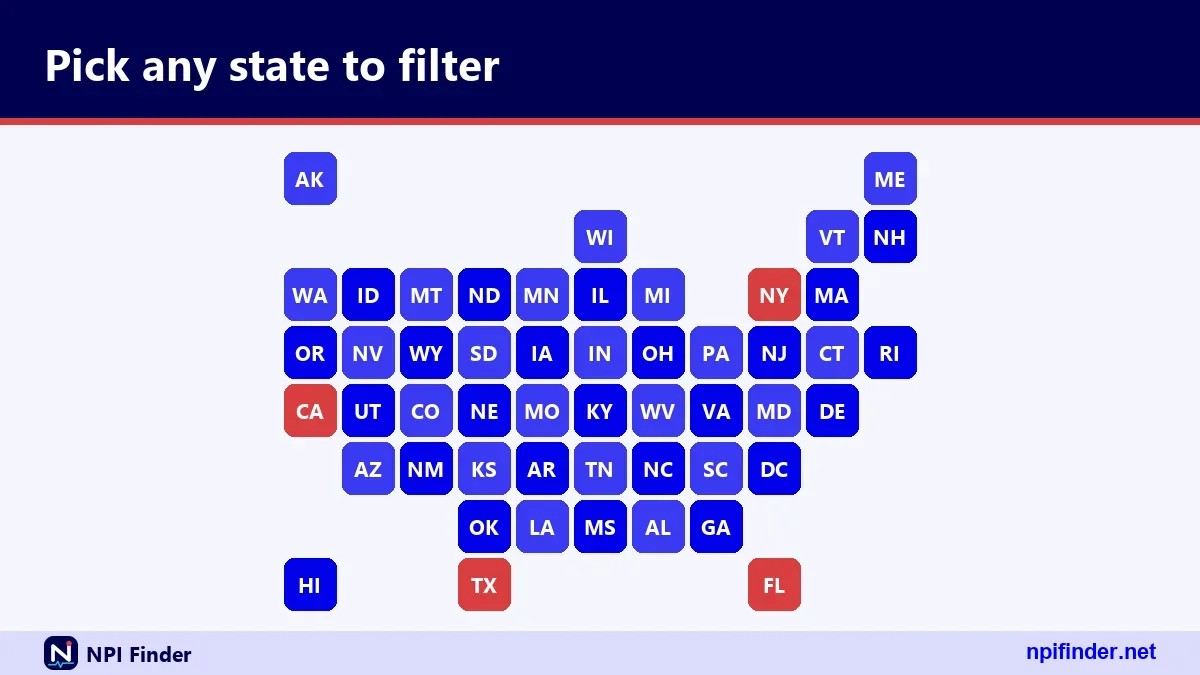
The state field takes the two-letter postal code, and this table lists the code for each state and DC. Copy the code, not the name, into your search.
| State | Code | State | Code | State | Code |
|---|---|---|---|---|---|
| Alabama | AL | Louisiana | LA | Ohio | OH |
| Alaska | AK | Maine | ME | Oklahoma | OK |
| Arizona | AZ | Maryland | MD | Oregon | OR |
| Arkansas | AR | Massachusetts | MA | Pennsylvania | PA |
| California | CA | Michigan | MI | Rhode Island | RI |
| Colorado | CO | Minnesota | MN | South Carolina | SC |
| Connecticut | CT | Mississippi | MS | South Dakota | SD |
| Delaware | DE | Missouri | MO | Tennessee | TN |
| District of Columbia | DC | Montana | MT | Texas | TX |
| Florida | FL | Nebraska | NE | Utah | UT |
| Georgia | GA | Nevada | NV | Vermont | VT |
| Hawaii | HI | New Hampshire | NH | Virginia | VA |
| Idaho | ID | New Jersey | NJ | Washington | WA |
| Illinois | IL | New Mexico | NM | West Virginia | WV |
| Indiana | IN | New York | NY | Wisconsin | WI |
| Iowa | IA | North Carolina | NC | Wyoming | WY |
| Kansas | KS | North Dakota | ND | ||
| Kentucky | KY |
Codes that look alike
MA is Massachusetts, MD is Maryland, ME is Maine and MI is Michigan. MO is Missouri and MS is Mississippi. Check twice when you type fast.
Codes that match other words
IN, OR, OK, HI and ME are also common English words. They work as state codes in the field, so you do not need to quote them.
District of Columbia
DC is a valid code for the search. It is not a state, but it is a common practice location for providers in Maryland and Virginia.
Glossary for State NPI Searches
These terms come up in every state search. Learn them once and the results read faster.
NPI
The National Provider Identifier is a 10-position number, nine digits plus a check digit. It carries no state or specialty.
NPPES
The National Plan and Provider Enumeration System assigns and stores NPIs. See NPPES Explained for the full picture.
Taxonomy code
A 10-character NUCC code that names a provider's type and specialty. The current version is 26.1, effective 7/1/26.
Enumeration type
NPI-1 is an individual. NPI-2 is an organization. The API field is enumeration_type.
Practice location
A secondary address listed in the record. It sits in practiceLocations, separate from the main addresses.
Mailing address
The address the provider uses for mail. It may be a home, an office or a box. It is not proof of where care happens.
Myths About State NPI Lookups
Most myths come from treating the NPI like a license or a directory. The registry is neither. These are the ones we hear most.
Myth: the NPI shows the state
Fact: the number carries no information about the provider. The state comes from address and license fields.
Myth: an NPI proves a license
Fact: CMS states that having an NPI does not ensure a provider is licensed or credentialed. Check the board.
Myth: one state search finds everyone
Fact: a provider can list addresses in several states, and a search matches the field you choose. Try more than one address purpose.
Myth: the NPI changes when you move
Fact: individuals get one NPI, and moving does not change it. You update the record instead, as the Update or Deactivate an NPI page explains.
Advanced Search Patterns for State Work
Advanced state searches combine wildcards, address purposes and entity types to answer specific questions. They stay inside the rules: trailing asterisks only, two leading characters minimum.
Wildcard city and ZIP combinations
A city such as san* plus a state returns every matching city value. A ZIP prefix such as 77* returns a region. Neither can start with a wildcard.
Using address purpose
Set address_purpose to LOCATION, MAILING, PRIMARY or SECONDARY. It needs another criterion. Compare results to see how the filter changes the list.
Finding Type 2 records only
Set enumeration_type to NPI-2 with the state and an organization name or city. This isolates facilities and groups.
Cross-checking with a taxonomy lookup
If a result's role looks wrong, look up the code on the Taxonomy Code Lookup page. Then repeat the search with the right description.
Tips for Faster State NPI Lookups
These tips come from what the registry actually does. They save the most time in daily use.
- Pair the state with a name or city. The state alone returns error 07.
- Use the two-letter code. Full names fail with error 05.
- Add a wildcard only after two characters.
smi*works.s*returns error 03. - Search by number when you have it. The
numberfield skips every state filter. - Validate the number first. The NPI Number Validator catches typos before you search.
- Read every taxonomy row. Licenses and states can differ from the address.
- Check the last-updated date. Old dates mean old addresses.
- Split large queries. Use city or ZIP prefix, then merge by NPI.
- Use the download file for bulk. CMS says bulk queries belong there.
- Confirm the license with the board. The registry does not verify it.
Where to start if you are new
Read What Is an NPI Number? first. Then come back and run your first state search.
If you cannot find your own record
Use Find My NPI Number. It covers the name and state search for your own record.
Recommendation
Start with a name, a state code and a city, and read the whole record before you trust it. That one habit prevents most mistakes in state NPI lookups.
If you need a number for billing, confirm the address and taxonomy against your own file. If you need a list, use the data file. If you need to know a license is valid, ask the state board.
For first-time setup, the Home page of this site and the NPI vs Other Provider IDs page show how the identifiers fit together. Keep the state table nearby and the searches go quickly.