

NPI Generador and NPI Checker: What You Can Do on This Page
"NPI generador" is the Spanish-language search for an NPI generator, meaning a tool that builds a 10-digit number whose last digit passes the check. This page explains how that works.
It also shows how to test any number you receive, using the validator on this page and the official registry. A generated number is only a test value. It has no provider, no license and no billing rights behind it. Real numbers come from NPPES, the CMS system that assigns them. Need your own? See Apply for an NPI.
NPI Validator: What This Tool Checks in Seconds
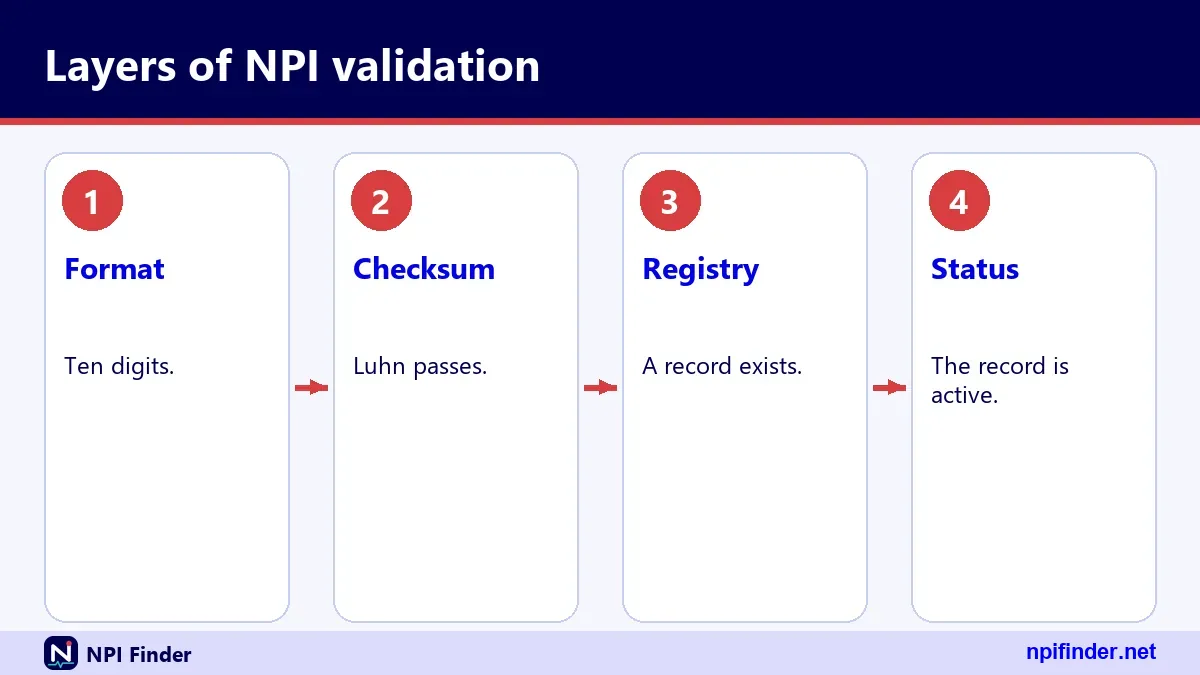
The validator checks three things: length, digits only, and the check digit. It runs in your browser, so a typo costs you nothing. If you want more, the optional registry cross-check looks the number up in the NPI Registry. Then it shows the full response: basic details, addresses, practice locations, taxonomies, identifiers, other names and endpoints, plus the raw JSON. Format first, registry second. That order saves time because most typos die at step one.
NPI Verification vs Validation: Two Different Questions
Validation asks whether a number is well formed. Verification asks whether a real, active provider holds it. The first is pure arithmetic. The second needs the registry. People search for "npi verification" and "national provider identifier verification" when they mean the second question, yet they often get the first answer. A number can pass validation and still belong to nobody. Keep both steps in your workflow, and record which one you ran.
How Many Digits Is an NPI Number?
An NPI has 10 digits. Nine are the identifier and the tenth is a check digit. That answers "how many digits is an npi", "how many digits in npi number" and "how many digits are in a national provider identifier" in one go. The rule sits in 45 CFR Part 162, section 162.406, which calls the NPI a 10-position numeric identifier. NPI length is fixed, so a nine-digit or eleven-digit entry is always wrong. The number also carries no meaning. It does not encode a state, a specialty or a date.
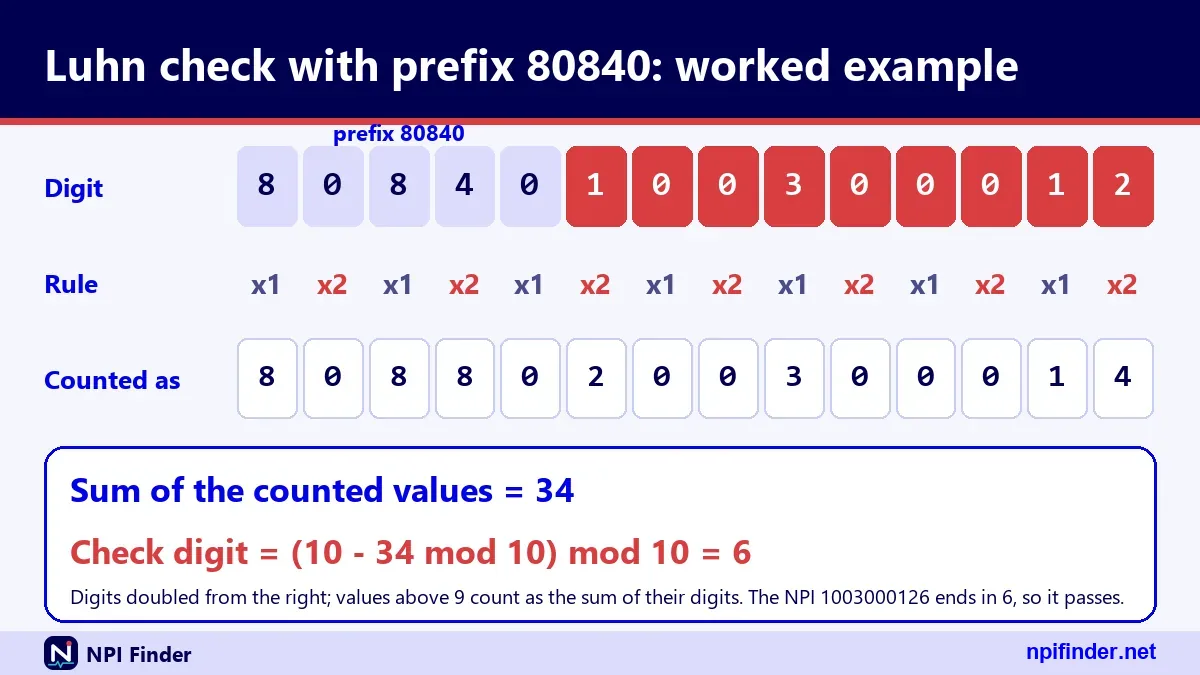
NPI Format Rules in One Table
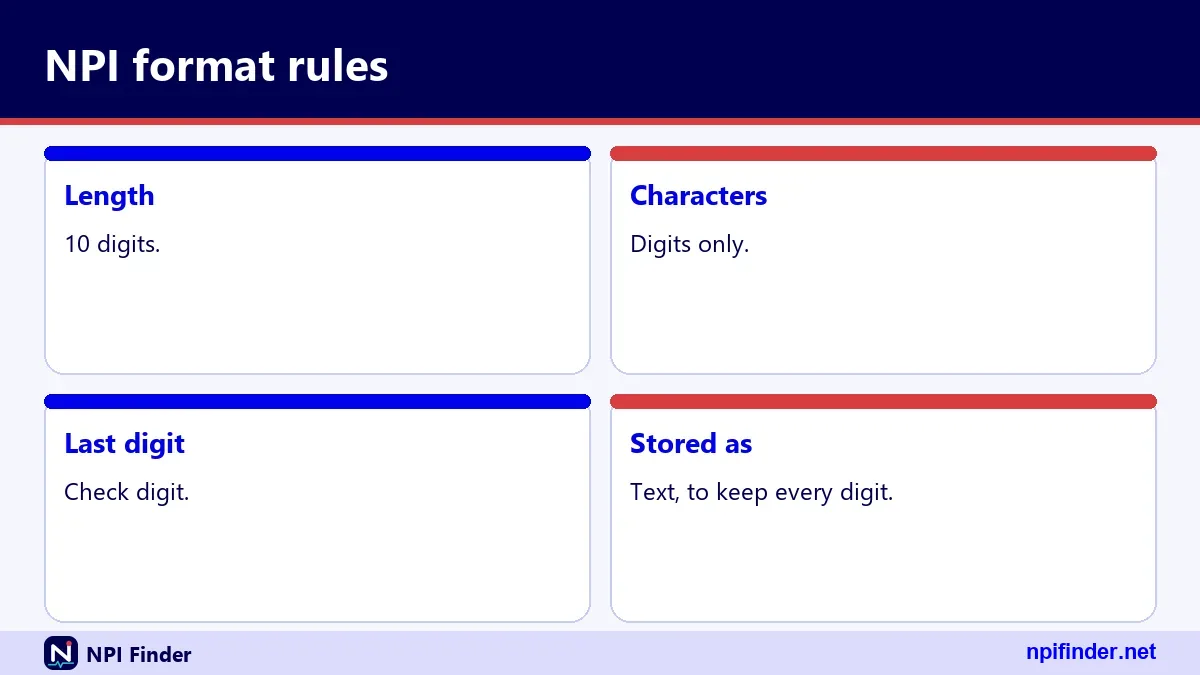
The NPI format is simple, and this table lists every rule the tool enforces plus one it treats as a soft warning.
| Rule | What it means | Hard or soft |
|---|---|---|
| Length | Exactly 10 characters | Hard |
| Characters | Digits only, no letters | Hard |
| Check digit | Tenth digit passes the Luhn test with the 80840 prefix | Hard |
| First digit | CMS design notes say 1 or 2 for initially issued numbers | Soft warning |
| Embedded meaning | None, so never infer state or specialty | Not a test |
A pass on the first three rows means "well formed". It never means "assigned".
NPI Number Example: Numbers You Can Safely Test With
Three sample numbers cover every outcome you need to test: a valid format with no registry record, a real registry record, and a failing number. Use them in training, in form testing and in bug reports. Do not paste real provider numbers into screenshots when a sample will do. Each example below says exactly what it proves. Remember that "example npi number" and "npi number sample" searches usually want a number that works in a form, not a number that belongs to a person.
Example NPI Number That Passes but Is Not Registered
The number 1234567893 passes the check digit test. CMS published the 123456789 base in its own check digit document, and the correct tenth digit for it is 3. The live registry returns zero results for this number. That makes it a clean "format-valid example" for form testing. It is not a provider, so a registry lookup should come back empty.
Number Sample That Exists in the Registry
The number 1245319599 is registry-published. It returns an active Type 1 record for a family medicine physician in Virginia Beach, Virginia, with the surname "Sample". It passes the check digit and the registry finds it. We do not know whether CMS designates it as an official test record, so treat it as a public record, not a guaranteed permanent fixture.
Example of NPI Number That Fails the Check
Change the last digit of 1245319599 to 8 and you get 1245319598. It fails the check digit because the correct tenth digit for 124531959 is 9. The registry also returns zero results for it. Use this number to confirm your form shows a clear error message before any network call goes out.
NPI Examples for Developers and Trainers
Pair one passing number with one failing number in every test suite. Add a nine-digit string, an eleven-digit string, and a string with a letter. That gives five cases and covers each hard rule. A national provider identifier example in training material should say "sample" in large letters. Never let a trainee believe a made-up number belongs to a real clinic.
NPI Generator Rules for Building Test Data
An NPI generator takes nine digits, computes the tenth by the Luhn method, and returns the 10-digit result. Everything else is policy. The math is public and CMS documents it in full. What matters is how you use the output, and the three H3 sections below set the boundaries.
How a Generator Builds the Number
It prefixes the nine digits with 80840, doubles alternate digits from the right, adds the digits of the results to the untouched digits, and subtracts the total from the next multiple of ten. That difference is the check digit. If the total already ends in zero, the check digit is 0. Any correct generator and any correct validator use the same arithmetic.
When a Generated NPI Is Appropriate
Use one for software tests, training demos, form validation checks and screenshots. In each case, label it as sample data. A generated number can also help you reproduce a bug without exposing a real provider. Keep a short list of approved test numbers in your team wiki so nobody invents new ones in production forms.
What a Generator Must Never Do
It must never be used to fill a claim, enroll a provider, or pose as a real person. A made-up number that happens to match a real provider would be a wrong identifier on a real record. Real numbers are assigned by NPPES and nowhere else. Keep generator output out of production systems.
The Luhn Check Digit and the 80840 Prefix
The NPI check digit uses the Luhn formula, a modulus 10 "double-add-double" method, and CMS calculates it as if the prefix 80840 sat in front of the nine digits. This is true even though the prefix never appears in the NPI itself. Many people compute the digit without the prefix and get a wrong answer by a constant. The next three sections show why the prefix exists and how to avoid that trap.
Why the Prefix 80840 Exists
The prefix reads 80 for health applications and 840 for the United States. CMS requires it only when the NPI is used as a card issuer identifier on a standard health ID card. But CMS also says the check digit is always calculated as if the prefix is present. So every validator should include it, whether or not a card is involved.
The Shortcut of Adding 24
When you skip the prefix, CMS says to add the constant 24 in step 2 of the calculation. The prefix digits contribute exactly that amount to the total. It is a handy way to do the math on nine digits instead of fourteen. Test it on 123456789: you will land on a total of 67 either way.
Why the Prefix Never Appears in the Number
The prefix is a calculation aid, not part of the identifier. An NPI is still 10 digits, nine plus the check digit. If your form accepts "80840" followed by ten digits, you built a 15-digit input and your validator should reject it. Strip nothing silently. Show the user a clear length message instead.
Worked Check Digit Example, Digit by Digit
The CMS example turns 123456789 into 1234567893, and the steps below reproduce it. Work through it once on paper and the algorithm will stay with you. The method has three steps. Double alternate digits starting with the rightmost digit of the nine-digit base. Add the digits of every product to the digits you left alone. Subtract that total from the next higher multiple of ten.
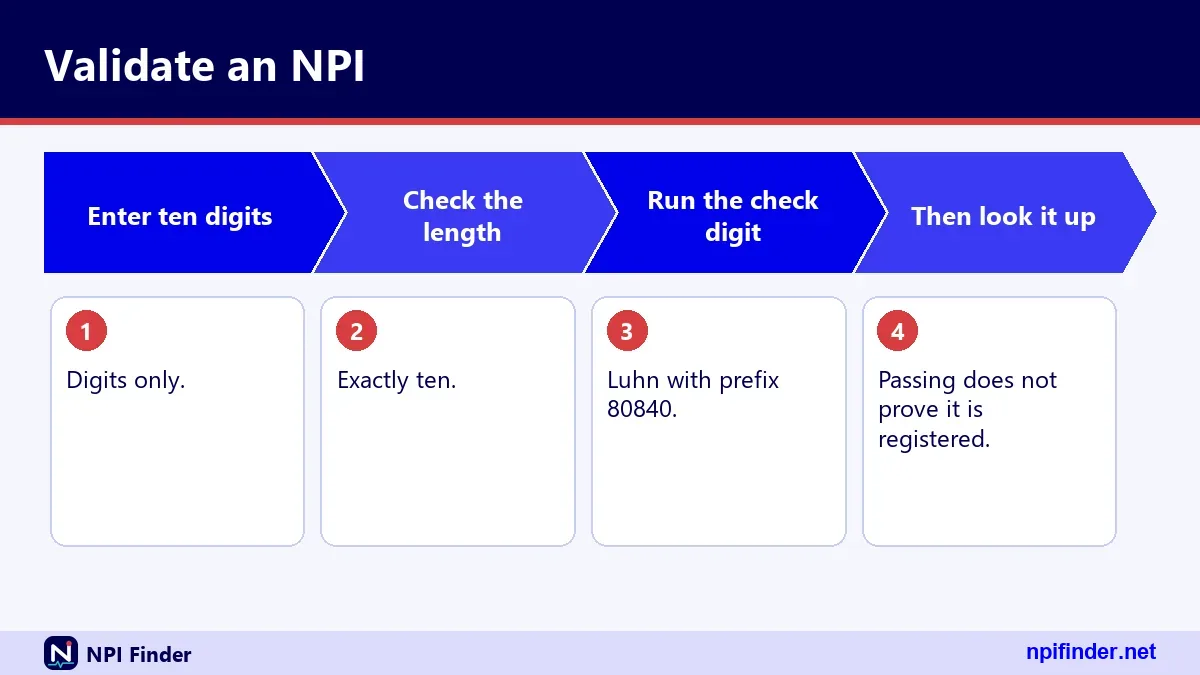
The Prefix Version for 123456789
The table shows the 14-digit string 80840123456789, with the doubled positions marked.
| Step | Digits | Result |
|---|---|---|
| Doubled digits from the right (9, 7, 5, 3, 1, 4, 0) | 18, 14, 10, 6, 2, 8, 0 | Digit sum 31 |
| Untouched digits (8, 6, 4, 2, 0, 8, 8) | Added as they are | 36 |
| Total | 31 + 36 | 67 |
| Next multiple of ten minus total | 70 - 67 | Check digit 3 |
The finished number is 1234567893.
A Second Example for 124531959
Run the same steps on 124531959 using the 24 shortcut. The doubled digits (9, 9, 3, 4, 1) become 18, 18, 6, 8, 2, which add up to 34 once you sum each product's digits. The untouched digits (5, 1, 5, 2) add up to 13. With 24 added, the total is 71. Eighty minus 71 gives 9, so the number is 1245319599.
Checking an NPI Instead of Building One
To validate, run the same math on the first nine digits and compare your result with the tenth. A match means pass. A mismatch means the number is wrong. For 1245319598, the base 124531959 produces 9, and the entry ends in 8, so it fails. Your validator can stop there and never call the registry.
NPI Checker and NPI Number Checker: Same Job, Different Names
An NPI checker is a validator, and an NPI number checker is the same thing under a longer name. Both test whether a 10-digit entry is well formed. Some also add a registry lookup. Before you trust one, find out which job it does. A pure format checker can never tell you the provider is real. A registry-backed checker can. The tool on this page does the format test first and then offers the registry cross-check on request.
Validate NPI Number Rules for Forms and Software
To validate an NPI number in a form, apply three rules in order: strip the input, test the length and characters, then run the check digit. Do this on the client for speed and again on the server for safety. The sections below cover each rule and the one rule that should only warn. Good NPI validation is cheap, so do it before any network call.
Reject Non-Digits and the Wrong Length
Trim whitespace first, then require exactly 10 digits. The registry itself answers a wrong-length entry with error 06, "NPI must be 10 digits". Your form can say the same thing before the user waits for a reply. Decide up front whether to strip hyphens or spaces. If you strip them, tell the user what you removed.
Run the Luhn Test Before Any Network Call
Compute the check digit from the first nine digits with the 80840 prefix and compare it with the tenth. A mismatch means a typo, and a typo never needs a registry call. This saves bandwidth, and it matters because the registry limits how many queries run per hour. Fail fast, with a message that names the check digit.
Treat the First Digit as a Soft Warning
CMS design notes say initially issued NPIs begin with 1 or 2. Every NPI we inspected began with 1. Whether that holds for every number issued today is not confirmed, so do not hard-reject other first digits. Show a gentle warning and let the registry decide. A wrong first digit alone is weak evidence, but it often points to a typo.
What Passing the Check Does Not Prove
Passing the check digit proves only that the number is well formed. It does not prove the number was ever assigned, that the provider is licensed, or that anyone is enrolled in Medicare. This is the single most misunderstood point in NPI validation. The check digit catches typos, not fraud. Treat a pass as permission to continue, not as a green light.
The Number May Never Have Been Assigned
Any nine digits can be given a valid tenth digit, and the number 1234567893 shows this: it passes, and the registry returns nothing. Only a registry lookup can show assignment. If a vendor says "validated" on a screen, ask what that word means in their tool.
The Provider May Not Be Licensed or Credentialed
CMS says that having an NPI does not ensure a provider is licensed or credentialed. Licenses come from state boards. The registry may show a license number and state under each taxonomy, but those entries are self-reported. Always check the board for any job where licensure matters.
The Provider May Not Be Enrolled in Medicare
An NPI is required for Medicare enrollment, but it does not replace enrollment. Updating NPPES does not update Medicare enrollment either, because that lives in PECOS. To see how enrollment lookups work, read PECOS Lookup and Revalidation. A valid NPI plus a failed enrollment check is a common surprise.
Verify NPI Number Against the Registry
To verify an NPI number, search it in the NPI Registry and confirm that a record comes back with the name and entity type you expect. The registry is the official public search, run by CMS. It is a query-only database that CMS updates daily. If your question is "does this number belong to a real provider", this is the step that answers it.

What the Registry Confirms
It confirms that the number is assigned, whether the record is active, the entity type, the name or organization, the addresses, and the taxonomies on file. It also shows the dates of enumeration and last update. It does not confirm quality of care, licensure or enrollment. Think of it as a directory entry, not a credential.
What a Zero-Result Reply Means
A well-formed number with no result is unassigned, mistyped, or not shown in the public search. The API returns result_count 0 and an empty list, and it never says "check digit failed". So run your own format test first. Then you will know a zero means "not found" and not "invalid".
Match the Name, Entity Type and State
A hit is only useful if it matches what you were told. Compare the name, the entity type (NPI-1 or NPI-2) and the practice state. A hospital number on a doctor's claim is a red flag. A name match with the wrong state may simply be a second practice location, so look at the full address list before you decide.
NPI Verification Lookup: How to Read the Response
An NPI verification lookup returns one JSON record per number, and each record has the same blocks. Once you know them you can scan a result in seconds. Our hero tool displays all of them, plus the raw JSON, so you can compare what you see with what the API sent.
The Basic Block
The basic block holds the name or organization, credential, sex for individuals, the sole proprietor flag, status, and the enumeration, certification and last updated dates. A status of "A" means active. The record also carries two epoch timestamps, created_epoch and last_updated_epoch, stored as strings of milliseconds. Names and addresses come back in upper case.
Addresses and Practice Locations
Each record lists addresses with a purpose of LOCATION or MAILING, and many show both. Secondary practice locations sit in a separate practiceLocations list. Nine-digit ZIP codes come back without a hyphen. Do not guess where someone practices from the mailing address, because the two often differ. Our NPI Lookup by State page covers state-based searching.
Taxonomies and Licenses
The taxonomies list can hold up to 15 entries. Each has a code, a short description, a primary flag, a state, a license number and a taxonomy group. One record can show the same code with several licenses in different states, and only one entry is primary. For code meanings, see Taxonomy Code Lookup.
Identifiers, Other Names and Endpoints
The identifiers list can hold up to 50 entries from other issuers, but many records leave it empty. The other_names list holds former names for individuals and "doing business as" names for organizations. The endpoints list holds electronic exchange details. Empty lists are normal. Do not treat an empty identifiers or endpoints list as an error.
NPI Information Lookup Without the Number
If you lack the number, search by name, organization, city or taxonomy instead. The registry's name fields take exact values, or a trailing asterisk after at least two characters. This is the usual path behind "npi information lookup", "lookup npi information" and "np information" searches. It returns many records for common names, so add a state, city or specialty to narrow them. Searching last_name=sm finds nothing, because it is an exact match, while sm* works.
A state cannot be the only criterion. The registry rejects it with error 07 and asks for more. Likewise, a search with no valid criteria returns error 04. If you are hunting for your own number, Find My NPI Number walks through it, and NPI Lookup by Specialty helps with specialty searches.
How to Verify an NPI Number Step by Step
You can verify an NPI in under a minute: test the format, search the registry, then compare the result with what you were told. Two routes follow, the official registry search and this page's tool. Pick the one that matches your task. Either way, write down what you saw and when you saw it.
Steps in the Official NPI Registry
- Check the number yourself first: it must be 10 digits and pass the check digit.
- Open the NPI Registry search page run by CMS.
- Enter the number in the search form and submit it.
- Read the result: name or organization, entity type, status, addresses and taxonomies.
- Compare each item with the claim, application or contract in front of you.
Tip: if you get no result, recheck the last digit before assuming the provider does not exist.
Steps in This Page's Validator
- Type or paste the 10 digits into the tool.
- Read the format result. A failure here means a typo, so fix it and try again.
- Turn on the registry cross-check if the format passes.
- Read the basic, addresses, taxonomies and other sections, and the raw JSON if you need it.
- Copy the NPI, name and date into your file.
Warning: a pass on step 2 alone does not verify the provider. Always run step 3 for any real decision.
What to Record After You Verify
Record the NPI, the entity type, the name as shown, the status, the primary taxonomy and the date you checked. Add the last_updated date from the record. That date tells a later reader how fresh the data was. A screenshot is fine, but a typed note is searchable. If the record changes next month, your note shows what you relied on.
How to Validate an NPI by Hand
You can validate any NPI with a pencil, using the same steps CMS publishes. This helps when you have no tool, or when you want to audit one. It takes about a minute once you have done it twice. The method is the Luhn formula with the 80840 prefix, and the shortcut below replaces the prefix with a constant.
Paper Steps With the Shortcut
- Write the first nine digits of the NPI.
- Double every other digit, starting from the rightmost of those nine.
- For each product above 9, add its two digits together.
- Add those results to the digits you did not double.
- Add 24 to the sum.
- Subtract the total from the next higher number ending in zero.
- Compare your answer with the tenth digit. If they match, the format is valid.
Warning: if your total already ends in zero, the check digit is 0, not 10.
Arithmetic Slips to Avoid
The usual errors are doubling the wrong digits, forgetting to add the digits of products over 9, and omitting the 24. Start doubling from the right, not the left. Another slip is using all ten digits in the sum, including the check digit. Only the first nine go in. Write each step on its own line.
Cross-Check Your Result With the Prefix Version
Do the math a second time using the full 14-digit string with 80840 in front. If the two routes disagree, you made a slip. On 123456789 both routes reach a total of 67 and a check digit of 3. This double-check takes two minutes and removes nearly all hand errors.
Verify NPI Through the Registry API
The NPPES NPI Registry API lets software verify an NPI with one HTTP call, and it returns JSON. It is free to query, but it has hourly limits and one quirk: it answers errors with HTTP 200. Build your code around the JSON body, not the status code. Use version 2.1 and nothing else.

The Request Shape
The base address is the registry's api path, with version=2.1 and number= followed by exactly 10 digits. The version parameter is mandatory. Leave it out, or send 2.0 or 3.0, and you get error 17, "Unsupported Version". Unknown parameters are ignored, so a typo in a parameter name fails silently. Check your spelling twice.
Reading Success and Error Replies
A hit returns a result_count and a results list. A miss returns result_count 0 and an empty list. An error returns an Errors list with a description, a field and a number. Because HTTP status is 200 in every case, test for the Errors key first. Then test result_count. Only then read the record.
Limit and Skip for Name Searches
The limit parameter defaults to 10 and the documented maximum is 200. The skip parameter is documented to a maximum of 1000. In our tests, a limit above 200 was silently capped, and larger skips were not rejected. Do not build on that behavior. Stay within the documented values, and use a narrower search instead of paging deep.
NPI Verification Number and Verification NPI: Which Number Do You Mean?
Most searches for an "npi verification number" want the NPI itself, because there is no separate verification number issued with it. Someone may also ask for a "verification npi" when they mean the proof that an NPI is real. The registry record is that proof. Where people go wrong is mixing the NPI with other IDs that sit beside it. The three sections below separate them, and NPI vs Other Provider IDs goes deeper.
NPI vs PTAN
The PTAN is the Medicare identifier a provider uses to bill, issued by the Medicare Administrative Contractor at enrollment. The NPI is issued by NPPES and is public. A PTAN has no public lookup that we could confirm. Never ask a provider to "verify the NPI" when you need the PTAN.
NPI vs State License Number
A state license number comes from a state board, and the NPI does not verify it. The registry can display a license number and state under each taxonomy, but it is self-reported. To confirm a license, go to the issuing board. The two numbers answer different questions and cannot replace each other.
NPI vs Medicaid Provider ID
Each state Medicaid agency assigns its own provider ID, and formats vary by state. Legacy Medicaid numbers are not permitted in standard transactions, because the NPI replaces them there. Your payer may still ask for both. If a form asks for a "provider number", read the label before you type the NPI.
NPPES Verification and the NPPES Validation Letter
NPPES is where an NPI is assigned and stored, so "NPPES verification" means checking an NPI against that data. The registry search is the public view of it. As for an "NPPES validation letter", we found no CMS page that describes a document by that name. If someone asks you for one, ask which document they mean before you chase it.
What NPPES Holds
NPPES stores every NPI and the data the provider reported: name, addresses, taxonomies, license entries and dates. The public registry shows most of that. It does not show Social Security numbers, ITINs or dates of birth. See NPPES Explained for the full picture of what the system does.
If a Payer Asks for a Validation Letter
Ask the payer exactly what they need to see. CMS says the NPI Enumerator notifies applicants of their NPI, and the registry shows the live record. One of those usually satisfies a request. If it does not, the payer should name the form. Do not pay a third party for a "letter", since CMS lists no fee for registry data.
Proof You Can Show Without a Letter
A dated registry printout or screenshot works as evidence of the record on that day. Pair it with your own note of who checked and when. If the NPI is yours, you can also log in to NPPES and print your own record. Login help is in NPPES Login Help.
Verify Registry Data in Bulk
For many NPIs, do not hammer the search page. CMS states that since 6/25/2024 NPPES has limited the number of registry queries per hour, and that bulk registry queries must use the downloadable file. The numeric limit is not published. CMS offers a monthly full replacement file, a monthly deactivation update and a weekly incremental update. The files are free, but CMS says it offers no help desk for using them. The full zip is over a gigabyte and expands past 4 GB, so older extraction tools may fail. See NPI Database and Download for how to handle the files.
The NLM Clinical Tables NPI API is a second option for small lookups. It is free, sends CORS headers, and builds on CMS NPI records. It caps its reported total at 10,000. Check the field paths before you rely on them, because one extra-field request we tried returned null for a record that has a taxonomy.
NPI Number Lookup for Independent Contractor Verification
To vet an independent contractor, confirm the NPI exists, the entity type fits, and the name and state match the contract. Then verify what the NPI cannot show. That list includes licensure, enrollment and any screening your compliance rules require. The three sections below split the job into what to capture, what to check elsewhere and how to keep records.
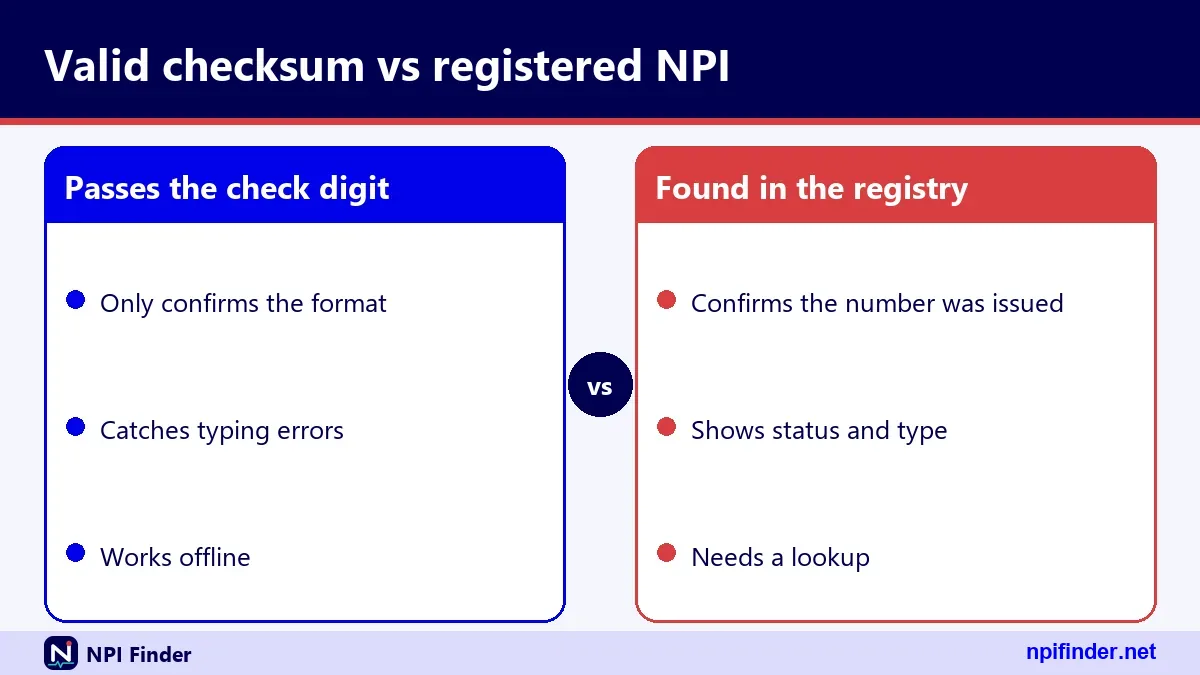
Fields to Capture From the Registry
Capture the NPI, the entity type, the name, the status, the primary taxonomy, and each license number and state listed. For a business, add the organization name and the authorized official. Capture the last_updated date too. If any field disagrees with the contractor's paperwork, pause and ask before you pay or onboard.
Checks the Registry Cannot Do
The registry does not prove a license is valid, a person is credentialed, or a billing relationship exists. Use the state board for licensure and PECOS-based data for Medicare enrollment status. Your own compliance process covers anything beyond that. Our Find a Medicare Provider page lists Medicare-side finders.
Keeping a Verification Trail
Save the lookup date, the data you saw, and the person who ran the check. Re-run the check on a schedule you set. Registry data changes, because providers must report changes within 30 days. A dated trail protects you if a number is later deactivated or updated.
Type 1 and Type 2 NPI Validation
The check digit math is identical for Type 1 and Type 2 numbers, so a validator cannot tell them apart. Entity type shows up only in the registry record, as NPI-1 or NPI-2. That matters because the right type depends on who the number belongs to. The sections below show what to expect from each type.
Type 1: Individuals
A Type 1 NPI (NPI-1) belongs to an individual health care provider, such as a physician, a nurse practitioner or a sole proprietor. An individual is eligible for only one NPI. The record shows first and last name, credential, sex and a sole proprietor flag. If you see two active Type 1 numbers for one person, something is wrong.
Type 2: Organizations
A Type 2 NPI (NPI-2) belongs to an organization such as a hospital, a nursing home or a physician group. Organizations can hold more than one NPI. The record shows an organization name and details for the authorized official. Search these with the organization name field, not the first and last name fields.
Same Math, Different Meaning
Because the check digit works the same way for both, a hospital number typed into a doctor's field will pass validation. Add a registry cross-check when the entity type matters. A mismatch between the claim and the record's entity type is worth a call to the billing office before you pay or submit anything.
Sole Proprietors, Incorporated Providers and Subparts
Sole proprietors, incorporated providers and organization subparts each map to NPI types in a specific way, and mixing them up is a common source of wrong numbers. A sole proprietorship is Type 1. An incorporated individual may hold two numbers. A subpart is a component of an organization that may hold its own.
Sole Proprietors Are Type 1
CMS says a sole proprietorship is an Entity Type 1 (Individual). The registry flags this in the sole_proprietor field with YES or NO. So a one-person clinic run as a sole proprietorship does not get a Type 2 number. If your system expects Type 2 for every business, fix that assumption.
Incorporated Individuals Can Hold Two Numbers
An incorporated individual who is a health care provider can have a Type 1 NPI for themselves and a Type 2 NPI for the corporation or LLC. Both are valid, and both pass the same check. Make sure your claim uses the number that matches the billing entity. Read What Is an NPI Number? for the basics of entity types.
Subparts of an Organization
A subpart is a component of an organization, such as a hospital unit, and may receive its own NPI if its identifying data are unique. The registry shows this in an organizational_subpart field with YES or NO. The subpart idea does not apply to individuals. A subpart number is valid on its own, so do not assume it equals the parent's number.
Deactivated and Replaced NPIs
A deactivated NPI still passes the check digit, because deactivation does not change the arithmetic. That is why format validation alone can never tell you a number is currently in use. NPPES never reassigns a deactivated NPI to another provider, per 45 CFR 162.408, so an old number will not turn up on a new person.
A Deactivated Number Still Looks Valid
The check digit is blind to status. Only the registry, or the monthly deactivation file, can show it. For deactivated numbers, CMS discloses only the NPI and the deactivation date. Expect little detail, and plan your screens for a record that is nearly empty.
Why a Retired Number Never Comes Back
Section 162.408 says the system may not reassign a deactivated NPI. So a number that once belonged to a provider cannot later belong to someone else. If you hold an old number in your files, you can trust the identity link. You still need to learn whether it is active now.
The Replacement NPI Field
The data file field list includes a replacement_npi field, shown when present. The idea is a pointer from an old record to a new one. We have not seen it populated in the samples we checked, so confirm how your own results use it. Never swap a number in your system without checking the record first.
Typos, Spaces and Pasted Formatting
Most failed validations come from copy and paste, not from bad numbers. Hidden spaces, hyphens, and letters that look like digits break the length test. The check digit then catches many of the remaining typos. Clean the input first, and your error rate drops.
Single-Digit Typos and Swaps
The Luhn method catches any single wrong digit. It can miss some adjacent swaps, such as 09 and 90, so a number can pass after a swap. That is one more reason to follow a format pass with a registry check. If the name does not match, suspect a swap.
Spaces, Hyphens and Line Breaks
Pasted numbers often carry spaces, hyphens, tabs or a trailing line break. Trim the ends and decide whether to remove inner spaces and hyphens. If you strip them, show the cleaned value. Users trust a tool that shows its work.
Letter O and Digit Zero
Handwritten forms and scans confuse the letter O with 0, and the lowercase l with 1. An NPI never contains letters, so any letter means a transcription error. Reject letters with a message that names the character. Do not guess a replacement.
Foreign and Military Addresses in NPI Records
Registry addresses carry a country code and an address type, and the type can be domestic, foreign or military. In the data file field map, DOM, FGN and MIL name those types. A record can carry a foreign address, so a non-US address does not by itself make it suspect. The country_code search parameter takes exactly two characters, and a search with country code CA alone worked in our test. Remember that US searches need another criterion beside the country. Mailing and location addresses can differ, so check both before you decide where a provider works.

Organization Records: Authorized Officials and Other Names
Organization records include an authorized official, and may include a "doing business as" name. The authorized official block shows name, title or position, and telephone number. Other names carry a code and a type such as "Doing Business As". Use these fields to match a clinic's trade name to its legal name. The name_purpose parameter lets you search by AO or by PROVIDER, which helps when you know only the official's name. A match on the trade name alone is not enough. Confirm the legal name and state too.
CMS Revalidation Lookup for Medicare Enrollment
A CMS revalidation lookup tells you when a provider's Medicare enrollment must be revalidated, and it is separate from NPI validation. The NPI does not expire, but Medicare enrollment does need renewal. This section covers the lookup because searchers often confuse the two. The full process is covered on the PECOS lookup page.
What the Lookup Covers
CMS publishes a revalidation due date list on data.cms.gov. CMS says providers and suppliers revalidate every five years, and DMEPOS suppliers every three. CMS may also ask for an off-cycle revalidation. The list concerns enrollment in PECOS, not the NPI. We could not open the dataset page directly, so rely on the CMS description rather than our summary.
Due Dates and Notices
CMS says it posts due dates seven months in advance. It sends notices three to four months before the due date, by email or mail. You may revalidate within three months of the due date even if no notice has arrived. There are no extensions and no exemptions. Do not wait for a letter.
Revalidation Lookup Tool vs the NPI Registry
The revalidation lookup tool answers "when is my enrollment due". The NPI Registry answers "does this number exist". They use different data and different systems. Passing one says nothing about the other. If you need both answers for a provider, run both checks and file both dates.
What Happens If a Revalidation Is Missed
CMS says late revalidation can lead to a payment hold and deactivation of billing privileges. Reactivation then needs a new, complete application, and services during the deactivated period are not reimbursed. Your NPI stays the same through all of this. Sign-in help for the Medicare side is at PECOS Login.
NPI Check vs Registry Lookup vs PECOS Check
Three checks answer three different questions, and none of them replaces another. The table shows what each one proves and what it leaves open.
| Check | Question it answers | What it does not answer |
|---|---|---|
| Format and check digit | Is the number well formed? | Is it assigned or active? |
| NPI Registry lookup | Is the number assigned, and to whom? | Is the provider licensed or enrolled? |
| PECOS-based enrollment data | Is the provider enrolled in Medicare? | Is the NPI record current? |
| State licensing board | Is the license valid? | Is the NPI active? |
So, NPI Registry lookup is the best check for confirming a provider because it shows whether the number is assigned, and to whom.
Run them in that order. Each one is cheaper than the next, and each one catches a different kind of error.
Which Lookup Route Fits Your Job
Pick the route by volume and by where your code runs. The table sums up the official options that this page's facts support.

| Route | Best for | Watch out for |
|---|---|---|
| NPI Registry web search | One-off checks by a person | Searches show only the first 2100 results |
| NPI Registry API (version 2.1) | Server-side lookups in your own software | No CORS header seen, so browsers cannot call it directly; hourly limits |
| NLM Clinical Tables NPI API | Browser-based autocomplete and small lookups | Reported total capped at 10,000; verify field paths |
| NPPES data files | Bulk work and offline matching | Very large files; no CMS help desk for them |
So, NPI Registry web search is the best route for one-off checks by a person because the other routes suit software or bulk work.
Third-Party Lookup Pages Such as pVerify
Third-party NPI lookup pages, including pages branded pVerify, show up in search results, and they are not run by CMS. We cannot vouch for their data freshness or features. Their value, if any, is convenience. The authoritative source is the NPI Registry. If a site asks for payment to show you a registry record, remember that CMS lists no charge for viewing registry data. Compare any third-party result with the official record before you rely on it.
Build a Validator or Use This One?
Build your own if the check must run inside your product, and use this page's tool for everything else. The algorithm is short, and the CMS document is public. Writing it is a short task. Maintaining the registry cross-check takes longer, because of query limits and the missing CORS header. If you only need to check numbers by hand, a ready-made tool is faster than a project.
Valid Format but No Registry Match
When a number passes the check digit and the registry finds nothing, the number is almost always mistyped, unassigned or from a bad source. The API returns result_count 0 and an empty list, which does not say which one. Work through the causes below in order, because the first is the cheapest to fix.
The Number Was Never Assigned
Any nine digits can get a valid check digit, so a passing number may simply not exist. The sample 1234567893 is one. If the number came from a form someone filled in by hand, ask for the source. Do not "repair" the digits yourself.
A Digit Is Wrong but the Check Still Passes
A swap such as 09 for 90 keeps the check digit intact. If the number came from handwriting or a scan, look for transposed digits and for letter O typed as zero. Ask the provider to read the number back, or look it up by name and state instead. That search finds the right number and lets you compare.
The Record Is New or Just Changed
CMS describes the registry as a query-only database updated daily. A very new number or a very recent change may not show yet, and we found no official timing figure. Try again later, and note the date. If a provider says they were just enumerated, ask for the notification they received from the NPI Enumerator.
Registry Errors You May See
The registry reports errors in a JSON list with a description, a field and a number, and it does so with HTTP 200. These are the errors we saw in testing. CMS publishes no full table, so other codes may exist.
| Code | Message | Likely cause |
|---|---|---|
| 03 | Wildcards require at least two leading characters | Search like s* with one letter before the asterisk |
| 04 | No valid search criteria provided | Only the version parameter was sent |
| 05 | Field contains special character(s) or wrong number of characters | A bad value, such as a one-character postal code |
| 06 | NPI must be 10 digits | The number field has the wrong length |
| 07 | Field state requires additional search criteria | State sent as the only search term |
| 10 | Address_purpose requires additional search criteria | Address purpose sent alone |
| 12 | Skip field must be numeric | A negative or non-numeric skip value |
| 17 | Unsupported Version | Version missing, or not 2.1 |
Handle each in code by field name, and show the user a plain-language message.
Registry Data Looks Wrong: Updating NPI Information
If a record is wrong, only the provider or an authorized user can fix it, and the fix must be reported within 30 days of the change. The registry shows what the provider reported. We cannot edit it for you, and no lookup tool can. The sections below say who acts and what stays separate.

Who Can Correct a Record
The provider updates the record online by logging in to NPPES with an I&A account. The other route is the paper form, CMS-10114, with "Change of Information" ticked. One reason and one NPI go on each form. Step-by-step help is in Update or Deactivate an NPI.
The 30-Day Reporting Rule
Covered providers must report changes to required NPPES data within 30 days, under 45 CFR 162.410(a)(4). That includes address changes. Late updates are why registry data can be stale. If you rely on a record for a payment decision, check the last_updated date, and ask the provider about anything older than a recent move.
Medicare Enrollment Is Updated Separately
Fixing NPPES does not update Medicare enrollment. That lives in PECOS, and the provider must update it there as well. A provider who fixes one and forgets the other will see mismatched data between the two. CMS says so in its NPI fact sheet.
Slow, Blocked or Limited Lookups
Lookups fail for three main reasons: hourly query limits, the browser blocking cross-site calls, and search result caps. None of them is a bug in your number. Knowing the cause saves hours of debugging and tells you which tool to switch to.
Hourly Query Limits
CMS states that since 6/25/2024 NPPES has limited the number of registry queries per hour. Bulk work must use the downloadable file. The numeric limit is not published, so do not guess it. If you hit a wall, slow down, cache results you already have, and move to the data files for large jobs.
Browser Calls Are Blocked
In our testing the registry API sent no Access-Control-Allow-Origin header, so JavaScript on another website cannot call it directly. A browser lookup needs a server-side proxy, or the NLM Clinical Tables API, which does send CORS headers. This is why a browser-only tool does format checks locally and does the registry step through a server.
Result Caps and Paging
The registry web search shows only the first 2100 results. The API defaults to 10 results per call, with a documented maximum of 200. Paging deep into a common name is slow and incomplete. Narrow the search by adding state, city or taxonomy, for state-based approaches.
Account Trouble When You Need to Update a Record
Updating an NPI needs a working I&A account, and the most common blockers are expired passwords, missing multi-factor setup and dormant accounts. Passwords expire every 60 days. An expired password does not affect your NPI, Medicare enrollment or payments. It only blocks sign-in until you reset it. Use "Forgot Password" on the I&A sign-in page, and answer the security questions or the account information it asks for.
Three failed logins lock the account. Unlock it through Forgot Password. If you are stuck, contact the External User Services Help Desk, whose details are in the contact table below. MFA has been required for I&A sign-in since 04/21/2022. One method is enough, but CMS recommends setting up two. An account unused for 365 or more days needs re-verification and a new User ID. Each case has its own fix.
What HIPAA and 45 CFR Part 162 Require for the NPI
HIPAA required a standard unique health identifier for providers, and 45 CFR Part 162, Subpart D, is the rule that sets it. This is where the 10-digit format, the no-meaning rule and the provider duties come from. The sections below pull out the points that matter for validation.
The Standard and Its History
The NPI Final Rule was published on 23 Jan 2004 and took effect on May 23, 2005. Section 162.406 sets the standard: a 10-position numeric identifier with a check digit in the tenth position and no embedded intelligence. CMS runs the National Provider System that assigns it. Deadlines for covered entities began May 23, 2007.
What Covered Providers Must Do
Covered providers must obtain an NPI, use it in standard transactions, disclose it on request and report changes within 30 days. They must also require business associates to use NPIs correctly. If you are asked for a provider's NPI on a claim, you are being asked under this rule. The NPI may also be used for any other lawful purpose.
Rules for Health Plans
Under 162.412, health plans may not require a provider that already has an NPI to obtain an additional one. Legacy identifiers, such as old Medicaid or Blue Cross numbers, are not permitted in standard transactions once the NPI is used. The tax ID may still be reported for tax purposes. A payer asking for a second NPI should cite the rule.
Who Needs an NPI Number and Who Does Not
Only covered health care providers must obtain an NPI. CMS says they "must obtain an NPI and use this number in all HIPAA transactions." Providers who are not covered, such as medical students who send no standard transactions, need not apply. They may still do so under 162.410(c). The NPI may also appear on paper claims, but HIPAA does not govern paper claims. So an invalid number on a form can still cause trouble with a payer. See Apply for an NPI if you need a number, or What Is an NPI Number? for the basics.
NPI Verification Costs: What CMS Charges
CMS lists no charge to view NPI Registry data or to download the NPI data files. A 2006 CMS message also stated that applying online is free. We could not find a current CMS page that uses the words "the NPI is free", so we say that no fee is listed anywhere. Any site that charges for an NPI or a registry lookup is not CMS. The official application is on the NPPES site. Third-party tools may charge for convenience. That is a business choice, not a CMS fee.
Non Public Information in NPI Records
Social Security numbers, ITINs and dates of birth are not made available on the internet, per the CMS-10114 form. Other submitted information may be public. CMS says registry data are disclosed under the Freedom of Information Act. What the public record shows in our tests includes names, credentials, addresses, phone and fax numbers, taxonomies with license numbers, other names, practice locations and endpoints. For organizations it also shows the authorized official's name, title and phone number.
We could not confirm whether the API returns an EIN for organizations. Mailing addresses are often not the practice address, so do not use them to infer where someone works. CMS offers no home address advice in the sources we checked.
NPI Contact Information: Who to Call and Write
For NPI questions, contact the NPI Enumerator. For sign-in problems with NPPES or PECOS, contact the External User Services Help Desk. The table lists both, with details from CMS and the I&A FAQ. Hours of operation are not stated in those sources.
| Need | Contact | Details |
|---|---|---|
| NPI application or record help | NPI Enumerator | Phone 1-800-465-3203; TTY 1-800-692-2326; email [email protected] |
| Paper applications by mail | CMS NPI Enumerator Services | Mail Stop DO-01-51, 7500 Security Blvd., Baltimore, MD 21244 |
| I&A, NPPES or PECOS account trouble | EUS Help Desk | Phone 1-866-484-8049; TTY/TDD 1-866-523-4759; email [email protected] |
The enumerator phone number also requests a paper application. Medicare enrollment questions go to your Medicare Administrative Contractor.
Glossary of NPI Validation Terms
These terms appear throughout NPI number verification, and each has one precise meaning.
- NPI: the National Provider Identifier, a 10-digit number with no embedded meaning.
- Check digit: the tenth digit, computed from the first nine with the Luhn method.
- Luhn formula: the modulus 10 double-add-double method CMS uses.
- 80840 prefix: the health-application and US prefix used when calculating the check digit.
- NPPES: the CMS system that assigns and stores NPIs.
- NPI-1 and NPI-2: the individual and organization entity types.
- Enumeration date: the date the NPI was assigned.
- Taxonomy code: a 10-character code from NUCC that describes a provider type or specialty.
- I&A: Identity and Access, the account system for NPPES and PECOS.
- PECOS: the Provider Enrollment, Chain and Ownership System for Medicare enrollment.
Myths and Facts About NPI Validation
Most mistakes about NPI validity come from a handful of myths, and this table sets each against the facts.
| Myth | Fact |
|---|---|
| A valid check digit means the provider exists | It means the number is well formed. Only the registry shows assignment. |
| An NPI proves a provider is licensed | CMS says it does not ensure a provider is licensed or credentialed. |
| An NPI shows the state or specialty | The NPI has no embedded intelligence. State and specialty live in the record. |
| NPIs expire and need renewing | The assigned NPI does not expire. Medicare enrollment is what gets revalidated. |
| Updating NPPES updates Medicare | Medicare enrollment is changed separately in PECOS. |
| A deactivated NPI can be reassigned | Section 162.408 says the system may not reassign it. |
| Someone must pay to look up an NPI | CMS lists no charge to view registry data. |
Advanced: Building a Validator in Your Own Code
A correct validator is short: normalize the input, test the length, compute the check digit with the prefix, and compare. Keep the logic in one function so tests and production share it. Add the registry call as a separate step, because it needs a server, can fail on its own and has limits. The numbered steps below keep the order clear.
- Trim the input and remove only the separators you decided to allow.
- Reject anything that is not exactly 10 digits.
- Build the string 80840 plus the first nine digits.
- Double every second digit from the right, starting with the rightmost digit of that string.
- Add the digits of every doubled value to the untouched digits.
- Subtract the total from the next multiple of ten, using 0 when the total ends in zero.
- Compare the result with the tenth digit of the input.
Tip: write your tests with 1234567893 as a pass, 1245319598 as a fail and 1245319599 as a registry hit.
Then, for the registry step, call the API from a server with version 2.1, test for an Errors key before reading results and cache successful answers. Log the last_updated value you saw.
Taxonomy Checks After the NPI Checks Out
Once the number is real, check that its taxonomy fits the role. The registry returns a taxonomy code, a short description and a primary flag. NUCC maintains the code set, and version 26.1 took effect on 7/1/26. Each code is 10 characters long. For example, 207Q00000X is Family Medicine and 207R00000X is Internal Medicine. The registry's short description can differ from the NUCC display name, such as "Family Medicine" versus "Family Medicine Physician". Match on the code, not on the words. Our Taxonomy Code Lookup page explains the structure. For the broader site, start at Home.
Tips for Verifying an NPI Without Mistakes
Follow these ten habits and your NPI verify step will rarely fail.
- Check the format first. Length and check digit take a second and catch most typos.
- Never stop at the check digit. Run the registry lookup for anything that affects money or access.
- Compare three fields. Match the name, entity type and state against your paperwork.
- Read the last_updated date. Old records deserve a question to the provider.
- Mind the mailing address. It often differs from the practice location.
- Keep a dated note. Save the NPI, name, status and date you checked.
- Use sample numbers for tests. Use 1234567893 and 1245319598, not real providers.
- Use files for volume. Bulk work belongs in the downloadable data files, not the search page.
- Check licenses at the board. The registry shows license numbers but does not verify them.
- Verify the source. Official data comes from the CMS registry, not from a site that sells lookups.
Recommendation
Validate the format in the tool, then verify every number that matters in the NPI Registry. Use the check digit to catch typos and the registry to confirm the provider. Keep a dated note of what you saw. For bulk work, use the CMS data files, and for software tests, use the sample numbers on this page. That routine is fast, free and accurate. If a number fails the check, fix the typo before you spend time on anything else.