

The NPI database is a public file and a search service
The NPI database is the public set of National Provider Identifier records that CMS keeps in NPPES. You can reach it two ways: search it record by record, or download the whole thing. This page explains both, plus the third-party sites that repackage the same data. If you only need one provider, use the search. If you need thousands, use the file.
NPI data meaning: what a record actually contains
NPI data means the registry fields attached to one 10-digit identifier. Every record starts with the number, an entity type and a status. From there it adds names, addresses, phone numbers and classification codes. Nothing in the number itself tells you anything about the provider. It carries no state and no specialty.
Identity fields
Identity fields say who the provider is. For an individual (NPI-1) you get first, middle and last name, credential, sex and a sole proprietor flag. For an organization (NPI-2) you get the organization name and an authorized official. Enumeration date and last updated date sit alongside them.
Location fields
Location fields come in two groups. The main addresses list holds a mailing address and a practice location address. A separate practiceLocations list holds secondary practice sites. Mailing addresses are often an office box or a home, so never assume the mailing address is where care happens.
Classification and license fields
Classification lives in the taxonomies list. Each entry has a code, a short description, a primary flag, a license number and a license state. These come from the NUCC taxonomy. The Taxonomy Code Lookup page explains how to read them.
The national provider identifier database lives at CMS
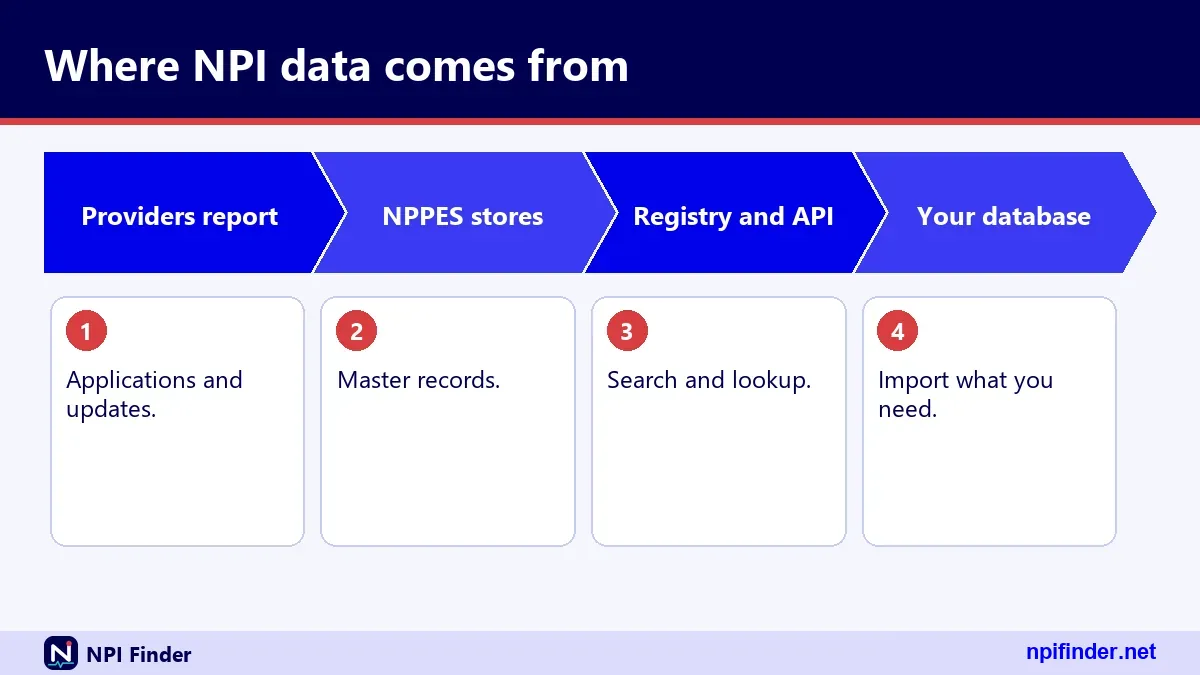
The national provider identifier database is maintained by CMS, the federal agency that runs Medicare and Medicaid. It is the only complete source. Every other site you find is a copy, a subset or a repackaged view of what CMS publishes.
National NPI database and national provider database mean the same thing
People type "national NPI database," "national provider database" and "national provider data base" into search boxes. They all point to the same thing: the NPPES registry. There is no second federal provider database holding different NPI data. Medicare enrollment data is separate, and we cover it below.
Healthcare provider database and physician NPI database searches
A "healthcare provider database" or "physician NPI database" search usually wants a list, not one record. The registry covers all types of providers, not just physicians. Filter by taxonomy to narrow to doctors, nurses or suppliers. Our NPI Lookup by Specialty page shows how.
NPPES database versus the NPI Registry
The NPPES database is the back-end system, and the NPI Registry is the public search window onto it. NPPES stands for National Plan and Provider Enumeration System. CMS uses it to assign NPIs and store them. The registry reads from that data and shows you the public parts.
What the NPPES database stores
NPPES stores every enumerated provider and the details submitted on the application. That includes data the public never sees. Social Security numbers, ITINs and dates of birth are not made available on the internet, according to the CMS-10114 form. Read the NPPES Explained page for the full system picture.
What the registry shows
The registry shows the public fields only, and CMS describes it as a query-only database that is updated daily. You search it on a web page or through an API. It does not let you download everything at once. For that, you need the dissemination file.
Three ways to get NPI data: file, API or third-party site
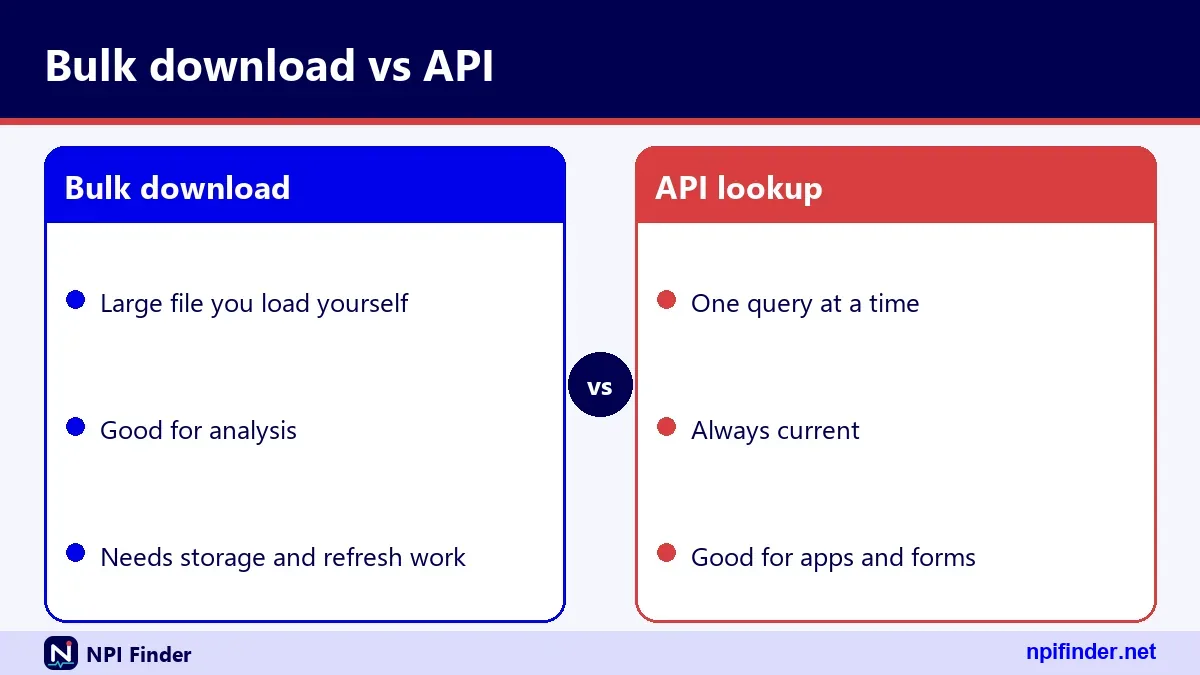
You have three routes to NPI data: the full dissemination file, the NPI Registry API, or a third-party site. The file wins for bulk work. The API wins for looking up one provider inside your own software. Third-party sites win only on convenience, and they carry the most risk of stale data.
| Route | Best for | Cost | Main limit |
|---|---|---|---|
| Dissemination file (download.cms.gov) | Bulk analysis, whole-registry joins | No charge | Very large; no CMS help desk |
| NPI Registry API | One provider at a time, small batches | No charge | Hourly query limits; 200 records per call |
| NLM Clinical Tables API | Type-ahead search in a browser app | Free | Total capped at 10,000 |
| Third-party sites | Quick manual look-ups | Varies | Refresh schedule unknown |
So, the dissemination file is the best route for bulk NPI work because CMS says bulk queries must use the file and the API has hourly query limits.
The rest of this page works through each route in turn.
NPI profile: reading one provider's record
An NPI profile is the complete public record for a single NPI, as returned by the registry. You see it on the search results page, and the API returns the same data as JSON. Learning the layout once lets you read any record in about a minute.
The basic block
The basic block holds names, credential, sex, sole proprietor, status and three dates. Status "A" means active. Enumeration date shows when the NPI was first issued. Certification date and last updated date show when the provider last confirmed or changed the record.
Addresses and practice locations
Each address has an address purpose, either LOCATION or MAILING, plus an address type of DOM, FGN or MIL. Domestic ZIP+4 codes are stored without a hyphen, so 208171841 means 20817-1841. Names and street lines are upper case.
Taxonomies and licenses
A provider can list up to 15 taxonomies. Exactly one is marked primary. The license number and state travel with each taxonomy. A sample record we checked listed four taxonomies across three states, with a hospitalist code marked primary.
Identifiers, other names and endpoints
The identifiers list holds other IDs a provider chose to report, up to 50. The other_names list holds former names or "doing business as" names. The endpoints list holds electronic exchange addresses. Many records leave all three empty, which is normal.
NPI profile lookup on the registry search page
The fastest NPI profile lookup is the registry's own search page at npiregistry.cms.hhs.gov. Pick the provider type, enter a name or number, add a state, and press search. Results list name, NPI, type, primary taxonomy and location. Click a row for the full profile.
Search by NPI number
Enter exactly 10 digits. Anything shorter or longer is rejected. If you do not know the number, our Find My NPI Number page walks through finding it by name.
Search by name and state
Use last name plus state for individuals. The registry wants an exact name unless you add a trailing wildcard after at least two characters. A bare state is never enough on its own.
Search by organization
For hospitals, clinics and groups, choose the organization type and enter the legal or "doing business as" name. Organization searches return the authorized official too, which helps you separate similar names.
HIPAASpace and NPI lookups: what third-party sites do
HIPAASpace is a third-party website, not a CMS site, and it is the most searched name in this topic. Sites like it present public NPI Registry data in their own layout. I have not verified how often any such site refreshes its copy, so treat the date on the page as the thing to check.
HIPAASpace NPI lookup
A "hipaaspace npi lookup" search leads to a page where you type a name or number. The convenience is real. The risk is that the copy may lag behind the registry. Confirm anything that affects a claim against the official registry.
Hippa space and hipaspace are spelling variants
"Hippa space" and "hipaspace" are common misspellings of HIPAA and HIPAASpace. HIPAA is the law behind the NPI. The NPI standard comes from the HIPAA Administrative Simplification rules, 45 CFR Part 162, Subpart D. Misspelled searches still land on the same third-party site.
HIPAASpace NDC lookup is a different code set
A "hipaaspace ndc lookup" search is about drug codes, not provider IDs. NDC data does not live in NPPES. Do not look for medication codes in an NPI file.
NPIDB and npidb.org: another third-party mirror
NPIDB is a third-party site, written "npidb.org" or "npidb org," that lets you search NPI records. It is not operated by CMS. Treat it the way you treat any copy: useful for a quick look, but the registry is the source of record.
npidb org npi lookup and npi db lookup
Searches such as "npi db," "npidb database" and "npidb org npi lookup" all describe a name search on that kind of site. The same caution applies. If a number matters for billing, confirm it in the registry.
npidb api and unofficial APIs
The official programmatic route is the NPI Registry API. An "npidb api" search leads to unofficial services. I could not verify their terms, limits or refresh timing. If your software depends on a feed, use the CMS API or the downloadable file.
npiprofile.com and the NPI Profile name
The npiprofile.com name belongs to a third-party site that shows NPI records as profile pages. "NPI profile" the phrase also simply means a provider's record. So a search for "npiprofile" or "npi profile.com" can mean either. The site is not CMS, and I have not verified its update schedule.

npiprofile com, npi profile.com and number lookup sites
Variants such as "npiprofile com," "npi profile.com," "number-lookup.org," "npinumberlookup.org" and "npir.org" all point to third-party look-up pages. Check the domain carefully before you type anything sensitive. None of them is the NPPES application site.
Name-based searches for a specific person
Some people search a full name plus "npi profile," often a name copied from a claim or a referral. That is a name search. Run it in the registry with the last name and state. Public records can list several people with the same name, so confirm the practice address and specialty before you rely on a match.
npilookup.com, npi lookup.org and lookalike addresses
Lookalike addresses such as "npilookup.com," "npi lookup.org," "npi-lookup.org," "www.npi lookup" and "npi#lookup.org" are different sites with similar names. Only the CMS addresses listed on this page are official. This site, NPI Finder at npifinder.net, is an independent guide and not a government service.
Check the domain before you search
Official CMS hosts end in cms.hhs.gov or cms.gov. If a site asks for payment to issue an NPI, it is not CMS. CMS lists no fee to get an NPI, use the registry or download the files.
Typos in the address bar
People also type "cms.gove," "www.npi registry" or "www nppes npi registry." These typos can land on parked pages. Type the real address or use a bookmark. We list the right addresses in the official sources section later.
NPI registry API: the base address and the version rule
The NPI registry API is a free JSON service from CMS that returns the same public records as the search page. It lives under the npiregistry.cms.hhs.gov host, at the path /api/. Every call must carry a version parameter set to 2.1. Anything else fails.
Base address and a first call
The documented base is the registry host plus /api/. A call such as version=2.1 with city=baltimore returns up to 10 matching records. Add pretty=on to get indented, readable output while you test.
Version must be 2.1
In testing, a missing version, version 2.0 and version 3.0 all returned error 17, "Unsupported Version." Hard-code 2.1 in your scripts. Check the API help page now and then in case CMS changes it.
Errors still return HTTP 200
The API answers with HTTP 200 even when your request is wrong. The error sits in the JSON body under an Errors key. So test the body, not just the status code, or your code will treat failures as empty results.
NPI API, NPPES API and NPI lookup API are one service
"NPI API," "NPPES API," "npi lookup api," "npi number lookup api" and "npi registry lookup api" all describe the same CMS registry API. There is no separate paid CMS version. The service is public, and CMS lists no charge to use it. Third-party "npidb api" products are different services.
API for clinicians and billing tools
If you build a tool for clinicians or billers, call the registry API from your own server. Browser scripts on another website cannot call it directly, because no cross-origin header came back in our tests. A small server-side proxy solves that.
When the NPI lookup API is down
A failing "npi lookup api is down" search usually means a blocked call or a rate limit, not an outage. Read the problems section further down before you assume CMS is offline.
API search parameters at a glance
The registry API accepts more than a dozen search parameters, and some cannot be used alone. The table below follows the CMS help text.
| Parameter | What it does | Rule |
|---|---|---|
| number | Exact NPI | Exactly 10 digits |
| enumeration_type | NPI-1 or NPI-2 | Needs other criteria |
| first_name, last_name | Individual names | Exact, or trailing * after 2 characters |
| organization_name | Organization name | Exact, or trailing * after 2 characters |
| taxonomy_description | Specialty text | Exact, or trailing * after 2 characters |
| address_purpose | LOCATION, MAILING, PRIMARY or SECONDARY | Needs other criteria |
| city, state, postal_code | Place filters | State needs other criteria |
| country_code | Two letters | If US, needs other criteria |
| limit, skip | Paging | Default 10; max 200 and 1000 |
Individual and organization parameters
Use first_name and last_name for type 1 searches. Use organization_name for type 2. The use_first_name_alias flag, True by default, lets a search for "Bill" also find "William." Set name_purpose to AO or PROVIDER to search authorized officials or the provider names.
Location parameters
A 5-digit postal_code also returns matching 9-digit ZIP+4 records. State is two letters, and a state alone returned error 07 in testing. Pair it with a last name, city or taxonomy.
Parameters the API ignores
Unknown parameters are silently ignored. A call with number plus foo=bar still returned the record. That is handy, but it hides typos. If a filter seems to do nothing, check the spelling of the parameter name first.
Wildcards and exact matching in API searches
Wildcards in the registry API work only at the end of a value, and only after two characters. So smi* is valid and s* is not. Without an asterisk, the search is an exact match. That surprises many first-time users.

The trailing asterisk rule
Applies to first_name, last_name, organization_name, taxonomy_description, city and postal_code. A leading wildcard is not supported.
The two-character minimum
Using last_name=s* returned error 03, "Wildcards require at least two leading characters." Use sm* instead.
Exact names return nothing when misspelled
last_name=sm with no asterisk is an exact match and returned zero results. Zero results does not mean the person is absent. Try a wildcard or the alias flag before you give up.
limit, skip and how deep a search can go
The documented limit is 200 records per call, with a default of 10, and the documented skip maximum is 1000. In plain terms, you can page through roughly the first 1,200 records of any search. Narrow the search if you need more.
What limit does
CMS documents "default = 10, max = 200." In our testing, a limit of 201 was silently capped at 200 rather than rejected.
What skip does
Skip drops the first N results. A negative value returned error 12, "Skip field must be numeric." Our tests did not reject skip values over 1000, but the documentation does not promise they work. Do not build on that.
The web page ceiling
The registry web page says it limits searches to the first 2100 results. That figure applies to the web search, not to the API. Do not mix the two numbers in your planning.
API error messages and what they mean
API errors come back as a list with a description, a field and a number. The most common ones are below. CMS does not publish a full table, so this list covers only the errors we observed on a live test.
| Error | Message | Usual cause |
|---|---|---|
| 03 | Wildcards require at least two leading characters | s* instead of sm* |
| 04 | No valid search criteria provided | Only version supplied |
| 05 | Field contains special character(s) or wrong number of characters | Bad character, or NPI-3 type |
| 06 | NPI must be 10 digits | Short or long number |
| 07 | Field state requires additional search criteria | State used alone |
| 10 | Address_purpose requires additional search criteria | Used alone |
| 12 | Skip field must be numeric | Negative or text skip |
| 17 | Unsupported Version | Version other than 2.1 |
A well-formed number that finds nothing
A 10-digit number that fails the check-digit test returns zero results, not a special error. Run it through our NPI Number Validator first to separate typos from unassigned numbers.
NPI data fields returned by the API
NPI data from the API arrives as one JSON object per provider, with a fixed set of top-level keys. Knowing them saves you from writing fragile parsers. The result wrapper holds a result_count and a results array.
Top-level keys in each result
Each result carries number, enumeration_type, created_epoch, last_updated_epoch, basic, addresses, practiceLocations, taxonomies, identifiers, other_names and endpoints. The two epoch values are strings of milliseconds since 1970, not dates.
A worked sample record
A sample individual record we pulled had NPI-1 type, status "A," an enumeration date in 2007 and four taxonomies. It listed two addresses and three secondary practice locations. Its identifiers, other names and endpoints were empty arrays. Empty is normal, not an error.
Fields for organizations
Organization records swap in organization_name and organizational_subpart. They also add the authorized official's name, title and phone number. Some also show a "doing business as" name under other_names.
The NLM Clinical Tables NPI individual API
The NLM Clinical Tables NPI individual API is a free National Library of Medicine service that searches NPI records for individuals. Its address uses npi_idv and version v3. It is built for type-ahead boxes, which is why many people search "clinicaltables npi individual api v3."
How terms and paging work
A required terms parameter holds your search words. Multiple terms are combined with AND, and partial words match. Count sets the page size, defaulting to 7 with a maximum of 500. Offset plus count may not exceed 7,500, and the reported total is capped at 10,000.
What the response array holds
The response is a JSON array, not an object. Position one is the total count, then the codes, then extra fields, then display rows. The default display row shows name, NPI, provider type and practice address.
Why a browser app can use it
NLM's live response carried an open cross-origin header, so browser JavaScript can call it directly. The CMS API did not. For organizations there is a parallel npi_org endpoint, which we saw working, though we did not verify its field list.
A field path that returned null
Asking for ef=licenses.taxonomy.code returned null for our sample NPI. Test every field path on a real record before you depend on it.
https npiregistry cms hhs gov: the official search site
The registry search site is the npiregistry host under cms.hhs.gov, and it is the official public search page for NPIs. Typing it with https in front is correct. The root page opens the search form. The /api-page path holds the API help text.
https npiregistry cms hhs gov search and www npi registry
Searches such as "https npiregistry cms hhs gov search," "www npi registry," "www.npiregistry" and "npi registry.cms.hhs.govpi" are people trying to reach this page. Some are typos. If a link ends in an odd suffix, retype the clean address.
npiregistry.cms.hhs.gov api: where the help page is
The API help text is the same app as the search page. A search for "npiregistry.cms.hhs.gov/api" or "npiregistry.cms.hhs.gov api" should send you to the documentation, then to the live /api/ base.
Why the page is a JavaScript app
The search page is a single-page JavaScript app. That is why some tools cannot read its text. It is not broken. The API underneath is plain JSON.
https nppes cms hhs gov: the application and login site
The nppes host under cms.hhs.gov is the official NPPES application and login site, where providers get, update and deactivate NPIs. It is not the search page. People often confuse the two. Searching happens at the registry host. Changing a record happens here, after you sign in.
What you do on the NPPES site
You apply for an NPI, update your record, and manage NPIs there. Our Apply for an NPI and Update or Deactivate an NPI pages cover those tasks step by step.
The I&A account behind the login
NPPES uses the Identity & Access (I&A) system, one account for NPPES, PECOS, PEPPER and CBR. Multi-factor authentication has been required since 04/21/2022. If login fails, start with NPPES Login Help.
Where the help desk fits
Account trouble goes to the External User Services help desk at 1-866-484-8049. That desk handles login and I&A problems. It does not support the downloadable data file.
https nppes cms hhs gov nppes: the same site with a longer path
The longer form with a trailing "nppes" path, and variants like "welcome do," point to the same NPPES application site. Older bookmarks and search results use these paths. If one fails, go back to the host's root page and navigate from there.
The welcome path
A search for "https nppes cms hhs gov nppes welcome do" is an old-style page path. The site is now a single-page app, so deep links change. Use the root address.
The IAWeb path
A path containing "iaweb" belongs to the I&A side of the site. CMS hosts I&A documents there, including the FAQ and quick reference guides. Those are the documents we used for the login facts on this page.
The nppes.cms.hhs.gov address with https and www
The correct address is the nppes host under cms.hhs.gov, typed with https and no "www." People also try "www.nppes.cms.hhs.gov," "nppes hhs.gov" and "https nppes cms hhs gov." The plain host is the one CMS lists. Extra prefixes may fail to load.
Why the www version fails
I did not verify that the www form resolves. If it fails, drop the www. A bad address is more likely a typo than a CMS outage.
Bookmark the right host
Save the NPPES host and the registry host as separate bookmarks. One is for changing data. The other is for reading it. Keeping them apart prevents most of the confusion.
https//:nppes.cms.hhs.gov and other mistyped addresses
The string "https//:nppes.cms.hhs.gov" is a typo with the colon and slashes swapped, and browsers will not open it as typed. The intended address is the NPPES host with a normal https prefix. The same goes for "https//nppes.cms.hhs.gov," which drops the colon.
How to spot a broken link
Look for a colon after https, followed by two slashes. If the order is wrong, retype it. Pasting a link from a PDF or an email often scrambles the punctuation.
Wrong domain endings
"cms.gove" ends in an extra letter. The federal domain is cms.gov. A typo domain can land on a parked page. Never enter an NPPES password on a site you reached from a mistyped address.
data.cms.gov npi: Medicare enrollment and provider datasets
The data.cms.gov site is CMS's open data portal, and it holds Medicare enrollment datasets that you can link to NPIs. It is separate from the NPI Registry. It holds Medicare program data, not the full NPPES registry. Our PECOS Lookup & Revalidation page covers the enrollment side.

Order and referring CMS data
The Order and Referring dataset lists physicians and non-physician practitioners, by NPI, who are legally eligible to order and refer in Medicare. It is drawn from PECOS. I could not open the portal's pages automatically, so I did not verify its update schedule or field list.
Revalidation due dates
CMS says its revalidation due date list is at data.cms.gov/revalidation, and that CMS posts due dates seven months ahead. Providers revalidate every five years, and DMEPOS suppliers every three.
data cms gov provider and cms.hhs.gov searches
Searches like "data cms gov provider," "data.cms.gov provider" and "cms.hhs.gov" are looking for provider data. For clinician listings, see our Find a Medicare Provider page. For NPI facts, use the registry.
How to download the NPI download file from CMS
The NPI download file is the NPPES Data Dissemination file on download.cms.gov, and it is free. Follow these steps to get it safely.
- Open the NPPES Data Dissemination page at download.cms.gov/nppes/NPI_Files.html in your browser.
- Find the current monthly full replacement file. The November 2026 listing was a V2 zip of about 1,079 MB.
- Download the zip to a drive with plenty of free space. The unzipped data is far larger than the zip.
- Unzip it with a current tool that handles files over 4 GB.
- Read any documentation that ships with the file before you open the main data file.
Tip: Download the weekly update too if you need records newer than the monthly file. Both are on the same page.
Pick V2 files only
Version 1 monthly and weekly files have not been supported since 03/03/2026. Always choose V2.
Expect no technical support
CMS states that there is no help desk or technical support for using the file. Plan to read the documentation yourself.
Monthly, weekly and deactivation files compared
CMS publishes three types of dissemination files: a monthly full replacement, a weekly incremental update and a monthly deactivation report. The table shows the November 2026 examples listed on the page.
| File | What it contains | Listed example size |
|---|---|---|
| Monthly full replacement | The full NPPES data set, replacing the prior full file | 1,079.11 MB (zip) |
| Weekly incremental update | Changes since the prior week | 6.19 MB (zip) |
| Monthly deactivation report | Deactivated NPIs, with deactivation dates only | 2,630 KB (zip) |
How to combine them
A sensible order is the monthly file first, then each weekly update in date order, then the latest deactivation report. CMS does not prescribe this routine, so test it on a sample. Keep the file dates in your own log so you always know how current your copy is.
What deactivated records disclose
For deactivated NPIs, CMS discloses only the NPI and the deactivation date. Nothing else is published, so do not expect a name or address.
Opening an NPI file larger than 4 GB
The unzipped NPI data file is larger than 4 GB, so ordinary spreadsheet programs may fail or cut it off. CMS warns that older extraction tools can fail too. Use a database, a scripting language or a command-line tool that streams the file instead.
Why Excel struggles
A desktop spreadsheet has a row limit and a memory limit. A file with millions of records can exceed both. If you need Excel, filter the data first in another tool and export only the rows you want.
Extra reference files in the zip
Since June 18, 2018, the zip also contains three reference files: Other Name, Practice Location and Endpoint. They mirror the other_names, practiceLocations and endpoints lists you see in the API.
How to load the NPI file into SQL, Python or R
Load the file in pieces, keep only the columns you need, and index the NPI column. Do not try to read the whole file into memory at once. CMS warns that the unzipped data is larger than 4 GB, so a streaming reader is the safe choice.
- Read the header row first and list the columns. Match them to the readme that CMS ships with the zip.
- Read the file in chunks of a few hundred thousand rows. Pandas, R's data.table and database bulk loaders all support this.
- Drop the columns you do not need before you store anything.
- Load the rows into a database table and add an index on the NPI column.
Warning: Load a V2 file with a V2 layout. CMS dropped Version 1 support on 03/03/2026, so older scripts may need new column mappings. For Excel limits, see the section above, and test your loader on a validated NPI first.
Build an NPI API query in six steps
You can build a working API query by hand with a browser and nothing else. Here is the order that avoids the common errors.
- Start with the base: the registry host, then /api/, then ?version=2.1.
- Add one strong filter, such as last_name=smith* plus state=VA.
- Add enumeration_type=NPI-1 for people, or NPI-2 for organizations, if you want to narrow results.
- Add limit=50 to see more than 10 records per call.
- Add pretty=on while you test, so the JSON is readable.
- Open the link in a browser. Check for an Errors key before you read the results.
Warning: Never put a state alone in the query. Without a second criterion, the API returns error 07.
Query for one NPI
For a single provider, add number= followed by the 10 digits. That returns zero or one record.
Query for a city and specialty
Use city, state and taxonomy_description with an exact specialty. The NPI Lookup by State page gives practical examples.
NPI lookup to Excel or CSV in five steps
You can get NPI lookups into Excel or CSV by running the query, then converting the JSON to rows. The API returns JSON only, not CSV. So you need a small conversion step.
- Run the API query with limit=200 for the largest page.
- Save the JSON response as a text file.
- Use a JSON-to-table tool, or Excel's Power Query, to flatten the results array.
- Expand
basicand the first entries ofaddressesandtaxonomiesinto columns. - Save as CSV or XLSX.
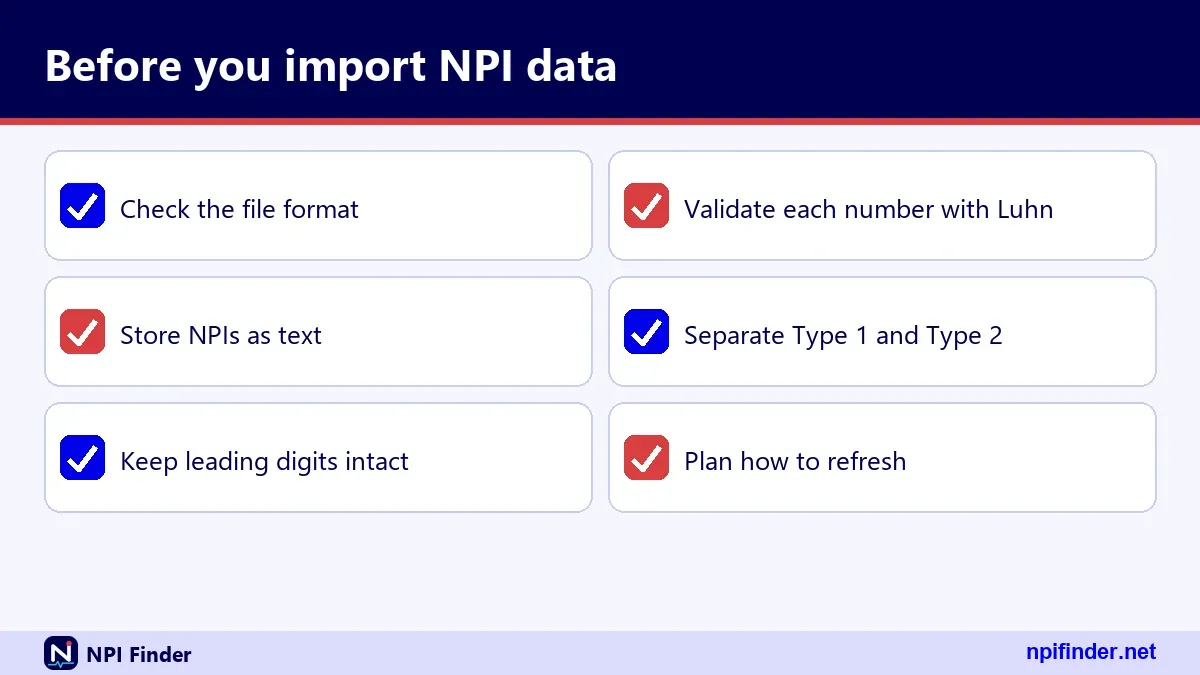
Tip: Keep the NPI as text. A spreadsheet may drop leading zeros or turn long digit strings into scientific notation.
Indiana, Virginia and other state lists
Searches such as "npi lookup indiana excel csv" or "npi lookup database virginia" want a state slice. The API returns about 1,200 records at most per search, so a full state needs the dissemination file filtered by state.
Lists of NPI numbers
A "list of npi numbers" is just the full file with the number column. There is no separate list product from CMS.
Bulk NPI lookup: why the file beats the API
CMS states that bulk registry queries must use the dissemination file. A notice effective 6/25/2024 says NPPES limited the number of registry queries allowed per hour. The numeric limit is not published.
Large lists and hourly limits
If you have a spreadsheet of 50,000 NPIs to check, do not loop an API call 50,000 times. Download the file, load it into a database, and join your list on the number.
When the API still wins
For a few lookups inside a live form, the API is the right tool. It returns current data and needs no storage on your side.
Individual and organization records behave differently
Individual (Type 1) and organization (Type 2) records share a layout but carry different fields. An individual gets one NPI for life. An organization can hold several. Knowing which type you are reading changes how you filter, join and count.
Individuals and sole proprietors
Type 1 covers physicians, nurse practitioners and sole proprietors. The sole_proprietor flag reads YES or NO. A sole proprietorship is still an individual entity. For background on both types, see What Is an NPI Number?.
Organizations and subparts
Type 2 covers hospitals, nursing homes and groups. The organizational_subpart flag marks a unit that has its own NPI under a parent. If you count organizations, decide whether to include subparts first.
Incorporated individuals
An incorporated clinician can hold a Type 1 NPI personally and a Type 2 NPI for the corporation or LLC. Two records for one person's practice is normal.
Deactivated and reactivated NPIs in the data
A deactivated NPI stays in the NPPES history but is never reassigned to another provider. In the public downloads, CMS discloses only the NPI and the deactivation date for deactivated records. So an NPI missing from the full file may be deactivated, not mistyped.
Fields that mark a status change
The field map lists replacement_npi, deactivation_reason_code, deactivation_date and reactivation_date inside basic when present. Check them before you treat a missing provider as an error.
Matching against the deactivation report
Join your list to the monthly deactivation report by NPI. Any hit means stop and review. Our Update or Deactivate an NPI page explains how deactivation works from the provider side.
Providers with several locations and taxonomies
One provider can have many addresses and classification codes, so a single row per NPI is a simplification. The API nests them as lists. The download splits some of them into separate reference files.
The primary taxonomy
Only one taxonomy is flagged primary. When you need a single specialty per provider, take that one. In a sample record we saw, three Internal Medicine entries were non-primary and a Hospitalist entry was primary.
One license per state
Each taxonomy entry can carry its own license number and state. The same code can appear several times with different licenses, as it did in our sample. Deduplicate by code if you only want specialties.
Mailing address versus practice location
Location and mailing addresses can differ. Use location addresses for mapping and call routing. Use mailing addresses for correspondence. Secondary sites live in the practice locations list.
RN database lookup and nurse searches
There is no separate RN database inside the NPI Registry, and an "rn database lookup" there is just a name search. Nurse licenses are issued by state boards, and an NPI does not verify licensure. NPPES shows a license number and state only if the provider reported them.

rn database search for billing nurses
Registered nurses who bill electronically as covered providers must have an NPI. Search the registry by last name and state, then check the taxonomy and license state.
Nurse practitioners and other advanced roles
Nurse practitioners have their own taxonomy codes, such as 363L00000X. Use the Taxonomy Code Lookup page to pick the right code for a filtered search.
HME data and NPI lookup for suppliers
Home medical equipment suppliers are usually organization records, and searches like "hme data npi lookup" and "npi lookup hme database" are name searches. The NUCC taxonomy has a code for durable medical equipment and medical supplies, 332B00000X, which you can use to filter.
hme data npi search by name or taxonomy
Search by organization name, or filter by that taxonomy and a state. Expect many matches. Add city to cut them down.
Medicare enrollment is separate
DMEPOS suppliers enroll through their own contractors and revalidate every three years. An NPI alone does not mean a supplier is enrolled. Check enrollment on our PECOS Lookup & Revalidation page.
Foreign, military and territory addresses
Registry addresses carry an address type of DOM, FGN or MIL, plus a country code. Use these to separate domestic, foreign and military locations. Country_code accepts exactly two letters. A search by country_code=CA alone worked in testing, while US requires other criteria.
Why this matters for mapping
A foreign address will break a US-only ZIP validator. Filter on country_code before you validate postal codes.
ZIP codes without hyphens
Nine-digit ZIP codes are stored without a hyphen. Insert it yourself when you need display formatting.
Claims lookups and QPP participation lookups
Internal claims provider lookups and QPP participation lookups are different tools from the NPI Registry. A claims lookup is a tool someone else built around their own data. A QPP participation lookup checks Quality Payment Program status. Both may ask for an NPI, but neither is the registry.
Claims NPI lookup pages on a private network
If your employer gives you a claims provider lookup address, it is a private tool. I cannot describe it. Ask your system administrator how it sources its data.
QPP participation lookups
CMS publishes Quality Payment Program performance information on Care Compare. For clinician listings, see Find a Medicare Provider.
Hippa space and hipaaspace compared with the official registry
HIPAASpace and the official registry differ in who runs them, how fresh they are, and what you can prove from them. The registry is run by CMS and updated daily. A third-party copy's schedule is unknown to me.
| Question | Official registry | Third-party site |
|---|---|---|
| Who operates it | CMS | A private company or individual |
| Refresh schedule | Updated daily | Not verified |
| Cost | No charge | Varies |
| Fit for claim proof | Yes, it is the source | Confirm in the registry |
So, the official registry is the best source for claim proof because CMS runs it, updates it daily, and it is the source of record.
NPI database search: which method for which job
The right method depends on volume and freshness. Here is a quick map.
| Job | Best method | Why |
|---|---|---|
| Check one NPI today | Registry search page | Current and free |
| Check a few NPIs in software | Registry API | Returns JSON |
| Type-ahead box in a web app | NLM Clinical Tables API | Allows browser calls |
| Check tens of thousands | Dissemination file | Bulk use is meant for the file |
| Map providers in a state | File, filtered by state | API caps results |
So, the registry search page is the best method for checking one NPI today because it is current and free.
NPI database lookup, NPI lookup database and search NPI database
These phrases all describe the same task: find records by name, number or place. They are interchangeable. What differs is the tool behind the box.
NPI data search and NPI data lookup
If you want facts about a group of providers, such as how many are in a city, start from the file. If you want facts about one provider, use the registry.
NLM Clinical Tables API versus the CMS registry API
Choose the NLM API for browser apps and fast type-ahead, and the CMS API for the most complete official record. NLM draws on CMS NPI records and the NUCC taxonomy, offers its data as is and free, and sends an open cross-origin header. The CMS API returns the fuller record and, in our tests, did not allow browser calls from other sites.
Update timing
NLM's documentation does not state a data version date. So for anything time-sensitive, confirm against the registry.
The NPI lookup API is down or returns nothing
When the API seems down, the cause is usually your request or a rate limit, not an outage. Work through the checks below before you blame CMS.
Check the version and the body
Confirm version=2.1. Then read the body for an Errors key, since failures still return HTTP 200.
Check for hourly limits
CMS limits the number of registry queries per hour, and the limit is not published. If many calls suddenly fail, slow down or switch to the file.
Check the criteria
A state-only or wildcard-only query fails by design. Add a second criterion or a longer wildcard prefix.
NPPES database accuracy: why records go stale
NPPES records are only as accurate as the last update by the provider. Covered providers must report changes within 30 days, but nothing verifies that they did. An NPI also does not prove a provider is licensed or credentialed.
Common causes of stale data
Practice moves, name changes and retired providers who never deactivate are the usual causes. Mailing addresses can lag too.
What to do about a wrong record
If it is your own record, fix it through NPPES, and see NPPES Login Help if you are locked out. If it is someone else's, only that provider can change it.
Duplicate names and confusing search results
Common names return many records, and one person can appear under a former name. Narrow by state, city and taxonomy. Check the other_names list for former names and "doing business as" names. Confirm with the practice address and phone number, not the name alone.
Same name, different people
Two providers can share a name and a state. Compare taxonomy, license number and address before you pick a record.
Hitting the result ceiling
If a search maxes out, add more filters. Wide searches silently stop at the limit.
Download failures and files that will not open
Most download failures come from disk space, old extraction software or the wrong file version. The zip is about 1 GB, but the data inside exceeds 4 GB. Free up space first. Then use a current extraction tool.

Wrong version
If the layout looks wrong, check that you grabbed a V2 file. V1 files are no longer supported.
Corrupt download
Re-download the zip. If it fails again, try another network. CMS provides no help desk for the file, so keep a note of the file name and date.
HIPAA, FOIA and what the registry makes public
The registry is public because federal law requires CMS to disclose NPPES data under the Freedom of Information Act (FOIA). The NPI itself exists because of HIPAA and the NPI Final Rule published on 23 Jan 2004. The regulation is 45 CFR Part 162, Subpart D.
What you can see
Public records show the NPI, entity type, name, credential, sex for individuals, status and dates. They also show addresses, phone and fax numbers, taxonomies with license numbers and states, other names, practice locations and endpoints.
What stays out
Social Security numbers, ITINs and dates of birth are not made available on the internet. For deactivated NPIs, only the number and deactivation date appear.
NPI data costs: free from CMS, paid from wrappers
CMS lists no charge to view registry data or to download the NPI data files. So any fee you pay buys convenience, not access. Some third-party services charge for APIs or exports. Compare what they add against the free file before you pay.
Be wary of NPI-for-fee sites
The NPPES application is free and sits on the CMS host. A site that charges to issue your NPI is not CMS. See Apply for an NPI for the official route.
Official sources and addresses to trust
Five CMS addresses cover almost everything on this page. Bookmark them and ignore lookalikes.
| Address | Use it for |
|---|---|
| nppes.cms.hhs.gov | Apply, update, deactivate, sign in |
| npiregistry.cms.hhs.gov | Search the registry and read API help |
| download.cms.gov/nppes/NPI_Files.html | Download dissemination files |
| www.cms.gov (NPI standard page) | Rules, fact sheets, forms |
| data.cms.gov | Medicare datasets and revalidation lists |
The older CMS NPI page path without "regulations-and-guidance" now returns a not-found error, so update old bookmarks.
Who to contact when something breaks
Use the right desk for the right problem. The NPI Enumerator handles NPI applications and record questions at 1-800-465-3203, TTY 1-800-692-2326. The External User Services help desk handles I&A, NPPES and PECOS login issues at 1-866-484-8049. Neither desk supports the data file, because CMS provides no technical support for it. Our PECOS Login page covers the Medicare side.
Glossary of NPI database terms
These terms appear throughout NPI files and API responses.
- NPPES: the system that assigns and stores NPIs.
- NPI-1 and NPI-2: individual and organization entity types.
- Taxonomy code: a 10-character NUCC code naming a provider's classification.
- Dissemination file: the downloadable NPPES data set, also called the DDS file.
- Enumeration date: the date an NPI was first issued.
- Epoch value: a date stored as milliseconds since 1970.
- AO: authorized official of an organization.
- I&A: the identity and access system behind NPPES and PECOS logins.
- Subpart: a unit of an organization with its own NPI.
Other identifiers, such as PTAN, CCN and DEA numbers, are different things. See NPI vs Other Provider IDs.
Myths versus facts about NPI databases
Several myths cause real mistakes in billing and credentialing, so here they are side by side.
- Myth: an NPI proves a provider is licensed. Fact: CMS says an NPI does not ensure a provider is licensed or credentialed.
- Myth: the registry is always current. Fact: it is updated daily, but providers must report changes themselves within 30 days.
- Myth: third-party sites are official. Fact: HIPAASpace, NPIDB and NPI Profile are not CMS sites.
- Myth: the API can return the whole registry. Fact: it pages through about 1,200 records per search.
- Myth: a valid check digit means an assigned NPI. Fact: it only means the number is well-formed.
Check-digit validation for imported NPI lists
Before you load a list of NPIs, validate each number with the Luhn check, using the 80840 prefix. CMS defines the check digit by the Luhn formula, calculated as if the prefix 80840 is present. A failing number cannot be assigned. A passing number may still be unassigned.
A worked example
The 9-digit identifier 123456789 produces check digit 3, giving 1234567893. That number is well-formed but is not registered. The registered sample 1245319599 passes and returns a real record. Try both on our NPI Number Validator.
What validation cannot tell you
Validation cannot tell you whether the NPI is active, whose it is, or whether it was reissued. Only the registry can confirm those.
Keeping a local NPI copy current
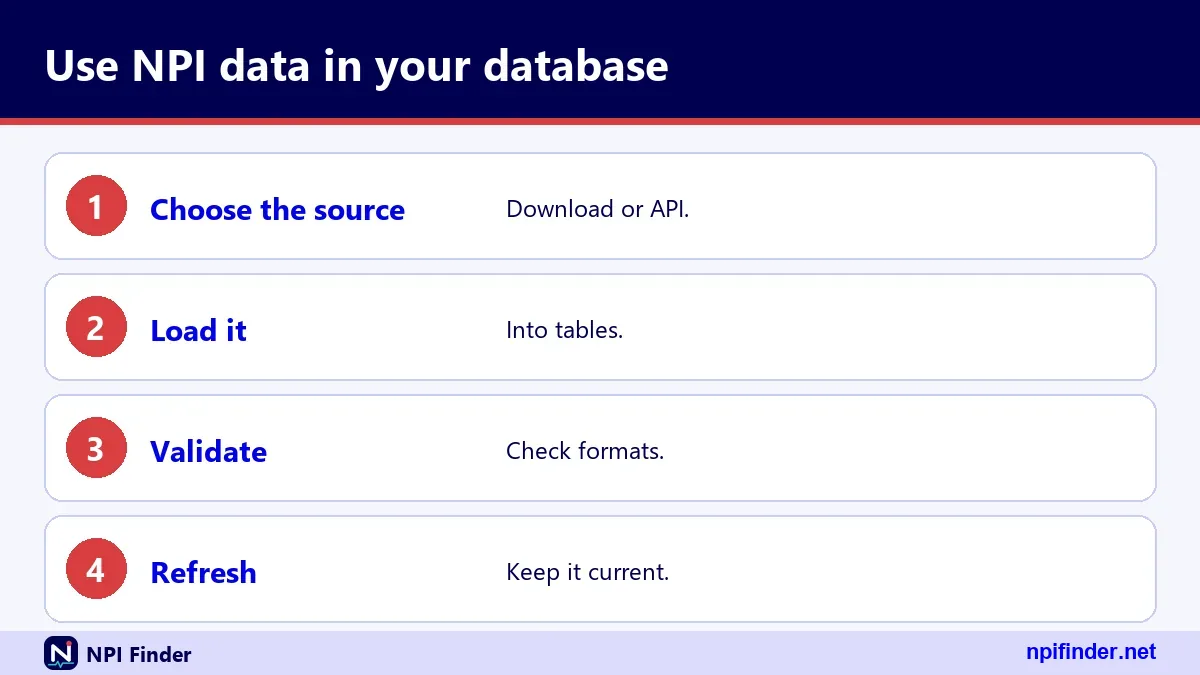
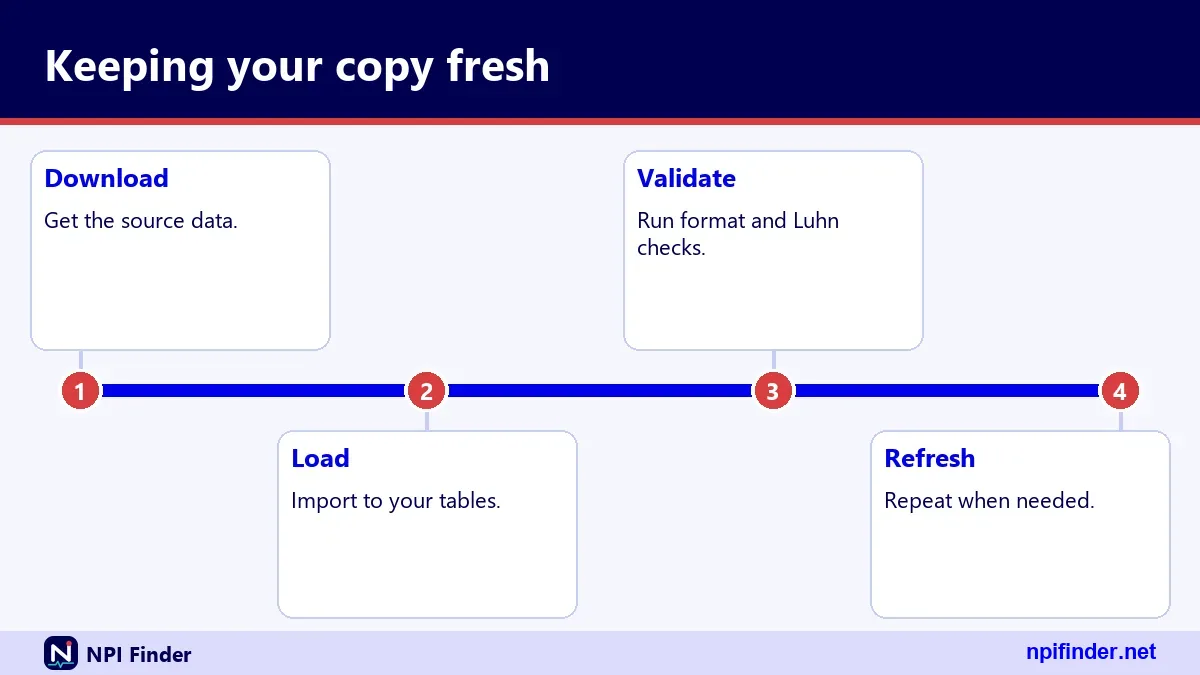
A local copy stays useful only if you refresh it on a schedule and record what you loaded. Load the monthly file, apply weekly updates, and log each file name and date. Re-run checks on deactivations.
Store the source date
Add a column with the file date to every row. Auditors and colleagues will ask how old the data is.
Re-verify before high-stakes use
Before a claim submission or credentialing decision, confirm the record in the live registry. A local copy is a working tool, not proof.
Tips for working with NPI data
These habits prevent most data mistakes.
- Use the file for bulk: CMS says bulk queries belong on the dissemination file.
- Pin version 2.1: hard-code it in every API call.
- Read the body: HTTP 200 does not mean success.
- Keep NPIs as text: protect against stripped zeros.
- Filter on primary taxonomy: one specialty per provider.
- Separate mailing from location: do not map mailing addresses.
- Log the file date: every export needs a source date.
- Check deactivations: join to the deactivation report monthly.
- Prefer official hosts: use the CMS addresses, not lookalikes.
- Validate before you load: run the check digit on imported lists.
Recommendation
Use the official registry for single lookups, the dissemination file for anything bulk, and the NLM API only for browser type-ahead boxes. Skip paid third-party wrappers unless they add something you truly need. If you only need your own number, start at Find My NPI Number. For a plain-language overview, go back to the home page.