

Medicare find a provider: start with the right database
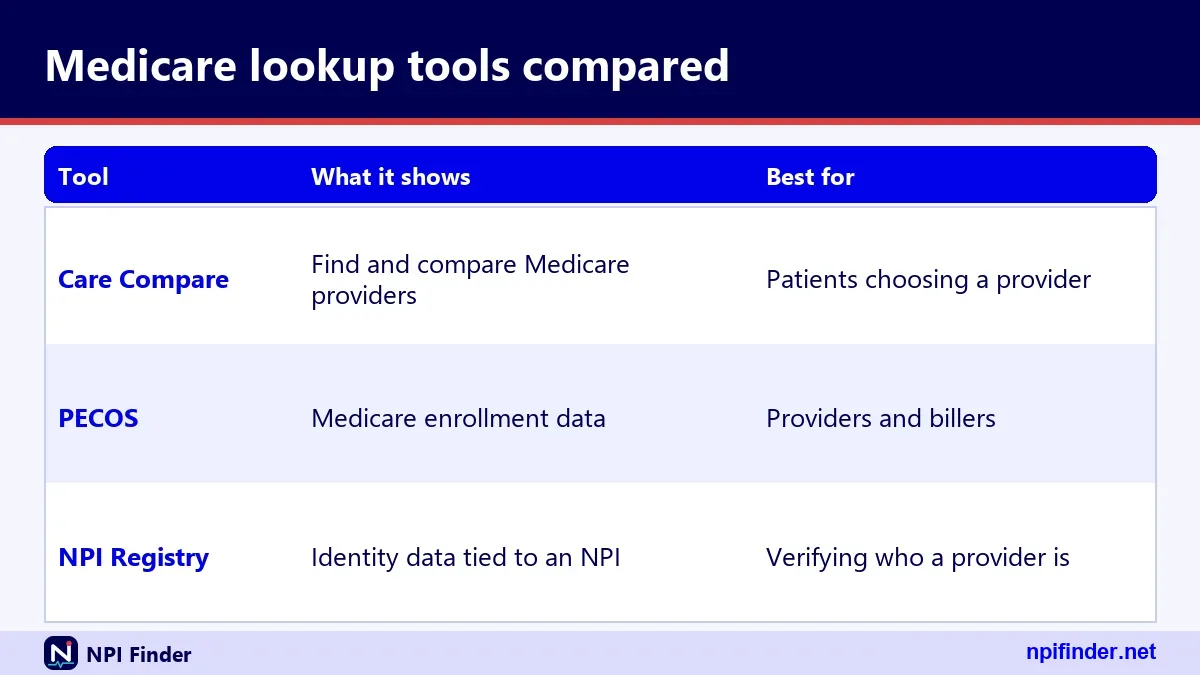
Pick the database that matches your question. Medicare Care Compare helps patients find clinicians. The NPI Registry confirms who a provider is. PECOS holds Medicare enrollment records.
Most searches fail because people open the wrong one. A patient wants a doctor. A biller wants an NPI. A credentialing coordinator wants enrollment status. Each question has its own source.
This page walks through all three. It also shows where NPI Finder fits in.
Medicare provider lookup: three databases, three jobs
A Medicare provider lookup can mean a clinician search, an identity check or an enrollment check. These are different jobs on different CMS systems.
Medicare lookup for patients
Patients want a name, an address and a phone number. Care Compare is built for that. It lists clinicians and facilities in a searchable format.
Medicare lookup for providers
Billing staff usually need a ten-digit number or a name match. The NPI Registry answers that fast. It does not answer billing questions.
Medicare lookup for researchers
Researchers want bulk data. CMS publishes downloadable files and datasets for that purpose. Scraping a search page is the slow way.
Medicare providers: who is in each directory
Medicare providers is a loose phrase. A clinician can be in the NPI Registry without being enrolled in Medicare. The reverse cannot happen, because an NPI is required for Medicare enrollment.
Care Compare draws general information mainly from PECOS. So it leans toward enrolled clinicians. The Registry covers any health care provider who applied for an NPI.
Enrolled in Medicare versus has an NPI
Having an NPI does not enroll you in a health plan. It also does not prove you are licensed or credentialed. CMS says so plainly in its NPI fact sheet.
Opted out and ordering-only clinicians
Some physicians do not bill Medicare. A few enroll only to order or certify. They may show up in some datasets and not in others.
Care Compare, PECOS and the NPI Registry side by side
This table compares the three systems on purpose, owner and typical user. Use it to choose before you search.
| Source | Main purpose | Who runs it | Best for |
|---|---|---|---|
| Medicare Care Compare | Find doctors and clinicians | CMS | Patients choosing a clinician |
| NPI Registry (NPPES) | Look up NPIs and public provider data | CMS | Billing, credentialing, research |
| PECOS | Medicare enrollment and revalidation | CMS | Providers managing enrollment |
| data.cms.gov datasets | Downloadable Medicare data | CMS | Analysts and bulk users |
Only PECOS requires a login. The other three are open to the public. See PECOS Login if you manage enrollment.
Which Medicare lookup tool answers which question
Match your question to a tool and you save time. This table covers the questions we hear most.
| Your question | Best tool |
|---|---|
| Does this doctor take Medicare? | Care Compare, then call the office |
| What is this doctor's NPI? | NPI Registry or Find My NPI Number |
| Is this NPI real and well formed? | NPI Number Validator |
| When is my revalidation due? | The CMS revalidation due date list |
| Which specialty code is this? | Taxonomy Code Lookup |
So, Care Compare is the best tool for patients who want a doctor because it lists clinicians, addresses and phone numbers in a searchable format.
Each answer sits in a different place. Never treat one source as proof for all five.
Medicare find a doctor: use Medicare Care Compare
The official way to find a doctor on Medicare is Medicare Care Compare. CMS runs it, and its Doctors and Clinicians section replaced the older Physician Compare name.
The CMS page for the program still carries "physician-compare" in its web path. That is a leftover, not a second tool.
Medicare gov find a doctor
On Medicare.gov, open Care Compare and choose the doctors and clinicians option. Then enter a location and a name or specialty. Stick to the official site. Third-party lookalikes may be out of date.
Medicare doctors directory: what Care Compare shows
CMS says the tool publishes Quality Payment Program performance information. It also shows a telehealth indicator, facility affiliations and procedure volume for 19 procedures.
Find a medicare primary care physician
Search by specialty and ZIP code, then compare. A primary care clinician listed here still needs a phone call to confirm new-patient status. Care Compare cannot promise that.
Medicare doctor search: filters and fields that help
A good Medicare doctor search narrows by location first, then specialty. Too many filters hide valid results. Start broad and cut down.
Medicare dr search by specialty
Specialty labels in Care Compare are plain English. The Registry uses NUCC taxonomy codes instead. See NPI Lookup by Specialty for that route.
Medicare physician locator by area
Location filters use city, state or ZIP. Providers can have several practice sites. Search the town you actually plan to visit.
Medicare doc find shortcuts
Save the clinician name exactly as listed. Spelling variants cause missed matches in other systems. Copy and paste when you can.
Medicare provider search: the NPI Registry route
The NPI Registry is the fastest way to confirm a provider exists and to read their public record. It is a query-only database, and CMS says it is updated daily.
Search by name, state, city, ZIP or taxonomy description. You can also search by a ten-digit number. Our hero tool on the home page calls the same data.
Medicare npi lookup by name
Enter a last name and first name, then add a state. A state alone is rejected, so pair it with another field. Common surnames return many records.
Medicare provider lookup by npi
An NPI search is exact and returns at most one record. It is the cleanest check. Use NPI Number Validator first to catch typos.
Medicare npi search with wildcards
Wildcards work at the end of a term only. You need at least two leading characters. A search such as "smi*" works. A single-letter wildcard returns an error.
NPI provider directory: what each record contains
An NPI provider directory entry is a structured record. The same shape applies to every provider, so you can compare entries easily.
NPI directory basics: number, type and status
Each record has the NPI, an entity type of NPI-1 or NPI-2, and a status. Status "A" means active. Individuals are Type 1. Organizations are Type 2.
National provider identifier directory: addresses
Records list a mailing address and a practice location. They often differ. A mailing address can be an office box or a home. Do not use it to find the clinic.
NPI number directory: taxonomy and license
Taxonomy entries carry a code, a description, a primary flag, a state and a license number. A clinician can list several taxonomies. Only one is marked primary.
Medicare provider finder: Care Compare data downloads
Care Compare data is also available as downloads through the CMS Provider Data Catalog. That is the right route for a Medicare provider finder at scale.
CMS provider directory datasets
The catalog groups files under doctors and clinicians. Download once, then filter in a spreadsheet or database. It is faster than clicking through pages.
CMS national provider directory expectations
People search for a "national provider directory" hoping for one master list. No single file covers every need. You combine the Registry, enrollment data and quality data.
Medicare provider search tool limits
Care Compare data refreshes on its own schedule. CMS says procedure volume uses 12 months of claims with a three-month processing lag. Expect some delay.
Medicare provider list: the Order and Referring dataset
The CMS Order and Referring dataset is the closest thing to an official Medicare provider list for ordering and certifying. It lists clinicians eligible to order and refer in Medicare, drawn from PECOS.
Medicare ordering and referring provider list
The dataset is keyed by NPI, so you search by number. If an ordering clinician is missing, ask that clinician to confirm their enrollment status in PECOS.
Medicare approved providers: what that means here
CMS does not hand out a general "approved" stamp. Enrollment status is the real test. This dataset reflects one specific enrollment permission.
Check the dataset snapshot date
The dataset has dated snapshots and a data dictionary. Always note which snapshot you used. A clinician who enrolled last week may not appear yet.
Medicare revalidation lookup: find your due date
For a Medicare revalidation lookup, CMS publishes a due date list. CMS says providers and suppliers revalidate every five years. DMEPOS suppliers revalidate every three years.
Medicare revalidation lookup tool steps
CMS posts due dates seven months in advance. Search the list by NPI or name. Then act within the window. The full walkthrough is on PECOS Lookup and Revalidation.
What happens after a missed deadline
CMS says there are no extensions and no exemptions. Late revalidation can lead to a payment hold and deactivation of billing privileges. Reactivation needs a new complete application.
Off-cycle revalidation requests
CMS may ask for revalidation outside the normal cycle. Watch your email and mail. Do not assume the five-year date is the only one that matters.
Medicare providers list for bulk work
If you need many records at once, skip the search box. CMS offers downloadable NPPES files. The Registry itself says bulk queries must use the downloadable file.
NPPES data files for a providers list
CMS lists a monthly full replacement file, a monthly deactivation file and a weekly incremental file. There is no charge. See NPI Database and Download.
File size and tooling warnings
CMS notes the data file exceeds 4 GB uncompressed. Older tools may fail. CMS also states it offers no help desk support for using the file.
Why the registry limits bulk queries
CMS says it limits the number of Registry queries per hour. The numeric limit is not published. Plan bulk jobs around the downloadable file instead.
Practitioner health public directory official name
Searchers who type practitioner health public directory official name usually want one thing: the officially registered name of a clinician. The NPI Registry is the public source for that.
Legal name versus other names
The record shows the name as submitted to NPPES. An "other names" section can hold a former name or a doing-business-as name. Check both.
Credentials and sex fields
Records include a credential such as M.D. and a sex field for individuals. Names and addresses appear in upper case. That is normal formatting.
Why a name might not match your records
Marriage, typos and old applications cause mismatches. A provider must report changes within 30 days. See Update or Deactivate an NPI if yours is wrong.
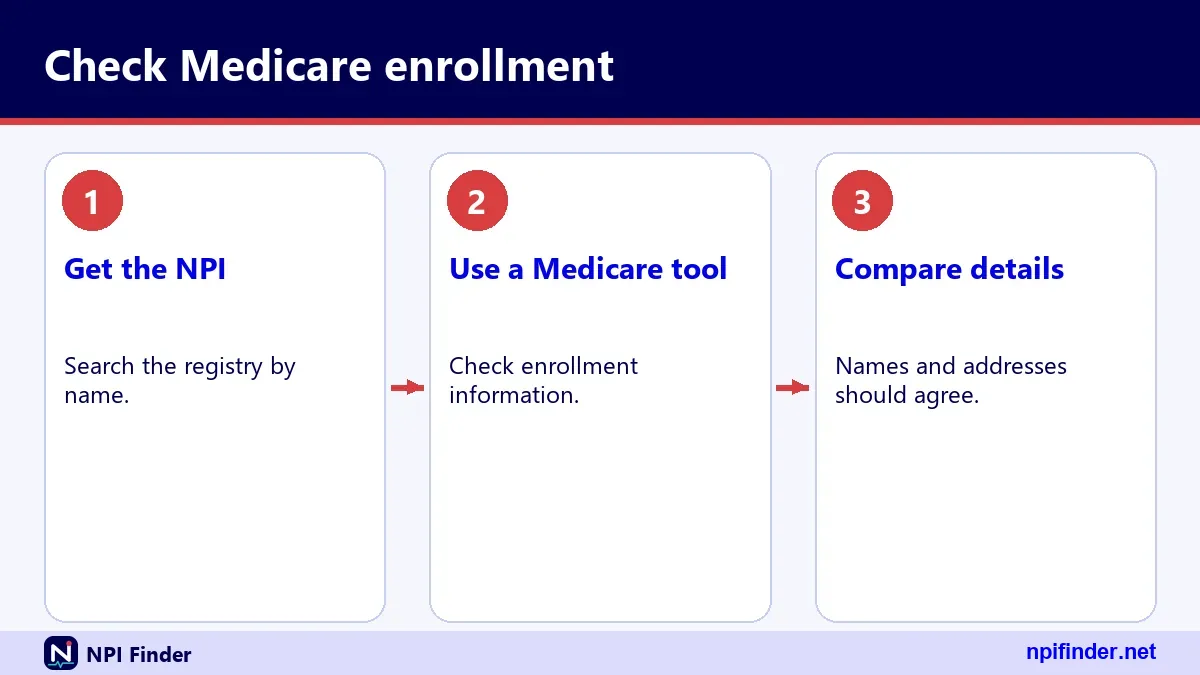
How to find a doctor's NPI number in four steps
To find a doctor's NPI number, search the NPI Registry by name and state, then match the practice address. This is the answer to how to find a doctors npi number, and it takes a minute.
- Open the NPI Registry search or use the lookup on our home page.
- Choose individual providers, then enter the first and last name.
- Add the state. A state alone is not accepted, so always pair it with a name.
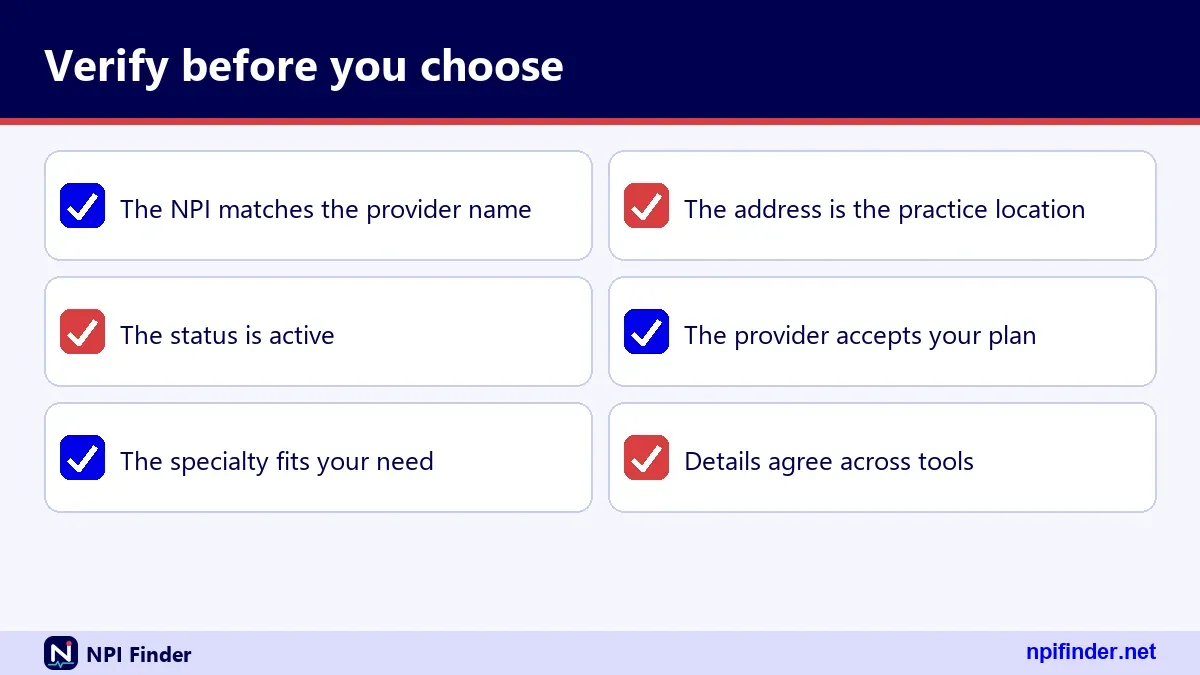
- Compare the practice address and taxonomy to confirm the right person.
Tip: Names such as "Smith" return many matches. Add a city or the specialty before you scroll through pages.
Find a doctors npi number when the name is common
Use the practice city and primary taxonomy to separate people. Two clinicians can share a name and a state. They rarely share a license number.
How to find a doctor's NPI number from a claim or letter
Check the claim, the referral form or the remittance advice. Billing documents often print the NPI. Verify it with NPI Number Validator.
Find my own NPI instead
If the number is yours, Find My NPI Number covers the Registry search and the NPPES login route.
How to find a doctor who accepts Medicare
To find a doctor who accepts Medicare, search Care Compare, then call the office and ask directly. A directory listing is a starting point, not a promise.

- Search Care Compare by location and specialty.
- Write down two or three clinicians.
- Call each office. Ask whether the clinician is accepting new Medicare patients.
- Ask whether the office accepts Medicare assignment.
Warning: Offices change policies without updating public data. One phone call beats any directory.
Does my doctor accept Medicare
For an existing doctor, ask the billing desk at your next visit. Ask it in plain words: "Do you bill Medicare for my visits?" Get the answer before treatment, not after.
How to find a doctor that takes Medicare in a new town
Search the new ZIP code in Care Compare. Compare three or four clinicians. Confirm hospital affiliations if you need a specific hospital.
Doctors accepting Medicare who are not listed
Some clinicians appear in the NPI Registry but not in Care Compare. That alone does not prove they refuse Medicare. Ask the office.
How to check a Medicare revalidation due date
To check your revalidation due date, search the CMS revalidation due date list by NPI or name. Do this at least once a year.
- Open the CMS revalidation due date list on data.cms.gov.
- Search for your NPI or your organization name.
- Note the due date and mark it in your calendar.
- Log in to PECOS and start the revalidation within the allowed window.
Tip: CMS says you may revalidate when you are within three months of the due date, even without a notice.
Revalidation notices by email and mail
CMS sends notices three to four months before the due date, by email or mail. Keep your PECOS contact details current so you receive them.
Medicare revalidation lookup when you are not listed
If you cannot find yourself, check your NPI first. Then contact your Medicare Administrative Contractor. Do not wait for the deadline to pass.
Who handles the paperwork
Medicare enrollment can be done online in PECOS or on paper, and CMS says online is faster. Your Medicare Administrative Contractor can confirm the route for your case.
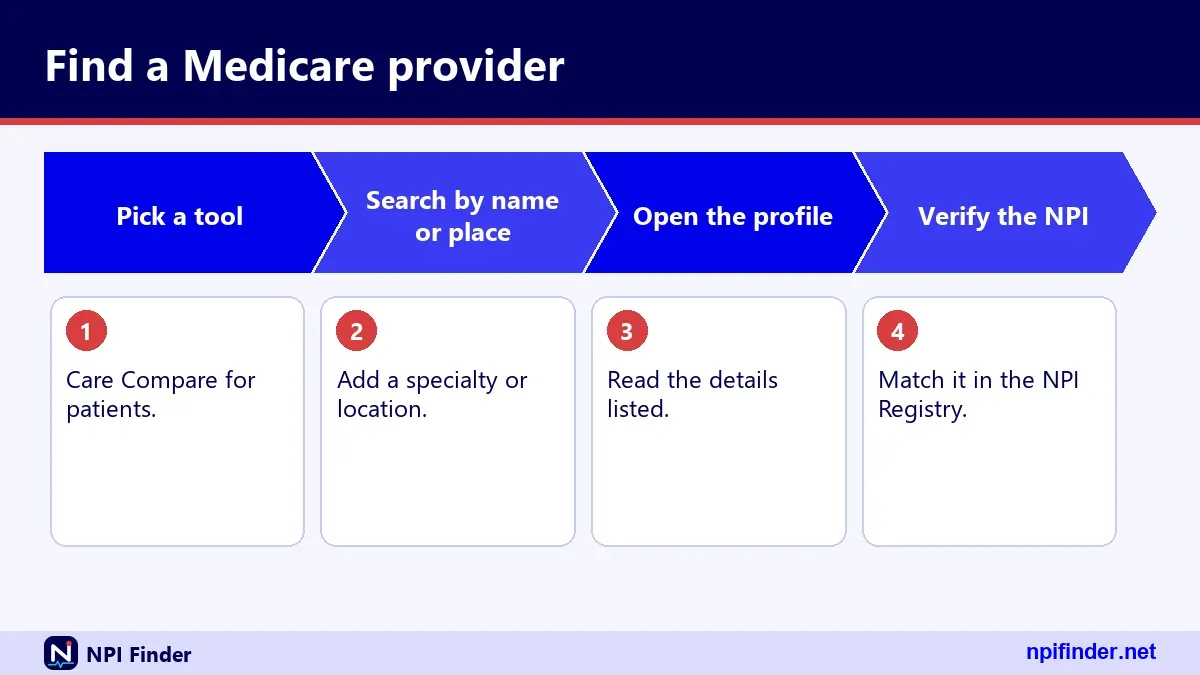
How to confirm a clinician can order and refer
To confirm a clinician can order and refer for Medicare, search the Order and Referring dataset by NPI. Do this before you accept an order.
- Get the clinician's NPI from the order.
- Validate the number format with NPI Number Validator.
- Search the Order and Referring dataset on data.cms.gov for that NPI.
- Record the date of the dataset snapshot you used.
Warning: A match proves one enrollment permission only. It does not prove licensure or good standing.
Medicare credentialed providers and this check
People say "credentialed" when they mean several things. Payer credentialing, state licensing and Medicare enrollment are separate processes.
Medicare verification for providers in practice
Keep a dated note of each check. If an audit question comes later, you can show what you saw and when.
Medicare approved doctors versus enrolled doctors
"Approved" is a patient-friendly word. In records the term that matters is enrolled. Use that word when you write policies.
Medicare lookup with the NPI Registry API
Developers can run a Medicare lookup through the Registry API, which returns JSON. The version parameter is mandatory, and the accepted value is 2.1.
Required and optional parameters
Parameters include number, first_name, last_name, organization_name, taxonomy_description, city, state and postal_code. Some fields cannot be used alone.
Limit and skip paging
The documented default is 10 results per call, with a maximum of 200. Skip has a documented maximum of 1000. Our tests saw the server cap limit silently at 200.
Error handling
Errors come back inside a normal HTTP 200 response. Look for an "Errors" array with a number and description. Check for it before reading results.
Medicare lookup from a browser with the NLM Clinical Tables API
The National Library of Medicine runs a free NPI search API that allows calls from a browser. We saw an open cross-origin header in our test, while the CMS Registry API returned none.
Why browser access matters
A web page on another domain cannot call the CMS API directly in a browser. It needs a server-side proxy. The NLM API avoids that step.
Search parameters
The terms parameter is required. Multiple terms are combined, and partial words match. Count and offset control paging, and counts have a documented maximum of 500.
Data caveats
NLM says the data comes from CMS NPI records and is provided as is. Update timing is not stated, so verify anything important in the Registry.
Medicare physician lookup in a spreadsheet
For repeat lookups, download the NPPES file and filter it locally. This is the best method for a Medicare physician lookup across thousands of names.
Load the file safely
Use a database or a tool that handles files larger than 4 GB. Opening it in a basic spreadsheet may fail.
Match on NPI, not name
Names repeat. NPIs do not. Join your list to the file on the ten-digit number.
Refresh on a schedule
CMS publishes weekly updates and monthly full files. Pick one schedule and note the file date in your records.
Medicare Advantage providers: the plan decides the network
The plan's own directory is the authority for Medicare Advantage providers. Care Compare and the NPI Registry do not list which plans a clinician accepts.
How to find out if your doctor accepts Medicare Advantage
Check the plan's online directory, then call the doctor's office. Give the exact plan name and ID card details. Many offices accept some plans and not others.
Medicare Advantage doctor list from your plan
Plans publish provider lists on their websites or send them on request. Check the date on the list. Networks change during the year.
Medicare health plan providers and NPI matching
If you need to verify a listing, match the NPI in the plan directory to the Registry. The numbers should agree. A mismatch is worth a call.
Does Original Medicare have a provider network?
No. Original Medicare has no provider network, so you can use any doctor or hospital that takes Medicare, anywhere in the U.S. Medicare.gov says so on its coverage comparison page.
Medicare Advantage works differently. You may need doctors in the plan's network and service area for non-emergency care. Some plans cover out-of-network care, but it may cost more. Your plan directory then matters more than any federal list. See NPI Lookup by State to narrow clinicians by location first.
Medicare in network providers and what network means
A network is a plan concept, not a CMS-wide list. When people search for Medicare in network providers, they are really asking about one specific plan.
Medicare network providers across plan types
Each plan sets its own rules. Read the plan documents. Do not assume a clinician in one network is in another.
Medicare provider network management for practices
Practices should keep a table of plans, effective dates and contacts. Credentialing teams use NPIs as the shared key across payer systems.
In network Medicare providers and surprise gaps
Hospital-based clinicians can sit outside a network even when the hospital is inside it. Ask before scheduled procedures. Ask for the NPI of each clinician.
Medicare doctor lookup for nurse practitioners and other clinicians
Doctors are only part of the picture. Nurse practitioners, physician assistants, dentists and therapists all hold NPIs. The Registry covers them, and so does Care Compare for eligible clinicians.
Nurse directory searches
A nurse directory search in the Registry works by name and state. Look for taxonomy codes such as 363L00000X for Nurse Practitioner. See Taxonomy Code Lookup.
Physician assistants and advanced practice roles
Physician assistants use 363A00000X. Certified Registered Nurse Anesthetists use 367500000X. These are NUCC taxonomy codes, version 26.1 at the time of writing.
Healthcare provider directory for dentists and therapists
The NPI Registry works for dentists and physical therapists too. Whether a given dentist bills Medicare is a separate question. Check enrollment, not just the NPI.
Medicare Part A and B providers: facilities and suppliers
Part A and Part B involve different kinds of providers. Hospitals and skilled nursing facilities sit on the institutional side. Many clinicians sit on the professional side.
Facility identifiers: CCN
CMS issues a CMS Certification Number to Part A facilities. CMS FAQs treat it as equivalent to a PTAN for those providers. See NPI vs Other Provider IDs.
Group practices and clinics
Organizations use Type 2 NPIs. A group can have several NPIs. The group NPI and an individual clinician's NPI are different numbers.
DMEPOS suppliers
Suppliers of durable medical equipment follow their own enrollment path. CMS says they revalidate every three years rather than five.
Medicare opt out lookup and hospice certifiers
Some physicians choose not to bill Medicare at all. We found no simple public opt-out lookup in the CMS sources we verified, so we say less than other sites do.
Medicare opt out lookup limits
A missing record in one dataset does not tell you why. The clinician might be opted out, not enrolled or not eligible. Ask them directly.
Hospice certifying physicians
CMS says that, effective June 3, 2024, physicians who certify the need for hospice services must be enrolled in or opted out of Medicare. This affects referrals.
Medicare physician records and data gaps
When a record is missing, document the search date, source and terms. That proof helps if a dispute comes up later.
Medicare provider lookup for organizations and subparts
Hospitals, clinics and pharmacies are Type 2 providers. Their records look different from an individual's. Search by organization name, not by person.
Organization name searches
Use the organization name field and a state. Wildcards work after the first two characters. "Memorial*" finds many hospital names.
Authorized official details
Organization records show an authorized official with name, title and phone. That is who the organization put forward to CMS. It is not necessarily the clinic manager.
Subparts of an organization
A hospital unit may have its own NPI if its identifying data are unique. The record carries an organizational subpart flag of YES or NO.
Medicare phone number for providers: who to call
There is no single Medicare phone number for every provider question. Pick the contact by topic. We list only numbers we verified.
NPI and NPPES questions
The NPI Enumerator line is 1-800-465-3203, with TTY at 1-800-692-2326. The email is [email protected]. Hours are not published in our sources.
I&A, NPPES login and PECOS access trouble
The External User Services help desk is 1-866-484-8049, with TTY/TDD at 1-866-523-4759. The email is [email protected]. See NPPES Login Help.
Call 1-800-MEDICARE to find a provider
Patients can call 1-800-MEDICARE (1-800-633-4227) to talk to a person. Medicare.gov lists the line as open 24 hours a day, 7 days a week, except some federal holidays. TTY users call 1-877-486-2048. The Talk to Someone page also links to Care Compare for finding care providers.
Medicare enrollment questions
Your Medicare Administrative Contractor handles enrollment questions. CMS links a document for finding yours from its PECOS page. We do not list contractor phone numbers.
Medicare providers list near me and local searches
Local searches work best when you use the town where you want care. The mailing address in the Registry may be far from the clinic.
Search by state first
See NPI Lookup by State for state-level searches. A state plus a last name is a valid pairing.
Search by ZIP code
A five-digit ZIP also returns nine-digit ZIP+4 matches. Use a wildcard after two characters to widen the search.
Confirm the address by phone
Practice locations can be outdated. Call before you drive. Providers must update NPPES within 30 days of a change, but not everyone does.
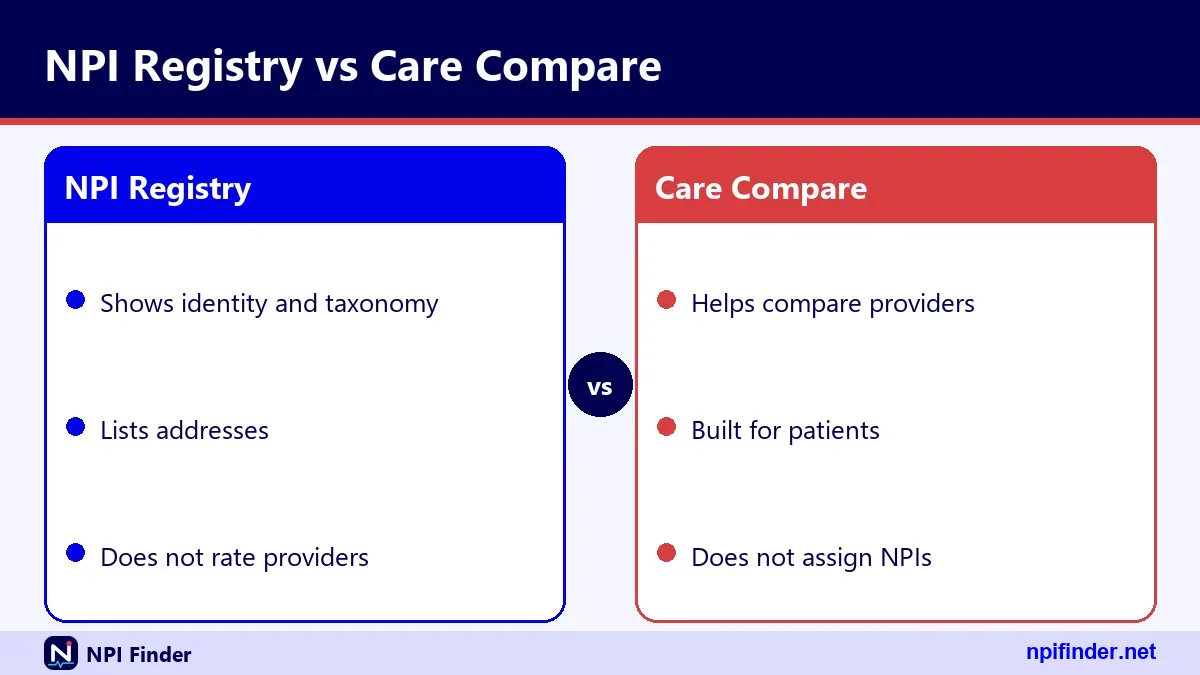
Care Compare versus the NPI Registry: which one to use
Use Care Compare to choose a clinician and the NPI Registry to verify an identity. Neither replaces the other. This table lays out the differences.
| Feature | Care Compare | NPI Registry |
|---|---|---|
| Main audience | Patients | Providers, staff, researchers |
| Shows quality and QPP data | Yes | No |
| Full NPI record with taxonomies | Not its focus | Yes |
| License number and state | Not its focus | Yes, in taxonomies |
| Covers non-Medicare providers | Mostly enrolled clinicians | Any provider with an NPI |
So, Care Compare is the best tool for patients choosing a clinician because it shows quality and QPP data that the NPI Registry does not.
The first and last rows capture the biggest difference. Care Compare leans toward Medicare. The Registry covers anyone who applied for an NPI.
When both are needed
Verify a new referral target in both. Care Compare shows how the clinician presents to patients. The Registry shows the formal identity.
NPI Registry API versus NLM API versus the NPPES file
Choose the interface by volume and where the code runs. This table compares the three options we use.
| Option | Best for | Limits |
|---|---|---|
| CMS NPI Registry API | Server-side lookups | Default 10 results, max 200 per call; hourly query limits |
| NLM Clinical Tables API | Browser-based search | Count max 500; offset plus count max 7,500 |
| NPPES downloadable file | Bulk work | Over 4 GB; no CMS help desk |
So, CMS NPI Registry API is the best option for small server jobs because it handles server-side lookups without the file's size of over 4 GB.
NPI, PTAN, CCN and CLIA: which number answers which question
These identifiers are not interchangeable. The NPI is public. The PTAN is the Medicare billing identifier. The CCN identifies Part A facilities.
| Identifier | Issued by | Public lookup |
|---|---|---|
| NPI | CMS through NPPES | Yes, NPI Registry |
| PTAN | Medicare Administrative Contractor | We found none |
| CCN | CMS | Provider of Services file on data.cms.gov |
| CLIA number | CLIA Data System | CMS QCOR lab lookup |
Medicare p tan and the P TAN number for Medicare
Your PTAN is issued by your MAC at enrollment. CMS forms call it the Medicare identification number. You cannot look one up from a public registry in our sources.
Where the rest are explained
NPI vs Other Provider IDs covers DEA numbers, UPINs and state IDs in more detail.
Free official tools versus third-party directories
CMS charges nothing to view Registry data or to download the NPPES files. Paying for the same public data is rarely worth it.
Why third-party sites exist
Some sites add search filters or alerts. That can be useful. They still rely on the same public data.
Red flags
Be wary of any site that charges to issue an NPI. The NPPES application is free through CMS. We found no current CMS fraud alert on NPI fees, so we do not claim one exists.
Medicare lookup returns no results: causes and fixes
An empty result almost always comes from a search rule, not a missing provider. Check these causes before you decide someone is absent.
Registry search rejected a lone state
A state cannot be the only criterion. The API returns an error saying state requires additional search criteria. Add a name, city or taxonomy.
Wildcard errors
A wildcard needs at least two leading characters. A one-letter wildcard returns an error. A two-letter term without a star is an exact match and may return nothing.
NPI returns zero results
A ten-digit number that fails the check digit returns zero results with no specific error. A well-formed number can also be unassigned. Run NPI Number Validator.
Wrong version parameter
The API accepts only version 2.1. A missing version, or 2.0 or 3.0, returns an unsupported version error. This catches many first-time developers.
Medicare provider not found in Care Compare
Not appearing in Care Compare does not mean a clinician refuses Medicare patients. It may mean they are missing from that tool.
Listing requirements
Care Compare draws general information mainly from PECOS. A clinician without a current PECOS enrollment may not appear. Older CMS guidance gave conflicting claim windows, so we do not state one.
Address suppression
Clinicians can suppress an address through PECOS or the QPP Service Center. A hidden address does not mean a clinician has left practice.
Newly enrolled clinicians
New enrollments take time to show. Check the Registry for a quick identity confirmation. Then check Care Compare again after a few weeks.
Registry data looks wrong or stale
NPI Registry data comes from what providers submit. CMS requires covered providers to report changes within 30 days. Not everyone does.
Old addresses and phone numbers
Phone numbers and practice locations are the most common stale fields. Cross-check with the clinic's own website or a call.
Mailing address is not the clinic
Mailing and location addresses often differ. The mailing address may be an office or home. Use the location address for the clinic.
Reporting an error
The provider must correct the record through NPPES. Send the clinician to Update or Deactivate an NPI.
Revalidation lookup problems
Problems with revalidation are time-sensitive. Act as soon as you spot one.
Your NPI is not on the due date list
Confirm the NPI in the Registry first. Then ask your Medicare Administrative Contractor. Do not assume you are exempt, because CMS says there are no exemptions.
You missed the due date
Contact your MAC right away. CMS says billing privileges can be deactivated, and services during deactivation are not reimbursed. Reactivation needs a new complete application.
The notice never arrived
You can revalidate when within three months of the due date even without a notice. Keep a calendar reminder for the due date regardless.
Login problems when checking PECOS or NPPES
Both systems use the Identity and Access account. Login trouble blocks updates and revalidation but does not change your NPI.
Password expired
I&A passwords expire every 60 days. An expired password does not affect your NPI, Medicare enrollment or payments. It only blocks login until you reset it.
Locked account
Three failed logins lock the account. Use Forgot Password on the I&A sign-in page to unlock. See NPPES Login Help.
Multi-factor authentication
MFA has been required for I&A login since April 21, 2022. One method is required. Setting up two is recommended.
Dormant accounts
An account used within 365 days but not within 180 needs a password reset. One unused for over 365 days needs re-verification and a new User ID.
HIPAA, 45 CFR Part 162 and why the directory is public
The NPI is the standard unique health identifier for health care providers under HIPAA Administrative Simplification. The rule sits in 45 CFR Part 162, Subpart D.

How the rule came about
HIPAA of 1996 required a standard identifier. The NPI Final Rule was published January 23, 2004. It took effect May 23, 2005.
Compliance dates
Covered providers and non-small health plans had to comply by May 23, 2007. Small health plans had until May 23, 2008.
Public disclosure
CMS says the data is required to be disclosed under the Freedom of Information Act. That is why the Registry is open to everyone.
What it costs to look up Medicare providers
Searching the NPI Registry is free. Downloading the NPPES files is free. CMS lists no fee for obtaining an NPI either.
Free official tools
Care Compare, the NPI Registry and the data files are free. The NPPES application is free too. If a site asks for a card number, stop.
What may cost money
Third-party tools may charge for alerts, bulk exports or support. CMS offers no help desk for the data file. Paid help is optional.
What the NPI Registry shows and hides
The Registry shows business facts, not personal secrets. It does not publish a Social Security number, ITIN or date of birth, according to CMS form instructions.
Fields that are public
Public fields include name, credential, sex for individuals, status, dates, addresses, phone and fax numbers, taxonomies with license numbers, other names, practice locations and endpoints.
Deactivated NPIs
For deactivated NPIs, CMS discloses only the NPI and deactivation date. A deactivated number is never reassigned.
Privacy advice for providers
Use a business address for your public record when you can. CMS has no specific home-address guidance in our sources, so judge for yourself.
Official CMS sources to check first
Go to CMS for the final word. Our guides explain the tools, but the CMS pages control.
NPPES and the Registry
The NPPES site handles applications and updates. The Registry handles searches. Learn more in NPPES Explained.
Care Compare and the Provider Data Catalog
Care Compare serves patients. The Provider Data Catalog on data.cms.gov serves analysts. Both come from CMS.
Enrollment pages
CMS hosts PECOS guidance, enrollment forms and revalidation rules. Revalidation due dates are posted on data.cms.gov.
Medicare lookup glossary
These terms appear across Medicare lookup tools. Learn them once and the rest gets easier.
- NPI: the ten-digit National Provider Identifier, nine digits plus a check digit.
- NPPES: the CMS system that assigns and stores NPIs.
- PECOS: Provider Enrollment, Chain and Ownership System for Medicare enrollment.
- I&A: Identity and Access, the account system behind NPPES and PECOS login.
- MAC: Medicare Administrative Contractor, which handles enrollment locally.
- PTAN: the Medicare billing identifier issued by the MAC.
- CCN: CMS Certification Number for Part A facilities.
- NUCC taxonomy: the code set for provider type and specialty.
- Type 1 and Type 2: individuals and organizations.
Myths versus facts about Medicare provider directories
Several myths cause real mistakes. This table corrects the common ones.
| Myth | Fact |
|---|---|
| An NPI means a doctor takes Medicare | An NPI does not enroll a provider in any health plan |
| An NPI proves a license | CMS says an NPI does not ensure licensure or credentialing |
| Updating NPPES updates Medicare enrollment | Enrollment must be updated separately in PECOS |
| The Registry is a paid service | CMS charges nothing to search it |
| NPIs expire | CMS says the assigned NPI does not expire |
Check each claim against the CMS fact sheet when a staff member pushes back.
Reading the raw JSON record field by field
A Registry result is a JSON object with fixed sections. Knowing them makes the raw view easy to read.
Top-level fields
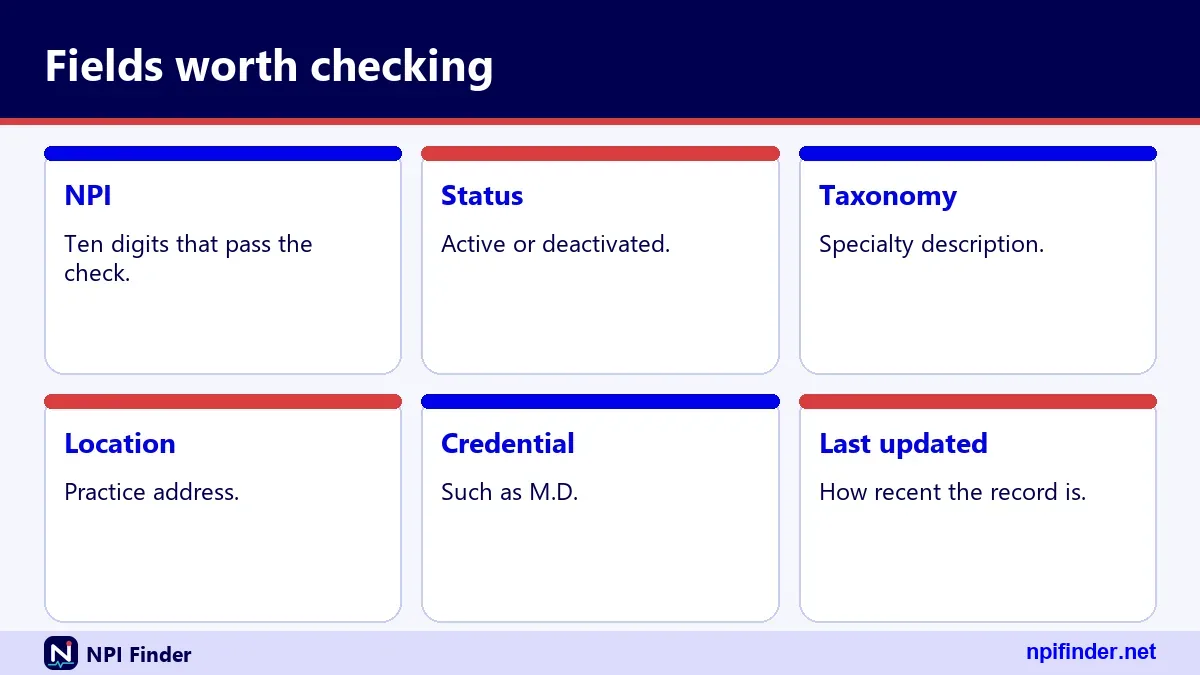
Each result has number, enumeration_type, created_epoch and last_updated_epoch. The epoch values are strings of milliseconds. Convert before you display them.
Basic and addresses
The basic section carries name, credential, status and dates. The addresses array holds a LOCATION and a MAILING entry. The two can match.
Taxonomies, locations and extras
Taxonomies can repeat a code with different states and licenses. In a sample record we pulled, four taxonomy entries covered two codes, and exactly one was primary. Practice locations, identifiers, other names and endpoints can be empty arrays.
Check digit and format before you search
A ten-digit NPI uses the Luhn formula with the prefix 80840. Passing the check proves format only, not assignment.
Worked example
The 9-digit identifier 123456789 produces check digit 3, giving 1234567893. That number passes the check but is not registered. Use it only as a format example.
A real record
NPI 1245319599 belongs to a sample-named family medicine record in Virginia Beach and passes the check. Whether CMS designates it as a test record is not confirmed.
Medicare lookup number: what each number tells you
A Medicare lookup number can be an NPI, a PTAN or a CCN. Ask which one before you search. Each number lives in a different place and answers a different question.
The NPI is the one the public can search. It has ten digits and carries no information about the provider, such as state or specialty. The PTAN is private to the billing relationship. The CCN belongs to Part A facilities.
Write the number type next to every number in your notes. That habit alone prevents most mix-ups between billing and identity records.
Medicare enrollment forms by provider type
Providers enroll through the form that matches their type. CMS lists the forms on its enrollment applications page, and PECOS offers the online route for most of them.
| Form | Who uses it |
|---|---|
| CMS-855I | Individual physicians and non-physician practitioners |
| CMS-855B | Clinics, group practices and certain other suppliers |
| CMS-855A | Institutional providers |
| CMS-855O | Ordering or certifying only, for those who do not bill Medicare |
| CMS-855S | DMEPOS suppliers |
The 855O row matters for this page. Clinicians who only order and certify can still appear on the Order and Referring list. Forms for EFT and participation are separate.
Medicare participating provider: where the agreement fits
A Medicare participating provider has signed a participation agreement with CMS, which uses form CMS-460. That is a contract term, not a database label you can search in the Registry.
The NPI Registry does not show participation status. Care Compare is built for patients, but we did not verify that it shows this status either. So do not rely on a directory for it.
Ask the office instead. A short question works: "Do you accept Medicare assignment for my visit?" Write down the name of the person who answers.
Medicare for providers website: where providers do the work
Providers do their own Medicare work in a few places. NPPES holds the NPI record. PECOS holds enrollment. The Registry and data.cms.gov hold public data.
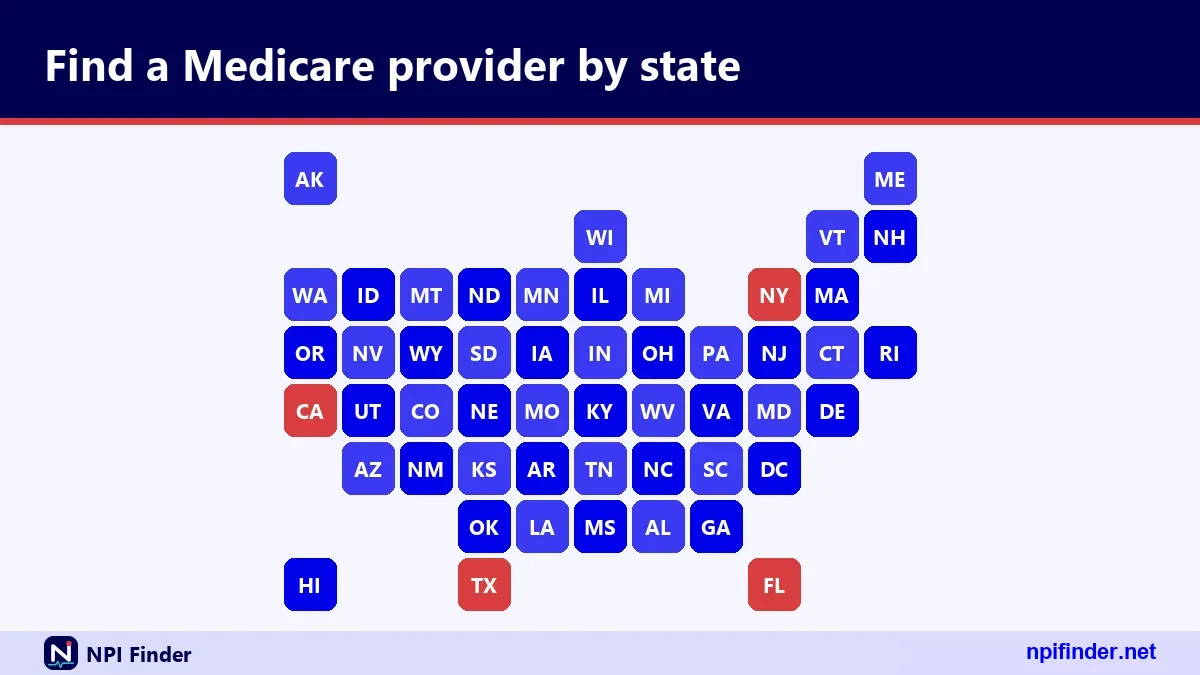
Each system uses the same Identity and Access account for login where a login is needed. That single account is convenient. It also means one locked account can block several jobs at once.
Keep your user ID in a password manager. Do not share logins between staff. See PECOS Login for the access path.
Search Medicare providers as a patient: a worked example
Say you need a primary care clinician in a new town. This example shows the whole route in plain steps.
Start in Care Compare
Enter the ZIP code and choose primary care. Note three clinicians who look close to home. Write the exact names.
Confirm the identity in the Registry
Search each name with the state. Confirm the specialty and practice location match. This protects you from a similar name.
Call and ask the right questions
Ask about new Medicare patients, hospital affiliations and the plan you hold. Keep the notes for later. That gives you a record of what the office said.
Billing staff workflow for checking a referring provider
Billing staff check referring providers on a schedule, not once. A short routine keeps claims clean and cuts rework.
Capture the NPI from the order
Copy the NPI exactly as written. Reject orders that arrive without one. Ask the clinician's office to resend.
Validate and search
Run the format check, then search the Registry by number. Confirm the name and status. Status A means active.
File the proof
Save the result with the date and your initials. If you also use the Order and Referring dataset, save its snapshot date too. Our taxonomy tool helps when a specialty looks wrong.
Credentialing coordinator workflow for provider data
Credentialing teams compare many sources, so a clear order matters. Start with the NPI, then move outward.
Pull the Registry record first
The record gives the legal name, taxonomies, license numbers and states. Compare each license against the state board's own records. The NPI does not verify licensure.
Compare enrollment and plan data
Check PECOS-based CMS data for enrollment. Check payer directories for network status. Differences between the three deserve a call.
Log changes within the window
Providers must report NPPES changes within 30 days. Build a reminder into onboarding. Changes to enrollment go through PECOS separately.
Researcher workflow for Medicare provider data
Researchers need repeatable pulls, not screenshots. CMS publishes the files for that purpose.
Choose the file by question
Use the NPPES files for identity and location. Use the Provider Data Catalog for doctors and clinicians. Use the Order and Referring dataset for ordering eligibility.
Keep a codebook
Record the file name and version date. CMS lists dated versions of the NPPES files. Version 1 files are no longer supported, and version 2 is the one to use.
Respect public-data rules
The data is public under FOIA. SSN, ITIN and date of birth are not made available on the internet. Do not try to re-identify anyone beyond what the record shows.
Search Medicare providers by specialty and taxonomy
The Registry searches by taxonomy description, and NUCC taxonomy codes label every provider type. You can search by an exact description or by a wildcard after two characters.
Common taxonomy examples
207Q00000X is Family Medicine. 207R00000X is Internal Medicine. 208000000X is Pediatrics. NUCC publishes the full code set, which had 883 codes in version 26.1.
Taxonomy description versus display name
The Registry's short description can differ from NUCC's display name. For example, "Family Medicine" in the Registry versus "Family Medicine Physician" at NUCC. Search with the Registry wording.
Specialty page
For a guided specialty search, use NPI Lookup by Specialty.
Medicare primary care physicians: how to build a shortlist
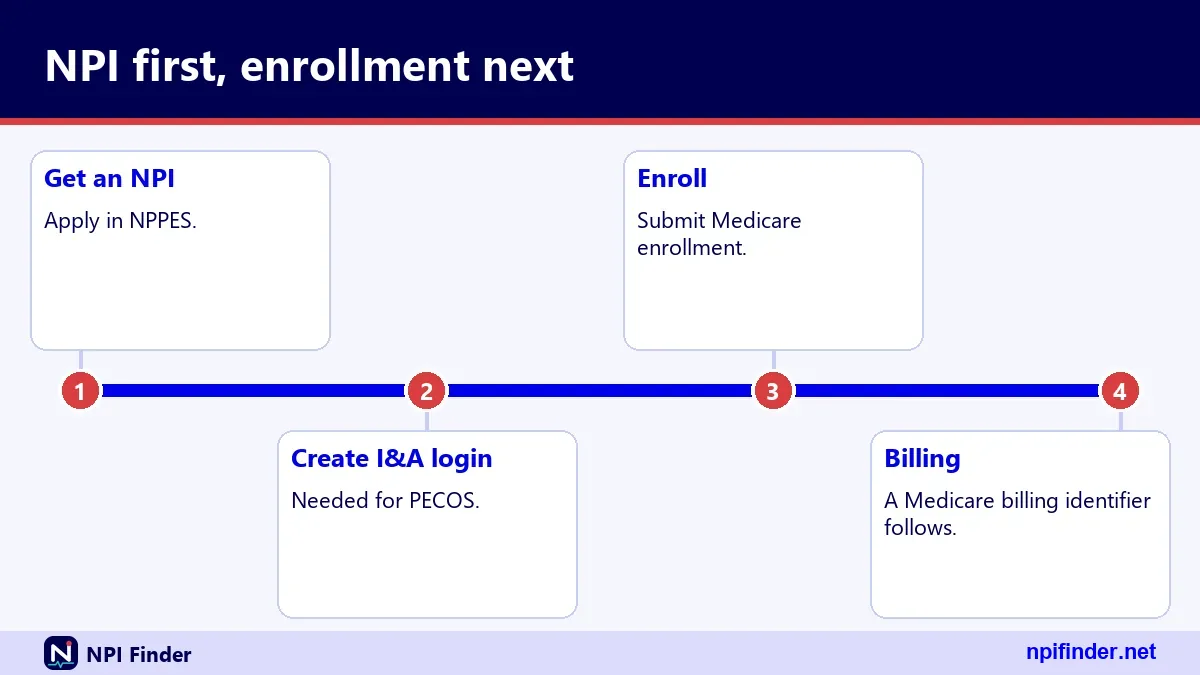
Build a shortlist of three clinicians, not one. Offices fill up and policies shift. Three names give you backups.
Rank by what matters to you
Distance, hospital affiliation and telehealth are common priorities. Care Compare lists a telehealth indicator and facility affiliations. Pick your top two and rank on those.
Check each name twice
Check the clinician in Care Compare and in the Registry. They should agree on name and specialty. A mismatch is a reason to ask questions.
Keep a Medicare doctors list of your own
A plain note works. Include name, NPI, phone, address, date checked and what the office said. Update it each year.
Phone script for confirming a Medicare provider
A short script gets better answers than a vague call. Use these questions in order.
- Say who you are and which clinician you are asking about.
- Ask whether the clinician is accepting new Medicare patients.
- Ask whether the office accepts Medicare assignment.
- Ask whether they are in network for your plan, giving the plan name.
- Ask for the clinician's NPI and the practice address on file.
Tip: Write down the date, the time and the name of the person you spoke with. Any later dispute becomes much easier to settle.
Search Medicare and find Medicare providers: keywords decoded
Search phrases overlap a lot. "Find Medicare providers," "search Medicare providers" and "look up Medicare providers" all lead to the same three tools. The tool depends on your goal, not the phrase.
If the phrase mentions a doctor or physician, start with Care Compare. If it mentions NPI, start with the Registry. If it mentions revalidation, start with the CMS due date list. If it mentions a list, start with the downloadable datasets.
Our home page tool covers the NPI side directly. For state-level browsing, try NPI Lookup by State.
Tips for finding Medicare providers faster
These habits save time and prevent errors. Most come from mistakes we see repeatedly.
- Start with the question: Decide whether you need a clinician, an identity or an enrollment answer before you open any tool.
- Validate the NPI first: Run the number through NPI Number Validator to catch typos before you search.
- Pair a state with a name: The Registry rejects a state alone, so always add a last name, city or taxonomy.
- Use two characters before a wildcard: "smi*" works. A single letter plus a star fails.
- Trust location, not mailing: The location address is where care happens. The mailing address may be an office box.
- Call before you book: Directories lag behind real life. Confirm Medicare acceptance and plan networks by phone.
- Match on NPI across systems: Names repeat. The ten-digit number is the safest join key for any list.
- Note the snapshot date: Datasets change. Record the date you checked, especially for ordering and referring.
- Download for bulk work: Use the NPPES file for large jobs instead of hammering the search.
- Calendar your revalidation: Put the due date and the three-month window in your calendar the day you learn them.
Recommendation: which Medicare lookup to use
Use Care Compare to choose a clinician, the NPI Registry to confirm who they are, and PECOS data to confirm enrollment. That is our honest advice, and it covers nearly every case.
If you work in billing or credentialing, make the NPI your anchor and log each check with a date. Patients should still phone the office before booking. Start with NPI Finder for the identity check, then move on to the other tools listed above.
Where to go next
Pick the page that matches your next step. What Is an NPI Number? covers the basics. Apply for an NPI walks through a new application. NPI vs Other Provider IDs explains the other numbers you will meet.