

PECOS login: the short answer
You log in to PECOS with an I&A (Identity & Access Management) User ID and password, not with your NPI. Go to the official CMS PECOS login page, sign in, and complete multi-factor authentication. If you already have an NPPES account, the same credentials usually work. That one fact solves most login confusion.
What PECOS is and what it holds
PECOS stands for Provider Enrollment, Chain and Ownership System. It is the CMS system for Medicare provider enrollment, and CMS also calls it the Medicare Enrollment System. You use it to enroll, change your information, and revalidate.
What PECOS stores about an enrollment
PECOS holds ownership details, managing employees, billing arrangements, reassignments and practice locations. In other words, it holds the facts Medicare needs to pay you. It does not hold your clinical records or claims.
Who runs the system
CMS runs PECOS. The agency posts the login page, the enrollment forms and the revalidation rules on its own website. Your Medicare Administrative Contractor (MAC) processes most applications behind the scenes.
How I&A connects PECOS and NPPES
The I&A system is a single account system for NPPES, PECOS, PEPPER and CBR. CMS says individual providers with an NPPES account can sign in to I&A with the same User ID and password.
One account, several systems
Think of I&A as the front door and each system as a room. You earn one key, and it opens several rooms. Your password rules, lockouts and MFA settings follow you everywhere.
Why your NPI is not your login
Your NPI is a public identifier. Anyone can look it up. Your I&A User ID is private and protects your access. Never type your NPI into a password field and expect it to work. If you need the number itself, see find my NPI number.
Who needs a PECOS account
You need a PECOS account if you want to enroll in Medicare, update an enrollment or revalidate online. Most clinicians and billing offices fall into one of three groups.
Practitioners enrolling as individuals
Physicians and non-physician practitioners enroll with the CMS-855I form, and PECOS lets you complete it online. CMS says online enrollment is faster than paper.
Organizations and suppliers
Hospitals and other institutions use the CMS-855A. Clinics and group practices use the CMS-855B. DMEPOS suppliers use the CMS-855S. Each form maps to a different kind of enrollment.
Ordering and certifying only
Some physicians never bill Medicare but still order or certify services. They use the CMS-855O. CMS also requires hospice-certifying physicians to be enrolled in or opted out of Medicare, effective June 3, 2024.
PECOS login vs NPPES login
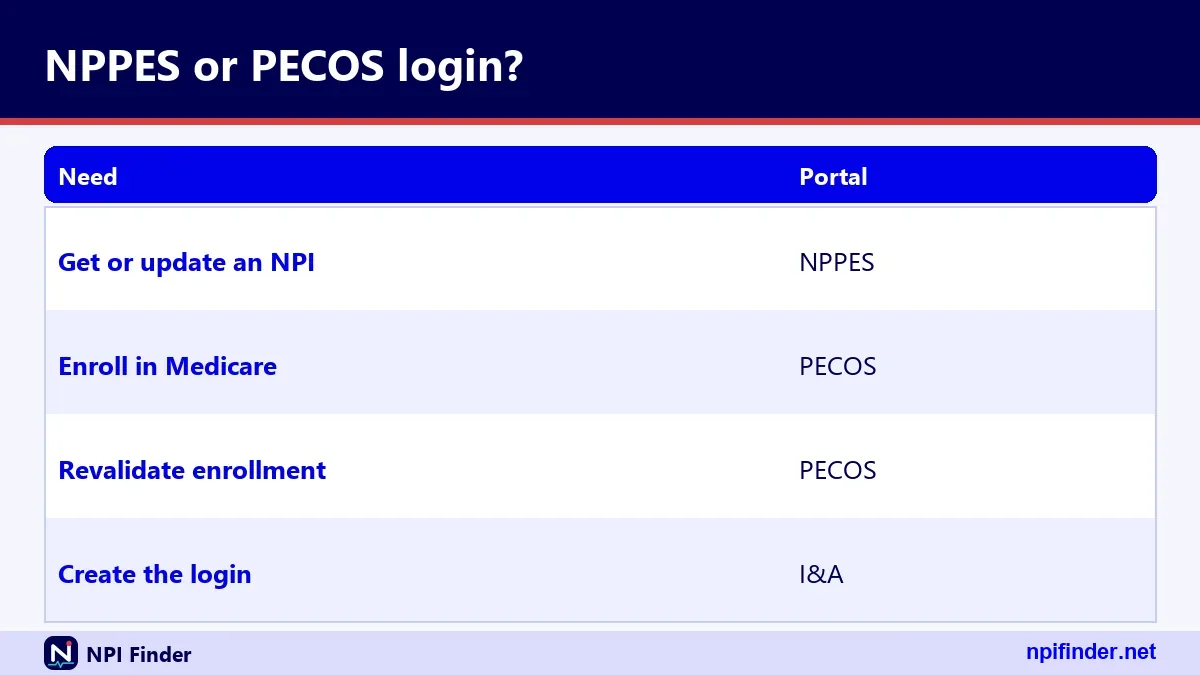
PECOS login is for Medicare enrollment, while NPPES login is for your NPI record. The two systems share I&A credentials but do different jobs. Mixing them up is an easy mistake.
What each one changes
NPPES changes your NPI data: name, taxonomy, addresses. PECOS changes your Medicare enrollment. CMS says updating NPPES does not automatically update Medicare enrollment, so you may need to do both.
Which one to open first
Open NPPES first if you do not have an NPI yet. Read how to apply for an NPI and come back. Open PECOS first if your NPI is current and only your Medicare record needs work.
PECOS log in: the official sign-in steps
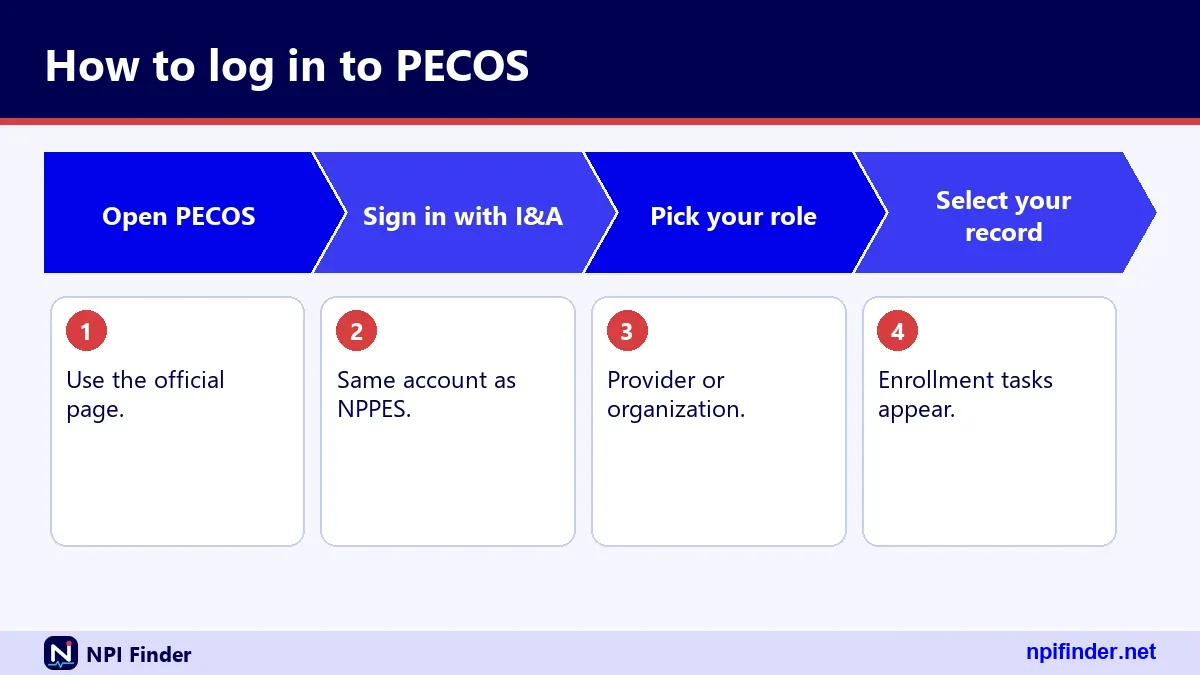
To log in, you open the CMS PECOS login page, enter your I&A User ID and password, and pass multi-factor authentication. The whole path takes a few minutes if your account is healthy.
- Open the official CMS PECOS login page from the CMS website, not from an ad or a search result you do not trust.
- Enter your I&A User ID and password on the I&A Sign In page.
- Choose your multi-factor authentication method and enter the code you receive.
- Accept any notices CMS shows you.
- Select the enrollment task you came to do.
Tip: Bookmark the page once you have confirmed it is the CMS site. A bookmark beats a search result every time.
Before you start
Have your User ID, your password and your phone or email ready. If a password reset is due, do it first. The reset takes less time than a lockout.
Why the page matters
Look-alike login pages are a risk for any sign-in. Check that you reached the CMS site before you type a password. Never pay a stranger for access.
PECOS account: what you have and what you need
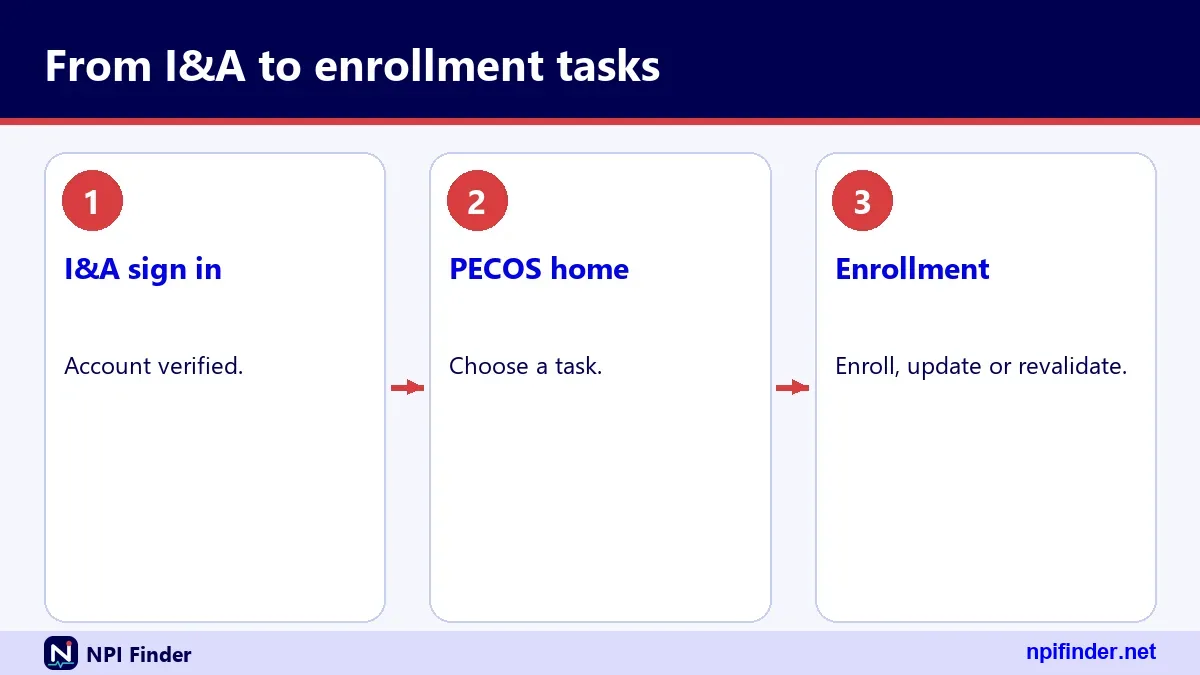
Your PECOS account is really your I&A account plus a Medicare enrollment record. You can have one without the other. The account lets you in; the enrollment record is what you manage once inside.
Account without an enrollment
A new I&A account has no enrollment yet. You can log in and start an application. Nothing exists until you submit.
Enrollment without a login
A provider who enrolled on paper may never have signed in to PECOS. That provider still needs an I&A account before using the online system.
Access table: which login opens which system
This table shows which CMS system each credential opens. Use it to confirm you are on the right path before you try a reset.
| System | What you do there | Credential |
|---|---|---|
| NPPES | Apply for or update an NPI | I&A User ID and password |
| PECOS | Enroll in Medicare, revalidate | I&A User ID and password |
| PEPPER | Another CMS system on I&A | I&A User ID and password |
| CBR | Another CMS system on I&A | I&A User ID and password |
| NPI Registry | Search NPIs | No login needed |
So, an I&A User ID and password is the best credential for NPPES and PECOS because one account opens both systems.
Reading the table
The takeaway is simple. One I&A account covers four systems, and the public registry needs none. If a site asks you for a different login, stop and check it.
What the table leaves out
The table does not cover your MAC portal or other private billing systems. Those have their own accounts and rules.
I&A PECOS: how the shared identity layer works
I&A is the CMS identity layer that sits in front of PECOS. It decides who you are before PECOS decides what you can do. Searches for "I&A PECOS" usually mean one thing: which account do I use?
What the I&A account proves
The I&A account ties a person to a User ID, a password, security questions and MFA methods. PECOS trusts that identity. If your I&A account is locked, PECOS is locked too.
Where the official I&A help lives
CMS publishes an I&A FAQ document, dated 1/20/2026, and a Quick Reference Guide. Both live on the NPPES site. Read the FAQ before you call anyone, because it answers most lockout questions.
NPPES login PECOS: using one account for both
You can use one I&A account for both NPPES and PECOS. If you can sign in to NPPES, you already hold the credentials PECOS wants. Our NPPES login help covers the NPI side in more detail.
Same User ID, same password
CMS says individual providers with an NPPES account can log in to I&A with the same User ID and password. Do not create a second account. A duplicate causes more trouble than it saves.
When the login does not carry over
Sometimes you sign in and see no Medicare enrollment. That does not mean your credentials failed. It usually means no enrollment is tied to the record you are viewing. Contact your MAC to sort it out.
NPPES PECOS login: which page to start from
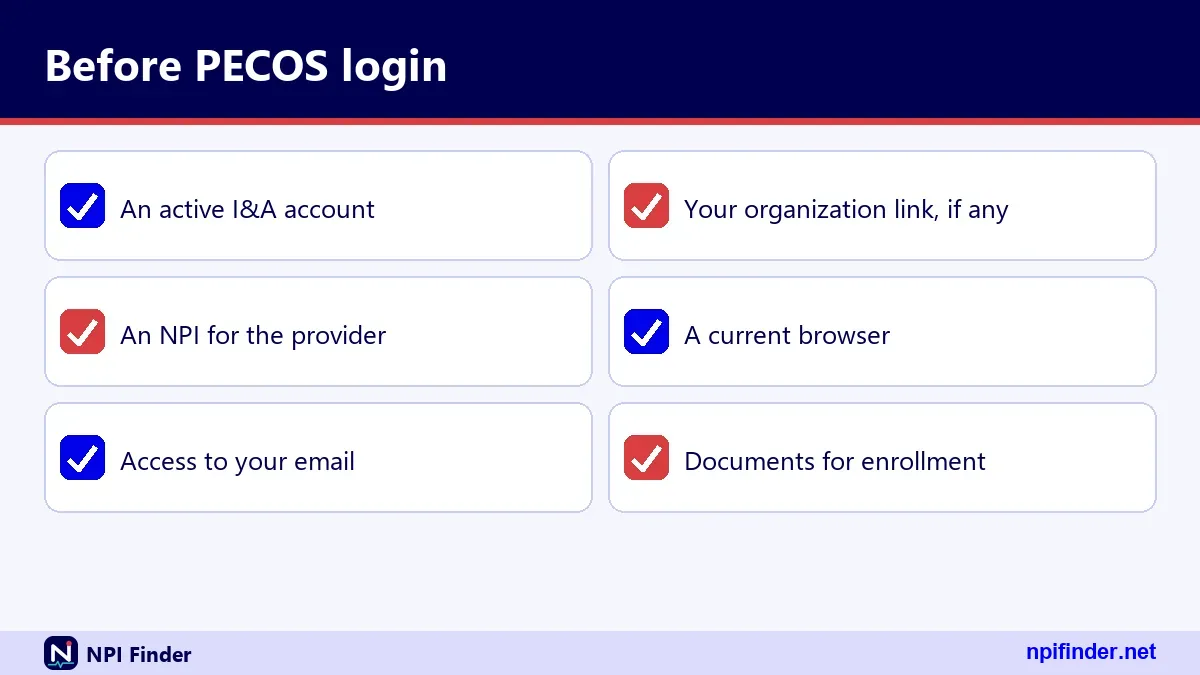
Start from the system you want to use. Use the NPPES page for NPI changes and the PECOS page for Medicare enrollment. Both ask for the same credentials, so the page you choose sets your task, not your identity.
Starting at NPPES
Log in to NPPES to update your name, taxonomy or addresses. Read what NPPES does if you want the full picture. Then move to PECOS for the Medicare side.
Starting at PECOS
Log in to PECOS to revalidate or change enrollment details. Afterward, check that your NPI record still matches. A mismatch between the two systems is a common cause of problems.
Creating an I&A account before your first PECOS login
You create the I&A account once, then reuse it. Start from the I&A sign-in page and follow its registration prompts. Have your identity details ready before you begin.
- Open the I&A sign-in page from the official CMS site.
- Follow the registration prompts and enter your personal information exactly as CMS holds it.
- Create a User ID and a strong password.
- Set up your security questions.
- Set up your MFA methods, ideally two.
Warning: If the system says your SSN already matches an account, you already have an I&A or NPPES account. Do not force a new one. Recover the old one.
What to prepare
Gather your legal name, SSN or the details the form asks for, and a working email. A unique email on the account makes User ID recovery much easier.
Spelling and consistency
Use your legal name, not a nickname. Mismatches slow identity checks. Keep one email and one phone number you control.
Multi-factor authentication at PECOS login
MFA has been required for I&A login since 04/21/2022. You need only one method, but CMS recommends two. After your password, the system asks for a second proof that you are you.
Choosing a method
The I&A FAQ lists email, text (SMS) and voice call. Pick the ones you can reach quickly. Whether the system supports authenticator apps is not confirmed in the sources we checked, so do not count on it.
Setting up two methods
Register two methods, for example email and text. If your phone dies, the email still works. This one habit prevents the most stressful lockouts.
Resetting an MFA method
You can reset MFA methods by logging in to I&A. That means you need a working login first. If you have lost every method, contact the EUS Help Desk.
Password rules for your PECOS account
I&A passwords expire every 60 days, and an expired password blocks login until you reset it. CMS stresses that expiry does not affect your NPI, your Medicare enrollment or your payments.
The 60-day cycle
Set a calendar reminder at about 50 days. A reset before expiry is calm. A reset after expiry still works, but it happens when you are trying to do something urgent.
What an expired password does not do
It does not end your enrollment. It does not stop payments. It only stops you from signing in. Panic is not needed, but a reset is.
Retrieving a forgotten User ID
Use the "Retrieve Forgotten User ID" link on the I&A Sign In page. The system needs a unique email on the account or other required user information to find you.
- Open the I&A Sign In page.
- Select the link to retrieve a forgotten User ID.
- Enter the email on the account, or the other information requested.
- Follow the instructions you receive.
- Change your password if the system asks you to.
Tip: If you retrieve the User ID without using the account email, CMS says you must also change the password. Plan for that extra step.
When email is not enough
If your email is not unique on the system, it may not find you. Supply the other information requested. Then keep the User ID somewhere safe.
Resetting a forgotten password
Use "Forgot Password" on the I&A Sign In page. You answer three security questions or provide the user information tied to the account. Then you choose a new password.

- Select Forgot Password on the I&A Sign In page.
- Enter your User ID.
- Answer the three security questions, or provide the user information tied to the account.
- Create a new password.
- Sign in and finish MFA.
Warning: Three failed logins lock the account. Forgot Password also unlocks it. After three failed attempts at the user information, you must contact EUS.
Avoiding the lockout trap
Stop after two failures. Check Caps Lock and the User ID. Then use the reset instead of guessing a third time.
Dormant accounts: the 180 and 365 day rules
Unused accounts get stricter treatment. If you used your account within 365 days but not within 180, you must reset your password. After 365 days without use, you must re-verify and create a new User ID.
Between 180 and 365 days
Your User ID still exists. You simply reset the password and carry on. It is a minor annoyance.
After 365 days
Your old User ID is gone for practical purposes. You verify your information again and create a new one. Plan extra time before a revalidation deadline.
Logging in to PECOS to revalidate
Revalidation is the task that sends most people to the PECOS login page. CMS says providers and suppliers revalidate every five years, and DMEPOS suppliers every three. CMS may also ask for an off-cycle revalidation.
- Find your due date on the CMS revalidation list.
- Wait for your notice, or start within three months of the due date.
- Log in to PECOS with your I&A credentials and complete MFA.
- Review every section of your enrollment and correct what changed.
- Submit the application and keep your confirmation.
Warning: CMS allows no extensions and no exemptions. A late revalidation can lead to a payment hold and deactivation of billing privileges.
Finding your due date
CMS posts due dates seven months in advance. Our PECOS lookup and revalidation page walks through the list. Check it before you hunt for a notice.
When you may submit
Notices go out three to four months before the due date, by email or mail. Without a notice you can still revalidate once you are within three months of the due date.
What late costs you
Services during a deactivation are not reimbursed. Reactivation needs a new, complete application. That is far more work than a calm, early revalidation.
Logging in to PECOS to enroll for the first time
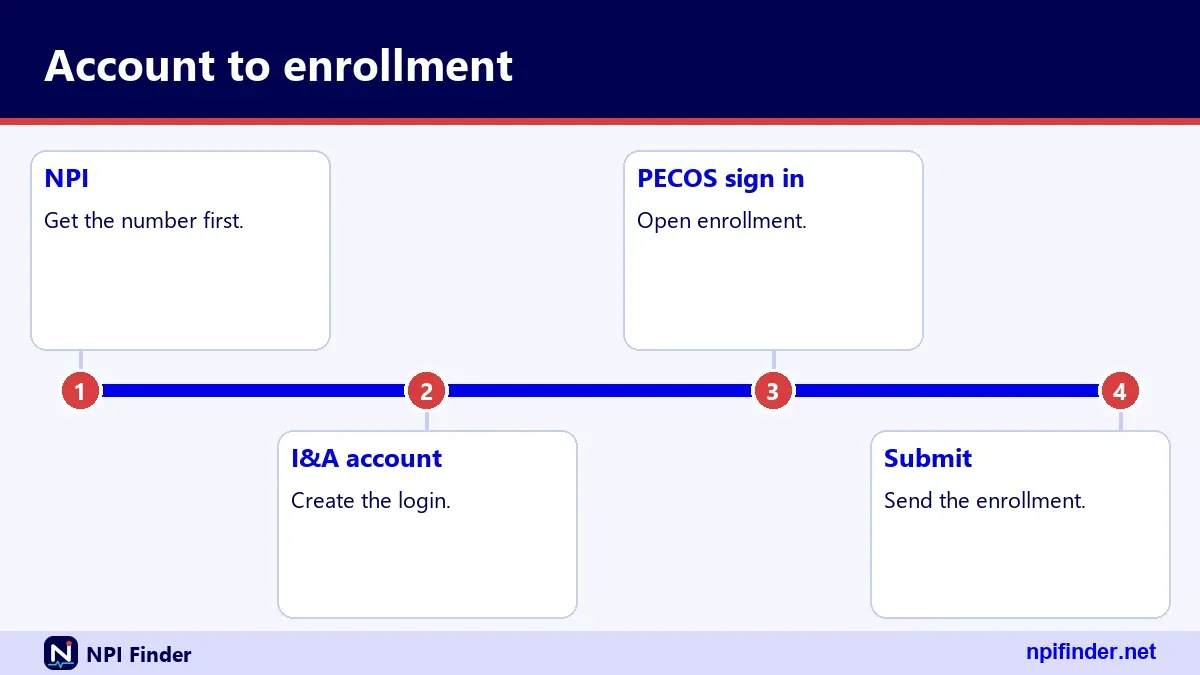
First-time enrollment starts with an I&A account and the right CMS-855 form. CMS says online enrollment through PECOS is faster than paper, and PECOS is paperless, so you mail nothing.
Pick your form first
Match the form to your provider type. The forms table below shows the options. Choosing the wrong one wastes days.
Have an NPI ready
You need an NPI before Medicare enrollment makes sense. If you lack one, apply for an NPI first. Then return to PECOS with the number in hand.
Your MAC does the review
Your Medicare Administrative Contractor handles paper applications and supporting documents. DMEPOS suppliers go to the National Provider Enrollment DMEPOS contractors. Know which applies to you.
Changing your Medicare enrollment after you log in
You change enrollment details in PECOS, and you change NPI details in NPPES. They are separate records. CMS states that an NPPES update does not update Medicare enrollment, so plan to touch both.
Update both records
Say you move your practice. Update NPPES, then update PECOS. A missed step leaves your public NPI record saying one thing and your enrollment saying another. See how to update an NPI record.
The 30-day NPI rule
Covered providers must report changes to NPPES data within 30 days under 45 CFR 162.410(a)(4). The rule covers NPI data. Check separately with your MAC for Medicare enrollment deadlines.
Checking whether a provider is enrolled in PECOS
You do not need a login to check someone else. CMS publishes public datasets drawn from PECOS. The Order and Referring dataset on the CMS data portal lists eligible physicians and non-physician practitioners by NPI.
Order and Referring data
The dataset has dated snapshots and a data dictionary. Use the NPI to match. Its update schedule is not confirmed, so treat it as a snapshot, not a live feed.
Care Compare
Medicare Care Compare draws its general information mainly from PECOS. Our guide to finding a Medicare provider explains how to read it.
The EUS Help Desk: who to contact for login trouble
Contact the External User Services (EUS) Help Desk when a reset does not work. EUS handles I&A, NPPES and PECOS account problems. Support hours are not published in the FAQ, so call or write rather than assume.
| Channel | Detail |
|---|---|
| Website | EUS help site listed in the I&A FAQ |
| [email protected] | |
| Phone | 1-866-484-8049 (toll-free) |
| TTY/TDD | 1-866-523-4759 |
| Source | I&A FAQ dated 1/20/2026 |
What to have ready
Have your User ID, the email on the account and a description of the error. Write down any message exactly as it appears. Specific details speed things up.
When to call the NPI Enumerator instead
For NPI questions, not login problems, call the NPI Enumerator at 1-800-465-3203. Use EUS for account access and the Enumerator for NPI records.
Which CMS-855 form goes with which task
Pick the form that matches your provider type. PECOS lets you complete most of them online. The table lists the forms CMS names for enrollment.
| Form | Who uses it |
|---|---|
| CMS-855A | Institutional providers |
| CMS-855B | Clinics, group practices, certain other suppliers |
| CMS-855I | Individual physicians and non-physician practitioners |
| CMS-855O | Ordering and certifying only, no Medicare billing |
| CMS-855S | DMEPOS suppliers |
| CMS-20134 | Medicare Enrollment Application |
So, CMS-855I is the best form for individual physicians and non-physician practitioners because the table lists it for exactly that provider type.
Related forms
CMS-588 is the EFT form. CMS-460 is the participation agreement. Both travel with enrollment paperwork.
A note on reassignments
CMS-855R is discontinued, and reassignments are reported on the 855I. Treat that detail as unconfirmed and check it with your MAC.
PECOS login for a solo practitioner
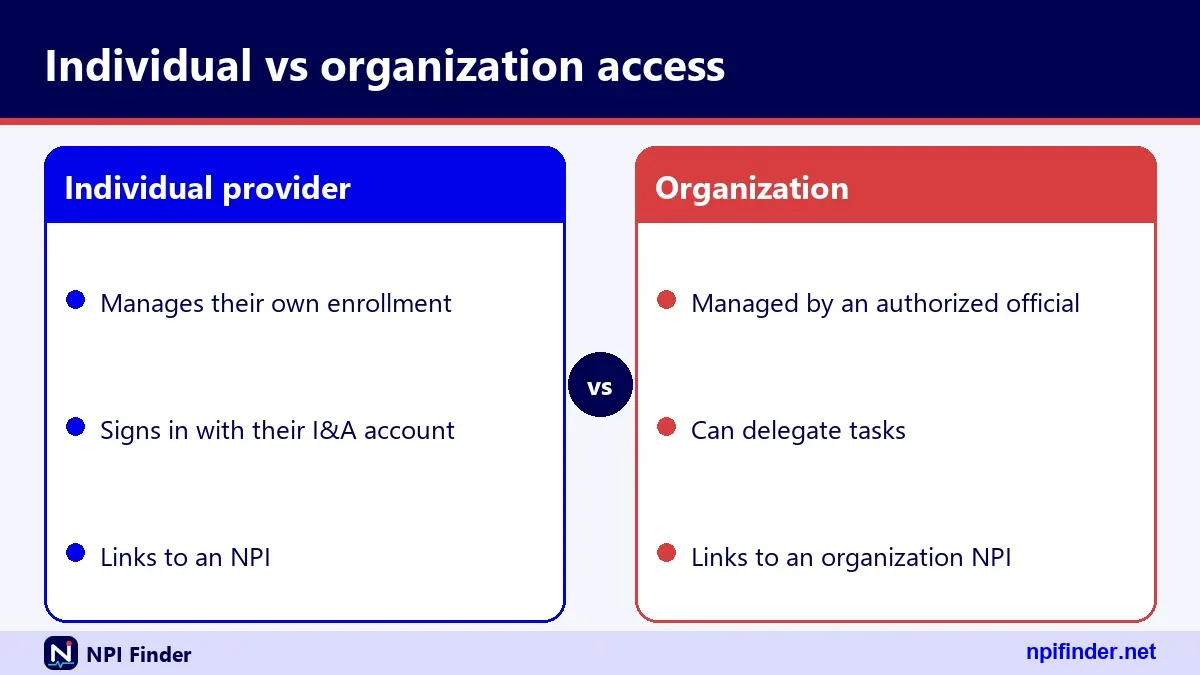
A solo practitioner uses one I&A account and the CMS-855I. If you are a sole proprietor, remember that a sole proprietorship is an Entity Type 1 (Individual) in NPPES.
One person, one account
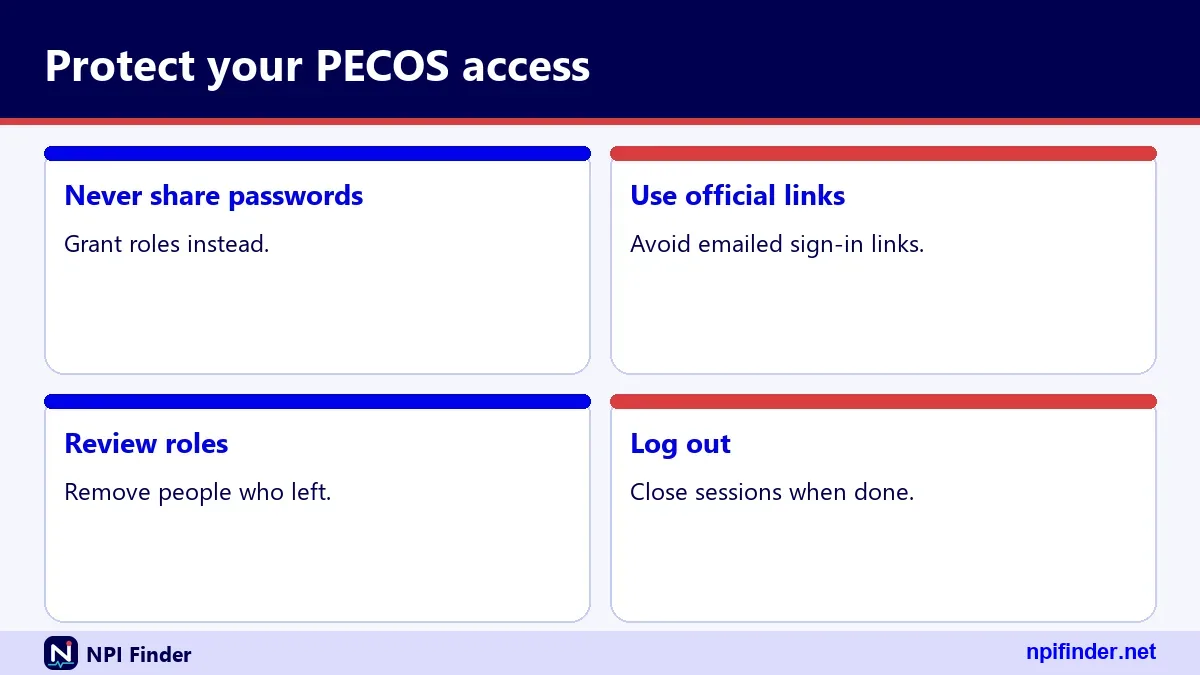
Keep the account in your own name. Your credentials are personal. Do not share them with the office staff.
Keep NPI and enrollment aligned
Match your name and practice location across NPPES and PECOS.
PECOS login for a group practice or organization
Groups and organizations enroll with the CMS-855A or CMS-855B, depending on type. The login is still I&A. How access is delegated inside an organization is not covered here, so ask your MAC.
Type 2 NPIs
Organizations hold Type 2 NPIs and may hold several. Make sure the NPI on the enrollment matches the legal entity.
Who holds the credentials
Decide this internally. Avoid a single login on a shared sticky note. Document who can reset what.
PECOS login for DMEPOS suppliers
DMEPOS suppliers use the CMS-855S and revalidate every three years, not five. Their enrollment goes to the National Provider Enrollment DMEPOS contractors.
Shorter cycle
Mark the three-year date early. The cycle is shorter, so the margin for error is smaller.
Contractor differences
Paper applications go to a different contractor than most providers use. Confirm the address on the current CMS form page.
PECOS login for ordering and certifying physicians
Physicians who order or certify but never bill Medicare use the CMS-855O. They still need I&A credentials to enroll online. Hospice-certifying physicians must be enrolled or opted out as of June 3, 2024.
Why the 855O exists
CMS describes it for physicians and eligible professionals who do not bill Medicare.
Hospice certification
If you certify hospice need, verify your status. Enrolled or opted out are both acceptable under the CMS rule.
PECOS, NPPES and the NPI Registry compared
PECOS manages Medicare enrollment, NPPES manages NPI records, and the NPI Registry is the public search of NPPES data. Only the first two need a login. The table lines them up.
| Feature | PECOS | NPPES | NPI Registry |
|---|---|---|---|
| Purpose | Medicare enrollment | Apply for or update an NPI | Search public NPI data |
| Login needed | Yes, I&A | Yes, I&A | No |
| Who uses it | Providers and suppliers | Providers and their staff | Anyone |
| Deals with revalidation | Yes | No | No |
So, PECOS is the best system for Medicare enrollment and revalidation because it is the only one of the three that deals with revalidation.
Reading the comparison
If the task involves Medicare billing status, you want PECOS. If it involves the number itself, you want NPPES. If you are only curious about someone else, you want the registry.
Why the registry never needs your PECOS login
It is public data, disclosed under FOIA. Anyone can search it, so it needs no account and carries no private information such as SSN or date of birth.
Online PECOS or paper: which to choose
Choose online PECOS unless you have a reason not to. CMS says online is faster than paper. Paper applications are mailed with supporting documents and the EFT form to the MAC.
When online wins
Online suits anyone who can log in and has the details ready. It also spares you the mail. I would pick it for almost every routine task.
When paper makes sense
Paper can suit a provider who cannot get a working I&A account quickly. It is slower, so build in time. Always confirm the right MAC address first.
Doing it yourself or hiring help
Doing the login yourself is best for individuals, because the credentials are personal. Billing companies and consultants can help with the forms, but you stay responsible for your enrollment.
Protecting your credentials
Never hand over your password so someone else can log in as you. Ask how the helper will access the system, and whether it avoids sharing your account.
Paying for something free
CMS lists no fee to get an NPI, use the registry or download the data files. A site that charges for those is not CMS. Be equally skeptical of anyone charging for a login.
PECOS surrogacy: how billing staff work on your behalf
Surrogacy is the CMS way to let another person or company work in PECOS for you without your password. A surrogate is a user you permit to act for you in the business functions you choose, such as PECOS or NPPES. Nobody logs in as you.
How you add a surrogate
Log in to I&A, open My Connections and select Add Surrogate. Search for the surrogate, pick the business functions, and submit. The surrogate then approves the request. You can remove the connection later by disabling it in I&A.
What a surrogate cannot do
A surrogate may not sign an application for you. Anyone who must sign an enrollment application still signs it. CMS also says a surrogate does not change your enrollment processing time. For staff roles, see NPPES login help.
PECOS login not working: a checklist
Work from the simple causes to the hard ones. Most failures are a wrong site, an expired password, a lockout or an MFA problem. Check them in that order.
Wrong website
Confirm you are on the official CMS page. Then confirm you are on PECOS, not the NPPES or registry pages. They look different and do different jobs.
Expired password
Passwords expire every 60 days. If the system rejects a password you know is right, reset it. Expiry never touches your enrollment.
Wrong User ID
Many people type an email or an NPI in the User ID field. Retrieve your User ID instead of guessing.
MFA mismatch
Make sure the phone or inbox you are checking is the one registered. An old number is a classic culprit.
Locked out after failed attempts
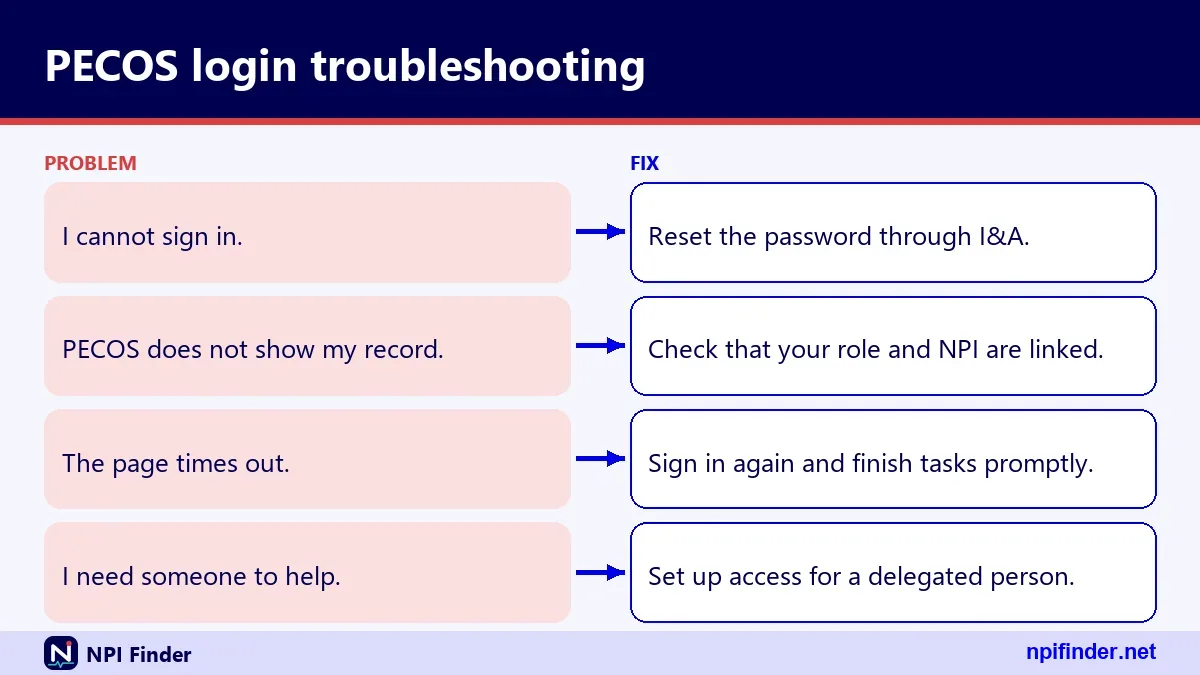
Three failed logins lock the account. Use Forgot Password on the I&A Sign In page to unlock it. If you fail the user-information step three times, contact the EUS Help Desk.
Unlocking yourself
Answer the three security questions or give the user information tied to the account. Then set a new password and complete MFA.
Waiting is not a fix
A lockout does not clear by itself in any way CMS documents. Use the reset or call EUS.
MFA code not arriving or method lost
If the code does not arrive, try another registered method. That is why CMS recommends two. If every method is lost, you must reach the EUS Help Desk for help.
Try the second method
Switch from text to email, or the reverse. Check spam folders for the email.
Reset after you get in
Once logged in, update your MFA methods. Remove the dead number and add a current one.
Logged in but the enrollment is missing or wrong
A successful login only proves your identity. If you cannot see an enrollment, the record may sit under a different provider, group or NPI. Contact your MAC with your NPI ready.
Check the NPI first
Look up your number in the registry and compare name and practice details. See how to find your NPI number if you are unsure.
Check the legal name
Enrollment mismatches often trace to a name difference. Confirm the name is the same in both systems.
The account says it already exists
If the system says your SSN matches an existing account, you already have an I&A or NPPES account. Recover it instead of creating a new one. Duplicates cause long delays.
Recovery path
Use Retrieve Forgotten User ID with your email. Then use Forgot Password if needed. If both fail, EUS can help.
The rules behind PECOS and NPI records
The rule that governs NPIs is 45 CFR Part 162, Subpart D, under HIPAA Administrative Simplification. It requires covered providers to report NPI changes within 30 days. Medicare enrollment rules sit separately in CMS enrollment guidance.
What the NPI rule covers
It sets the NPI as the standard identifier. It does not say your NPI proves you are licensed. CMS states that an NPI does not guarantee payment or enroll you in a health plan.
What it does not cover
It does not set PECOS login rules. Those come from the I&A system and CMS enrollment policy. Keep the two layers straight in your head.
Fees, costs and free access
CMS lists no fee to view NPI Registry data or to download the NPI files. Applying for an NPI online was described as free in a 2006 CMS message. This page does not cover Medicare application fees, so check the CMS enrollment page for your provider type.
What is clearly free
The registry and the data files are free. CMS offers no help desk for using the downloadable file.
What you should verify
Any fee tied to Medicare enrollment depends on provider type. Verify it with CMS or your MAC before paying.
Official sources and who to ask
Go to CMS first for rules and to the EUS Help Desk for account problems. Ask your MAC for enrollment questions. Each source has its own job, and mixing them wastes time.

| Question | Best source |
|---|---|
| I cannot log in | EUS Help Desk |
| My NPI data is wrong | NPI Enumerator or NPPES |
| My Medicare enrollment is wrong | Your MAC |
| Is a provider enrolled? | Public CMS datasets |
| What does the rule say? | 45 CFR Part 162, Subpart D |
Contact numbers
EUS: 1-866-484-8049. NPI Enumerator: 1-800-465-3203. A Medicare helpline number is not confirmed here, so I leave it out.
Mail for paper NPI applications
CMS NPI Enumerator Services, Mail Stop DO-01-51, 7500 Security Blvd., Baltimore, MD 21244.
Troubleshooting table: symptom, cause and fix
Match what you see on screen to the most likely cause. This table covers the problems that the I&A FAQ addresses directly, so each fix has an official basis.
| Symptom | Likely cause | Fix |
|---|---|---|
| Password rejected, but you know it | Password expired after 60 days | Use Forgot Password and set a new one |
| Account locked | Three failed logins | Use Forgot Password to unlock |
| Cannot remember User ID | Not stored anywhere | Use Retrieve Forgotten User ID |
| No MFA code | Wrong or old method on file | Try your second method, then contact EUS |
| Must create a new User ID | Account unused for 365 days or more | Re-verify your information |
| Password reset demanded | Unused for 180 to 364 days | Reset the password |
How to use the table
Start at the symptom, not at the fix. If two rows seem to fit, work down the table from the top. Expired passwords are far more common than anything exotic.
When none of the rows match
Call the EUS Help Desk and describe the exact message you saw. Support staff can see your account. A screenshot of the error, if allowed by your office policy, saves a round of questions.
Scenario: your password expired during revalidation week
An expired password at revalidation time is annoying but fixable the same day. Reset it through Forgot Password, complete MFA and carry on. CMS says expiry does not touch your enrollment.
The real danger is losing days to panic. Revalidation has no extensions, so use your first free minute to reset the password. Then, once you are in, review every section rather than clicking through. If the reset itself fails, contact EUS immediately and note the time you called.
Scenario: you changed practice address
Update NPPES and update your Medicare enrollment, in that order. The NPI side has a 30-day reporting rule for covered providers. Your MAC sets the pace for enrollment changes.
After both updates, search for your NPI in the public registry. Compare the LOCATION address and phone with what you submitted. Then check the mailing address too. If anything differs, fix NPPES first, then confirm the enrollment side. Keep a note of the date you made each change, because the 30-day NPI reporting window runs from the change itself.
Scenario: you return after a long break
If you have not logged in for more than a year, expect to start over with a new User ID. After 365 days of non-use, CMS requires you to re-verify your information.
Do not wait for a revalidation notice to find out. Try the login a few weeks ahead. If it works, you are fine. If it demands re-verification, you have time to finish it. Keep the same legal name and a working email ready, since identity checks use the details you give.
Scenario: a new hire needs to work on enrollment
A new hire needs credentials of their own, not yours. Have them create or recover their own I&A account. Then confirm with your MAC how access is arranged for your organization.
Resist the shortcut of sharing a login for a busy week. It breaks the link between a person and their MFA device. It also leaves no clear record of who changed what. A short wait for proper access costs less than untangling a shared account later.
Scenario: your phone number changed
Update your MFA methods before the old number stops working. You can reset MFA methods by logging in to I&A, so do it while you still can.
If the old number is already dead, use your second method, which is why CMS recommends registering two. With neither method available, you will need the EUS Help Desk. Have your User ID and account email ready, and expect identity questions.
What CMS keeps private and what it publishes
CMS keeps your SSN, ITIN and date of birth off the internet. Other submitted NPI information may be public. The registry shows names, addresses, phone numbers, taxonomies and license numbers.
That split matters when you log in. Your private details protect the account, while your professional details are meant to be found. For organizations, the public record can include the authorized official's name, title and phone. Check what yours shows after every update, and fix anything that is stale.
Staying safe from look-alike sites and paid middlemen
Treat any unexpected request for your I&A password as suspicious, and never type it into a page you reached from an ad. Use a bookmark to the official CMS page.
CMS lists no fee to get an NPI, to use the registry or to download its files. A site that charges for those is not CMS. No current CMS fraud alert about NPI-for-fee sites is confirmed here, so I do not claim one exists. Still, caution costs nothing.
Questions to ask a helper
Ask whether they need your password. Ask how they will access PECOS without sharing your account. If the answers are vague, walk away.
What to do if you shared a password
Change it at once through Forgot Password. Review your enrollment details for anything you did not enter, and tell the EUS Help Desk if something looks wrong.
Key dates worth knowing
A handful of dates frame this page. MFA became required for I&A login on 04/21/2022. Hospice certifiers had to be enrolled or opted out effective June 3, 2024. The I&A FAQ used here is dated 1/20/2026.
| Date | What happened |
|---|---|
| 04/21/2022 | MFA required for I&A login |
| June 3, 2024 | Hospice-certifying physicians must be enrolled or opted out |
| 6/25/2024 | NPI Registry hourly query limits took effect |
| 1/20/2026 | Date of the I&A FAQ document |
Why the dates matter
Old advice may predate MFA. If a tutorial skips MFA, it is out of date. Always check how recent a source is before following its steps.
Questions to ask your MAC
Your MAC knows your enrollment, so bring specific questions. Good ones save a second call. Prepare your NPI and the legal name on the enrollment before you dial.
- Which application type applies to my provider type?
- Where is my revalidation due date, and has a notice been sent?
- How is access delegated in my organization?
- Is a paper application acceptable for my situation?
- What documents should accompany the form?
Phone numbers for MACs are not listed here. Use the CMS enrollment contractor guidance to find yours. Write down the name of the person you speak with and the date of the call.
PECOS login versus a Medicare provider search
Searching for a provider is a public task. Logging in to PECOS is a private one. They answer different questions, so do not expect one to replace the other.
If you want to find a doctor, use Medicare Care Compare or the public registry. If you want to manage your own enrollment, log in to PECOS. Care Compare lists clinicians who currently accept Medicare, and its general information comes mainly from PECOS.
How long you should expect a login task to take
CMS publishes no processing time for NPI applications, and I will not invent one. For logins, the honest answer is minutes when your account is healthy and longer when it is not.
Plan around the slow parts. A reset takes one sitting. A new User ID after 365 days takes re-verification. A revalidation takes however long your enrollment details take to review. Add buffer before any deadline, because CMS offers no extensions on revalidation.
Pre-login checklist for busy offices
Run through this list before you start any PECOS task. Five minutes here avoids most delays. It works equally well for a solo practitioner and a billing manager.
- Confirm the page is the official CMS PECOS login.
- Have your User ID and a password you can type from memory.
- Check that your MFA phone or inbox is at hand.
- Know your NPI and the legal name on your enrollment.
- Know your revalidation due date.
After you finish
Log out, note the date, and save your confirmation. If you changed anything, check your public NPI record later to confirm the data still matches.
Why consistent data matters across systems
PECOS, NPPES and the public registry should tell the same story about you. Name, practice address, taxonomy and license details should line up. Differences invite questions from payers and delays at revalidation.
Confirm your taxonomy code against the NUCC list before you submit anything. Your NPPES taxonomy entry carries a license number and state. NUCC maintains the code set, and its current version is 26.1, effective 7/1/26. Keeping all three records aligned is a small habit with a large payoff.
A simple alignment routine
After any change, open your public registry entry and read it line by line. Check the name, the credential, the status, the practice address and each taxonomy. Then compare against what you hold in your enrollment. Write down any difference and resolve it with the system that owns the data, NPPES for NPI details and your MAC for Medicare enrollment.
What a mismatch can cost
CMS does not publish a penalty table for data mismatches, so this page will not invent one. The practical cost is friction: questions from payers, rework at revalidation and time spent on the phone. A few minutes of checking after each update is cheaper than that rework.
Keeping your PECOS access healthy all year
Healthy access means a current password, two MFA methods and a login you use often enough to avoid dormancy. A little upkeep beats an emergency reset at a deadline.
Log in on a schedule
Sign in at least every few months. Accounts unused for 180 days need a password reset, and after 365 days you must start over with a new User ID.
Review your enrollment details
Each login is a chance to scan your practice locations and reassignments. Catch errors early, not at revalidation time.
Staff turnover and shared offices
Credentials belong to individuals, so staff changes need a plan. When someone leaves, change what they could reach and review who still has access. Ask your MAC how delegation works for your organization.
Never share a login
A shared User ID defeats the point of identity checks. It also breaks the MFA link between a person and a phone.
Write down the recovery path
Record who owns the email and phone on each account. Recovery fails when the only registered inbox belongs to someone who left.
Using public CMS data next to your login
You can learn a lot without logging in. The public NPI Registry shows NPI data, and the downloadable files carry it in bulk. Use them to check your own record after a change.
The registry and bulk files
CMS says bulk queries must use the downloadable file, not the registry. The files are free. Our NPI database download guide explains the options.
Taxonomy codes
Taxonomy codes in your record come from the NUCC code set. Use the taxonomy code lookup to confirm yours before you update NPPES.
What your NPI record shows after an update
The NPI record you see in a lookup tool comes from NPPES, not PECOS. It has basic details, addresses, practice locations, taxonomies and more. Reading it tells you whether your last NPPES update took.
Basic and addresses
The basic block carries name, credential, status and dates such as enumeration and last updated. Addresses are marked LOCATION or MAILING.
Practice locations and taxonomies
Secondary practice locations sit in their own list. Taxonomies show a code, a description, a primary flag, a state and a license number.
Other names, identifiers and endpoints
Other names hold former names or doing-business-as names. Identifiers and endpoints can be empty. An empty list is normal, not an error.
PECOS login glossary
A few terms come up in every login conversation. Learn these and the CMS FAQs read much more easily.
I&A
Identity & Access Management, the CMS account system behind NPPES, PECOS, PEPPER and CBR.
MFA
Multi-factor authentication. It requires a second proof after your password.
MAC
Medicare Administrative Contractor. It processes most enrollment applications for its region.
EUS
External User Services, the help desk for I&A, NPPES and PECOS access.
PTAN
The Medicare Provider Transaction Access Number, issued by the MAC at enrollment. It is not your NPI. See the NPI versus other provider IDs comparison.
PECOS login myths versus facts
Most myths come from mixing up identifiers and systems. Clearing them up saves hours.
Myth: your NPI is your PECOS password
Fact: PECOS uses an I&A User ID and password. Your NPI is public. Read what an NPI is if you want the background.
Myth: an expired password ends your enrollment
Fact: CMS says expiry does not affect your NPI, Medicare enrollment or payments. It only blocks sign-in until you reset.
Myth: updating NPPES updates PECOS
Fact: CMS says it does not. Update both.
Myth: having an NPI means you are enrolled
Fact: an NPI is required for Medicare enrollment but does not replace it.
Tips for a painless PECOS login
These ten habits prevent most of the trouble covered above.
- Use the official page: Reach PECOS from CMS, and bookmark it once verified.
- Never share credentials: Your User ID and password are personal.
- Set two MFA methods: One email and one phone beats a single method.
- Remind yourself at 50 days: Passwords expire every 60 days.
- Keep a unique email: It makes User ID recovery possible.
- Log in regularly: Dormancy rules start at 180 days.
- Stop after two failures: The third failure locks the account.
- Update both systems: NPPES and PECOS are separate records.
- Check due dates early: CMS posts revalidation dates seven months ahead.
- Save the EUS contacts: Keep the phone number and email handy before you need them.
Recommendation
Use one I&A account, set up two MFA methods today, and put your revalidation date in your calendar. Do those three things and PECOS login rarely becomes a problem. If something breaks, reset first, then call EUS.