

How do I update my NPI information?
You update your NPI information by changing the record tied to your number in NPPES, the National Plan and Provider Enumeration System run by CMS. You can do it online with an I&A account or on paper with form CMS-10114. Online is the route CMS describes as most efficient for applications, and the same logic applies to updates. Covered providers must report changes within 30 days.
Use the quick task table below to find your job, then jump to the matching section.
| Task | Route | Where this page covers it |
|---|---|---|
| Change a mailing or practice address | NPPES online, or CMS-10114 box 2 | NPI address change |
| Change your name | NPPES online, or CMS-10114 box 2 | NPI name change |
| Add or fix a taxonomy code or license | NPPES online, or CMS-10114 box 2 | How to edit NPI information |
| Deactivate an NPI | CMS-10114 box 3 | Deactivate an NPI |
| Reactivate an NPI | CMS-10114 box 4 | Reactivate an NPI |
Your NPI number itself stays the same through every one of these updates.
How to update NPI information
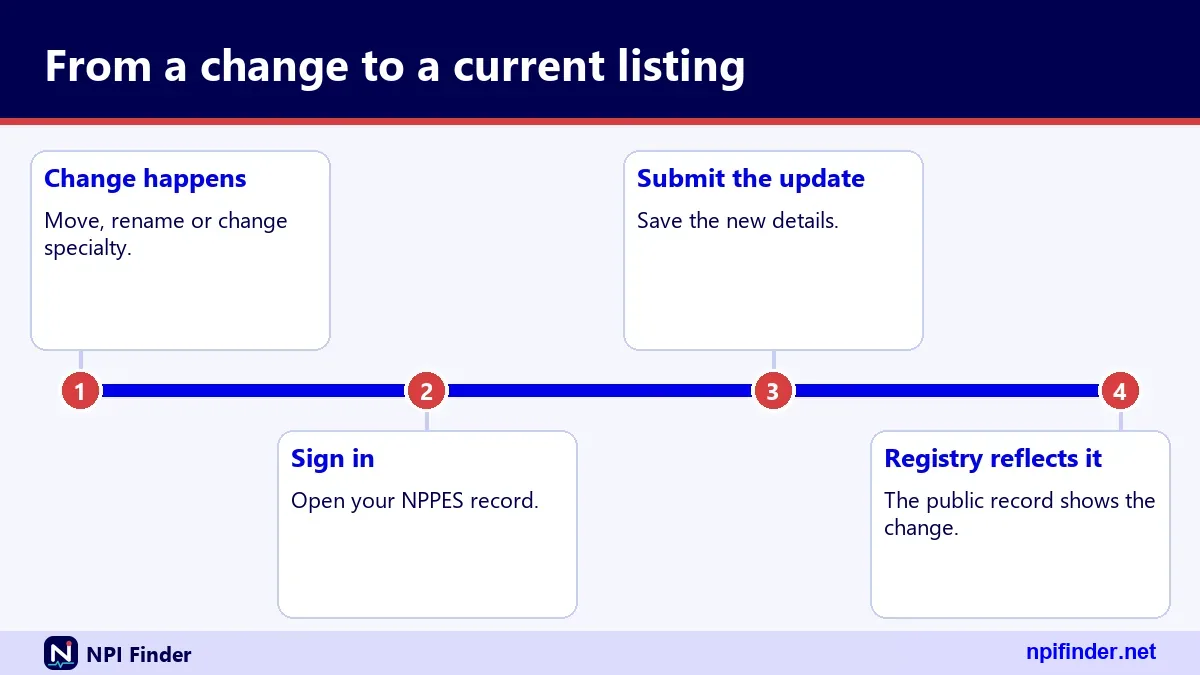
Updating NPI information takes three steps in any case: sign in or pick the paper form, edit the data that changed, and submit within 30 days of the change. The official channels are the web-based NPPES system and the paper form. CMS also lists bulk enumeration by an authorized organization, but that is an application channel.
The three routes at a glance
The web route is fastest and gives you a record you can review before you submit. The paper route suits people who cannot use the web system. Request a blank form from the NPI Enumerator or print the one CMS publishes. CMS describes the bulk route, Electronic File Interchange, as a way for authorized organizations to obtain NPIs for many providers.
Who has to report changes
Covered providers must report changes to their NPPES data within 30 days. That duty comes from 45 CFR 162.410(a)(4). A covered provider is one who transmits health information electronically in a HIPAA standard transaction. Non-covered providers who hold an NPI should still keep it current, because the registry is public and other people rely on it.
How to update my NPI information
To update your NPI information, you need a working login first, so start with your Identity and Access Management (I&A) account. I&A is the single account system for NPPES, PECOS, PEPPER and CBR. If you already log in to one of them, the same user ID and password usually work in the others. See NPPES login help if sign-in fails.
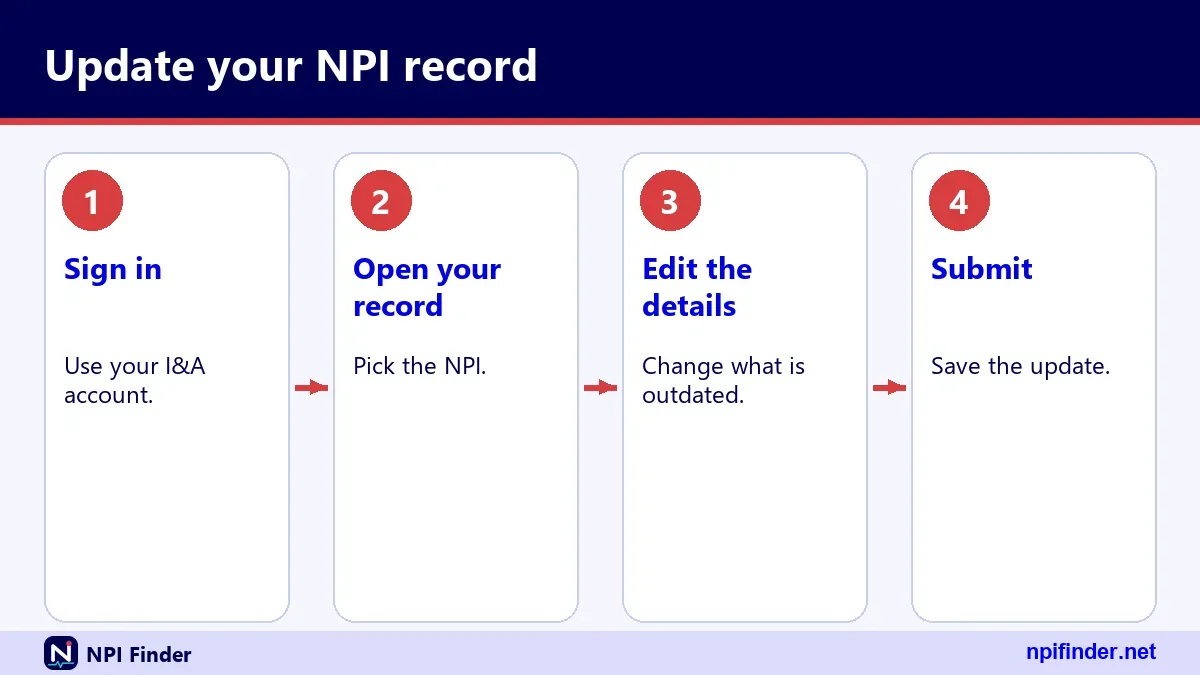
Sign in with your I&A account
Go to the NPPES site and sign in with your I&A user ID and password. Multi-factor authentication has been required for I&A login since 04/21/2022. You need only one method, but CMS recommends setting up two, such as email and text message, so a lost phone does not lock you out.
Find the record you want to edit
After login, open the NPI you want to change and look for the option to edit it. Screen labels can change, so follow the on-screen prompts rather than a screenshot from an old guide. If you are unsure of your number, use Find My NPI Number before you begin.
Update NPI information
Before you update NPI information, collect everything that changed so you finish in one sitting. Half-finished edits are the usual reason records stay wrong. Treat this as a five-minute prep job.
Gather these details first
Have the new street address with suite number, phone and fax numbers, the exact legal name as it should appear, taxonomy codes, and state license numbers with their issuing states. Individuals may also need the Social Security number and date of birth the form asks for. Those two items are not shown on the public internet.
Decide what else the change touches
An NPPES edit does not update other systems. Medicare enrollment lives in PECOS and must be changed separately. Payers, hospitals and credentialing profiles each hold their own copy of your details. Make a short list of every place that shows your old address or name, then work through it after NPPES.
What an update changes and what it leaves alone
An update changes the data attached to your NPI and nothing else. The number does not change. The NPI is a 10-digit identifier with no embedded intelligence, so it carries no state, specialty or address. That is why you never need a new number just because you moved or married. Read more in What Is an NPI Number?.
NPI address change
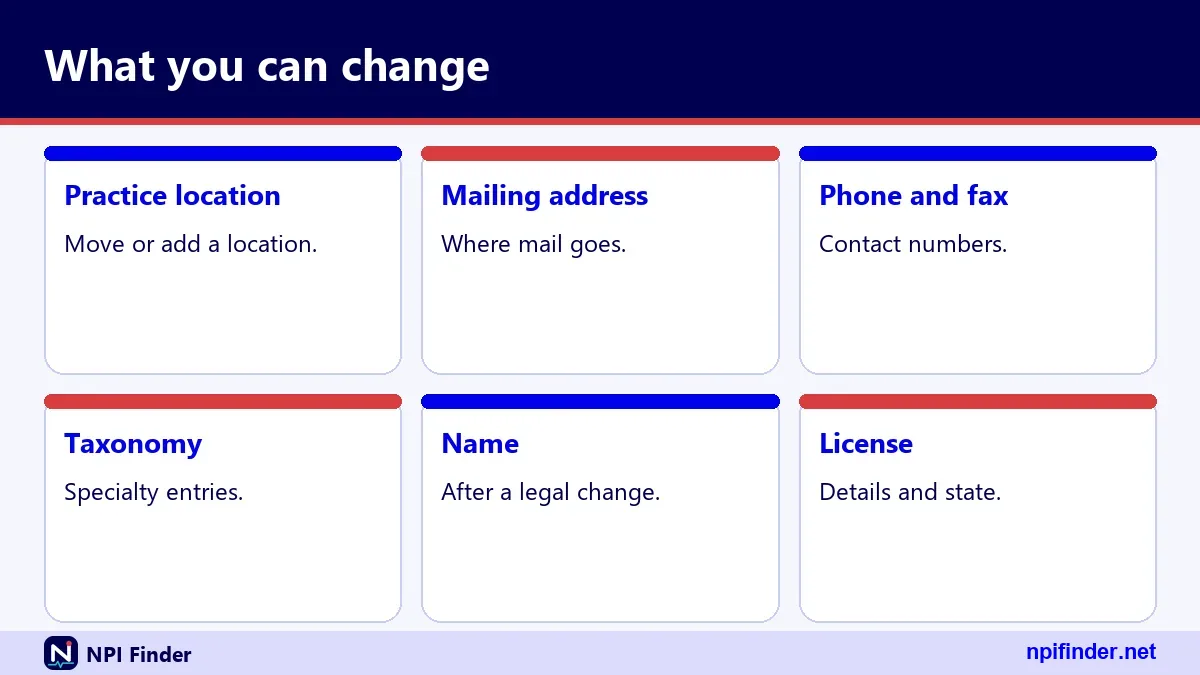
An NPI address change means editing one or more of the addresses in your record: the mailing address, the primary practice location, or the secondary practice locations. Each address has its own purpose in NPPES, and the public registry shows all of them. Change every address that is no longer true, not only the one you remember.
Mailing address versus location address
In registry data, each address carries an address_purpose of LOCATION or MAILING. Location is where you practice. Mailing is where you want correspondence. Many providers use the same street for both, and some use a home or PO box for mailing. Do not infer where someone practices from the mailing address alone.
Secondary practice locations
Secondary practice locations sit in a separate list called practiceLocations. They matter if you work at several sites. In one real sample record, the primary location is in Maryland, while three secondary locations appear in Virginia, Maryland and DC. Update this list when you add or leave a site, not only the main address.
NPI lookup change address
After you save a new address, the NPI lookup change address check is simple: search the registry for your NPI and compare the location and mailing blocks. The registry is a query-only database that CMS says it updates daily. If the old address still shows, recheck the next day before you contact anyone.
Change NPI information
You can change NPI information in most of the data groups the registry shows: name, addresses, phone and fax numbers, taxonomies with license details, other names and endpoints. What you cannot change is the number. For organizations, the authorized official and the legal business name are also part of the record.
Fields you can edit
Individual records carry name, credential, sex and sole proprietor status. Addresses and practice locations carry phone and fax numbers. Taxonomy entries carry code, primary flag, license number and license state. Records can hold up to 15 taxonomies. Other names and endpoints are optional lists.
Fields the registry never shows
Social Security number, ITIN and date of birth are not made available on the internet, according to the CMS-10114 instructions. You still provide them to prove identity. Other submitted information may be public. Assume anything you type into an address, name or taxonomy field can appear in a registry search.
How to change NPI information
To change NPI information, choose online or paper, then submit one clear request. The reason you give decides how CMS treats the submission, so state a Change of Information and nothing else. Mixed requests slow things down.
Online or paper
Pick online if you can sign in. Pick paper only if you cannot use the web system, or if you are deactivating or reactivating on paper and want a signed record. CMS describes the web application as the way to get the fastest processing. It does not publish a number of days for updates.
One reason and one NPI per paper form
Each CMS-10114 handles one reason for submittal and one NPI. If you need to change an address and deactivate a different NPI, you need two forms. Keep copies of everything you mail. Send the form to CMS NPI Enumerator Services, Mail Stop DO-01-51, 7500 Security Blvd., Baltimore, MD 21244.
NPI change of information
An NPI change of information is the official name CMS gives to an update. On the paper form it is reason for submittal number 2, called Change of Information. It covers every edit to an existing record, from a new suite number to a new taxonomy.
Checking box 2 on the paper form
Tick Change of Information, enter your NPI, then complete only the sections that changed. Sign and date the form where it asks. Individuals in certain licensed professions must give license information or send a letter explaining why they have none. Leave sections blank if they did not change, rather than guessing.
What the form says about public data
The form warns that Social Security number, ITIN and date of birth are not shown on the internet, while other submitted information may be. It also repeats the rule that all changes must be reported to the NPI Enumerator within 30 days. Read that notice before you list a home address as your practice location.
NPI number change of address
An NPI number change of address does not change the number. Your NPI is a lasting identifier, and CMS says the assigned NPI does not expire. A move changes the address stored under the number. It never calls for a new application.
Your NPI stays put
Payers, hospitals and clearinghouses already link your claims to the number you have. Keep using it after you move. Health plans may not require a provider who already has an NPI to obtain an additional one, so nobody can legitimately ask you to reapply because your address changed.
Never apply for a second NPI
Individuals are eligible for only one NPI. A duplicate causes mismatched claims and a messy registry. If you cannot remember your number, look it up instead. Use the find-my-NPI tools, then apply only if you truly have none.
NPI update
An NPI update is any edit that keeps the record accurate, and it is a duty, not a favor. Think of it as housekeeping with a deadline. Every change that reaches NPPES within 30 days keeps you compliant and keeps the public registry useful for patients and payers.
Events that trigger an update
Update when you move or add a practice site, change your name, add or drop a taxonomy, receive a new state license number, change a phone or fax number, or change the authorized official of an organization. Also update when you close a business or return from a long break and the record no longer fits.
Events that do not need one
Changing employers does not change your NPI, and an update to your credentialing profile elsewhere does not change NPPES. If your data in NPPES still reads correctly, you do not need to touch it. Check it once a year anyway.
Update NPI address
To update an NPI address, sign in to NPPES, edit the address that changed, and submit. Do the same for each address type that is out of date. The steps below work for any single address edit.
Address update steps
- Sign in to NPPES with your I&A user ID, password and multi-factor method.
- Open the NPI you want to change.
- Choose the address section: mailing, primary location or practice locations.
- Replace the old street, suite, city, state, ZIP, phone and fax with the new values.
- Review every field, then submit the change.
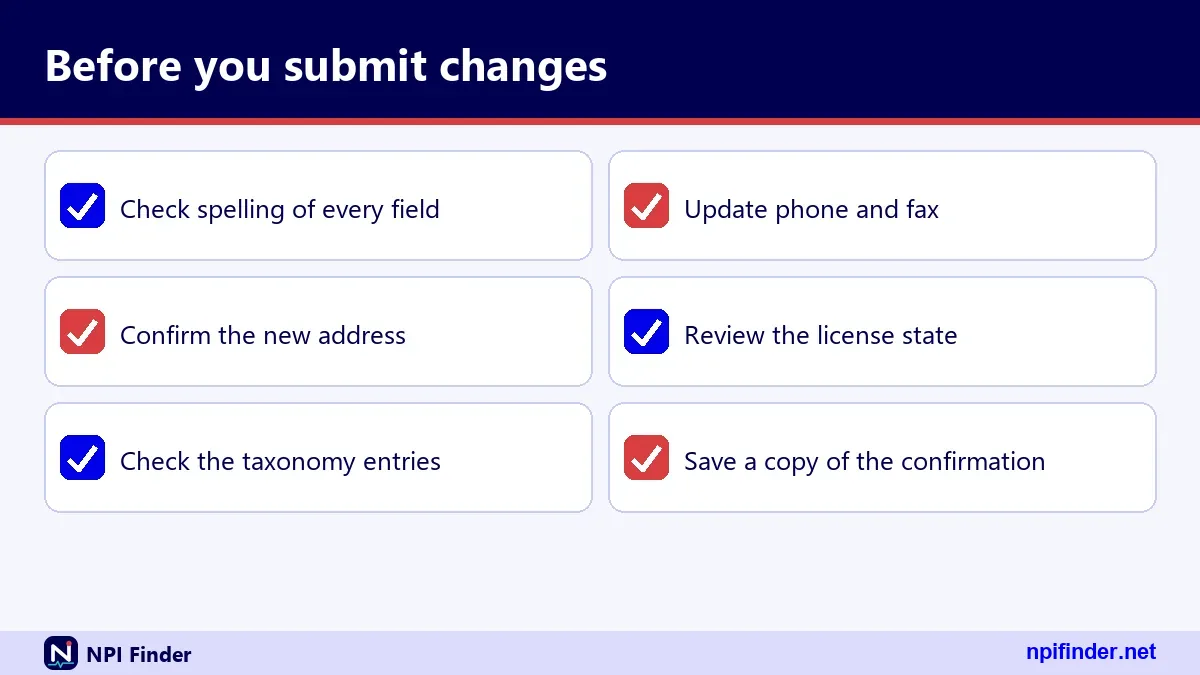
- Save the confirmation and search the registry after a day to confirm the new address.
Tip: Update the primary location and the mailing address in the same session, so the two cannot disagree for a day or two.
ZIP+4 and address formatting
The registry stores addresses in upper case. A nine-digit ZIP appears without a hyphen, such as 237082111 in one live record. A five-digit search also returns nine-digit matches. Enter the ZIP+4 your payer or the postal service uses, so claims edits and directory matching line up.
Change address on NPI
To change address on NPI records after a relocation, update NPPES first, then every downstream system. The registry feeds directories and data files. Wrong data there leaves you with returned mail and rejected enrollment checks.
Moving a practice across state lines
A new state means a new location address and often a new license. Add the new state license number and issuing state to the taxonomy entry. Taxonomy entries carry both fields. Do not delete the old license entry unless that license is no longer active. For help finding records by state, see NPI Lookup by State.
Opening a second office
A second office goes into the secondary practice location list. You do not need a second NPI for an extra site if you are an individual. Organizations may hold several NPIs, and subparts can have their own, but individuals are eligible for only one.
NPI change address
An NPI change address request for an organization works like an individual's, with one difference: the authorized official is part of the record. Registry data for a Type 2 NPI shows the authorized official's name, title and phone number alongside the addresses.

Organizations and authorized officials
If the person who signs for the organization changed, update the authorized official at the same time as the address. The record also holds the legal business name. Keep the legal name consistent with your tax records, since the paper form asks for the EIN of the organization.
Solo practitioners working from home
Many solo providers list a home address as the mailing address. The registry is public, so anything you list as a location can appear in search results. The CMS form says only that Social Security number, ITIN and date of birth stay off the internet. Choose a business or office address if privacy matters.
NPI change of address
An NPI change of address must reach NPPES within 30 days of the move. That clock comes from federal rule, and the CMS forms repeat it. Move date, not paperwork date, starts the count.
Count 30 days from the move
Write the move date on your calendar and add 30 days. Plan the update before moving day, since you usually know the new address in advance. Submitting a few days early is better than submitting late.
What late updates cost you
This page does not quote a penalty for late NPPES updates, because no verified figure is available. What late updates certainly cost is accuracy: mail goes astray, directories mislead patients, and payers cannot match your claims. Fix it now, whatever the delay.
Change NPI address
To change NPI address data correctly, treat verification as the last step, not an extra. A saved form is not proof. The public registry is your proof.
Check the registry after you save
Search your NPI in the registry and read the addresses block. Compare the location and mailing entries with what you submitted. The registry is updated daily, so check again the next day if it still shows old data. Note the last_updated date in the result. It should move to the date of your update.
Why other sites may still show old data
Third-party directories copy registry data on their own schedule. CMS also publishes monthly and weekly data files, and many sites build from those. Your correction can take a while to appear everywhere. Fix the official record first, then ask other sites to refresh. See NPI Database & Download.
How to edit NPI information
To edit NPI information, open the record and change the specific section, whether taxonomy, license or contact details. Edit only what changed. Overwriting correct fields invites new errors.
Editing taxonomy codes
Taxonomy codes come from the NUCC Health Care Provider Taxonomy set. A record can list up to 15 taxonomy entries, and one is marked primary. The description is derived from the code. Browse codes with Taxonomy Code Lookup before you pick one. Choose the primary code that best matches how you bill.
Editing license numbers
Each taxonomy entry can carry a license number and a license state. Add each new license when you receive it. The NPI does not verify licensure, so the registry only shows what you entered. A wrong license digit stays public until you fix it.
Editing phone and fax numbers
Phone and fax numbers sit inside each address. Update them whenever you move a line to a new location, including the extension if there is one. Staff changes are the usual cause of stale phone numbers, so add a recurring reminder to review contact details.
NPI name change
An NPI name change is a Change of Information, filed the same way as an address edit. Your number stays the same. Only the name fields in the record change, so claims and directories can follow your new legal name.
Where your name shows in the record
For individuals, the basic block holds prefix, first name, middle name, last name, suffix and credential. The registry prints them in upper case. Organizations carry an organization name instead. Check each name part after you update, since a missing middle name or credential is easy to overlook.
Former names in other names
The registry keeps an other_names list. For individuals it records entries such as a Former Name, with first, middle and last name. Organizations can list a Doing Business As name. A former name helps people find you under the old spelling, so keep it when it is still in use.
Change name on NPI
To change name on NPI records, edit the name fields online or file a Change of Information on paper. Use the name exactly as it appears on your current state license and in your other credentialing records. Matching names across systems prevents most downstream rejections.
NPI name change after marriage
An NPI name change after marriage follows the ordinary update route and does not need a new NPI. Update NPPES, then your state license, then payers and PECOS. The paper form asks for identifying details such as Social Security number, so have them ready. Do the licensing board first if it requires its own proof.
Name changes for other reasons
The same rule applies to a legal name change for any reason. This page does not list the supporting documents CMS may ask for, because the form text available to this page does not spell them out. If NPPES asks for proof, follow its instructions. Call the NPI Enumerator if the screen is unclear.
Change name on NPI number: what to avoid
Do not use a nickname or a shortened name unless it is your legal name. Also avoid putting the new name in the old name's slot while leaving the former name unrecorded. People searching under the old name will not find you if the former name was erased.
NPI application update form
The NPI application update form is CMS-10114, titled National Provider Identifier (NPI) Application/Update Form. One form serves four purposes: initial application, change of information, deactivation and reactivation. The version in use is Rev. 02/25, OMB No. 0938-0931, which expires 03/2028.
Form CMS-10114 at a glance
The reasons for submittal are numbered. Box 1 is Initial Application. Box 2 is Change of Information. Box 3 is Deactivation, with reasons of Death, Business Dissolved or Other. Box 4 is Reactivation, with a required reason. You may check one reason per form and cover one NPI per form.
Where to get a paper copy
Download the form from the CMS forms library or ask the NPI Enumerator to send one. The enumerator's phone number is 1-800-465-3203, and TTY is 1-800-692-2326. The same number requests a paper application. Always check that the revision date is current before you fill it in.
CMS-10114 NPI application update form, step by step
To complete the CMS-10114 NPI application update form, tick the right reason, identify the NPI and fill only the sections that apply.
- Download the current CMS-10114 and confirm the revision date is 02/25.
- Check reason 2 for Change of Information, reason 3 for Deactivation, or reason 4 for Reactivation.
- Enter your NPI and select the entity type, individual or organization.
- Complete the sections that apply, including addresses, taxonomy and license details.
- Sign and date the form, then add a letter if the instructions call for one.
- Mail it to CMS NPI Enumerator Services, Mail Stop DO-01-51, 7500 Security Blvd., Baltimore, MD 21244, and keep a copy.
Warning: The form allows one reason and one NPI. A form with two reasons ticked can be returned, so file separate forms.
Information the form collects
The form asks for entity type, name, Social Security number or ITIN and date of birth for individuals, business mailing and practice addresses with phone numbers, taxonomy codes, and license information. Organizations give legal business name, EIN and authorized official. A contact person section is included. The full field list is on the form itself.
Check the mailing address before you send
The street address in step 6 is the one shown on the CMS how-to-apply page. The form instructions may list a different P.O. or lockbox address, so check the form instructions before you post anything. When in doubt, call the enumerator at 1-800-465-3203 and confirm.
Can you fax or email form CMS-10114?
No. CMS says all signatures on the form must be original, and stamped, faxed or photocopied signatures are unacceptable. A scan sent by email is not an original signature either. The form also says applications with signatures that are not original will not be processed. Sign in ink, mail the paper, and keep a copy. If a deadline is close, skip the post and sign in to NPPES to update online instead.
How to fill in the paper NPI update form
Print or type every entry, and use only blue or black ink. The form tells you not to use pencil. Missing or incomplete pages 3, 4 and 5 can cause CMS to return your application, which delays processing. List a Social Security number or ITIN only in block 18 or 19. The correspondence address is where CMS contacts you with questions. Do not use your home address there unless it is also your business mailing address.
NPI registry update
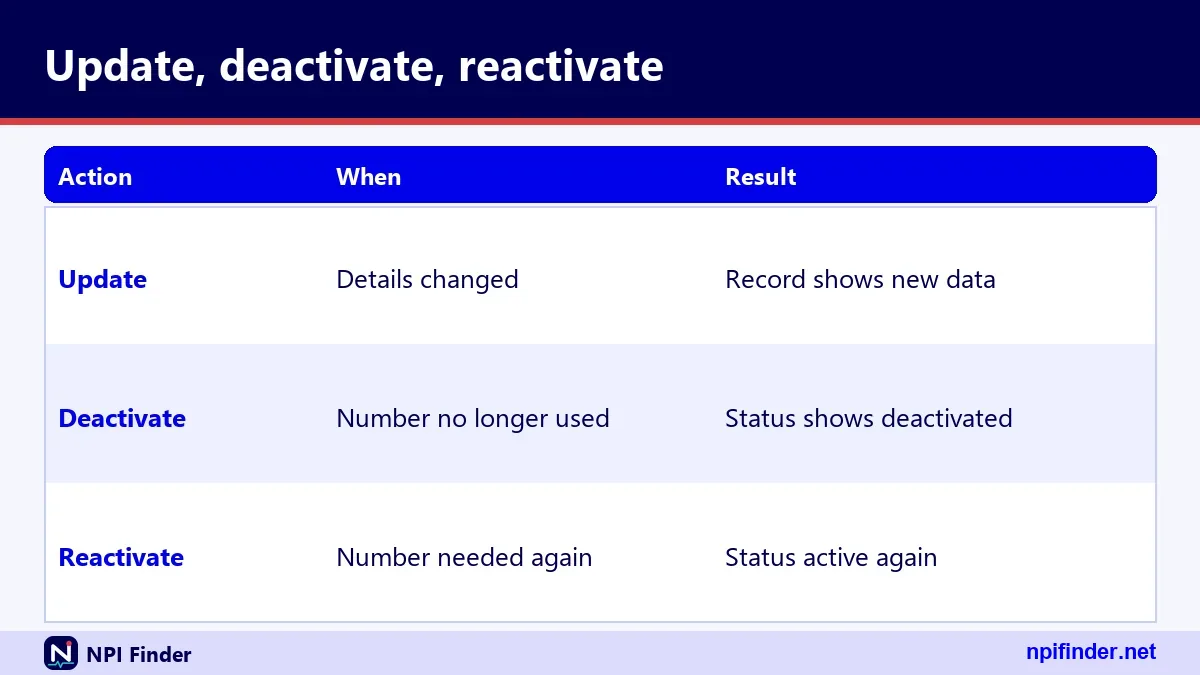
An NPI registry update is not a separate task. The NPI Registry is the public search tool, and it displays data that comes from NPPES. You change the data in NPPES. Nobody edits the registry directly.
NPI registry update versus NPPES update
NPPES is where you log in. The registry is where everyone else looks you up. If you hunt for an edit button in the registry, you will not find one. Sign in to NPPES instead. The next section explains the online sequence.
How to update NPI registry data online
To update NPI registry data online, sign in to NPPES, edit the record, submit, and then check the registry the next day. The registry is a query-only database updated daily. Learn the system's wider role on the NPPES Explained page.
How to change NPI address online
To change NPI address online, you use the NPPES web application, the same one that issues NPIs. It is the route CMS recommends for the fastest handling. Online edits also avoid mail delays and lost forms.
Before you start online
Keep your I&A credentials and your MFA device within reach. If your password expired, reset it first. Passwords expire every 60 days, and an expired password blocks login without affecting your NPI, Medicare enrollment or payments. Do not wait for an urgent address change to discover your account is locked.
What you should see afterward
You should see your new address in the registry after the next daily update, along with a newer last_updated date. This page cannot give a verified processing time, because CMS does not publish one. If nothing changes after a few days, contact the NPI Enumerator.
Contact the NPI Enumerator
Contact the NPI Enumerator when the question concerns the content of your NPI record rather than your login. The enumerator handles NPPES applications and updates for CMS.
Phone and TTY
Call 1-800-465-3203. The TTY line is 1-800-692-2326. Hours of operation are not stated on the CMS page this guide relies on, so check before you plan a call around a deadline. Have your NPI and the details you tried to change in front of you.
Email and postal mail
Email [email protected]. Mail goes to CMS NPI Enumerator Services, Mail Stop DO-01-51, 7500 Security Blvd., Baltimore, MD 21244. Never send a Social Security number by ordinary email. Put your NPI, not your SSN, in the subject line.
When to call the EUS Help Desk instead
Call the External User Services (EUS) Help Desk when your problem is your account, not your record. EUS supports I&A, NPPES and PECOS access. The toll-free number is 1-866-484-8049, and the TTY/TDD line is 1-866-523-4759. Email is [email protected].
Login and MFA problems
If MFA fails, you can reset methods by logging in to I&A, provided you can still get in. Set up a second method now, not after you lose a phone. Email, text message and voice call are all listed as options. Authenticator-app support is not confirmed in the official guidance this page uses.
Account locked after failed attempts
Three failed logins lock the account. Unlock it with Forgot Password on the I&A sign-in page. After three failed attempts to give your user information, contact EUS. The I&A sign-in page lists every self-service option.
Deactivate an NPI
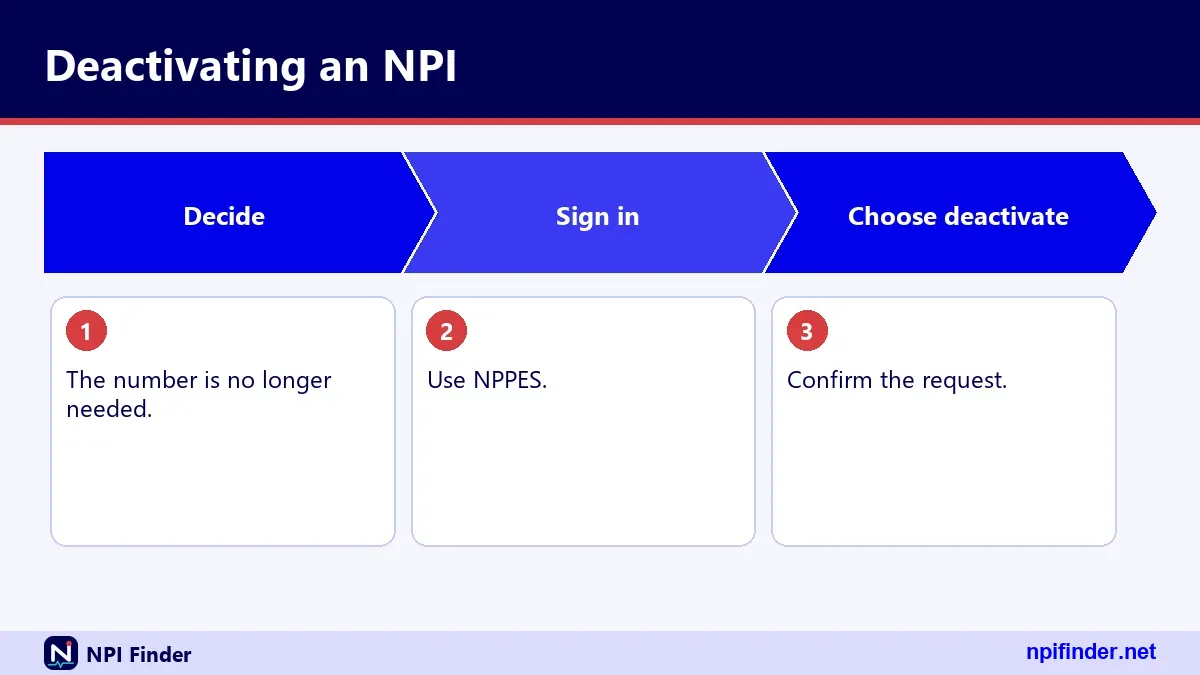
You deactivate an NPI when the provider has died, the business has dissolved or another reason ends its use. The documented route is the paper CMS-10114, reason for submittal 3. A deactivated NPI is never reassigned to another provider, so the number stays retired for good.
Reasons on the form
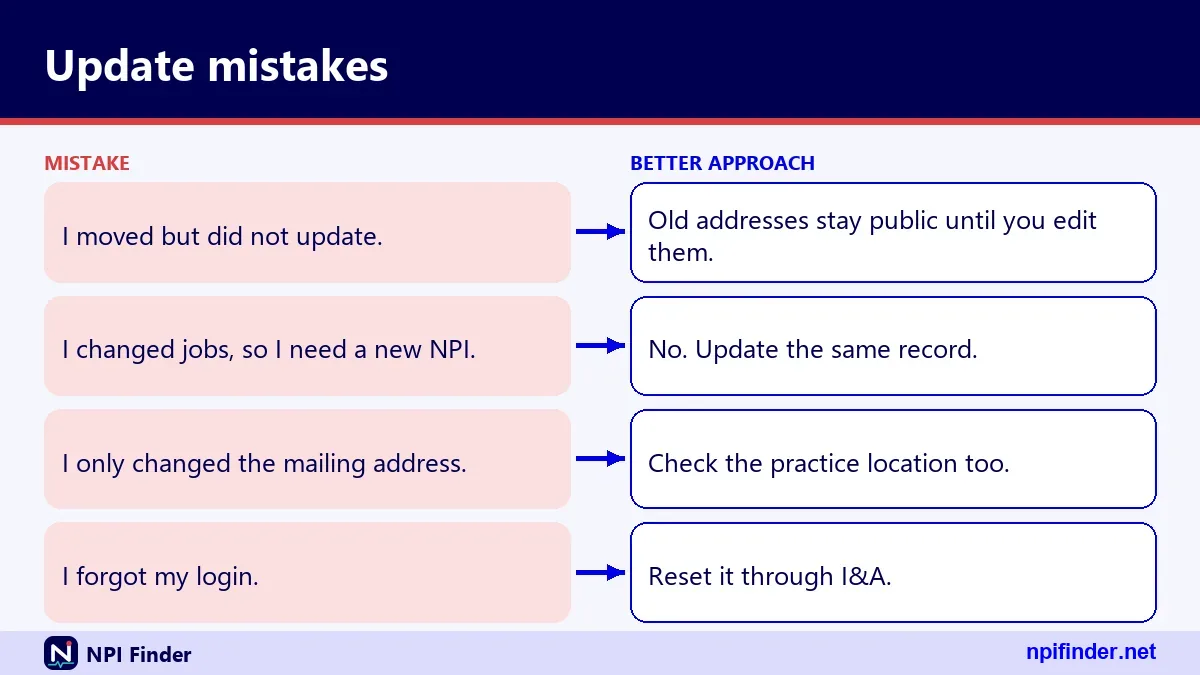
The form lists three deactivation reasons: Death, Business Dissolved and Other. Pick the one that is true. If you choose Other, use the space the form gives to explain briefly. Do not deactivate because you changed jobs or moved, since those are ordinary updates.
Death of a provider
Someone authorized to act may need to report a death. The form's Death reason covers it. This page does not list the supporting documents CMS may require, because they are not in the verified form text. Ask the NPI Enumerator before you mail anything sensitive.
Business dissolved
Organizations choose Business Dissolved when the entity closes. If only one subpart or location closes, you may need an update instead. Think about whether the organization still bills under that number. When in doubt, ask before you deactivate, because reactivation takes a separate request.
Other deactivation reasons
Other covers cases the first two do not. Use it sparingly and be specific. Vague explanations invite questions. A duplicate NPI is a common example people ask about, but this page cannot verify how CMS handles duplicates, so ask the NPI Enumerator before you act.
Deactivation steps
To deactivate an NPI on paper, you complete the CMS-10114 with reason 3 and mail it to the enumerator. CMS also appears to offer an online route in NPPES, but its detail is not verified here, so follow whatever the NPPES screens show.
- Download the current CMS-10114 and enter the NPI to deactivate.
- Check reason 3, Deactivation, and select Death, Business Dissolved or Other.
- Complete the identifying sections for the individual or organization.
- Sign, date and keep a copy of the signed form.
- Mail it to CMS NPI Enumerator Services, Mail Stop DO-01-51, 7500 Security Blvd., Baltimore, MD 21244.
- Search the registry later to confirm the status changed.
Warning: Deactivate only the number that should end. If you deactivate the wrong NPI, billing under it stops until you reactivate.
Deactivated NPI lookup
A deactivated NPI lookup shows far less than an active record does. For deactivated NPIs, CMS discloses only the NPI and the deactivation date in its downloadable data. That is the practical answer to anyone checking whether a number is still in use.
What the registry fields can show
Record data can carry deactivation_reason_code, deactivation_date and reactivation_date when they apply, plus a status value. The sample active record on this site has status "A". How the public search page displays a deactivated number is not verified here, so test it with your own NPI.
The deactivation file in the downloads
CMS publishes a monthly deactivation update, a full replacement NPI deactivation file, in its NPPES data dissemination listing. The current listing at the time of writing shows a deactivation report dated 110926. The file is small compared with the full monthly file. Both sit on the same CMS download page.
Reactivate an NPI
To reactivate an NPI, file the CMS-10114 with reason 4, Reactivation, and give the required reason. One reason and one NPI per form applies here too. Reactivate the old number. Do not apply for a new one.
What reason to give
The form requires a reason for reactivation, so state it plainly, for example that you are resuming practice. Keep it short and true. The online path for reactivation is not verified here. If the NPPES screens offer it, follow them. Otherwise the paper form is the documented route.
Why you should not reapply
Individuals are eligible for only one NPI, and the system does not reassign a deactivated number. Reapplying could create two numbers for one person, which is exactly the duplicate you want to avoid. Reactivate first. Use Apply for an NPI only when you have never had one.
Update NPI number
People who search update NPI number usually want one of two different things. They either typed the wrong number somewhere, or they believe the NPI itself can be edited. It cannot be edited. Only the data under it can.

Fixing a wrong NPI on a claim or form
If the NPI on a claim or enrollment form is wrong, correct it with the payer, not with NPPES. NPPES does not hold your claims. Check the ten digits with the NPI Number Validator first. A number that passes the check digit is well formed, but it may still belong to someone else.
The replacement NPI field
The registry data includes a replacement_npi field when one is present. This page cannot verify when CMS assigns a replacement, so do not assume one exists for your record. If a payer tells you your NPI has changed, call the NPI Enumerator to confirm before you rebill.
Organizations and subparts
An organization updates its NPI record the same way an individual does, but it manages more entities. Type 2 organizations can hold multiple NPIs. Components of an organization, called subparts, may be assigned their own NPIs if their identifying data are unique.
Subpart changes
A subpart carries an organizational_subpart flag of YES or NO in registry data. Update each subpart's record separately. The covered provider must decide which subparts need NPIs and either obtain them or require the subparts to obtain their own.
Group practice updates
For a group, update the group's Type 2 record when the group's address, name or authorized official changes. Update each physician's own Type 1 record when the individual's details change. One group edit never updates its members. Keep a spreadsheet of every NPI the group controls.
Sole proprietors and incorporated providers
A sole proprietorship is an Entity Type 1, an individual. So a sole proprietor updates a Type 1 record. An incorporated individual may hold a Type 1 NPI for the person and a Type 2 NPI for the corporation or LLC. Each needs its own update.
The sole proprietor flag
Registry data carries sole_proprietor as YES or NO. If your business structure changes, update the flag in the record. A sole proprietor who incorporates should read the entity type rules before choosing which record to edit. See NPI vs Other Provider IDs for how the identifiers differ.
One person with two NPIs
Having both a Type 1 and a Type 2 NPI is allowed when you are incorporated. It is not a duplicate. Keep both records current. The individual record holds your name and license. The organization record holds the legal business name, EIN and authorized official.
Foreign and military addresses
Registry addresses carry an address_type of DOM for domestic, FGN for foreign or MIL for military. If you practice abroad or on a military installation, enter the address in the matching format. The country code is a two-character field, so use the correct code.
Domestic addresses
Most records are DOM. Enter state and a five- or nine-digit ZIP. Check the suite number carefully before you submit.
Foreign and military addresses in detail
A foreign address has a country name and code instead of a state. Military addresses use the format the military postal system requires. The verified facts here list the three type codes but not the exact entry rules, so follow the NPPES screen prompts and call the enumerator if a field rejects your entry.
NPPES update versus PECOS update
An NPPES update and a PECOS update are two separate jobs, and doing one does not do the other. NPPES holds your NPI record. PECOS holds your Medicare enrollment. CMS says updating NPPES does not automatically update Medicare enrollment.
| NPPES | PECOS | |
|---|---|---|
| What it holds | NPI record, public registry data | Medicare enrollment record |
| Who uses it | All providers with an NPI | Providers enrolling in Medicare |
| Login | I&A account | I&A account |
| Update after a move | Yes, within 30 days | Yes, report to Medicare separately |
| Forms | Online or CMS-10114 | Online or CMS-855 series |
Updating both after a move
Update NPPES first so the NPI record is right. Then sign in to PECOS and report the same change on your enrollment. Providers must also revalidate on a schedule, so check PECOS Lookup & Revalidation for due dates.
Why mismatches cause trouble
Mismatched addresses between the NPI and enrollment records invite questions from payers. Care Compare draws its general information mainly from PECOS. A stale PECOS record can therefore show an old address to patients even when NPPES is correct. See Find a Medicare Provider.
Online versus paper updates
Online updates are the better choice for almost everyone, and paper is the fallback. CMS says the web-based application gives the most efficient processing. Paper remains available and is the documented route for deactivation and reactivation.
| Factor | Online NPPES | Paper CMS-10114 |
|---|---|---|
| Account needed | I&A with MFA | None |
| Speed | CMS says fastest | Slower, by mail |
| Proof of submission | On-screen confirmation | Your photocopy |
| Good for | Address, name, taxonomy edits | Deactivation, reactivation, no web access |
| Cost | No fee found | No fee found |
So, Online NPPES is the best update route for most providers because CMS says the web-based application gives the most efficient processing.
When paper is the better choice
Choose paper if you cannot sign in and cannot wait to repair the account. Also choose it when you want a signed document in your files. Otherwise, repair the login and update online.
Which update route to choose
Choose the online route for routine edits and the paper route for deactivation, reactivation or when you have no access. Here is a quick decision guide you can follow in order.
- If you can sign in today, update online.
- If you are locked out, unlock the account first with Forgot Password.
- If the account is dormant for 365 days or more, expect to re-verify and create a new user ID.
- If you are closing the NPI, use the paper form unless NPPES clearly offers the option online.
How often to review the record
Review your NPI record once a year, and again after any move, name change, new license or new employer. A short annual check catches drift before payers or patients do. Add it to your license renewal routine.
What checking your record costs
Checking your record costs nothing, and CMS lists no fee for registry searches or data downloads. Updating through NPPES also shows no fee in the sources used for this page. Treat any site that asks for payment to update your NPI as a warning sign, since NPPES is the official place.
Cannot sign in to update
If you cannot sign in, the cause is almost always your I&A account, not your NPI. Your NPI and Medicare enrollment are not affected by login problems. Fix the account first, then make the update. The official self-service options are on the I&A sign-in page.
Expired password
Passwords expire every 60 days. An expired password only blocks login. It does not change your NPI, Medicare enrollment or payments. Use Forgot Password on the sign-in page, answer your three security questions or give the account information requested, and choose a new password.
Forgotten user ID
Use the Retrieve Forgotten User ID link on the I&A sign-in page. It needs a unique email address on the account or other required user information. If you retrieve the ID without email, you must also change the password afterward. Write the ID in your password manager this time.
Dormant account
An account used within 365 days but not within 180 days needs a password reset. An account unused for 365 days or more requires you to re-verify your information and create a new user ID. A matching Social Security number means you already hold an account, so do not create a second one.
Your update does not show in the registry
When an update does not show, the likeliest reasons are timing, a submission that never completed, or a stale copy on another site. Work through them in that order before you call anyone. Most cases resolve at the first check.
Wait for the daily refresh
CMS describes the registry as a query-only database updated daily. Look again after a day. Compare the last_updated date in the result with the day you submitted. If the date has moved but a field is wrong, the edit may have saved only part of your changes.
Confirm that you submitted
Reopen the record in NPPES and see whether your edit is there. A form left unsubmitted looks finished on screen but never reaches the registry. For paper, confirm the form was mailed to the right address and keep proof of posting.
Check the copy you are looking at
Search the official registry, not a third-party directory. Directories refresh on their own schedules, and some build from the monthly data file. If the official record is right, the other site is simply behind.
The record shows data you never entered
If a record contains information you did not enter, do not edit around it. Contact the NPI Enumerator, because the issue may be an identity or ownership problem. Registry data is public, so errors can mislead patients and payers.
Stale taxonomy or license entries
The most common wrong data is an old taxonomy or license entry. Remove entries that no longer apply, keep one primary, and enter current license numbers. In one sample record, a single code appears three times with three different license numbers in two states. That is normal when licenses differ.
Records that belong to someone else
If your name and another provider's details are mixed, record both NPIs, screenshot the registry page and call the enumerator at 1-800-465-3203. Do not try to rework another person's record. Updates require the right login and identity checks for a reason.
The 30-day rule in 45 CFR 162.410
The 30-day rule says covered providers must report changes in their required NPI data to NPPES within 30 days. It sits in 45 CFR 162.410(a)(4), part of the HIPAA Administrative Simplification rules in 45 CFR Part 162, Subpart D. CMS repeats it on form CMS-10114 and its fact sheet.
| Situation | Deadline | Source |
|---|---|---|
| Change to required NPI data (address, name, taxonomy) | Within 30 days of the change | 45 CFR 162.410(a)(4) |
| Medicare enrollment change | Reported separately in PECOS | CMS NPI fact sheet |
| NPI number itself | Does not expire | CMS NPI overview |
The form says all changes must be reported to the NPI Enumerator within 30 days of the change. If you file on paper, mail early.
What the rule covers
The rule applies to covered health care providers. It sits alongside their duties to use the NPI in standard transactions, disclose it on request and require business associates to use it correctly.
What the rule does not say
The regulation sets the 30-day duty but this page found no published penalty table for missing it. Do not quote a fine to a colleague. Instead, aim to update within days and keep the confirmation. That is the evidence a payer or auditor would ask for.
Privacy and what the public registry shows
The public registry shows most of your record, so assume everything you enter is searchable. CMS says registry data is required to be disclosed under the Freedom of Information Act. Social Security number, ITIN and date of birth are the exceptions the CMS-10114 form names.
Public fields
Public data includes NPI, entity type, name, credential, sex for individuals, sole proprietor flag, status, key dates, mailing and practice addresses, phone and fax numbers, taxonomies with license numbers and states, other names, secondary practice locations and endpoints. For organizations it also shows the authorized official's name, title and phone number.
Choosing safe contact details
Use a business phone line and an office address when you can. Mailing and practice addresses are both public. Providers who work from home should weigh that before listing a residence. CMS guidance on home addresses was not verified for this page, so ask the enumerator if you have a safety concern.
Official sources to trust
Trust only CMS and its named systems for NPI updates. The official places are the NPPES site, the NPI Registry, the CMS NPI page, the I&A help material and the published NPI data files. Everything else is a third-party copy or a commercial service.
Where each task lives
Edits happen in NPPES. Searches happen in the NPI Registry. Account help comes from the I&A FAQ and the EUS Help Desk. Medicare enrollment lives in PECOS. Data files come from the CMS dissemination page. Start from the home page if you want the site's search tool.
Warning signs of a paid middleman
No fee is listed for applying, updating, searching or downloading. A site that charges you to change your NPI is not CMS. This page found no current CMS alert about such sites, so judge by the fee rather than by a rumor.
Reading the fields in your own record
Your record is a structured set of fields, and knowing them tells you what to update. The registry returns basic, addresses, practiceLocations, taxonomies, identifiers, other_names and endpoints for each NPI.
| Field group | What it holds | Update it when |
|---|---|---|
| basic | Name, credential, sex, sole proprietor, status, dates | Your name or status changes |
| addresses | LOCATION and MAILING with phone and fax | You move or change numbers |
| practiceLocations | Secondary practice sites | You add or leave a site |
| taxonomies | Code, description, primary flag, license, state | Specialty or license changes |
| identifiers | Other identifiers, up to 50 | You add an issued ID |
| other_names | Former names, doing business as names | A name changes |
| endpoints | Electronic exchange endpoints | You change a health information exchange address |
Dates that prove an update
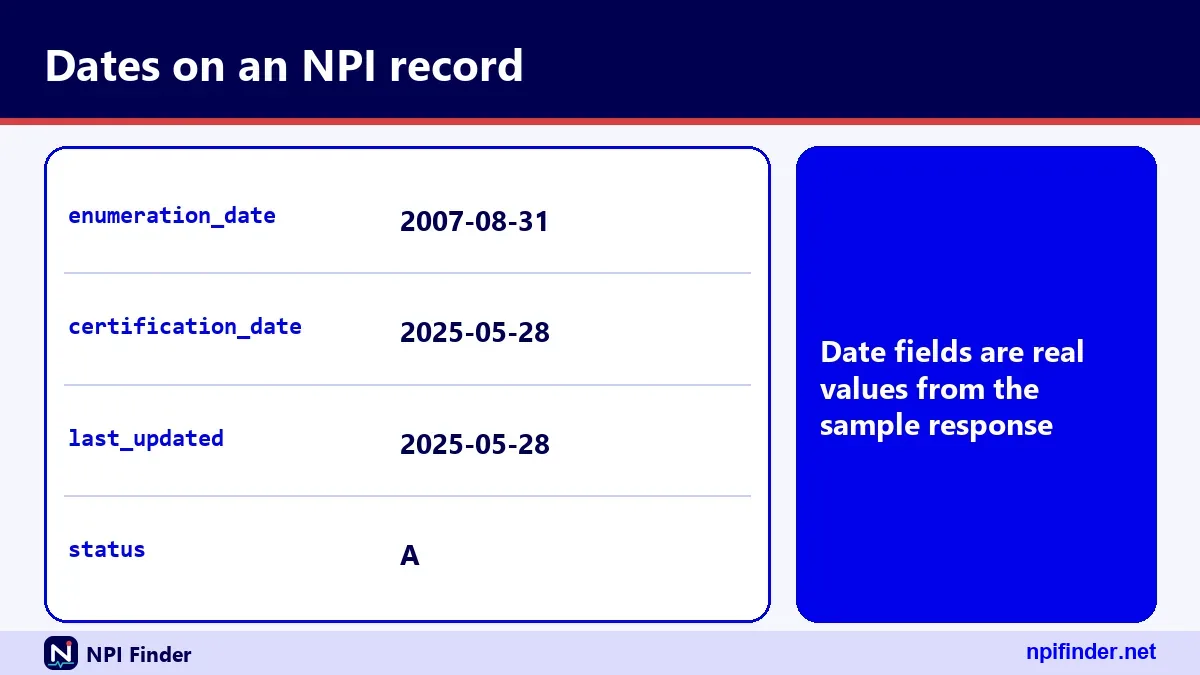
enumeration_date is when the NPI was first issued, and last_updated is the date of the latest change. Epoch values such as last_updated_epoch hold the same moment as milliseconds. Use last_updated to prove that your edit reached the record.
The sample record
One real sample record shows an individual with a LOCATION and a MAILING address on the same street, three secondary practice locations, four taxonomy entries and a primary taxonomy of Hospitalist. Its identifiers, other_names and endpoints lists are empty, which is normal for many records.
Glossary of update terms
These are the terms you will meet while you update a record, defined plainly.
- NPPES: the CMS system that assigns NPIs and stores their data.
- I&A: the Identity and Access Management account system used for NPPES and PECOS.
- CMS-10114: the paper NPI application and update form.
- Change of Information: reason 2 on that form, used for edits.
- Deactivation: reason 3, which retires an NPI for good.
- Reactivation: reason 4, which restores a deactivated NPI.
- Enumerator: the CMS contractor that processes NPI applications and updates.
- Taxonomy code: a ten-character NUCC code that describes your specialty.
- PECOS: the Medicare enrollment system, separate from NPPES.
Myths versus facts about updating an NPI
Most update mistakes come from a handful of beliefs that sound plausible and are wrong.
- Myth: moving means a new NPI. Fact: the number never changes with an address.
- Myth: updating NPPES updates Medicare. Fact: PECOS is a separate update.
- Myth: the registry has an edit button. Fact: you edit in NPPES.
- Myth: an NPI proves you are licensed. Fact: it does not verify licensure.
- Myth: you can pay a company to fix it faster. Fact: no fee is listed, and the official route is free to use.
- Myth: a deactivated NPI goes to the next provider. Fact: it is never reassigned.
Tips for keeping your NPI record accurate
These habits prevent most update problems, so pick a few and make them routine.
- Calendar the 30 days: write the move or change date down and add 30.
- Update before you move: you often know the new address weeks ahead.
- Use two MFA methods: a lost phone should not lock you out at deadline time.
- Reset passwords early: they expire every 60 days.
- Check after saving: search the registry the next day and read
last_updated. - Match your license: keep your name and license numbers the same across systems.
- Update PECOS separately: the NPPES edit never reaches Medicare enrollment.
- Keep one primary taxonomy: choose the code you bill under, and confirm its description.
- Save proof: keep confirmations, photocopies and mailing receipts.
- Run an annual review: open the record with your license renewal.
Recommendation
Update online through NPPES the same week anything changes, then check the registry the next day. Reserve paper for deactivation or reactivation, or for times when you cannot sign in. Finish with PECOS, payers and your state board.
If you are deciding where to start, open your I&A login first. A working login solves most of the delays on this page. Keep your confirmation, because it is your proof of the 30-day deadline.