

Find My NPI Number
You can find your NPI number by searching the public NPI Registry with your name and state, or by logging in to NPPES. The registry search takes about two minutes and needs no account. Your NPI is the 10-digit number shown at the top of your registry record.
Use the lookup on this page to start. Type your first name, last name and state, then read the results. If your name is common, add a city or a taxonomy to narrow the list.
The two-minute route
Search by name and state. The registry returns each match with its NPI, entity type, primary taxonomy and practice address. Match the address and specialty to you, then copy the 10 digits.
What you need before you start
You need your legal name as it appears on your license and the state where you practice. A former name helps too, because the registry stores other names. Nothing else is required for a basic search.
When the quick route fails
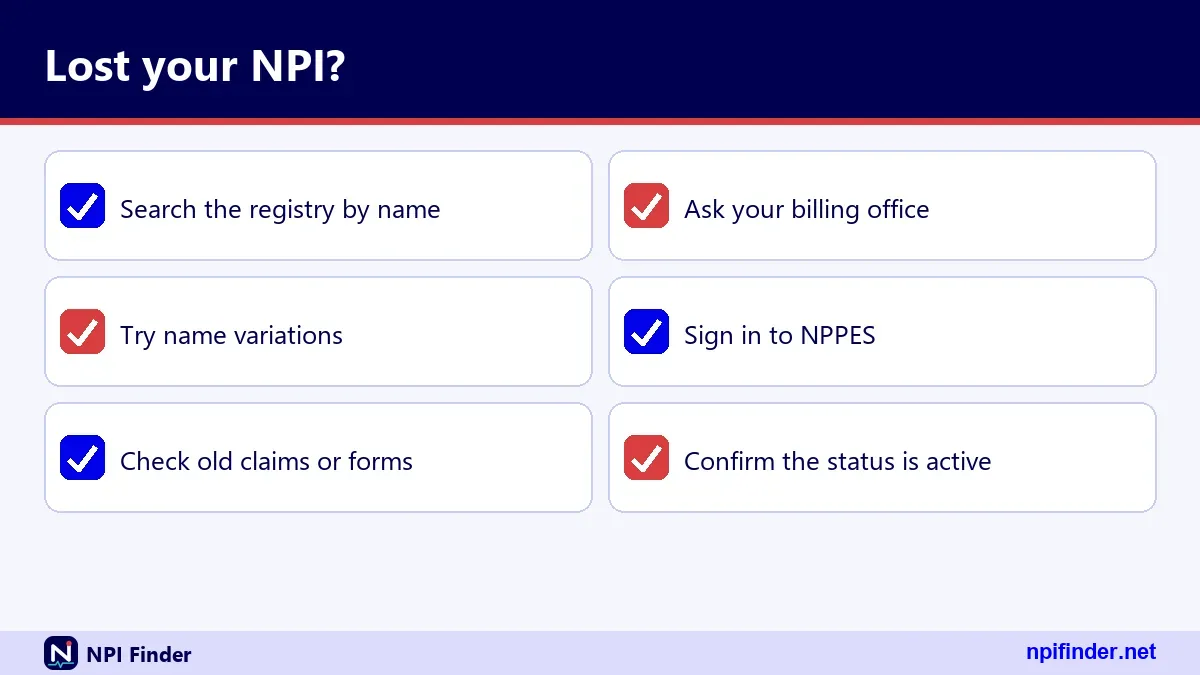
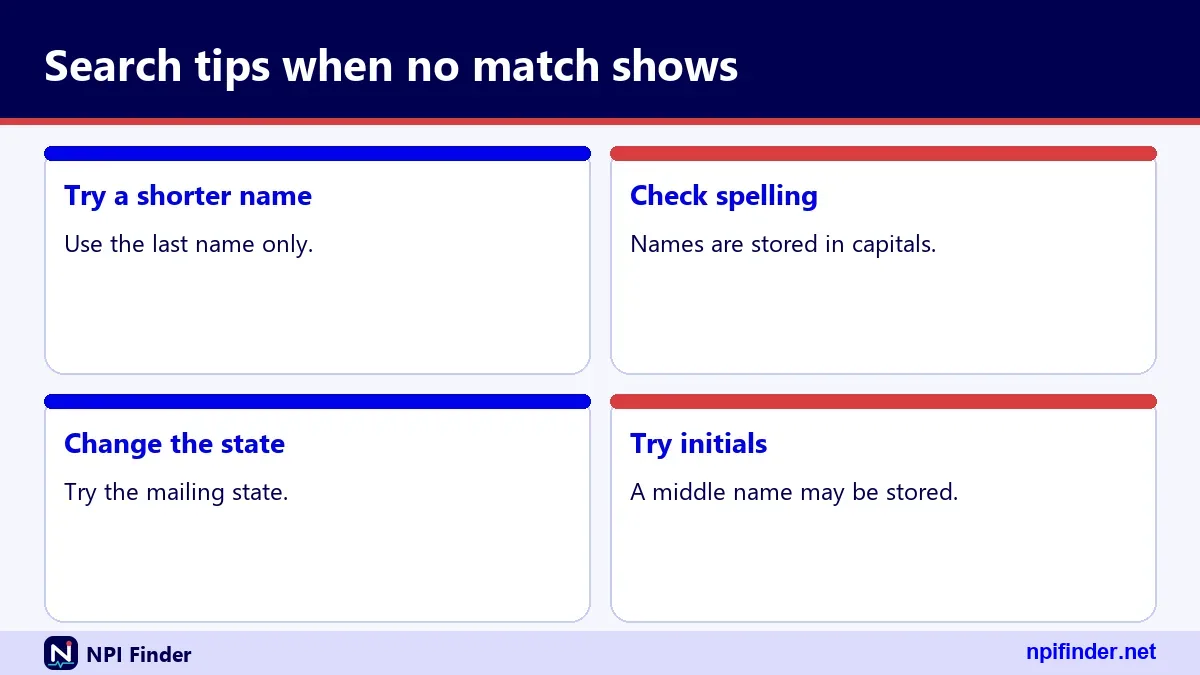
If no record appears, try a shorter first name, a former surname or no city. If nothing matches, you may not have an NPI yet. See how to apply for an NPI.
What Is My NPI Number?
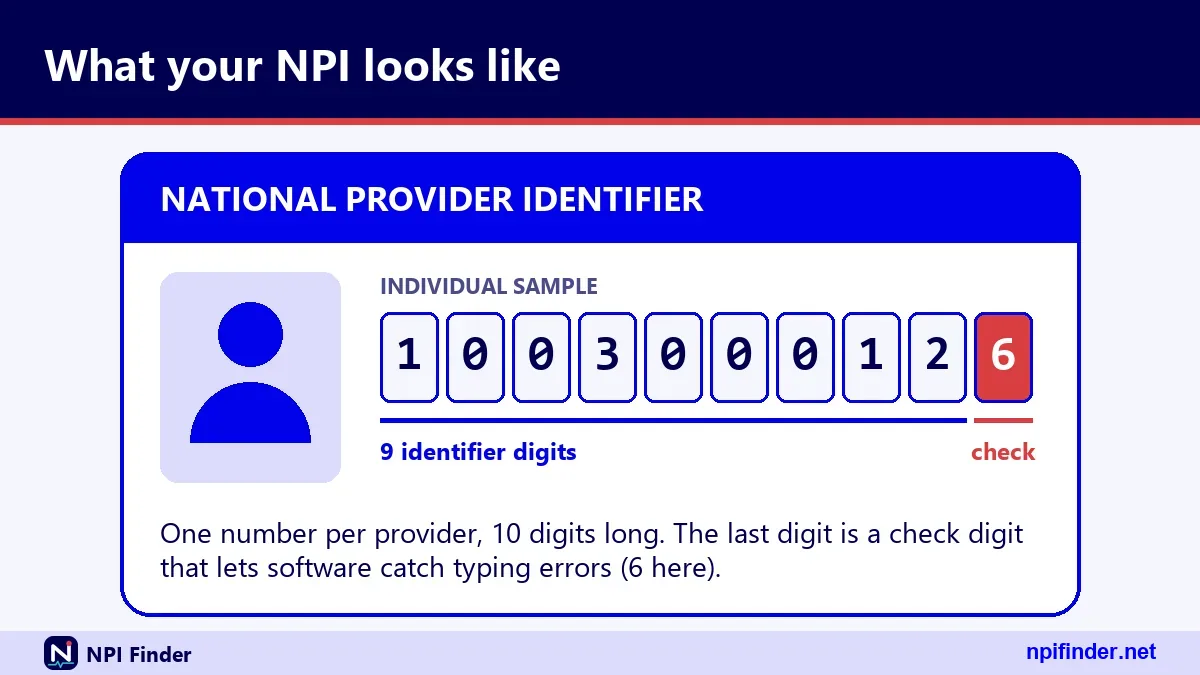
Your NPI number is the permanent 10-digit identifier CMS assigned to you as a health care provider under HIPAA. It has nine digits plus a check digit in the tenth position. It carries no meaning: no state, no specialty, no license data.
For a full definition, read What Is an NPI Number?. This page stays focused on getting your own number in hand.
Type 1 or Type 2
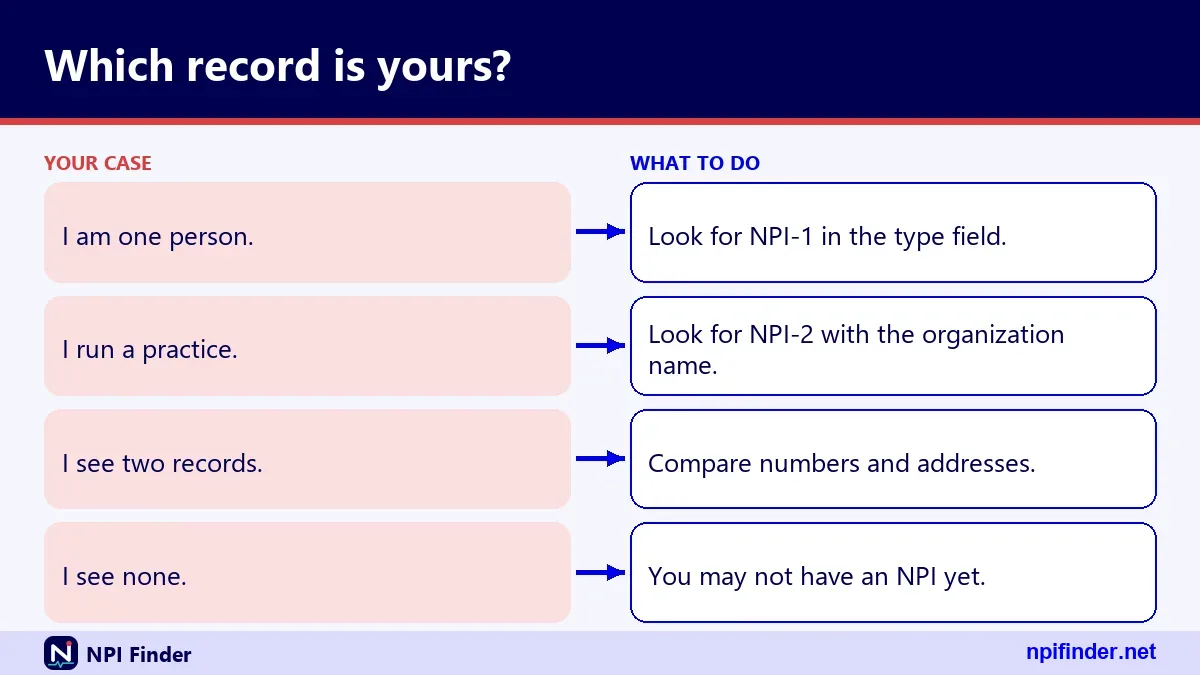
An individual provider holds a Type 1 NPI. An organization holds a Type 2 NPI. A sole proprietor is still Type 1. An incorporated individual can hold both: Type 1 for the person, Type 2 for the corporation or LLC.
Why the number never changes
CMS describes the NPI as a lasting identifier, and the original overview says the assigned NPI does not expire. A deactivated NPI is never given to someone else. Your number follows you through job changes and moves.
Where Is My NPI Number?
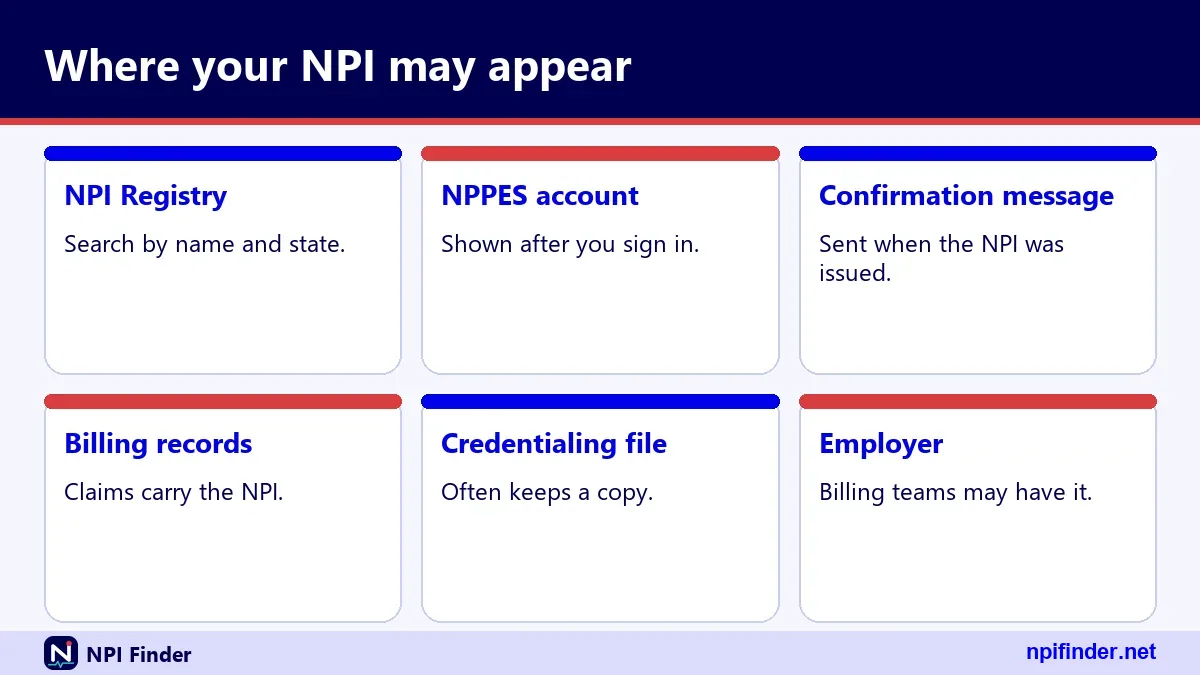
Your NPI sits in three main places: the public NPI Registry, your own NPPES account, and any notice you received when you enumerated. Billing records and credentialing files usually repeat it too.
In the NPI Registry
Every active NPI has a public record. The number appears as the first field, labeled "number" in the raw data. The record also lists your status, enumeration date and last update date.
In your NPPES account
After you log in, NPPES shows your own provider record. This works even if the public search struggles with your name. If you cannot log in, see NPPES Login Help.
In paperwork you already hold
The NPI Enumerator notifies applicants of their number. Check the email or letter from your original application. Also check your claim forms, payer contracts and credentialing applications, which all carry the NPI.
How Do I Find My NPI Number?
The most reliable method is a registry search by name and state, confirmed against your practice address and taxonomy. Try that first, then fall back to NPPES or your billing office if needed.
Four methods work, in this order of speed:
- Search the NPI Registry by name and state.
- Log in to NPPES and open your provider record.
- Ask your billing office or the credentialing coordinator.
- Call the NPI Enumerator at 1-800-465-3203.
Method comparison at a glance
| Method | Needs an account | Best for | Main risk |
|---|---|---|---|
| Registry name search | No | Most individuals | Common names return many matches |
| NPPES login | Yes (I&A account) | Providers who can log in | Expired password or lost User ID |
| Billing or credentialing office | No | Employed providers | Staff may hold an outdated record |
| NPI Enumerator phone line | No | Stuck cases | Hours are not published |
So, Registry name search is the best method for most individuals because it needs no account and returns your number in seconds.
Which method I would pick
Start with the registry search. It is free, public and fast. Move to NPPES only when you need to see or change what the record contains.
How to Find My NPI Number Step by Step
Follow these steps to find your NPI number online in a few minutes.
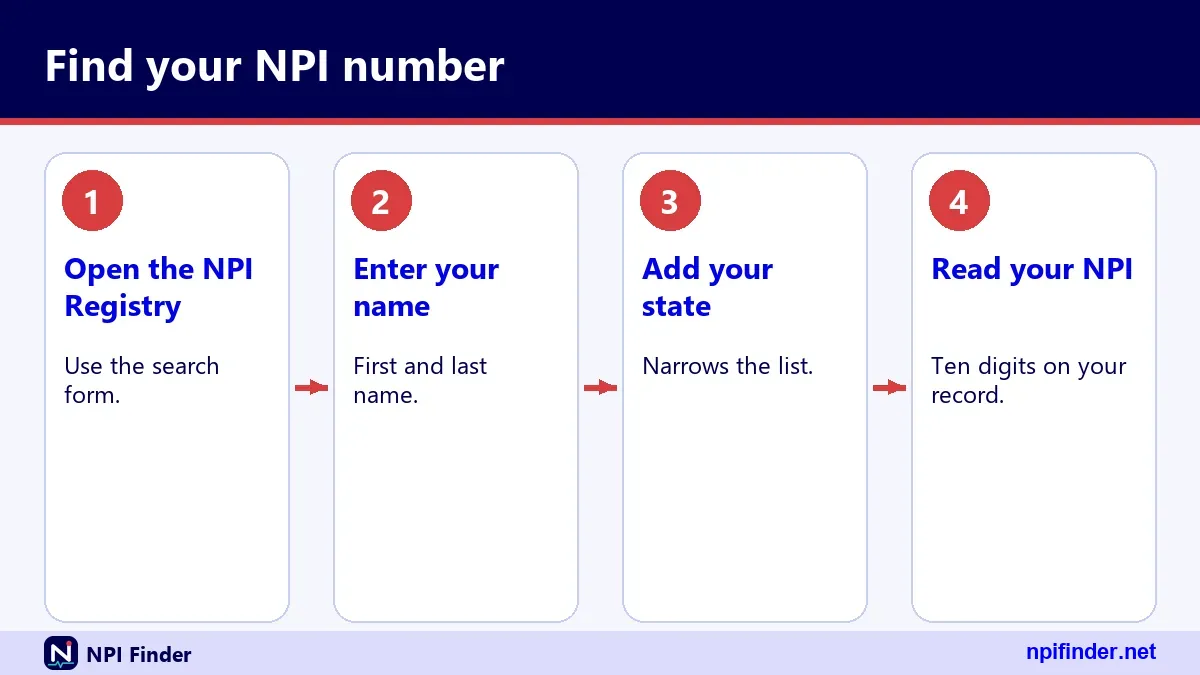
- Open the lookup on this page and choose the individual provider search.
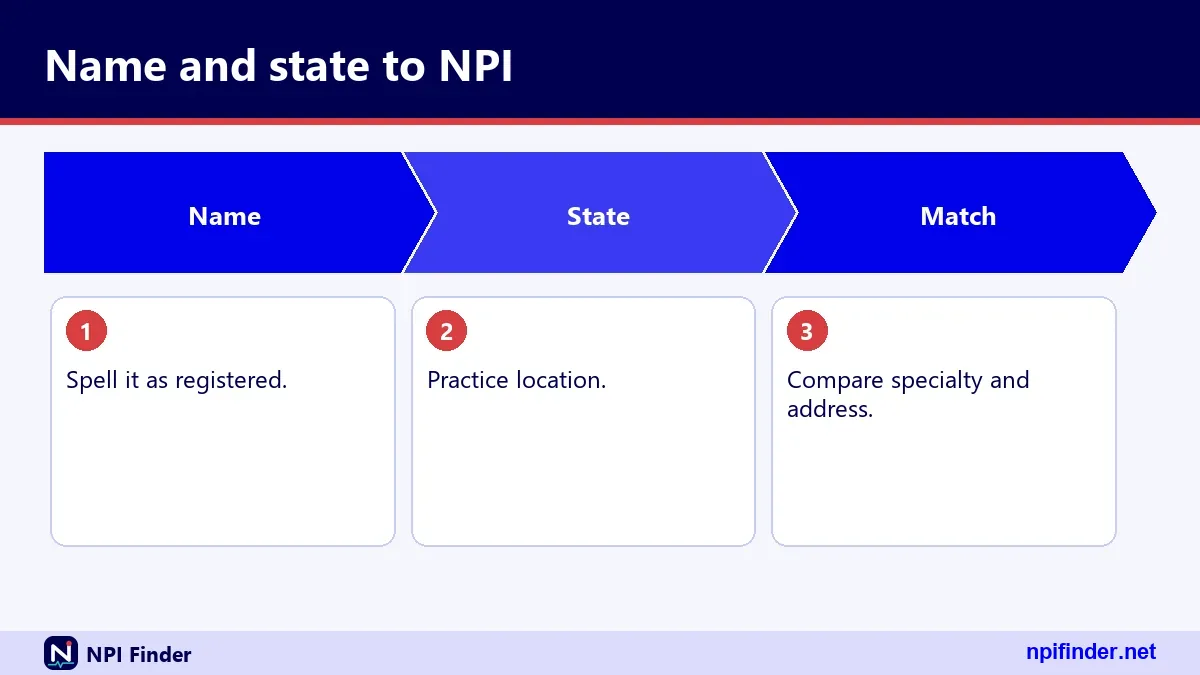
- Enter your first and last name exactly as licensed.
- Add your two-letter state code.
- Press search and scan the results list.
- Match your practice address, credential and taxonomy to confirm it is you.
- Copy the 10-digit number and paste it into the NPI Number Validator if you want a format check.
Tip: Names are matched exactly unless you add a wildcard after at least two characters. "Smi" works. "S" does not.
Searching with a wildcard
A trailing asterisk widens the match for first name, last name, organization name, city or taxonomy description. Remember the two-character minimum. A single leading character returns an error.
Searching with a former name
The registry stores other names, such as a former surname. If your current name misses, try the old one. Update the record afterward through Update or Deactivate an NPI.
Reading the results list
Each result shows name, NPI, entity type, primary taxonomy and addresses. Ignore the mailing address when you confirm identity. Many providers list a home, office or PO box there.
How to Find Your NPI Number Without a Login
You can find your NPI number without any login because the NPI Registry is public. CMS states there is no charge to view NPI Registry data.
Why the registry is public
CMS says NPI data are disclosed under the Freedom of Information Act. That is why a stranger can search your name. Your Social Security number, ITIN and date of birth are not published.
What the public sees
The public record shows your name, credential, sex, status, dates, addresses, phone and fax, taxonomies with license numbers, and any other names. Organizations also show their authorized official.
What the public does not see
CMS says SSN, ITIN and date of birth are not made available on the internet. The form instructions say so directly. Other submitted information may be public.
How Can I Find My NPI Number If I Never Received It?
Search the registry by name and state, because an NPI is public the moment it is issued. Not receiving the notice does not hide your number.
Check your application email
Applicants hear back from the NPI Enumerator after approval. Search your inbox, spam folder and mail for the notice. Your NPI should be in it.
Ask the organization that enrolled you
Some hospitals and groups enumerate staff through a bulk process called Electronic File Interchange. If that happened, your employer may have the number on file. Ask the credentialing office.
Confirm you applied at all
If every search fails, you may never have completed the application. A started but unsubmitted online application does not produce an NPI. Start again through Apply for an NPI.
Look Up My NPI Number Online
Look up your NPI number online through the NPI Registry search form or the registry API. Both read the same NPPES data.
The registry web form
The web form accepts first name, last name, state and several other fields. It limits results to the first 2,100 matches, so narrow broad searches with a city or taxonomy.
The registry API
Developers use the API with version 2.1, which is mandatory. A call needs at least one search criterion, and state alone does not count. Learn more in the NPI Database and Download page.
Free lookup, no signup
You can look up your own NPI free. If a site charges for a lookup or for an NPI itself, it is not CMS. CMS lists no fee for applying, searching or downloading.
Where Can I Find My NPI Number on My Own Records?
You can find your NPI on any record that identifies you as a billing or ordering provider. The registry is the authority, and everything else should match it.
| Where it appears | What to look for | Reliability |
|---|---|---|
| NPI Registry record | Field labeled "number" | Authoritative |
| NPPES account | Your provider record after login | Authoritative |
| Payer contracts and enrollment files | NPI listed with your name | Usually correct, check typos |
| Claims and remittance advice | Rendering or billing NPI | Shows what was submitted |
| Credentialing applications | Individual NPI field | Copy of what you reported |
| Prescriptions and orders | Ordering provider NPI | Depends on your system |
Claims and remittance advice
Claims carry the NPI you submitted, so a rejected claim can expose a wrong digit. Compare the claim NPI to the registry record. Do this before you resubmit.
Credentialing and payer files
Credentialing staff keep your NPI on file. Ask for the copy they hold, then verify it against the registry. A transposed digit in a payer file causes silent denials.
EHR and practice management systems
Your EHR stores your NPI in the provider profile. Treat that value as a copy. If it disagrees with the registry, the registry wins.
Where Do I Find My NPI Number Online?
Online, the NPI Registry search and your NPPES account are the two official places. Several free tools mirror the same public data, but they are not official.
Where do I find my NPI number online if I have no login
Use the registry search. No account is needed. Enter your name and state and read the results.
Where do I find my NPI number online with an account
Log in to NPPES through your I&A account. The I&A system is the single account used for NPPES, PECOS, PEPPER and CBR. See NPPES Explained for what the system holds.
Why some tools show different data
Third-party sites copy registry data on their own schedule. The registry itself is updated daily, according to CMS. Confirm anything important on the registry itself.
Where to Find My NPI Number When Billing Software Hides It
When billing software hides your NPI, check the provider setup screen or ask your biller to print the provider record. If the screen shows nothing, search the registry.
Provider setup screens
Most systems keep the NPI under provider demographics or enrollment identifiers. Look for fields named "NPI", "Type 1 NPI" or "individual NPI". Group NPIs often sit on a separate screen.
Group versus individual NPI
Billing software may hold two NPIs: yours and the group's. Yours is Type 1. The group's is Type 2. Confusing them is a common claim error.
Ask your biller
Billers handle your NPI daily. A two-line email asking for the NPI on file takes less time than rummaging through screens. Then verify it on the registry.
Find Your NPI Number in NPPES
Find your NPI in NPPES by logging in through I&A and opening your provider record. This route also lets you change what the registry shows. The next steps cover the login path.
- Go to the NPPES site and open the sign-in page.
- Enter your I&A User ID and password.
- Complete your multi-factor authentication method.
- Open your provider record and read the NPI at the top.
- Review the listed addresses, taxonomies and other names for errors.
Warning: Three failed login attempts lock the account. Use "Forgot Password" to unlock it rather than guessing again.
Multi-factor authentication
CMS has required MFA for I&A login since 04/21/2022. One method is required. Setting up two, such as email and text message, is recommended.
Passwords that expire
I&A passwords expire every 60 days. An expired password blocks login only. It does not change your NPI, Medicare enrollment or payments.
Forgotten User ID
Use the "Retrieve Forgotten User ID" link on the sign-in page. It asks for the unique email on the account or other user information. For more help, see NPPES Login Help.
Where Would I Find My NPI Number If an Employer Handled It?
If your employer enumerated you, ask the credentialing or HR office, then verify the number in the registry. Group practices and hospitals often apply for new staff.
Organization-assisted enumeration
Authorized organizations can submit applications in bulk through Electronic File Interchange. If your employer used it, the number reached them first. They should hold your NPI on file.
Check the registry anyway
Do not rely on a verbal answer. Search your name and confirm the record shows your correct taxonomy and practice address.
Take your number with you
Your NPI belongs to you, not to the employer. When you change jobs, keep the number and update your practice location. Report changes within 30 days.
How Can I Find Out My NPI Number by Phone or Email?
Call the NPI Enumerator at 1-800-465-3203 or email [email protected]. TTY users call 1-800-692-2326. CMS does not list hours of operation, so call and see.
What to have ready
Have your full legal name, practice state and any application details. Expect identity checks. Never email your Social Security number unless the help desk gives secure instructions.
Account problems go elsewhere
If you cannot log in to I&A, the External User Services help desk handles account issues. Its phone number is 1-866-484-8049, and its TTY line is 1-866-523-4759.
When to skip the phone
Skip the phone if a public search works. It returns your NPI instantly and leaves no waiting time.
What Is My NPI Number Lookup Free Option?
The free option is the NPI Registry itself. CMS lists no fee for searching it or downloading the data files.

My NPI number lookup free for individuals
Individuals search with a name and state. Add a city if the name is common. The results are free and need no signup.
My NPI lookup free for organizations
Organizations use the organization name field and receive Type 2 records. Practices that lost their group NPI can search by legal business name.
What "free" does not cover
CMS provides no help desk for the downloadable data files. The registry also limits query volume per hour. Bulk users should read NPI Database and Download.
My NPI Number: Storing and Sharing It Safely
Treat your NPI as a public but valuable identifier. Store it in a password manager or credentialing file, and share it freely with payers, employers and referral partners.
It is not secret
Because the registry is public, an NPI is not a password. Anyone can look it up. Never use it as authentication.
Protect what surrounds it
Guard your Social Security number, date of birth and NPPES password. Those are the items that can cause identity problems. The NPI alone rarely can.
A quick personal record
Keep a note with your NPI, taxonomy code, license number and state, and PECOS enrollment date. That note answers most credentialing questions.
What Is My NPI? The One-Line Check
Your NPI is the 10-digit number tied to your name in the NPI Registry, and you can confirm it in seconds.
What is my NPI number lookup in plain terms
A lookup means searching the registry for your name. The result is a record with your NPI, your taxonomies and your addresses.
What's my NPI number on a prescription
If a prescription or order shows an NPI, it belongs to the person named. Verify it by searching the registry and comparing names.
How Do I Get My NPI Number If I Do Not Have One?
If the registry shows nothing, you probably have no NPI, and you get one by applying to NPPES for free. Most people apply online because CMS calls the web application the fastest route.
- Confirm you are an eligible health care provider under HIPAA.
- Create or sign in to your I&A account.
- Start the NPPES application and choose the individual entity type.
- Enter your name, Social Security number or ITIN, date of birth, addresses, taxonomy and license details.
- Review everything, submit, and watch for the notice with your NPI.
Tip: CMS publishes no official processing time, so do not promise a date to your employer or payer. Plan ahead and apply before you need to bill.
The full walkthrough lives at Apply for an NPI.
Eligible without being covered
All health care providers may obtain an NPI, including those who never bill electronically. Organizations that do not provide health care, such as transportation services, are not eligible.
Paper and bulk options
You can mail CMS form 10114 to the NPI Enumerator, or an authorized organization can use Electronic File Interchange. CMS still recommends the web application.
Do not apply twice
Individuals are eligible for only one NPI. A health plan may not require you to obtain an additional one. Search first so you do not create a duplicate.
How to Get an NPI Number for My Business
Your business gets a Type 2 NPI, applied for through NPPES with the organization's legal business name, EIN and an authorized official. An individual's own NPI stays Type 1.
Which entities need a Type 2
Hospitals, nursing homes and physician groups hold Type 2 NPIs. Organizations can hold more than one NPI. Subparts may receive their own when their identifying data are unique.
The sole proprietor case
A sole proprietorship is an entity Type 1. Do not apply for a Type 2 for a one-person unincorporated practice. The registry flags this in the field "sole_proprietor".
Incorporated individuals
If you incorporated, you can hold a Type 1 for yourself and a Type 2 for the corporation or LLC. The two numbers are different. Keep them labeled.
Do I Need an NPI If I Do Not Bill Insurance?
You must get an NPI only if you are a covered provider, meaning you send health information electronically in connection with a HIPAA standard transaction. A cash-only provider who never does so is not required to have one. CMS still says every health care provider is eligible to apply. Many get one anyway because employers, referral partners and prescribers ask for it. If you are unsure which group you fall into, read Apply for an NPI before you decide.
How Do I Find My Medicare Provider Number?
Your Medicare provider number is not your NPI. It is usually your PTAN, issued by your Medicare Administrative Contractor. Facilities may use a CMS Certification Number instead.
| Identifier | Who issues it | Used for | Public lookup |
|---|---|---|---|
| NPI | CMS through NPPES | Standard transactions, all payers | Yes, NPI Registry |
| PTAN | Your MAC at enrollment | Medicare billing | No public lookup confirmed |
| CCN | CMS, for Part A facilities | Facility claims, cost reports | Through CMS data files |
| Medicaid provider ID | Each state Medicaid agency | State Medicaid billing | Varies by state |
| DEA number | DEA Diversion Control Division | Controlled substance prescribing | Login tool only |
Why the confusion
Older systems used a legacy Medicare number. Today the NPI is required in standard transactions, and legacy numbers are not permitted there. The PTAN remains as an enrollment identifier.
Medicare provider number for facilities
Part A facilities such as hospitals and skilled nursing facilities receive a CMS Certification Number. CMS describes it as equivalent to a PTAN for those providers.
Where enrollment lives
Your enrollment record sits in PECOS. See PECOS Lookup and Revalidation for how to check it.
How to Find My PTAN Number
Find your PTAN in the enrollment records from your MAC, because the MAC issues it and no public search is confirmed. If you cannot find it, contact your MAC.
How can I find my PTAN number for Medicare billing
Ask the person who completed your enrollment. They usually hold the approval correspondence. Your office manager may have it too.
How do I find my Medicare PTAN number if the practice changed
If you reassigned benefits to a new group, the group's enrollment may carry its own identifier. Ask the group's enrollment contact which number applies to you.
Your MAC is the authority
CMS directs enrollment questions to your Medicare Administrative Contractor. I cannot give a specific phone number here, because CMS lists them in a contractor directory by region.
PTAN is not an NPI
Never put a PTAN in an NPI field. Claims with the wrong identifier in the wrong field get rejected. See NPI vs Other Provider IDs.
How to Find My Medicaid Provider Number
Your Medicaid provider number comes from your state Medicaid agency, because each state assigns its own, and its format varies by state. Contact that agency.
The NPI replaced legacy numbers in transactions
Standard transactions use the NPI, not legacy Medicaid numbers. A state may still hold its own provider ID in its enrollment system for internal purposes.
How do I find my provider Medicaid number from past claims
Look at remittance or enrollment documents from the state. Those usually show the state's identifier next to your NPI. If you cannot find them, ask the state's provider enrollment unit.
Start with the right state
If you are enrolled in more than one state, you hold more than one Medicaid ID. Your single NPI works in all of them.
How to Find My Doctor's DEA Number
A DEA number belongs to a registrant and is issued by the DEA, so you ask the doctor or verify it through the DEA's registration tools. It is not in the NPI Registry.
The format
A DEA number is two letters followed by seven digits. The first letter shows the registrant type. The second letter is usually the first letter of the registrant's last name.
The check digit rule
Add digits 1, 3 and 5. Add digits 2, 4 and 6, then double that sum. Add both totals. The last digit of the total must equal digit 7. This is a format check only.
A worked example
AZ1234567 fails: 1 plus 3 plus 5 is 9, and double the sum of 2, 4 and 6 is 24. The total is 33, ending in 3, not 7. BA1424326 passes.
Verification is a separate step
A passing check digit does not prove an active registration. Pharmacists verify with the DEA's own validation tool, which requires a login. This rule appears in a CMS document, not on a DEA page.
How Do I Find My Primary Care Provider ID Number?
As a patient, you find your primary care provider's NPI by searching the NPI Registry for their name and state. The ID printed on your insurance card is different.
Patient search steps
Search the doctor's name and state. Match the specialty, such as Family Medicine, and the practice address. Pick the record that fits.
What the card number means
Your member ID identifies you, not your doctor. Your plan may print a provider name or number for your assigned primary care provider. Ask the plan what that number is.
Care Compare for patients
Medicare patients can browse doctors and clinicians in Care Compare. See Find a Medicare Provider for the details.
Find My NPI Number as a Nurse Practitioner or Physician Assistant
Nurse practitioners and physician assistants are individual providers, so they hold a Type 1 NPI and find it the same way as physicians. Search by name and state.
Confirm with taxonomy
Check that the primary taxonomy fits your role. A family nurse practitioner appears under code 363LF0000X. A physician assistant appears under 363A00000X. Use Taxonomy Code Lookup to verify.
Non-covered prescribers
CMS says non-covered prescribers need, but are not required, to obtain an NPI. An organization may require its prescribers to get one and disclose it when prescribing.
Keep your license data current
The registry lists license numbers and states inside each taxonomy entry. Make sure they match your current license. The NPI itself does not verify licensure.
Find My NPI Number as a Resident or Student
A resident can find an NPI the same way as any individual, by searching the registry, but CMS says residents are not covered providers under HIPAA. Eligibility to obtain one still exists.
Ask your program coordinator
Many programs enumerate residents at onboarding. The coordinator or graduate medical education office usually knows if you already have a number.
If you have none yet
Under the rules, all health care providers may obtain an NPI. Applying early avoids a delay when you start ordering or prescribing. Check with your program first.
Update after you move on
When you finish training, update your practice location and taxonomy rather than applying again. See Update or Deactivate an NPI.
Find My NPI Number After a Name Change
After a name change, search by both names, because the registry stores other names, and then update the record so future searches succeed.
Search both names
Run one search with your new name and another with your previous surname. A match under the old name means the record is simply out of date.
Update within 30 days
Covered providers must report changes to required data within 30 days. Use your NPPES account or the paper form's Change of Information option.
Align every other record
Update PECOS, payer files and your license. NPPES updates do not flow into Medicare enrollment, so each system needs its own change.
Find My NPI Number When You Practice in More Than One State
Your NPI is one number no matter how many states you work in. Search each state if your primary address is unclear.
One NPI, many locations
The registry shows your primary location and mailing address, plus secondary practice locations. A search in any of those states can surface the same record.
Multiple licenses
Taxonomy entries list the license number and state. The same taxonomy code can appear several times, once per license. That is normal.
State searches in the registry
A state cannot be the only search criterion. Always pair it with a name. See NPI Lookup by State for state-focused browsing.
Find the NPI Number for a Group Practice or Clinic
Search the organization name to find a group's Type 2 NPI, and use the authorized official's name to confirm you have the right entity.
Organization name search
Use the organization name field. Exact names or wildcards after two characters work. Doing business as names appear in the other names list.
Subparts and parents
Hospital units may have their own NPIs. The record shows a flag for organizational subpart and, in downloadable data, parent organization details.
Authorized official details
Organization records show the authorized official's name, title and phone number. These help you confirm the right entity before you copy the number.
Find My NPI Number for a Deactivated or Retired Provider
A deactivated NPI is retired for good and never assigned to anyone else. Public data for deactivated NPIs is limited to the NPI and deactivation date.
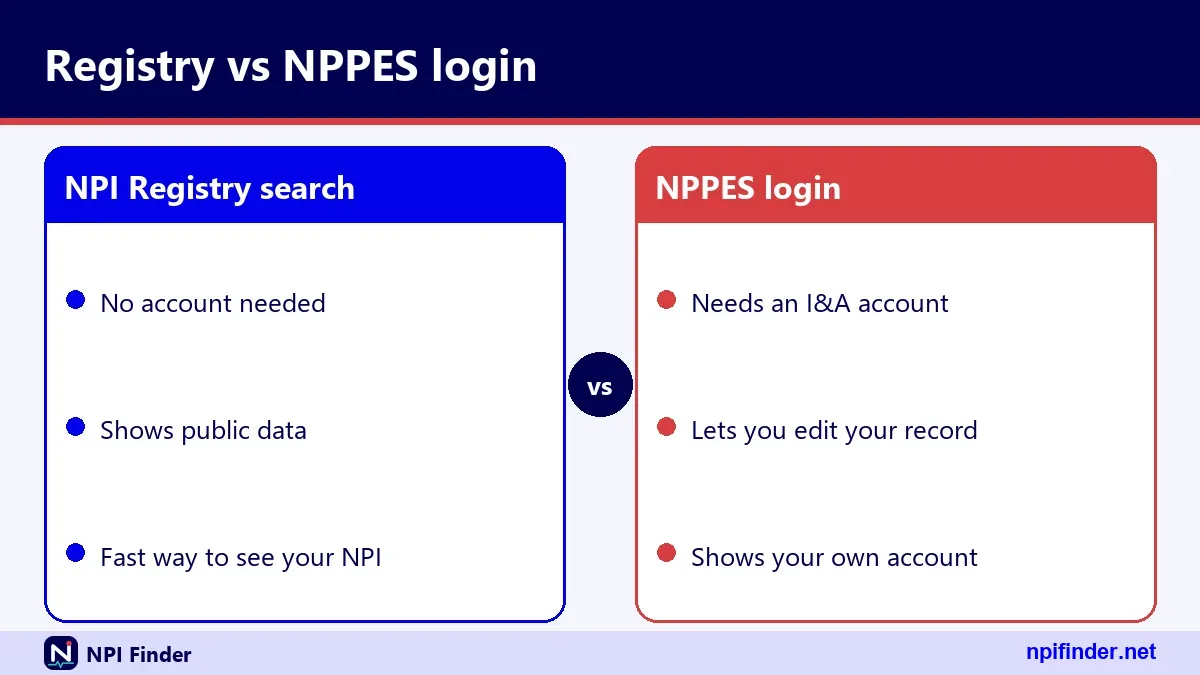
What the data shows
CMS discloses only the NPI and deactivation date for deactivated records. You will not see names or addresses for them in the downloadable files.
Reactivation
The paper form includes a reactivation option with a required reason. Online reactivation steps are not described in the CMS material, so contact the Enumerator.
Reasons for deactivation
The form lists death, business dissolved and other. See Update or Deactivate an NPI for the full process.
My NPI Application Is Stuck or Was Rejected
CMS publishes no rejection reasons and no processing time, so the NPI Enumerator is your only official source. Call 1-800-465-3203 or email [email protected] and give your application details. Ask what is missing and whether the application is still open. Do not submit a second application while you wait, because individuals are eligible for only one NPI. If you applied on paper, remember CMS calls the web application the fastest route. Before you call, search the registry in case your number already exists.
Registry Search, NLM Tool or Downloaded File: Which Should You Use?
For one person, use the registry search. For a quick browser-side search, an NLM tool works. For thousands of records, use the monthly download.
| Option | Best for | Limits | Account needed |
|---|---|---|---|
| NPI Registry web search | One provider | First 2,100 results in the web form | No |
| NPI Registry API | Developers, small scripts | Default 10 results, max 200, hourly query limits | No |
| NLM Clinical Tables | Autocomplete in browsers | Count and offset cap at 7,500 | No |
| NPPES data files | Bulk analysis | Over 4 GB uncompressed, no help desk | No |
So, NPI Registry web search is the best option for finding one provider's number because it needs no account and handles single lookups.
Why bulk users should not scrape
CMS says bulk queries must use the data file. The registry limits the number of queries per hour. Details are in NPI Database and Download.
Browser limits
The registry API sends no cross-origin header in testing, so browser code on another site cannot call it directly. The NLM API does allow this.
NPPES Login or Public Search: Which Is Better for Finding Your NPI?
The public search is better for finding your number. NPPES login is better for checking or changing what the record contains.
Use the public search when
You only need the digits, you forgot your User ID, or your password expired. It takes seconds and requires nothing.
Use NPPES when
You need to fix an address, add a taxonomy, change a name or deactivate. See NPPES Login Help if the sign-in fails.
A combined habit
Find the number by search, then log in once a year to review the record. That habit also keeps your account from going dormant.
Official Registry or Third-Party Site: Choosing a Source
Choose the official registry whenever the result affects billing, because third-party sites copy its data on their own schedule and may be out of date.
What to check on any site
Look for the NPI, the entity type, the status and the last updated date. Compare them with the registry before you rely on the result.
Spot a paywall
CMS lists no fee for an NPI or a registry lookup. A site that charges for either is not CMS. Do not pay it.
Our tool and the registry
The lookup on this page reads NPPES data. If a result looks wrong, check the official record.
My Name Returns Too Many Results
A common name returns many records, so narrow the search with a first name, a state and a city or taxonomy. Add practice details until one record remains.

Add a city
City accepts an exact name or a wildcard after two characters. A city narrows hundreds of matches fast.
Add a taxonomy description
Use your specialty, such as Family Medicine. The description must match exactly or use a wildcard after two characters.
Check the first name alias setting
The registry applies first name aliases by default, so a nickname may match a formal first name. If results look too broad, check the first name you typed.
My Name Returns No Results
No results usually means a typo, a too-short wildcard or an exact-match rule, not a missing NPI. Test each cause in turn.
Wildcard length
A wildcard needs two leading characters. "sm" works. "s" returns an error. Without an asterisk, "sm" is an exact match and returned nothing in testing.
Special characters
Names allow certain characters, including hyphens, apostrophes and periods. Other symbols cause an error. Remove stray punctuation and retry.
Other possible causes
Your record may use a former name, or the NPI may be deactivated. Try the old name before you assume you have no NPI.
The Registry Shows Wrong Information About Me
If your record is wrong, fix it in NPPES within 30 days of the change. A wrong address or taxonomy can cause claim problems.
Common errors
The usual culprits are an old practice address, a missing taxonomy, a former name and a mailing address that is out of date.
How to correct them
Log in to NPPES and edit the record, or mail the paper form with the Change of Information box checked.
What an update does not do
Updating NPPES does not update your Medicare enrollment. Update PECOS separately. See PECOS Login.
I Cannot Log In to NPPES to Confirm My NPI
If you cannot log in, use the public registry to get your NPI and reset your I&A access separately. The number itself is not locked.
Forgot Password
Use "Forgot Password" on the I&A sign-in page. Answer three security questions or give the user information tied to the account.
Account locked
Three failed attempts lock it. Unlock it through "Forgot Password." After three failed attempts at user information, contact External User Services.
Dormant account
An account used within 365 days but not within 180 needs a password reset. An account unused for 365 days or more needs re-verification and a new User ID.
The NPI I Found Fails Validation
A number that fails the check digit is mistyped or fake, so recheck every digit against the registry. Passing proves format only.
How the check works
The check uses the Luhn formula with the prefix 80840. The NPI Number Validator runs it for you. See NPI Number Validator.
A passing number may still be unassigned
The number 1234567893 passes the check yet returns no registry record. Passing a check digit proves nothing about assignment.
What the registry returns for a bad number
A 10-digit number that fails the check simply returns zero results. The API gives no specific check-digit error.
How Do I Find My National Provider Identifier Number?
Your National Provider Identifier is the same thing as your NPI, so the steps are identical: search the registry or log in to NPPES. Only the name changes.
National provider identification number. People also write "national provider identification number" or "national provider number". All three mean the NPI. Search the registry under any of those names and you reach the same answer.
How do I locate my NPI number quickly. Use name plus state, then confirm with your address. If you share a name with others, add your taxonomy. That is the fastest way to locate your NPI number.
Find my NPI online from a phone. The registry search works in a mobile browser. Copy the number from the result and paste it where you need it.
How to Read Your NPI Registry Record Field by Field
Your registry record groups data into basic, addresses, practice locations, taxonomies, identifiers, other names and endpoints. Knowing each block helps you spot errors.
| Block | What it holds | Check for |
|---|---|---|
| number and enumeration_type | Your NPI and NPI-1 or NPI-2 | Correct entity type |
| basic | Name, credential, sex, sole proprietor flag, status, dates | Status "A" for active |
| addresses | Location and mailing, with phone and fax | Current practice address |
| practiceLocations | Secondary practice sites | Sites you no longer use |
| taxonomies | Code, description, primary flag, license, state | One primary taxonomy |
| identifiers | Other issued IDs with issuer and state | Often empty |
| other_names | Former or other names | Old names you want kept |
| endpoints | Electronic exchange addresses | Often empty |
The basic block. It holds the name parts, credential, status and dates. The enumeration date shows when the NPI was issued. The last updated date shows your latest change.
Addresses and practice locations. Addresses list one location and one mailing entry. The ZIP+4 appears without a hyphen. Names and addresses appear in upper case.
Taxonomies and licenses. Each taxonomy has a code, description, primary flag, state and license number. One entry should be primary. A record can hold up to 15.
Identifiers, other names and endpoints. Identifiers can carry up to 50 other issued IDs. Other names hold former names for individuals and "doing business as" names for organizations. Endpoints are optional.
The raw JSON. The raw data also shows created and last updated times as epoch milliseconds. Developers use these. Everyone else can ignore them.
What the Registry Does Not Tell You
The registry shows who has an NPI. It does not prove the provider is licensed, credentialed, paid or enrolled in any health plan.
Not a license check. CMS says an NPI does not ensure a provider is licensed or credentialed. Verify licenses with the state board.
Not a Medicare enrollment check. Medicare enrollment lives in PECOS. The NPI is required for enrollment but does not replace it. See PECOS Lookup and Revalidation.
Not proof of payment. An NPI does not guarantee payment. Payers decide coverage by their own enrollment and contract rules.
NPI Rules That Affect Your Number
The NPI is governed by 45 CFR Part 162, Subpart D, which sets the standard, who must use it and when you must report changes.
Covered provider duties. Covered providers must use the NPI in standard transactions and disclose it to entities that need it on request. They must report changes to required NPS data within 30 days. They must also require business associates to use NPIs correctly.
Rules about reassignment. The National Provider System may not reassign a deactivated NPI to another provider. Health plans may not require a provider with an NPI to get another.
The rule timeline. The final rule was published January 23, 2004 and took effect May 23, 2005. Covered providers and most plans needed to comply by May 23, 2007. Small health plans had until May 23, 2008.
What It Costs to Find or Use Your NPI
It costs nothing. CMS lists no fee to apply, search the registry or download its data files.
Free application. The online application is free. Mailing a paper form costs only your own postage. Do not pay a middleman.
Free data. CMS says there is no charge to view registry data or to download the files. It also says there is no help desk for using the file.
What can cost money. Third-party lookup sites, application helpers and data resellers may charge. They add convenience, not authority. The official route is free.
Official Sources and Contacts for NPI Help
Official help comes from CMS, the NPI Enumerator and the External User Services help desk. Use these contacts before any third party.
| Need | Contact | How |
|---|---|---|
| NPI application or record questions | NPI Enumerator | 1-800-465-3203; TTY 1-800-692-2326; [email protected] |
| I&A or NPPES login problems | External User Services | 1-866-484-8049; TTY 1-866-523-4759; [email protected] |
| Paper application mail | CMS NPI Enumerator Services | Mail Stop DO-01-51, 7500 Security Blvd., Baltimore, MD 21244 |
| Medicare enrollment questions | Your Medicare Administrative Contractor | Use CMS's contractor directory |
Hours are not listed. CMS material does not state hours for these lines. Call during business hours and keep your details ready.
Data file support. CMS offers no help desk for the data files. Rely on the file documentation.
Privacy and Public Data: What Your Record Reveals
Your registry record reveals your name, credential, sex, addresses, phone numbers, taxonomies and license numbers. It does not reveal your Social Security number or date of birth.
Why you should check your mailing address. Registry mailing addresses are often a home, an office or a PO box. Anyone can read them. Review what you listed and update it if needed.
Organization data. Organization records show the authorized official's name, title and phone number. Keep that contact current.
Data in the bulk file. The downloadable file contains much more than a single search. Read NPI Database and Download for what it holds.
Myths and Facts About Finding Your NPI
Most NPI myths come from confusing the number with Medicare enrollment or paying for a service. The facts below clear them up.
| Myth | Fact |
|---|---|
| You must pay to get or find an NPI | CMS lists no fee to apply or search |
| Your NPI changes when you move | It stays the same; update your addresses |
| Your NPI is your Medicare number | The PTAN and CCN are separate |
| An NPI proves you are licensed | CMS says it does not |
| You need a login to look yours up | The registry is public |
The expiry myth. The overview says an assigned NPI does not expire. Passwords expire every 60 days. Do not confuse the two.
The "one NPI per job" myth. Individuals have one NPI. Do not apply again when you change employers.
Glossary for Finding Your NPI
A short glossary helps you read the registry and the forms.
- NPI: the 10-digit National Provider Identifier.
- NPPES: the National Plan and Provider Enumeration System, run by CMS.
- I&A: Identity and Access Management, the account system behind NPPES and PECOS.
- PECOS: the Provider Enrollment, Chain and Ownership System for Medicare enrollment.
- PTAN: the Medicare Provider Transaction Access Number.
- Taxonomy code: a 10-character NUCC code that describes your specialty.
Entity type terms. NPI-1 means individual. NPI-2 means organization.
How to Find My NPI Number With the Registry API
Developers can find an NPI through the registry API by sending first_name, last_name and state with version 2.1. The call returns JSON with a result count and a results list.
The version parameter is mandatory. Omitting it, or sending 2.0 or 3.0, returns an Unsupported Version error. The service answers with HTTP 200 even for errors, so read the body for an Errors list. Default page size is 10 and the documented maximum is 200. Use skip to page. CMS also limits query volume per hour, so cache results and avoid loops over the whole alphabet.
How to Look Up My NPI Number in the NLM Clinical Tables Tool
The National Library of Medicine runs a free search that returns an NPI from a few typed terms. It is built for autocomplete inside web pages and applications.
Multiple terms are combined, and partial words match. The default display shows name, NPI, provider type and practice address. The service sends a cross-origin header, so browser code can call it directly, which the registry API does not allow. It uses CMS NPI records, so results should agree with the registry, but verify any number before you bill with it. The page is a convenience, not the official record.
How to Find a Colleague's or Employee's NPI Number
Find another provider's NPI the same way you find your own: search the registry by their name and state, then confirm taxonomy and practice address. You do not need their permission because the record is public.
Credentialing staff often check dozens of names a week. Keep a short log with the NPI, the date you searched and the status field. If two records share a name, ask the provider for a practice address rather than guessing. Never accept an NPI from an email without checking it against the registry, because a single wrong digit sends claims to the wrong provider or nowhere at all.
Find My NPI Number Before Medicare Enrollment
You need your NPI before you enroll in Medicare, because the NPI is required for enrollment but does not replace it. Find it first, then check that the record is current.
Medicare enrollment happens in PECOS or on paper forms sent to your Medicare Administrative Contractor. The forms ask for your NPI, so an outdated record causes mismatches. Make sure your name, address and taxonomy in NPPES match what you plan to report to Medicare. Remember that updating NPPES does not update PECOS. After approval, your PTAN comes from the contractor, not from the registry.
How Often to Check Your NPI Record
Check your NPI record at least once a year and any time something changes, because covered providers must report changes within 30 days.
A yearly review catches a stale practice address, a missing secondary location or a taxonomy you no longer use. It also keeps your I&A account active. An account unused for 365 days or more needs re-verification and a new User ID. Put a reminder on your calendar next to your license renewal. When you move, change employers or add a new license, update NPPES the same week.
Find My NPI Number Checklist
This checklist gets you from zero to a verified NPI in a few minutes.
- Gather your legal name, former names and practice state.
- Run a registry search and add city or taxonomy if needed.
- Confirm name, credential, taxonomy and practice address.
- Confirm the status shows active.
- Copy the 10 digits and save them in your credentialing file.
- Run the format check if you will type the number into a payer form.
- Log in to NPPES and correct any wrong data.
Tips for Finding and Protecting Your NPI Number
These tips save time and prevent costly claim errors.
- Search with two search attempts. Try your current name, then your former name.
- Save the number once. Store it in your credentialing file and your password manager.
- Match three things. Confirm name, taxonomy and practice address before you copy.
- Ignore the mailing address. Use the practice location to confirm identity.
- Check the status field. "A" means active. Anything else needs follow-up.
- Use a wildcard carefully. Remember the two-character minimum.
- Validate the format. Run the digits through the validator before you type them into a payer form.
- Log in once a year. It keeps your I&A account out of the dormant range.
- Update within 30 days. Report any change to required data inside that window.
- Never pay for a lookup. CMS lists no fee.
Recommendation
Use the public registry search first, confirm with your address and taxonomy, and save the number somewhere safe. Log in to NPPES only to correct or update the record.
If you have no NPI at all, apply online through NPPES and skip paid middlemen. Then return to Home for the lookup tool, and use NPI Lookup by Specialty to explore how others in your field appear.