

Taxonomy code lookup in one minute
A taxonomy code is a 10-character NUCC code that names a provider's type and specialty, and you find yours by searching the table on this page for a specialty word or a code.
Type "optometrist" into the search box. Read the code in the first column. Then check that the Display Name matches how you actually practice. The table uses the NUCC version 26.1 code set, so the wording you see is official text, not a paraphrase.
What a taxonomy code is
A taxonomy code is an alphanumeric identifier from the NUCC Health Care Provider Taxonomy code set that classifies a provider by type, classification and area of specialization. NUCC is the National Uniform Claim Committee. It publishes the code set, and CMS uses it inside NPPES. Think of the code as a label that says what kind of health care a provider delivers.
What is taxonomy number
A "taxonomy number" is just another name for the taxonomy code. People also say provider taxonomy number, taxonomy ID or specialty code. They all mean the same 10-character value, such as 207Q00000X for Family Medicine Physician. If a form asks for your taxonomy number, give it that code and nothing else.
Provider taxonomy and provider specialty code lookup
The phrase "provider taxonomy" refers to the whole classification scheme, while a "provider taxonomy code" is one entry in it. A provider specialty code lookup therefore means finding the entry that fits a provider's specialty. NUCC groups entries so you can browse from a broad type down to a narrow specialty.
NPI and taxonomy code: how the two fit together
An NPI identifies the provider, and a taxonomy code describes what the provider does, so a record normally holds one NPI and one or more taxonomy codes. The National Provider Identifier is a 10-digit number. The taxonomy code is a 10-character alphanumeric value. You need the first to be found and the second to be described accurately.
Why the NPI itself carries no specialty
The NPI has no embedded intelligence. 45 CFR 162.406 says the number carries no information about the provider, such as state or specialty. That is why the specialty lives in a separate field. You cannot decode a specialty from the digits of an NPI. Read our definition of the NPI number for the full background.
What is a taxonomy code for NPI
A taxonomy code for an NPI is the code you list on the NPPES record so the registry shows your specialty. Individuals enter taxonomy codes, and a license number and license state where applicable, when they apply. The code then appears in the taxonomies section of the public record.
How a NUCC taxonomy code is built
Every NUCC code is a unique alphanumeric code ten characters in length, arranged in three levels of detail. The levels are Provider Grouping, Classification and Area of Specialization. A code can describe only a classification, or it can go one level deeper into a specialization.

Grouping, classification and specialization
Take 207RC0000X. Its Grouping is Allopathic & Osteopathic Physicians. Its Classification is Internal Medicine. Its Specialization is Cardiovascular Disease. Compare 207Q00000X, which has the same Grouping and the Classification Family Medicine but no Specialization. When a code has no Specialization, it covers the classification as a whole.
The ten-character format
All 883 codes in version 26.1 end with the letter X. Positions inside the code are not something you should try to decode by hand. NUCC has its own wording for the structure, and I will not guess at it here. Copy the whole code from the table, character for character, and keep the letters in capitals.
NUCC version 26.1 and its 883 codes
The current NUCC code set is version 26.1, effective July 1, 2026, and it holds 883 codes. We counted the rows in the NUCC CSV file on November 17, 2026. NUCC has not given us an official count in the material we checked, so treat 883 as our count of that file.
How often NUCC releases new versions
NUCC publishes twice a year, on January 1 (versions numbered x.0) and July 1 (versions numbered x.1). The NUCC download page lists 25.1 as covering both July 1, 2025 and January 1, 2026. There was no 26.0 release. When a code looks missing, check which version you are reading.
Taxonomy codes lookup with the table on this page
Use the table at the top of this page to run a taxonomy codes lookup by typing any part of a specialty, classification or code into the search box. The table filters as you type. Each row shows the code, Grouping, Classification, Specialization and whether the code is for an individual or a non-individual.
Search by specialty word
Short words work best. Try "cardio", "dent" or "therapist" instead of a full phrase. Because the table searches the Classification and Specialization columns, one word can surface several related codes. Read each Definition before you choose, since neighbors in a Classification often differ in small but important ways.
Search by code
If you already have a code, paste it in capitals, for example 363L00000X. The row confirms what the code means. This is the quickest way to check a code someone sent you, or one you copied from an old claim form or credentialing file.
Filter by Individual or Non-Individual section
NUCC tags each code with a Section value of Individual or Non-Individual. Use Individual for a person such as a physician or therapist. Use Non-Individual for organizations such as a hospital or pharmacy. Picking the wrong section is a common reason a search seems to return nothing useful.
Find taxonomy code when you only know your job title
To find a taxonomy code from a job title, search the table for the title's key word, then compare the Display Name and Definition of each match against your license and scope of practice. Job titles and NUCC names do not always match. A "nurse" might practice as a nurse practitioner, which has its own code.
Start from your license, not your employer
Your license type points to the right Grouping. A pharmacist belongs under Pharmacy Service Providers, and a chiropractor under Chiropractic Providers. Your employer's department name is a weaker guide, because the code describes you as a provider, not the unit you work in.
List of taxonomy codes: 30 common examples
The table below is a curated list of 30 common codes with exact NUCC version 26.1 text, useful as a reference for the most familiar specialties. It is a sample of the full 883-code list, which you can search above.
| Code | Display Name | Classification | Specialization |
|---|---|---|---|
| 207Q00000X | Family Medicine Physician | Family Medicine | |
| 208D00000X | General Practice Physician | General Practice | |
| 207R00000X | Internal Medicine Physician | Internal Medicine | |
| 208000000X | Pediatrics Physician | Pediatrics | |
| 207RC0000X | Cardiovascular Disease Physician | Internal Medicine | Cardiovascular Disease |
| 207RG0100X | Gastroenterology Physician | Internal Medicine | Gastroenterology |
| 207RE0101X | Endocrinology, Diabetes & Metabolism Physician | Internal Medicine | Endocrinology, Diabetes & Metabolism |
| 207P00000X | Emergency Medicine Physician | Emergency Medicine | |
| 207V00000X | Obstetrics & Gynecology Physician | Obstetrics & Gynecology | |
| 2084P0800X | Psychiatry Physician | Psychiatry & Neurology | Psychiatry |
| 207X00000X | Orthopaedic Surgery Physician | Orthopaedic Surgery | |
| 207T00000X | Neurological Surgery Physician | Neurological Surgery | |
| 207N00000X | Dermatology Physician | Dermatology | |
| 207L00000X | Anesthesiology Physician | Anesthesiology | |
| 207W00000X | Ophthalmology Physician | Ophthalmology | |
| 207Y00000X | Otolaryngology Physician | Otolaryngology | |
| 2085R0202X | Diagnostic Radiology Physician | Radiology | Diagnostic Radiology |
| 363L00000X | Nurse Practitioner | Nurse Practitioner | |
| 363LF0000X | Family Nurse Practitioner | Nurse Practitioner | Family |
| 363A00000X | Physician Assistant | Physician Assistant | |
| 367500000X | Certified Registered Nurse Anesthetist | Nurse Anesthetist, Certified Registered | |
| 122300000X | Dentist | Dentist | |
| 1223G0001X | General Practice Dentistry | Dentist | General Practice |
| 225100000X | Physical Therapist | Physical Therapist | |
| 183500000X | Pharmacist | Pharmacist | |
| 152W00000X | Optometrist | Optometrist | |
| 111N00000X | Chiropractor | Chiropractor | |
| 333600000X | Pharmacy | Pharmacy | |
| 282N00000X | General Acute Care Hospital | General Acute Care Hospital | |
| 261QP2300X | Primary Care Clinic/Center | Clinic/Center | Primary Care |
How to read the columns
The first 27 rows are Individual codes, and the last three (pharmacy, hospital, clinic) are Non-Individual. The Display Name is NUCC's official label. Classification and Specialization show where the code sits in the hierarchy. A blank Specialization means the code covers the whole Classification.
Why this list is not a ranking
NUCC does not publish a ranking of how often each code is used, and we did not find one anywhere official. We picked these 30 to show a spread of common provider types. Do not read the order as popularity. For a specialty missing here, search the full table.
Taxonomy code list for physicians
Physician codes all sit under the Grouping Allopathic & Osteopathic Physicians, and most begin with 207 or 208. The list is long, so search the table by specialty word. These three examples show how the pattern works across a classification and its subspecialties.
208D00000X: General Practice Physician
The code 208D00000X maps to the Classification General Practice, with the Display Name General Practice Physician. It is separate from 207Q00000X, which is Family Medicine Physician. Choose the one that matches how your training and board status are described, not the one that sounds closest.
Internal medicine and its subspecialties
Internal Medicine Physician is 207R00000X. Subspecialties share the 207R start and add letters, for example 207RC0000X for Cardiovascular Disease and 207RG0100X for Gastroenterology. If you hold a subspecialty, the longer code tells payers and colleagues more than the general one.
Surgical, hospital-based and other specialty codes
Surgery and hospital-based fields have their own classifications. Examples from the table include 207X00000X for Orthopaedic Surgery, 207L00000X for Anesthesiology and 2085R0202X for Diagnostic Radiology. Search the table by specialty name to reach the rest.
Nurse practitioner taxonomy code
The general nurse practitioner taxonomy code is 363L00000X, listed by NUCC as Nurse Practitioner. It belongs to the Grouping Physician Assistants & Advanced Practice Nursing Providers. Many NPs start here and add a narrower code if their certification supports it.
Taxonomy code for nurse practitioner: when the general code is enough
Use 363L00000X when you want the Classification as a whole, with no Specialization. It is the safest starting point when you are unsure which population focus applies to you. You can add a more specific code later through your record in NPPES.
Family nurse practitioner and 363LF0000X
The code 363LF0000X is Family Nurse Practitioner, a Specialization of the Nurse Practitioner Classification. The table shows the Specialization as Family. Search "nurse practitioner" in the table to see other specializations and read each Definition before choosing one.
Nurse practitioner taxonomy versus nurse anesthetist
A certified registered nurse anesthetist uses a different Classification. The code is 367500000X, shown as Certified Registered Nurse Anesthetist. Do not mix it up with the nurse practitioner codes, even though both sit in the same Grouping.
PA taxonomy code
The PA taxonomy code is 363A00000X, whose Display Name is Physician Assistant. It sits in the Grouping Physician Assistants & Advanced Practice Nursing Providers, the same Grouping as nurse practitioners. That shared Grouping is a handy reminder that PAs and NPs are filed side by side.
363A00000X taxonomy code in practice
When someone asks for the 363A00000X taxonomy code, they want the general physician assistant entry. It is an Individual code. Copy it with the capital letters, and enter it as your primary taxonomy if physician assistant is your main role.
Physician assistant versus nurse practitioner codes
The two roles have separate codes, 363A00000X and 363L00000X. They are not interchangeable. Pick the one that matches your license, since the NPI record shows your taxonomy publicly and payers read it.
Chiropractic taxonomy code
The chiropractic taxonomy code is 111N00000X, with the Display Name Chiropractor. NUCC places it in the Grouping Chiropractic Providers and the Classification Chiropractor. It has no Specialization in the table, so it covers the Classification as a whole.
Chiropractic taxonomy number 111N00000X
People often search for the chiropractic taxonomy number when they fill out a payer form or an enrollment application. The number is the same 10-character code, 111N00000X. Keep the capital letters and the trailing X exactly as shown, because a typo makes the value invalid.
Chiro taxonomy code
"Chiro taxonomy code" is shorthand for the same code, 111N00000X. NUCC does not use the word chiro, so a search for "chiro" in the table still finds the row because the text begins with the same letters. If the row appears, you have the right entry.
Chiropractor taxonomy code
The chiropractor taxonomy code is 111N00000X, and it describes an individual practitioner, which NUCC tags as the Individual Section. A person with a chiropractic license lists it on a Type 1 NPI record. A clinic that bills as an organization is a different case, covered later.

Taxonomy code for chiropractor in a group or clinic
A group or clinic that has its own Type 2 NPI needs a code from the Non-Individual Section. This page's verified notes include a clinic code, 261QP2300X for Primary Care Clinic/Center, but no chiropractic clinic entry. Search the table for the right Non-Individual code instead of reusing the individual one.
Optometrist taxonomy code
The optometrist taxonomy code is 152W00000X, listed by NUCC as Optometrist. It sits in the Grouping Eye and Vision Services Providers. It is an Individual code, so an optometrist enters it on a Type 1 NPI record under their own name.
Taxonomy code for optometry
For optometry as a field, the answer is again 152W00000X. The Classification is Optometrist, and the table shows no Specialization on that row. If you need narrower optometry entries, search the table for "optometrist" and read the Definition of each match.
Taxonomy code for optometrist versus ophthalmologist
An ophthalmologist is a physician and uses a different code, 207W00000X, listed as Ophthalmology Physician. An optometrist uses 152W00000X. The two sit in different Groupings, so do not choose by sound. Match the code to your license.
Therapist and counselor codes: PT, SLP, LCSW and LPC
Physical therapists, speech-language pathologists, social workers and counselors each have their own NUCC entries. We verified the PT and SLP codes, but not the LCSW and LPC codes, so for those two you should search the table yourself.
PT taxonomy code and the taxonomy code for physical therapy
The PT taxonomy code is 225100000X, with the Display Name Physical Therapist. This is also the taxonomy code for physical therapy as a profession. It sits in the Grouping Respiratory, Developmental, Rehabilitative and Restorative Service Providers. Occupational therapists have a separate code, 225X00000X.
SLP taxonomy code
The SLP taxonomy code is 235Z00000X, with the Display Name Speech-Language Pathologist. Speech-language pathologists enter it on their Type 1 NPI record. Check the Definition in the table if you also work under a more specific title.
Taxonomy code for LCSW and social work taxonomy code
We did not verify a specific code for licensed clinical social workers, so we will not print one. Search the table for "social work" and read the Definitions. Pick the entry whose wording fits your license. The same approach covers any social work taxonomy code you need.
LPC taxonomy code and LPC taxonomy
The same caution applies to the LPC taxonomy code. We did not verify one for licensed professional counselors. Search the table for "counselor", compare the Definitions, and choose the entry that matches your license type. Then confirm the choice with your credentialing contact.
Taxonomy code lookup by NPI
To look up a taxonomy code by NPI, search the public NPI Registry for the 10-digit number and read the taxonomies section of the record it returns. The registry is run by CMS and fed by NPPES. Each record lists every taxonomy code the provider reported, with a short description and a primary flag.
- Open the NPI Registry search and enter the 10-digit NPI in the number field.
- Run the search and open the matching record.
- Find the taxonomies section and read the code, the description and the primary flag.
- Paste the code into the table on this page to read the official NUCC definition.
Tip: If you only have a name, search by name and state first, then confirm the NPI. Our Find My NPI Number page covers that route.
Taxonomy lookup by NPI for a number you are unsure about
If the registry returns no result, the number may be mistyped. A number that fails the check digit returns zero results, with no specific error. Run it through our NPI Number Validator first. A passing check digit only shows the number is well formed, not that it is assigned.
Taxonomy code lookup by NPI for podiatry and other specialties
The method is the same for any specialty, podiatry included. Look up the NPI, read the code, then check it in the table. We did not verify a podiatry code for this page, so we do not print one. Use the table to confirm what the registry shows.
NPI lookup taxonomy code for a whole specialty
To go the other way and see providers who hold a given specialty, use a specialty search instead. See NPI Lookup by Specialty for that. The registry API also accepts a taxonomy description as a search criterion, covered next.
Taxonomy code search in the NPI Registry API
The NPI Registry API lets a program search by taxonomy description, with the base address of the registry and a version value of 2.1. Version 2.1 is required. Omit it, or send 2.0 or 3.0, and the API returns error 17, "Unsupported Version." Responses come back as JSON, even for errors.
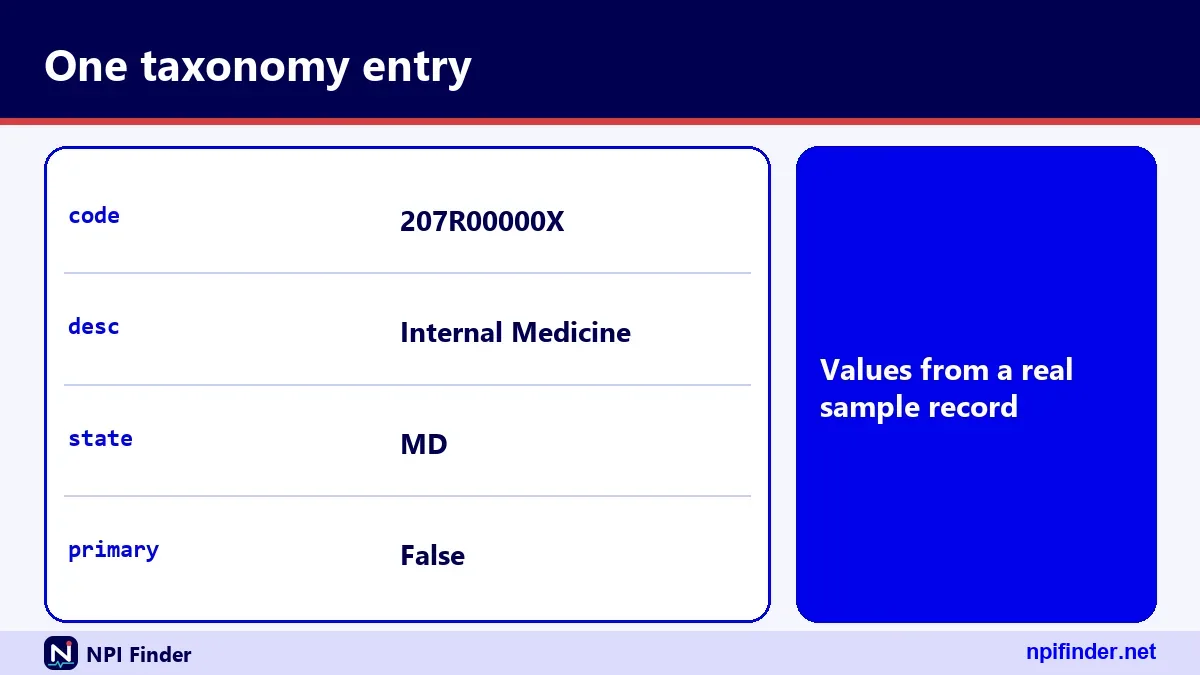
The taxonomy_description parameter
The parameter takes an exact description or an exact specialty, or a wildcard asterisk after at least two characters. A call with no valid search criteria at all returns error 04, so always send at least one real criterion. Pair it with a state or a name to keep results focused.
Wildcard rules that trip people up
Only a trailing wildcard works, and it needs at least two leading characters. A single character plus an asterisk returns error 03. An exact word without a wildcard is an exact match, so a partial word returns zero results. Add the asterisk when you want partial matching.
Reading the taxonomies array in a result
Each result has a taxonomies array. Every item holds a code, a desc value derived from the code, a primary flag, a state, a license and a taxonomy_group. A record can hold up to 15 taxonomies. The next section walks through a real example.
What a real taxonomies array looks like
The sample record for NPI 1003000126 is an individual (NPI-1) with four taxonomy entries, one flagged primary. It shows how real data can be messier than a textbook. The same code can appear more than once, each time tied to a different license and state.
| Code | Description | State | Primary |
|---|---|---|---|
| 207R00000X | Internal Medicine | MD | false |
| 207R00000X | Internal Medicine | MD | false |
| 207R00000X | Internal Medicine | VA | false |
| 208M00000X | Hospitalist | DC | true |
Why one code repeats
The 207R00000X code appears three times because each entry carries a different license. Two licenses are in MD and one is in VA. The record stores one row per code-and-license pairing, not one row per code. Do not read repeats as an error.
Which row is primary
Only the Hospitalist row, 208M00000X in DC, has primary set to true. The three Internal Medicine rows are false. The registry treats Internal Medicine and Hospitalist as separate entries, so the primary flag tells you which one the provider chose to lead with.
Fields next to the taxonomy
The same record also carries addresses, practice locations, identifiers, other names and endpoints. In this sample, identifiers, other_names and endpoints are empty. Taxonomy is only one slice of what the registry holds, and the registry shows license numbers publicly.
NPI taxonomy codes lookup through the NLM Clinical Tables API
The National Library of Medicine runs a free Clinical Tables search for NPI records that your page or app can call from a browser. It searches individuals by a terms parameter and returns the NPI, name, provider type and practice address by default. Unlike the CMS registry API, it sends a header that allows browser requests from other origins.
Taxonomy fields in the NLM data
The NLM individual data lists licenses.taxonomy.code, grouping, classification and specialization among its fields. We tested one request and licenses.taxonomy.code came back null for the sample NPI. Verify any field path against a live call before you build on it.
Limits to plan around
Your offset plus count may not exceed 7,500, and the reported total is capped at 10,000. Both limits are described as subject to change. The NLM data comes from CMS NPI records and the NUCC taxonomy, supplied as is and free of charge.
How to change taxonomy on NPI
To change the taxonomy on an NPI, log in to NPPES with your I&A account, edit the taxonomy section of your record, and submit the update. The alternative is a paper CMS-10114 form marked Change of Information. Online is the quicker route, and our update NPI record guide covers the wider process.
- Sign in to NPPES with your I&A User ID and password. If you are locked out, see NPPES Login Help.
- Complete multi-factor authentication when prompted.
- Open your NPI record and go to the taxonomy section.
- Add the new code, enter your license number and license state where applicable, and mark the right code as primary.
- Review the record and submit.
Warning: Covered providers must report changes to NPPES data within 30 days. Medicare enrollment is separate, so also update PECOS.
Change NPI taxonomy when your specialty changes
If you retrain or move into a new specialty, add the new code and set it as primary. Whether to remove the old code depends on whether it still describes work you do. Keep the record true to your current practice.
NPI change taxonomy primary versus secondary
You can hold several taxonomies, but one is primary. Make the primary one the code that best describes your main role. Add others only when you are licensed or certified to practice under them.
How to change taxonomy code for NPI on paper
On the CMS-10114 form, tick the reason "Change of Information" and list the taxonomy code, license number and state. Only one reason and one NPI go on each form. Mail it to the NPI Enumerator.
Change taxonomy NPI and your Medicare enrollment
Updating NPPES does not update PECOS. After you change the taxonomy on your NPI, check your Medicare enrollment record and update it separately if needed. The PECOS lookup and revalidation guide explains how to check status.
Download the NUCC CSV and filter it yourself
You can download the full NUCC taxonomy file as a CSV from the NUCC website and filter it in a spreadsheet or script. The columns are Code, Grouping, Classification, Specialization, Definition, Notes, Display Name and Section. That is the same data behind the table on this page.
What the CSV adds that a short list cannot
The CSV includes the Definition and Notes columns, which explain what a code covers. It has 29 distinct Groupings and 245 distinct Classifications in version 26.1. For audit work, keep the version number with your copy so you can show which release you used.
Choosing a primary taxonomy
Choose as your primary taxonomy the code that best describes the main service you provide and bill for. Billing staff, payers and the public all see the primary flag first. A mismatch between your primary code and your actual work causes confusion later.

- List every license and certification you hold.
- Search the table for each one and note the code.
- Pick the code that matches your main role as the primary.
- Keep the rest as secondary entries.
Tip: Ask your credentialing contact which code your payers expect before you finalize the choice.
NPI taxonomy in NPPES and the public registry
NPI taxonomy is the set of taxonomy codes a provider has reported in NPPES, and the public NPI Registry displays it on every individual record. The registry shows the code, a short description, the primary flag, and the license number and state tied to each entry. Anyone can read these without logging in.
NPPES taxonomy and the NPI taxonomy lookup habit
When staff say "NPPES taxonomy," they usually mean what the provider's own record currently says. Run an NPI taxonomy lookup before you bill or credential, because the record is only as current as the provider's last update. The 30-day reporting duty exists for that reason.
Taxonomy NPI pairs in your own files
Keep each NPI paired with its taxonomy code, license number and state in your internal records. If you hold many providers, store the NUCC version you checked against. A short note beats a long hunt when a payer asks why a code was used.
NPI taxonomy codes in claims and provider applications
NUCC allows free use of its code set in claims and provider applications. Commercial use, meaning sales or licensing of the code set, needs a licence request form. For most practices that means you can enter and share codes without a fee. The exact placement of a code on any claim form depends on the payer's instructions.
What to confirm with each payer
Payers may ask for the same code in different places. Ask which taxonomy code they expect, and whether they want the primary one or one tied to a service. We have no verified rule for how payers handle mismatches, so confirm directly.
Where to enter a taxonomy code on the CMS-1500 and 837P
On the paper CMS-1500, you enter the taxonomy code with the qualifier ZZ, followed by the 10-character code and no spaces. On the electronic 837P claim, the qualifier is PXC instead. The NUCC 1500 instruction manual states both rules. Always check your payer's own instructions too, because they set the final placement.
Billing provider versus rendering provider taxonomy
The paper form has two places for a taxonomy code. For the rendering provider, you put ZZ in the shaded area of item 24I and the code in the shaded area of 24J. For the billing provider, you use item 33b. The rendering NPI itself sits in the unshaded part of 24J. Pull each code from the matching record with the NPI Number Validator or the table above.
Taxonomy number on forms: how to type it
Type the taxonomy number as all 10 characters with no spaces, using capital letters. A form that asks for a provider taxonomy number wants the full code, not the Classification name. Copy it from the table rather than retyping it, and check the last character, which is X for every version 26.1 code.
Hospitalist and the 208M00000X taxonomy code
NPPES shows 208M00000X with the description Hospitalist. Our sample record for NPI 1003000126 lists it as the primary taxonomy, tied to a license in DC. If you work as a hospitalist, search "hospitalist" in the table to read the official NUCC Definition before you enter the code.

208M00000X taxonomy code beside Internal Medicine
The same sample record also lists 207R00000X, Internal Medicine, as secondary entries. That is a real-world example of one person holding two related codes. Whether you should do the same depends on your licenses and how you bill.
Emergency medicine taxonomy code
The emergency medicine taxonomy code is 207P00000X, listed as Emergency Medicine Physician. It belongs to the Grouping Allopathic & Osteopathic Physicians and has no Specialization in the table. Search "emergency" in the table if you hold a subspecialty and want to see narrower entries.
OBGYN taxonomy code
The OBGYN taxonomy code is 207V00000X, whose Display Name is Obstetrics & Gynecology Physician. The Classification is Obstetrics & Gynecology, and the row has no Specialization. Type "obstetrics" or "gynecology" into the search box to find it quickly, since the full phrase is long.
Pharmacist taxonomy code
The pharmacist taxonomy code is 183500000X, with the Display Name Pharmacist, in the Grouping Pharmacy Service Providers. It describes the person. A pharmacy as a business is a different entry, covered below.
Pharmacist versus pharmacy and community or retail pharmacy
The code 333600000X is Pharmacy, in the Grouping Suppliers, and it is a Non-Individual code. The code 3336C0003X is Community/Retail Pharmacy. A pharmacist uses the individual code on a Type 1 NPI. The store itself uses an organization code on a Type 2 NPI.
Taxonomy code for general dentist
The taxonomy code for a general dentist depends on how you practice. The code 122300000X is Dentist, and 1223G0001X is General Practice Dentistry, a Specialization under the Dentist Classification. Both sit in the Grouping Dental Providers.
Dentist versus General Practice Dentistry
Use 1223G0001X if you want the general dentistry Specialization stated. Use 122300000X for the broader Dentist Classification. Check the Definition in the table, and match whichever one your licensing and payer contracts describe. Pediatric Dentistry has its own code, 1223P0221X.
Home health care taxonomy code
The home health care taxonomy code in our verified set is 251E00000X, listed as Home Health Agency. The name tells you it describes an agency rather than a single clinician. A nurse or therapist working for the agency uses an individual code of their own profession.

Group, facility and supplier codes for Type 2 NPIs
Organizations enrolled as Type 2 NPIs use Non-Individual codes, such as 282N00000X for General Acute Care Hospital or 261QP2300X for Primary Care Clinic/Center. Other verified examples are 332B00000X, Durable Medical Equipment & Medical Supplies, and 291U00000X, Clinical Medical Laboratory. Search the table to find the right fit.
The Multi-Specialty Group code
The code 193200000X is Multi-Specialty Group, in the Grouping Group. Oddly, NUCC tags its Section as Individual in version 26.1, even though a group is not a person. This shows why you should read the table rather than assume. Match the code to NUCC's wording, not to your intuition.
Codes people search for that this page could not verify
Some codes are searched often, but we have no verified description for them, so we do not define them here. Look each one up in the table to read the official text for yourself.
193400000X taxonomy code
The 193400000X taxonomy code is a frequent search. Paste it into the table to see its Grouping, Classification and Definition from the current NUCC file. Do not rely on a forum answer.
106H00000X taxonomy code
For the 106H00000X taxonomy code, paste the value into the table and read the Display Name and Definition. We will not guess which profession it describes.
Taxonomy 390200000X
Treat taxonomy 390200000X the same way. Search the code in the table, read the Definition, and then decide whether it matches your situation. If the table returns no row, you probably mistyped it.
Taxonomy lookup tools compared
Each taxonomy lookup method fits a different job: the table on this page is best for reading code meanings, the registry for checking a specific provider, and the downloadable files for bulk work. This comparison helps you pick one before you spend an afternoon on the wrong tool.
| Method | Best for | Main limit |
|---|---|---|
| Table on this page | Finding the code that fits a specialty | Shows NUCC data, not any provider's own record |
| NPI Registry search | Reading one provider's taxonomies | One record at a time by hand |
| NPI Registry API | Programmatic checks | Version 2.1 only; default 10 results, maximum 200; hourly query limits |
| NLM Clinical Tables API | Browser-based lookups | Offset plus count capped at 7,500 |
| NUCC CSV | Full code list with Definitions | Code set only, no provider data |
| NPPES data file | Bulk provider analysis | Very large; no CMS technical support |
So, table on this page is the best taxonomy lookup method for finding the code that fits your specialty because it shows NUCC code meanings.
Provider taxonomy lookup for one provider
For a single provider, use the registry. Search the NPI, read the taxonomies, then check each code in the table here. This provider taxonomy lookup takes a minute and uses public data only.
Taxonomy look up for a whole list of NPIs
Hundreds of lookups call for a different tool. CMS states that effective June 25, 2024 NPPES limits registry queries per hour and that bulk queries must use the downloadable file. See NPI Database & Download for the file details.
Medical taxonomy codes for research and reporting
Researchers who study medical taxonomy codes across many providers should join the NUCC CSV to the NPPES data file. Keep the NUCC version number with your results. The monthly NPPES file is free, but CMS offers no help desk for using it.
NUCC Display Name versus the NPPES description
The NUCC Display Name and the short description NPPES shows can differ for the same code. For 207Q00000X, NUCC's Display Name is Family Medicine Physician, while the NPPES desc field shows Family Medicine. We saw this in the live registry on November 17, 2026.
Why the wording differs
NPPES derives its desc value from the code, and it uses its own short label. The code is what matters. If two sources use different words, compare the code, not the label. A matching code means the same entry.
Taxonomy code versus license and other provider IDs
A taxonomy code describes what you do, and it is not a license or an enrollment number. Each identifier answers a different question. Mixing them up is a frequent cause of rejected applications. Our NPI vs Other Provider IDs page covers the full set.
| Identifier | What it tells you | Who issues it |
|---|---|---|
| NPI | Who the provider is | CMS, through NPPES |
| Taxonomy code | What type and specialty the provider is | NUCC code set, entered in NPPES |
| State license | Permission to practice in that state | State licensing board |
| PTAN | Medicare billing identifier other than the NPI | The Medicare Administrative Contractor |
| DEA number | Controlled-substance registration | Drug Enforcement Administration |
Healthcare provider taxonomy code beside a license number
NPPES stores a license number and state next to each taxonomy entry. That pairing does not verify the license. An NPI does not ensure a provider is licensed or credentialed, so check licenses with the state board.
Healthcare codes in Medicare provider finders
Medicare Care Compare draws its general information mainly from PECOS. If you are searching for a clinician who accepts Medicare, see Find a Medicare Provider. The NLM data also lists a Medicare specialty code field, separate from the NUCC taxonomy.
Taxonomy code not found or wrong in the registry
If a taxonomy code is missing or looks wrong in the registry, the cause is almost always the provider's record, not the registry. Providers enter and maintain their own taxonomy data in NPPES. A stale entry stays visible until the provider or an authorized person updates it.
What is my taxonomy code if I never checked
Look yourself up in the registry by NPI and read the taxonomies section. That shows what is on file. If the code is wrong or missing, update it through NPPES. Our Find My NPI Number page helps if you do not know your NPI.
The code in the registry no longer matches the table
NUCC releases twice a year, so an old code may sit in a record while the current file has newer wording. Compare the code against the latest version. We did not verify exactly how NUCC retires codes, so check the NUCC notes column.
The number returns zero results
A search for a number that is not 10 digits returns error 06. A 10-digit number that fails the check digit returns zero results with no specific error. Verify the NPI with the validator mentioned earlier before you blame the taxonomy.
Cannot log in to change your taxonomy
You cannot edit your taxonomy in NPPES without a working I&A account, and the most common blockers are an expired password, a lockout or missing multi-factor authentication. None of these affect your NPI or your Medicare payments. They only block login until you reset them.
Password expiry and lockouts
I&A passwords expire every 60 days. Three failed logins lock the account. Use the Forgot Password link to unlock it. After three failed attempts at user information, contact the External User Services help desk.
Dormant accounts and multi-factor setup
An account used within 365 days but not within 180 days needs a password reset. One idle for more than 365 days needs re-verification and a new User ID. Multi-factor authentication has been required since April 21, 2022, and setting up two methods is recommended.
A payer questions your taxonomy code
If a payer questions your taxonomy code, first check the code against both the NUCC table and your NPPES record, and then ask the payer exactly what it needs. A mismatch between what you billed and what the registry shows is the usual cause. We have no verified payer-specific rules, so use the payer's own instructions.
Fix the record first
If the NPPES record is wrong, correct it. Then tell the payer you updated it. Remember that a change in NPPES does not change your Medicare enrollment. Update both when both are affected.
Update not showing yet
After you submit a taxonomy change, the registry should reflect it soon, since CMS describes the registry as a query-only database updated daily. We have no verified timing for individual updates. Wait, refresh, and check the last_updated date on the record before you resubmit.
Read the last_updated field
Each record shows a last_updated date and a last_updated_epoch value. If the date has not moved after your update, the submission may not have gone through. Log in and check. If it still looks stuck, contact the NPI Enumerator.
Repeated or conflicting codes in one record
A record can show the same taxonomy code several times, each with a different license and state, as in our sample record. Repeats alone are not an error. Look instead at which entry carries the primary flag, and make sure it is the code you want payers and patients to see first.

The NPI rule and why your taxonomy data needs upkeep
The NPI rule sits in 45 CFR Part 162, Subpart D, under HIPAA Administrative Simplification, and it requires covered providers to report changes to their NPPES data within 30 days. That duty is in 162.410(a). We could not verify which individual fields count as required data, so keep every field, taxonomy included, current.
What the rule says about the number itself
Section 162.406 makes the NPI a 10-position identifier with no embedded intelligence. Section 162.408 bars the system from reassigning a deactivated NPI. Neither section names taxonomy codes. The specialty label rides alongside the NPI as separate data. For the system itself, read NPPES Explained.
New providers and first-time taxonomy entry
If you are applying for the first time, you will choose your taxonomy during the application. Our Apply for an NPI guide walks through that process. Use this page's table to pick the code before you start, so the form goes faster.
What is free: NPI, registry lookups and the NUCC code set
CMS lists no fee to get an NPI, to search the registry or to download the NPPES files, and NUCC allows free use of its code set in claims and provider applications. Commercial use of the code set needs a licence request form. If a website charges you to "get" an NPI, it is not CMS.
Official sources and who to call
The official places to check taxonomy information are the NUCC website for the code set, the NPPES site and NPI Registry for provider records, and CMS for the NPI rules. For help, the NPI Enumerator answers at 1-800-465-3203, with a TTY line at 1-800-692-2326. For login trouble, the External User Services help desk is at 1-866-484-8049.
When to call which number
Call the NPI Enumerator for questions about applying, updating or deactivating an NPI. Call External User Services for problems with your I&A account, including passwords and multi-factor authentication. We could not verify hours of operation for either line, so check before you plan around a call.
What the registry makes public about your taxonomy
The registry publishes the taxonomy code, description, primary flag, license number and license state for each entry on a record. CMS says NPI data are disclosed under FOIA. The application form says your SSN, ITIN and date of birth are not made available on the internet. Check your public record before you assume what it shows.
Glossary of taxonomy terms
These terms come up in every taxonomy conversation. Short definitions help you read the table and the registry the same way.
- Taxonomy code: the 10-character NUCC code describing a provider type or specialty.
- Grouping: the broadest NUCC level, such as Dental Providers.
- Classification: the middle level, such as Dentist.
- Specialization: the narrowest level, such as General Practice.
- Display Name: NUCC's official label for a code.
- Primary taxonomy: the code flagged as the provider's main one in NPPES.
- Section: NUCC's Individual or Non-Individual tag.
- I&A: the Identity and Access account used to log in to NPPES.
- NPI-1 and NPI-2: Type 1 for individuals, Type 2 for organizations.
Myths and facts about taxonomy codes
Several wrong beliefs about taxonomy codes circulate in billing offices. This table sets the record straight using only what CMS and NUCC publish.
| Myth | Fact |
|---|---|
| The NPI tells you the specialty | The NPI carries no information about the provider; the taxonomy code is separate data |
| A taxonomy code proves you are licensed | An NPI and its taxonomy do not ensure licensure or credentialing |
| Updating NPPES updates Medicare enrollment | Medicare enrollment in PECOS must be updated separately |
| The table lists the most-used codes | It is a curated set of 30 common codes, not a ranking |
| A code is valid forever | NUCC releases new versions twice a year, so check the version |
Bulk taxonomy analysis with the NPPES data file
For analysis across many providers, use the NPPES data dissemination files rather than the registry. The monthly full file is free, and the November 2026 V2 zip is about 1,079 MB. It exceeds 4 GB once extracted, so older extraction tools can fail. Version 1 files are no longer supported.
NPI and taxonomy lookup in a spreadsheet
Do not open the full file in a basic spreadsheet. Use a database or a scripting language, and join the taxonomy column to the NUCC CSV on the code. That gives you provider counts by Classification in a few steps.
Taxonomy codes list as data
Treat the NUCC CSV as a lookup table. Keep the Code column as text so leading zeros and letters survive. Store the version number beside it. That way your reports stay reproducible when NUCC publishes the next release.
Tips for choosing and keeping your taxonomy code right
These tips come from the pitfalls covered above. Use them as a checklist when you add or change a code.
- Copy, do not retype. Paste the code from the table so every character is exact.
- Match your license. Pick the code that fits what your license permits.
- Read the Definition. Neighboring codes often differ in small ways.
- Lead with your main role. Mark that code as primary.
- Keep secondaries honest. List only roles you are licensed or certified to practice.
- Record the NUCC version. Note which release you checked against.
- Update within 30 days. Report changes to NPPES promptly.
- Update PECOS too. NPPES changes do not carry over to Medicare enrollment.
- Verify the NPI first. Run the number through the validator before you chase a taxonomy problem.
Recommendation
Look up your code in the table on this page, confirm it against the NUCC Definition, and make it the primary taxonomy on your NPPES record. Then check the public registry a few days later to see it. Spend ten minutes now and you avoid weeks of questions from payers.
If you operate in more than one state, review each license entry. For a state-by-state view, see NPI Lookup by State. If you manage Medicare enrollment, also check PECOS Login so that both records stay aligned.